
# solid-color
[](https://www.npmjs.com/package/solid-color)
[](LICENSE)
[](https://npm-stat.com/charts.html?package=solid-color)
[](https://bundlephobia.com/package/solid-color)
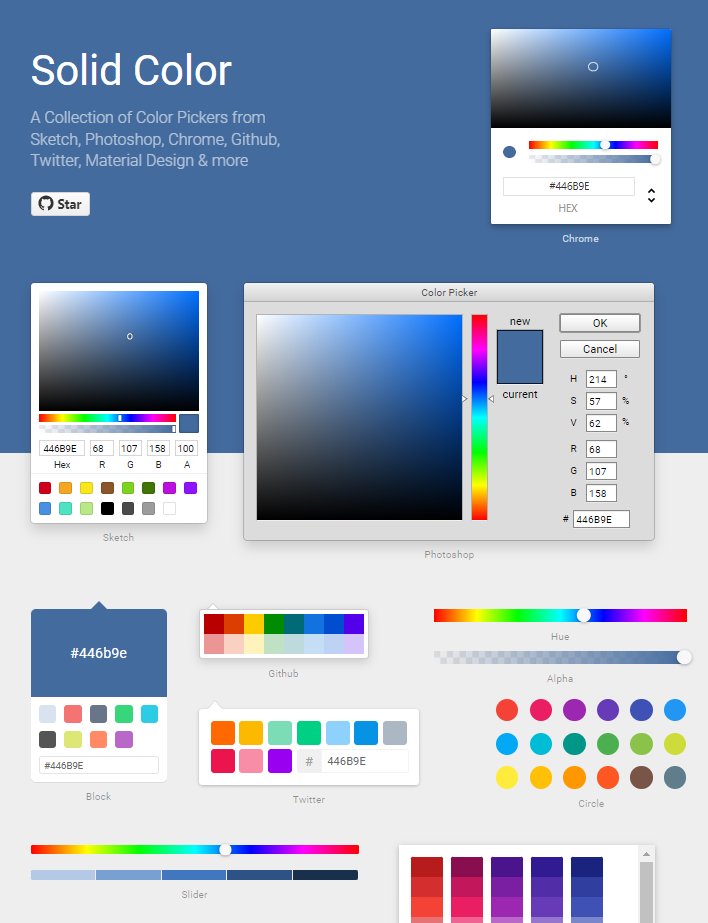
🎨 Color Pickers for Sketch, Photoshop, Chrome & more with SolidJS.
## Demo
[Live Demo](https://solid-color-demo.netlify.app/)
## Features
- 🔨 13 different pickers - Start building with Sketch, Photoshop, Chrome and many more
- 🎨 100% customizable - Change the colors, styles, layout and more
- 📦 Tiny - Only 25kb gzipped
- 🚀 Fast - Built with SolidJS
- 📱 Mobile friendly - Works on touch devices
- 🌈 Accessible - Supports keyboard navigation
- 📖 Typescript - Written in Typescript with full type definitions
- 📦 Tree-shakeable - Only import what you need
## Installation
Install it:
```bash
npm i solid-color
# or
yarn add solid-color
# or
pnpm add solid-color
```
Use it:
```tsx
import { TwitterPicker } from 'solid-color'
function App() {
return ;
}
```