<div align="center">

# Sneakoscope Codex

**Stop trusting “done.” Make Codex prove it.**

Proof-first orchestration for Codex CLI, ChatGPT Desktop, AI coding agents, multi-agent workflows, release verification, and the macOS menu bar.

<p align="center">
  <img src="docs/assets/sks-logo.svg" alt="Sneakoscope Codex logo" width="160" height="160" />
</p>

[![npm version](https://img.shields.io/npm/v/sneakoscope?color=cb3837&logo=npm)](https://www.npmjs.com/package/sneakoscope)
[![node](https://img.shields.io/badge/node-%3E%3D20.11-339933?logo=node.js&logoColor=white)](#requirements)

[![license](https://img.shields.io/badge/license-MIT-blue)](#license)

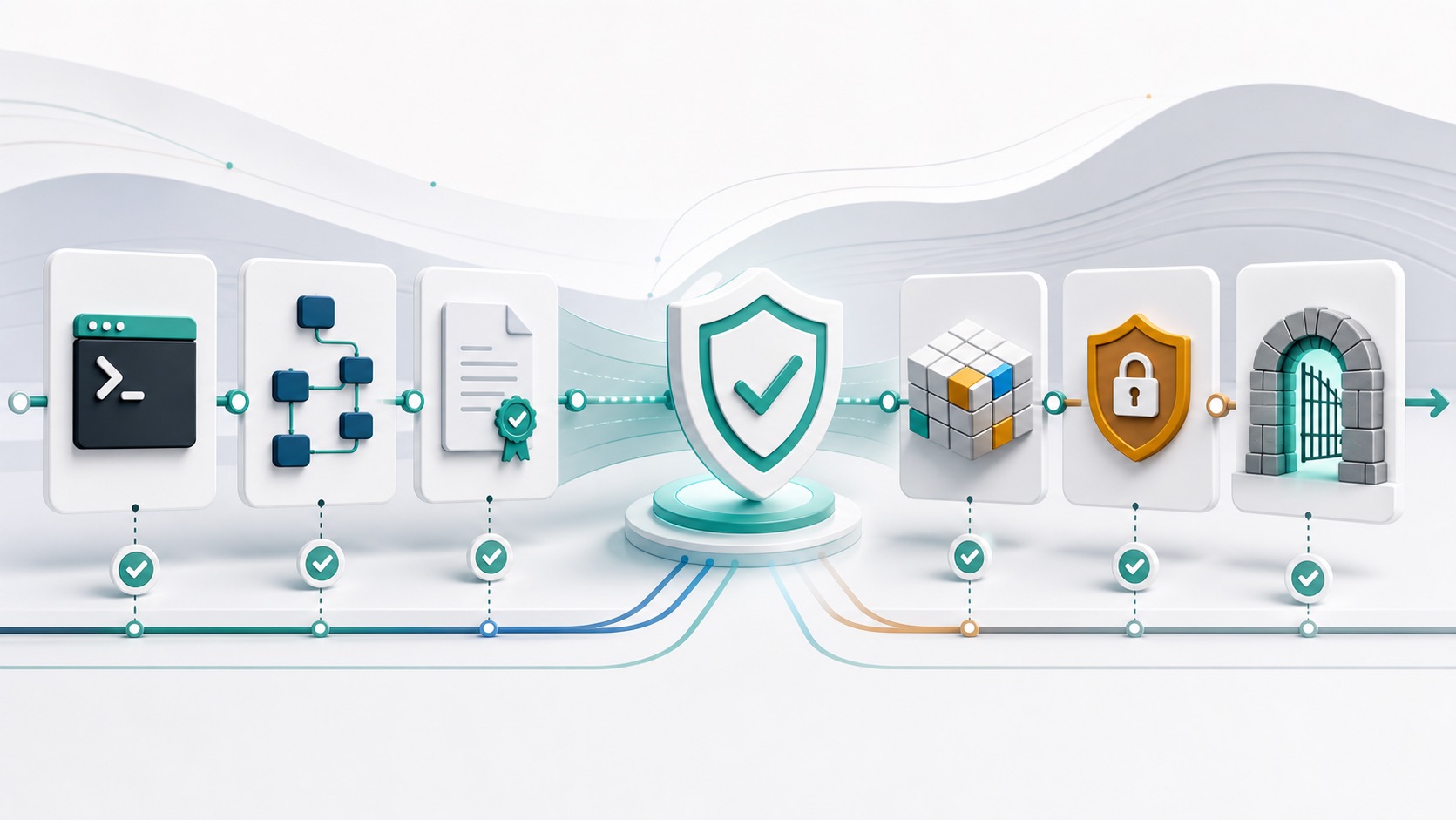
![SKS architecture pipeline](https://raw.githubusercontent.com/mandarange/Sneakoscope-Codex/main/docs/assets/sneakoscope-architecture-pipeline.jpg)

</div>

<!-- BEGIN SKS SEARCH VISIBILITY MARKETING -->
Sneakoscope Codex (`sks`) is an open-source trust layer for Codex CLI and ChatGPT Desktop. It coordinates bounded AI coding agents, records machine-verifiable evidence, preserves project memory, and blocks release claims that are not supported by current tests or artifacts. Search visibility outcomes are measured separately; SKS does not promise rankings or traffic.
<!-- END SKS SEARCH VISIBILITY MARKETING -->

This README documents package **SKS 7.5.0** — its own identity, read from `package.json` and verified by the release gate, not advice about what to install.

Use the official latest stable SKS and Codex CLI releases. SKS stays version-agnostic: older hosts keep working where capabilities allow, while Menu Bar / Center induce updates to the latest stable build. Run `sks update-check` for what is installed and read the capability report for what is actually supported — feature availability is decided by capability probes, not by a version number printed in a document. It resolves managed SKS skills from the authoritative global install, preserves a runnable Naruto child slot when `max_threads=2`, and keeps Menu Bar repair transactional so stamped generations remain verifiable. Naruto uses stable opt-in multi-agent V2 when the host exposes it. Local code search is mode-separated (`sks search files|text|structure|symbol|context`); `context` is answered by the compiled TriWiki Context Graph with evidence paths rather than lexical guessing — see [docs/architecture/context-graph.md](docs/architecture/context-graph.md) and [docs/architecture/search-engine-target.md](docs/architecture/search-engine-target.md). See [CHANGELOG.md](CHANGELOG.md).

## What 7.0.0 Ships

| Problem | 7.0.0 behavior |
| --- | --- |
| Overview mixed Menu Bar, installed SKS, and cached registry versions | Each value is labeled by authority, stale or unavailable probes remain explicit, and Refresh forces a bounded update-status refresh. |
| Naruto stopped creating children after its first wave | The root parent records settled waves, recovers open-thread capacity, rescans the ready DAG, and can launch later direct-child waves under the same workflow run. |
| Most delegated work drifted to Sol Max | Read-heavy discovery uses Terra Medium, ordinary implementation uses Sol High, and Sol Max is reserved for focused high-risk or final judgment slices. |
| Goal creation started a second SKS-owned mission and loop | Codex native Goal is the only persisted owner; create/edit objectives are detailed and bounded, while SKS writes no Goal state or fallback loop. |
| Global instructions accumulated duplicated route rules and forced synthetic tests | One Core Engineering Directive anchors all work, route-specific details stay with their route, and verification targets normal behavior, meaningful boundaries, and plausible failures. |
| GUI-launched status commands could hang or contaminate real update state during tests | Menu Bar commands use a safe HOME cwd, closed stdin, and timeouts; update fixtures use isolated HOME and cache paths. |

## Install In One Command

```sh
npx sneakoscope install --yes
```

That installs or repairs SKS, runs `sks doctor --fix`, and prepares the Codex App integration. The plugin marketplace path is also prepared through `plugins/sks/.codex-plugin/plugin.json`.

For package-managed installs:

The npm lifecycle is non-mutating outside the installed package by default:
it restores only the package-local build stamp and prints the explicit setup
commands. To intentionally run the legacy bootstrap during installation, set
`SKS_POSTINSTALL_BOOTSTRAP=1`; `SKS_POSTINSTALL_NO_BOOTSTRAP=1` remains the
stronger safety override.

```sh
npm i -g sneakoscope
sks bootstrap --yes
sks doctor --fix
```

The SKS menu bar shows the installed Codex CLI version and latest known version. An `⬆` marker appears when an update is available; **Update Codex CLI Now** uses native `codex update` when the selected CLI advertises it, otherwise it verifies the installation provenance and invokes the matching official standalone-installer, npm-global, or Homebrew-cask update method. If the method cannot be verified, it fails closed instead of guessing. Control Center updates keep the active UI alive until the operation receipt is durable, then relaunch the companion out of process. This is an explicit global tool mutation. **Run sks doctor --fix** performs the global-only menu repair flow without treating the user's home directory as a project.

**Manage MCP Servers…** opens a native macOS manager for the global `~/.codex/config.toml`. It can add remote URL or local stdio servers, enable/disable existing entries, remove entries after confirmation, and refresh the current state. Mutations are lock-protected, backed up, TOML-validated, and written with mode `0600`; configured environment values and command arguments are never rendered in the list. Changes apply to new Codex sessions. The same plumbing is available through the canonical `sks mcp config list|get|add|edit|duplicate|enable|disable|remove|test|login|logout|backups|restore` surface for diagnostics and automation.

### Telegram remote coding on this Mac

Open **SKS Center → Remote & Telegram**, create a bot with BotFather, send `/start` to that bot from the Telegram account you want to pair, then choose **Connect Bot & Register Coding Session…** and paste the token. SKS verifies the bot, stores the token only in macOS Keychain, pairs only that private chat/user, and registers one dedicated session bound to the current project. Choose **Start Hub**, then send ordinary text to the bot. On the first real message, the Hub creates the Codex thread and starts its first turn in the same App Server connection so the thread is durably resumable; later messages resume that exact thread and return the final response to Telegram.

The Hub runs as a user LaunchAgent and uses `caffeinate -i` while the logged-in Mac is available. The Mac still needs to remain powered on, logged in, awake, and network-connected; closing the lid or logging out can stop access. Telegram input has no arbitrary shell path, runs with approvals disabled and network access disabled inside the Codex workspace sandbox, and cannot target an unpaired chat or another project.

SKS Center is the menu bar companion: install it with `sks menubar install`, then click the SKS icon in the macOS menu bar and choose **Open SKS Control Center…**. Every GUI step above has a CLI equivalent (`sks telegram setup --bot-token-stdin`, `sks telegram hub start`, `sks telegram status`). The hub uses long polling, so a bot with an existing webhook must have that webhook removed before the hub can start; SKS fails closed with `telegram_webhook_conflict` and never clears it automatically. See **[docs/telegram-and-center.md](docs/telegram-and-center.md)** for the complete BotFather setup, optional command menu and privacy-mode guidance, secure token rotation, verification, and troubleshooting.

## The Front Door

| Command | What it does |
| --- | --- |
| `$sks-plan "task"` | Planning only. Writes `.sneakoscope/plans/<slug>.md`; no code edits. |
| Explicit `$sks-work` | Executes the latest plan through evidence-gated SKS work. Ordinary prose containing “work” is not treated as this alias. |
| `$sks-naruto "task"` | Runs the Codex official subagent workflow with parent-owned integration and evidence. |
| `$sks-mad-sks` / `sks mad-sks` | Single high-risk MAD route for scoped permission widening plus SQL-plane execution, including read-back proof and profile closure. |
| `$sks-review` / `sks review --staged` | Reviews diffs with `evidence: machine` findings sorted above `evidence: llm`. |

`sks --mad` now prioritizes the interactive ready path: independent macOS config probes run concurrently, failed read-only preflight does not repeat mutation-capable repair inspection, verified Zellij/codex-lb evidence is reused, and the remote Zellij update lookup runs after the UI is ready. Existing unreadable or malformed config still blocks safely; pass an explicit repair flag such as `--repair-config` when repair is intended.

## Naruto Workflow

`$sks-naruto` and `sks naruto run "task" --agents 8 --max-threads 12` use Codex official subagents. Standalone and Codex App tasks that request project-host database, spreadsheet, or render tools require the non-persistent `--trusted-project` flag after the operator reviews the checkout; an App session ID scopes evidence but does not grant trust. The parent is GPT-5.6 Sol Max. Tiny mechanical `worker` slices use Luna Max; ordinary UI, logic, backend, and native coding uses Sol High; review, testing, debugging, architecture, integration, security, database, research, release, and other judgment-sensitive work uses Sol Max; long-context scans and direct Computer Use, Browser/Chrome, or image-generation execution uses Terra Medium. Mixed execution/judgment work is split when possible, and unsplittable judgment defaults to Sol Max.

Fresh SKS-owned project config enables Codex 0.145+ multi-agent V2 with `agents.max_concurrent_threads_per_session = 12`, `features.multi_agent_v2.max_concurrent_threads_per_session = 13`, `max_depth = 1`, and `interrupt_message = true`. Nested delegation remains forbidden. Explicit user limits are preserved, and larger requests run in waves.

Gates are task-profile aware: greetings and answer-only turns create no mission gate; tiny work gets minimal verification; parallel work gets scoped ownership and verification; high-risk work keeps the full safety gates. `SubagentStart`/`SubagentStop` prove lifecycle only. Completion also requires `subagent-parent-summary.json` with one trustworthy structured outcome per thread, correlated with `subagent-events.jsonl` and `subagent-evidence.json`.

Every installed Codex hook runs one common Naruto decision gate. The gate records `none`, `generic_naruto`, or `route_owned`: Answer, DFix, Wiki, Computer Use, Goal, and simple Git/control turns stay lightweight; ordinary non-trivial work defaults to two independent official subagents; critical work spanning at least three risk domains may use three. Research, AutoResearch, and QA-Loop retain their own exact orchestration contracts instead of receiving a second generic fan-out. Explicit `--agents N` remains authoritative.

SKS installs twenty-five narrow project custom agents, including native AppKit, toolchain, protocol, runtime-reliability, TriWiki-evidence, long-context, Computer Use, Browser/Chrome, and image-generation specialists. Delegation prompts inject at most the three roles recommended for the current goal rather than serializing the full catalog, so expanding role coverage does not serialize the full inventory into every prompt. TriWiki context is also bounded and query-aware: ordinary work receives up to four trust/hydration anchors and complex, parallel, or high-risk work receives up to six, with source hydration required before relying on lower-trust hints. In CLI Zellij mode, the right side is a live observability surface rather than a static lane reservation: one monitor plus one viewport by default (maximum three) shows official thread role/model, redacted live phase/task/file updates from rollout-compatible Codex sessions on the official latest stable CLI, plus `running`, `verifying`, and trustworthy parent-verdict completion/failure states. Rollout activity is display-only and never completion proof.

Official subagent requests use `--agents`; removed scheduler, pool, backend, and model flags fail closed.

## Embedding SKS In Another Agent System

By default SKS owns the credential: it pins `model_provider="openai"` and `forced_login_method="chatgpt"`, so an operator's interactive ChatGPT session authenticates the run and it cannot drift onto another provider unnoticed.

That default is wrong for an unattended host. An orchestrator that already holds and rotates a customer's OpenAI-compatible credential — a local codex-lb endpoint, OpenRouter, any `env_key` provider block — cannot log in interactively on every node, and forcing `chatgpt` makes Codex treat an `auth_mode="apikey"` session as a hard logout and delete `auth.json`. **Host mode** hands that decision back.

```sh
sks naruto run "task" \
  --auth-mode=host \
  --model-provider=codex-lb \
  --provider-env-key=CODEX_LB_API_KEY
```

| Surface | Flag | Environment | Effect |
| --- | --- | --- | --- |
| Who authenticates | `--auth-mode=host` | `SKS_NARUTO_AUTH_MODE=host` | SKS injects neither `model_provider` nor `forced_login_method`; Codex uses your `config.toml` provider block |
| Which provider block | `--model-provider=<name>` | `SKS_NARUTO_MODEL_PROVIDER` | Names a `[model_providers.<name>]` block. Host mode only |
| Which credential variable | `--provider-env-key=<NAME>` | `SKS_NARUTO_PROVIDER_ENV_KEY` | Forwards exactly that variable to the child so the block's `env_key` resolves. Host mode only |
| Release the login only | `--no-forced-login-method` | `SKS_NARUTO_FORCED_LOGIN_METHOD=none` | Keeps the SKS provider, drops the forced ChatGPT login |
| Parent model / effort | `--parent-model`, `--parent-effort` | `SKS_NARUTO_PARENT_MODEL`, `SKS_NARUTO_PARENT_EFFORT` | Overrides the built-in parent policy |
| Subagent model / effort | `--subagent-model`, `--subagent-effort` | `SKS_NARUTO_SUBAGENT_MODEL`, `SKS_NARUTO_SUBAGENT_EFFORT` | Overrides the default subagent policy |

Guarantees this contract makes:

- **SKS never reads, stores, forwards to a third party, or logs your credential.** It forwards one named environment variable to the Codex child and records only that variable's *name* in receipts. Values of secret-shaped variables are redacted from captured output.
- **A malformed value blocks the run.** An unknown auth mode, a provider name with a space, an effort tier that is not `minimal|low|medium|high|max`, or a `--provider-env-key` that is absent from the environment all fail before mission state is written. SKS never quietly falls back to its own credential — that surprise is the failure mode this contract exists to prevent.
- **Mixed configurations are refused.** Naming a provider while SKS still forces a ChatGPT login would authenticate one way and bill another, so it is a blocker rather than a silent precedence rule.
- **The default is unchanged.** Managed mode still pins the ChatGPT login, and the real-credential smoke gate still proves it.

### Designing an adapter that wraps SKS without fighting it

The rule that keeps an adapter conflict-free: **let SKS own the mission, the evidence, and the gates; let the host own the credential, the model policy, and the workspace.** Cross that line — by patching `dist/`, writing `.sneakoscope/` yourself, or re-implementing the gate DAG — and every SKS update breaks you.

```ts
// acas/adapters/sks.ts — one process boundary, no dist patching.
import { execFile } from 'node:child_process'
import { promisify } from 'node:util'

const run = promisify(execFile)

export interface SksMissionRequest {
  workspace: string          // host owns the checkout
  task: string
  agents?: number
  tenant: {
    providerBlock: string    // [model_providers.<name>] the host wrote into config.toml
    credentialEnvKey: string // env var the block's env_key points at
    credential: string       // held by the host; never persisted by SKS
    parentModel?: string
    subagentModel?: string
  }
}

export async function runSksMission(request: SksMissionRequest) {
  const { stdout } = await run('sks', [
    'naruto', 'run', request.task,
    '--json',
    ...(request.agents ? ['--agents', String(request.agents)] : []),
    // Host owns authentication and model policy.
    '--auth-mode=host',
    `--model-provider=${request.tenant.providerBlock}`,
    `--provider-env-key=${request.tenant.credentialEnvKey}`,
    ...(request.tenant.parentModel ? [`--parent-model=${request.tenant.parentModel}`] : []),
    ...(request.tenant.subagentModel ? [`--subagent-model=${request.tenant.subagentModel}`] : [])
  ], {
    cwd: request.workspace,
    env: {
      ...process.env,
      // The one variable the provider block resolves. Scope it to this call
      // rather than exporting it process-wide.
      [request.tenant.credentialEnvKey]: request.tenant.credential
    },
    maxBuffer: 64 * 1024 * 1024
  })
  // SKS answers with its own result schema; treat it as the source of truth for
  // status and evidence rather than re-deriving success from stdout text.
  return JSON.parse(stdout)
}
```

Then read the outcome through SKS's own surfaces instead of inferring it:

```sh
sks naruto proof --json                 # completion proof, blockers, evidence links
sks triwiki graph-status --fast --json  # is the compiled graph usable right now (no git, no spawn)
sks search context "..." --json         # evidence-backed context with reason paths
```

`graph-status --fast` is the probe to poll from a host loop: it reads the stored
artifacts only, so it costs no subprocess, and it reports which staleness reasons
it could not evaluate rather than returning a `fresh` that means less than it
looks. Drop `--fast` when you want the full git-aware verdict.

Adapter rules that keep updates safe:

1. **One process boundary.** Shell out to the `sks` CLI with `--json`. Do not import SKS internals; they are not a published API and they move.
2. **Never patch `dist/`.** A local patch is overwritten by every install and is asserted against by release gates. If a behaviour you need is missing, it belongs behind a flag like the ones above.
3. **Host owns the workspace, SKS owns `.sneakoscope/`.** Write your own state anywhere else; treat `.sneakoscope/` as SKS-owned and read-only from outside.
4. **Pass credentials per invocation, not per machine.** A per-call `env` entry keeps one tenant's key out of another tenant's run.
5. **Let the gates fail.** A blocked mission with blockers is a correct answer. Do not retry it with safety flags off, and do not treat `--trusted-project` as a default — it is an operator decision about a reviewed checkout.
6. **Do not pin a version in your own docs or error strings.** Ask for the official latest stable release and read the capability report; SKS enforces this on itself with the `latest-version:guidance` gate.
7. **Parallelism advice is advisory.** `sks naruto` decides its own wave shape; if you plan slices yourself, check them against the graph advisory rather than assuming disjointness.

## Why Not Just An LLM Reviewer?

| Question | Oracle-style LLM review | SKS gate/review |
| --- | --- | --- |
| Did tests/typecheck fail? | Another model may say so. | Machine check output is tagged `evidence: machine`. |
| Are findings ranked? | Usually one blended opinion. | Machine evidence sorts before LLM findings. |
| Can work stop? | The model decides. | Stop gates, Completion Proof, and Honest Mode decide. |
| Can I inspect agent-thread progress? | Usually no runtime UI. | Use the official Codex subagent/thread surfaces and SKS Zellij monitor/viewport panes. |

## Demo

The reproducible VHS script lives at [docs/demo.tape](docs/demo.tape).

```sh
vhs docs/demo.tape
```

It shows the current quickstart flow: one-line install, `$sks-plan`, `sks review`, `sks status --json`, and an official `$sks-naruto` subagent run.

## Proof Surfaces

- Official subagents: `sks naruto run "task" --agents 14 --max-threads 12 [--trusted-project] --json`
- Review report: `.sneakoscope/reports/review-report.json`
- Harness benchmark: `.sneakoscope/reports/harness-benchmark.json`
- Project memory: `sks memory build`
- Codebase index/pack for LLM context: `sks wiki refresh --code`, `sks wiki validate --json` (code-pack freshness)
- Native capability repair: `sks doctor --fix` (imagegen/Computer Use/Browser Use), `.sneakoscope/reports/native-capability-readiness.json`
- codex-lb continuity: `sks codex-lb status --json` verifies the selected proxy's unauthenticated `/health` `X-App-Version`. Tool-heavy continuation requires a codex-lb deployment that reports the capability; use the official latest stable release. Older or unverified deployments block setup, doctor, and launch instead of silently falling back.
- Agent bridge for any agent system: `sks mcp-server`, `sks agent-bridge setup`, `SKS_AGENT_MODE=1` — see [docs/AGENT-BRIDGE.md](docs/AGENT-BRIDGE.md)
- Release gates: `npm run release:check:affected` for ordinary change-aware verification and `npm run release:check:confidence` for the final local confidence pass.
- Release preparation: typecheck, one clean build, focused tests, affected/confidence gates, then `npm publish --dry-run --json --registry https://registry.npmjs.org/ --tag latest --access public`. The dry-run does not publish; authorization remains a separate maintainer workflow.
- Release readiness notes: [docs/release-readiness.md](docs/release-readiness.md) and [CHANGELOG.md](CHANGELOG.md)
- Image generation review routes require Codex App `$imagegen`/`gpt-image-2` evidence with recorded output hashes; direct API fallback and mock fixtures do not satisfy full route gates.

## Requirements

- Node.js `>=20.11`
- Git for diff/review and release proof
- macOS optional: menu bar integration and `/usr/bin/open`
  - The menubar icon shows and hides itself automatically as the Codex desktop app launches/quits; set `quit_with_codex: true` in `~/.codex/sks-menubar/config.json` to have the menubar fully quit with Codex instead of just hiding (default `false`).
  - Native input dialogs (API keys, codex-lb setup) pass secrets to `sks` via `--api-key-stdin` instead of a visible Terminal window or process arguments.
  - Auth/provider changes require a successful app restart; skipped or failed restarts fail the action.
  - `sks update` preserves the selected codex-lb or ChatGPT OAuth mode, model, reasoning, catalog, and routing state.
  - Providers exposes **Restore Chat / Pro (OAuth)** as an explicit auth-mode switch while retaining saved codex-lb credentials.
  - Update installs always rebuild the companion with the newly installed SKS package, preventing a previous-version updater from restoring a stale menu binary.
  - The menubar dropdown's `View Last Log` item opens the most recent background action's log file, so you don't need to keep a Terminal window open to see command output.
  - `Manage MCP Servers…` provides a resizable native table and add/remove/enable/disable controls for global Codex MCP configuration. Secret environment values and command arguments are accepted through native dialogs/stdin but omitted from list output and logs.
  - `sks menubar status --json` reports a `codex_sync` object with `bundle_id`, `codex_running`, and `icon_visible_expected` to show Codex-lifecycle detection state.
  - The menu displays the installed Codex CLI version, adds an `⬆` status icon when `sks codex update-status` sees a newer release, runs the official self-updater through `Update Codex CLI Now`, and exposes `Run sks doctor --fix` as a background repair action.
  - Fast mode has a verified status row and direct On/Off actions. Status failures render as unavailable with neither choice falsely selected.
- If Codex shows `[No tool output found for custom tool call ...]`, SKS blocks reuse of that structurally ambiguous thread. Upgrade codex-lb (or explicitly run `sks codex-lb use-oauth`), inspect possible side effects, then continue the persisted mission in a fresh Codex task. SKS never rewrites session JSONL or fabricates a successful tool output.
- Zellij optional but recommended for terminal worker panes

## License

MIT