# SnackJS
> Android Snackbars done right for the web.
[]()
[](https://www.npmjs.com/package/snackjs)
[](https://www.npmjs.com/package/snackjs)
[](https://www.npmjs.com/package/snackjs)
[](https://github.com/achillesrasquinha/SnackJS)
[](http://github.com/achillesrasquinha/SnackJS/blob/master/LICENSE)
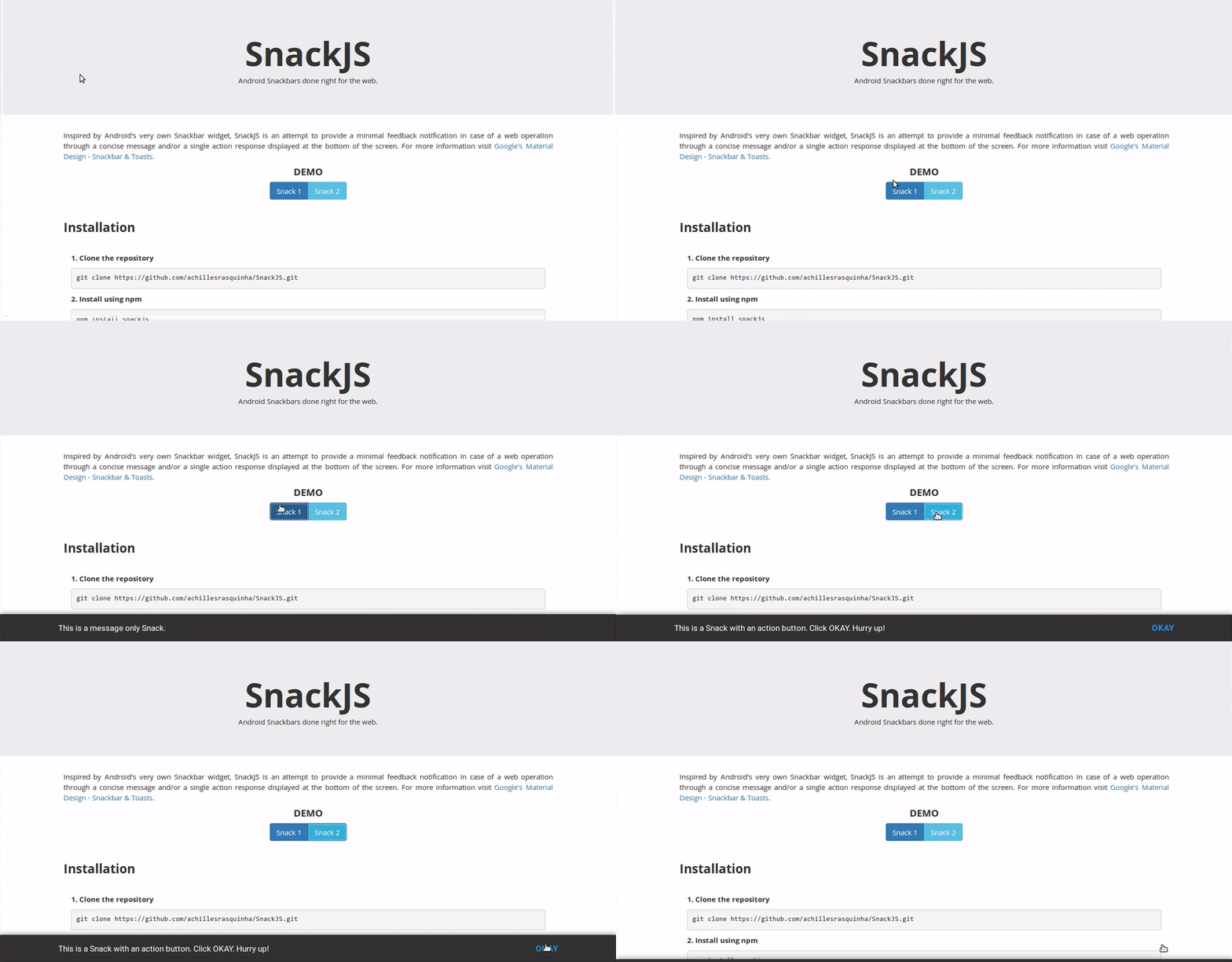
Inspired by Android's very own Snackbar widget, SnackJS is an attempt to provide a minimal feedback notification in case of a web operation through a concise message and/or a single action response displayed at the bottom of the screen. For more information visit [Google's Material Design - Snackbar & Toasts](https://material.google.com/components/snackbars-toasts.html). Check out the [project page](https://achillesrasquinha.github.io/SnackJS) for demos.
### Table of Contents
* [Installation](#installation)
* [Usage](#usage)
* [Methods](#methods)
* [Options](#options)
* [License](#license)
### Installation
##### Clone the repository
```
git clone https://github.com/achillesrasquinha/SnackJS.git
```
##### Install using npm
```
npm install snackjs
```
##### Install using bower
```
bower install snackjs
```
In your HTML file
```html
...
...
```
### Usage
A template declaration would be as follows
```javascript
var snack = Snack.make("", { /**/ });
snack.show();
```
For example
```javascript
// Message-Only Snack
Snack.make("This is a Snack.").show();
// Message + Action Snack
Snack.make("This is a Snack with an action.", {
action : 'Okay',
onAction: function ( ) {
alert("Success!");
}
}).show();
```
Or maybe a chain call
```javascript
var snack = new Snack();
snack.message ("Luke, I'm your father.")
.settings({ duration: Snack.LONG, hideOnClick: true })
.show();
```
### Methods
| Return | Method | Description |
| ------------- | ------------------------------- | -------------------------------------------------------- |
| Snack | `make(message, option)` | Creates a snackbar with message and options provided. |
| Snack | `settings(option)` | Pass your options to `settings` to change them any time. |
| Snack | `message(message)` | Update the Snack's message. |
| void | `show()` | Display the Snack. |
| void | `hide()` | Hide the Snack. |
### Options
```javascript
var snack = new Snack();
snack.settings({
duration : Snack.SHORT /*default*/ | Snack.LONG | Snack.INDEFINITE | /**/,
action : null /*default*/ | "",
actionColor: Snack.INFO /*default*/ | Snack.SUCCESS | Snack.WARNING | Snack.DANGER | "",
onAction : null /*default*/ | /**/,
hideOnClick: true /*default*/ | false
});
```
### License
Code released under the [MIT License](http://github.com/achillesrasquinha/SnackJS/blob/master/LICENSE).