[](https://badge.fury.io/js/smart-tools)
[](https://quay.io/repository/yaacov/smart-tools)
# SMART Tools
SMART (Simple Machine Assembly and Runtime Tools) is a comprehensive suite designed to introduce students to the world of assembly language and low-level computing. The primary goal of SMART Tools is to provide a simplified yet robust environment for students to grasp the foundational concepts of assembly programming without being overwhelmed by intricate details.
## Web-based User Interface
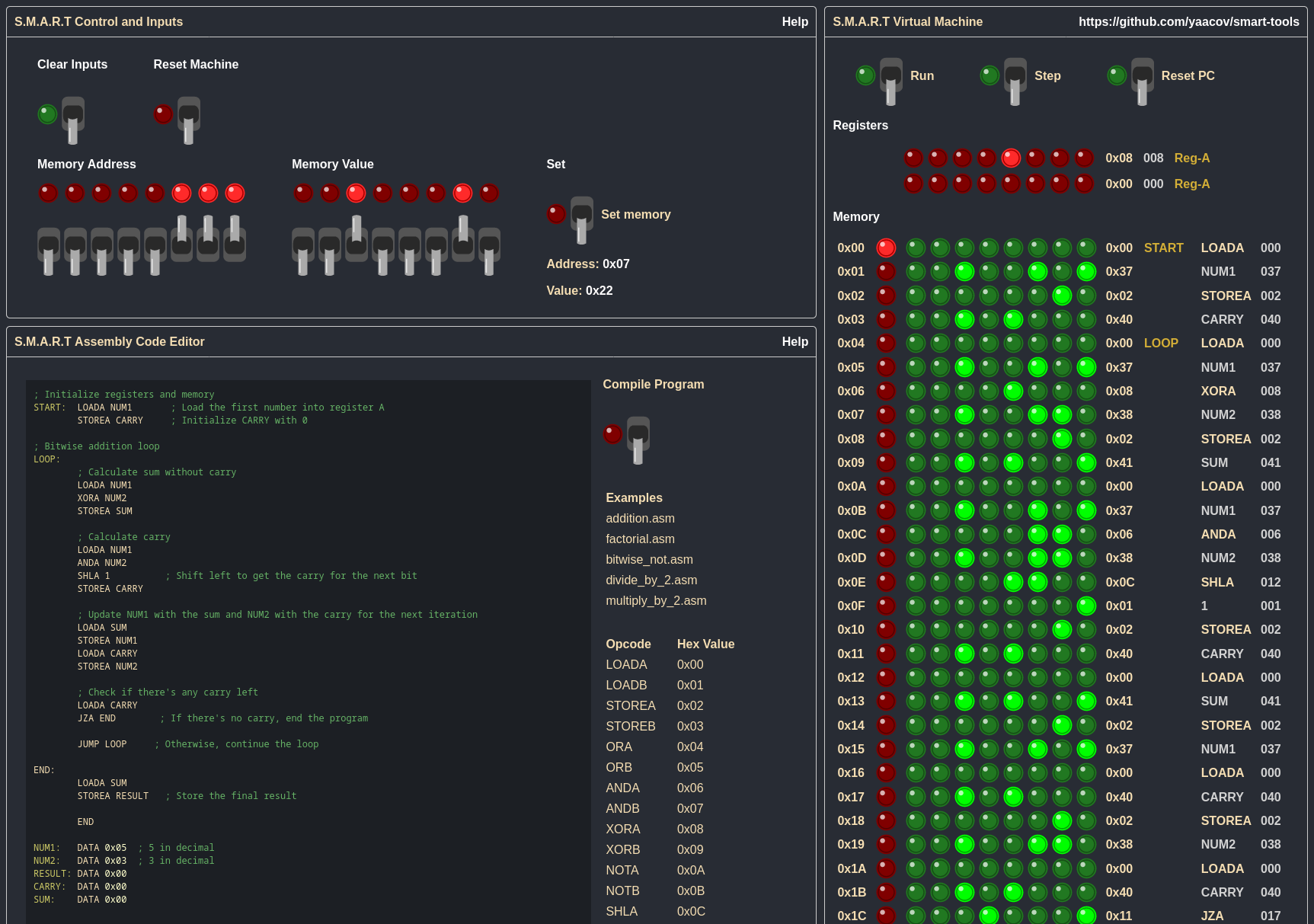
You can try it out using the [web-based user interface](https://yaacov.github.io/smart-tools/).
## Why SMART Tools?
1. **Simplicity**: SMART is designed to be straightforward, making it easier for beginners to understand the core concepts without getting lost in the complexities of real-world assembly languages.
2. **Comprehensive**: While simple, SMART provides a complete experience, from writing code in the assembly language to running it on a virtual machine.
3. **Educational**: The tools are tailored for educational purposes, ensuring that students not only learn how to write assembly but also understand the underlying principles.
## Components
1. **Assembly Language**: A simple yet powerful assembly language tailored for educational purposes. Dive deeper into its syntax, opcodes, and features in [README.ASM.md](README.ASM.md).
2. **CLI Tools**: A set of command-line utilities including an assembler, disassembler, and a virtual machine. Detailed usage and options can be found in [README.CLI.md](README.CLI.md).
## Quick Example
Here's a simple SMART assembly program that adds two numbers:
```assembly
START: LOADA NUM1 ; Load the first number into register A
LOADB NUM2 ; Load the second number into register B
ADDB NUM1 ; Add the value in register A to register B
STOREA RESULT ; Store the result
END
NUM1: DATA 0x05 ; 5 in decimal
NUM2: DATA 0x03 ; 3 in decimal
RESULT: DATA 0x00
```
## Running the Tools
[](https://asciinema.org/a/610837)
To get started with SMART Tools, you'll first need to install them. Once installed, you can use the command-line interfaces to assemble, disassemble, and run your programs.
### Tools Provided:
- smart-assembler: This tool allows you to convert your assembly language programs into machine code. It takes an .asm file and produces an .obj file containing the binary representation of your program.
- smart-disassemble: If you have a machine code program (in an .obj file) and you want to understand its assembly representation, this tool will help you convert it back into an .asm file.
- smart-vm: This is a virtual machine that lets you run your machine code programs. It simulates the behavior of the SMART computer architecture, allowing you to execute and debug your programs in a controlled environment.
For a deeper understanding of what each tool does and the concepts behind them, please refer to the [README.INFO.md](README.INFO.md).
### Installation
#### Running container
```bash
podman run -it quay.io/yaacov/smart-tools
```
#### Installing using npm
```bash
npm install smart-tools
```
#### From source
Before you begin, ensure you have **Node.js** and **npm** (Node Package Manager) installed on your system. If not, you can download and install them from [Node.js official website](https://nodejs.org/).
Once you have Node.js and npm set up:
- Clone the repository and navigate to the directory:
```bash
git clone
cd smart-tools
```
- Install the necessary dependencies:
```bash
npm install
```
- Run the code
```bash
# Run the tools from source
node src/smart-vm.mjs
# build the contaier image
podman build -t quay.io/yaacov/smart-tools .
# Run the container image
podman run -it quay.io/yaacov/smart-tools
```
#### Assembling a Program
To assemble a .asm file into a .obj binary:
```bash
smart-assembler path/to/yourfile.asm outputfile.obj
```
#### Disassembling a Program
To disassemble a .obj binary into a .asm file:
```bash
smart-disassemble path/to/yourfile.obj outputfile.asm
```
Or, to print the disassembled code to the console:
```bash
smart-disassemble path/to/yourfile.obj -
```
#### Running a Program
To run a .obj binary:
```bash
smart-vm path/to/yourfile.obj
```
#### For debugging and stepping through the program:
```bash
smart-vm path/to/yourfile.obj --debug
```
Remember, detailed information about the CLI tools, their options, and more examples can be found in [README.CLI.md](README.CLI.md).
## Similar Projects
While there are several projects aimed at teaching assembly language, SMART Tools stands out due to its simplicity and focus on foundational concepts. Some similar projects include:
- MIPS Assembly: A more complex assembly language used in MIPS processors. While powerful, it might be overwhelming for beginners.
- Little Man Computer (LMC): An instructional model of a computer. LMC is simple like SMART but lacks some of the features and opcodes provided by SMART.
The primary difference between SMART Tools and other projects is the balance between simplicity and comprehensiveness. While SMART is designed to be beginner-friendly, it doesn't compromise on providing a complete assembly programming experience.
[bitmap editor](https://yaacov.github.io/smart-tools/bitmap-editor.html)