# SimpleCalendarJs
Lightweight JS calendar (~16KB gzipped). Zero dependencies. Works in React, Vue, Angular, or vanilla JS out of the box. Month, week, day, and list views. Built-in date & range picker. No FullCalendar bloat.
[](https://www.npmjs.com/package/simple-calendar-js)
[](https://github.com/pclslopes/SimpleCalendarJs/blob/main/LICENSE)
## Features
- **Zero Dependencies** - Pure vanilla JavaScript, no external libraries
- **Four View Modes** - Month, week, day, and list views with smooth transitions
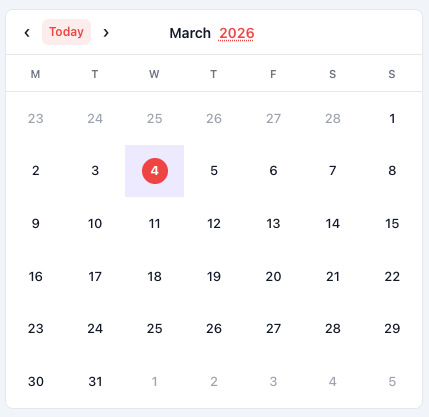
- **Picker Modes** - Built-in date picker and date range picker modes for date selection
- **Full Internationalization** - Built on Intl.DateTimeFormat API for native locale support
- **Framework Wrappers** - Official React, Vue 3, and Angular components included
- **Module System Support** - Works as UMD (CommonJS, AMD, ES modules, or browser global)
- **Dark Mode Ready** - Automatic dark theme detection and support
- **Async Event Loading** - Fetch events dynamically with `async/await` support
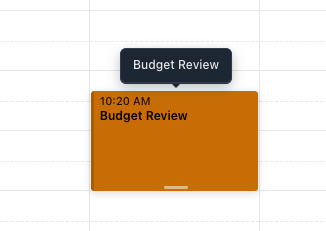
- **Drag & Drop** - Move and resize events with mouse or touch
- **Responsive Design** - Adapts to any screen size
- **Customizable Styling** - CSS custom properties for easy theming
- **Accessible** - Semantic HTML with proper ARIA attributes
- **Small Bundle Size** - ~45KB minified JS + ~22KB CSS (~16KB total gzipped)
## Screenshots
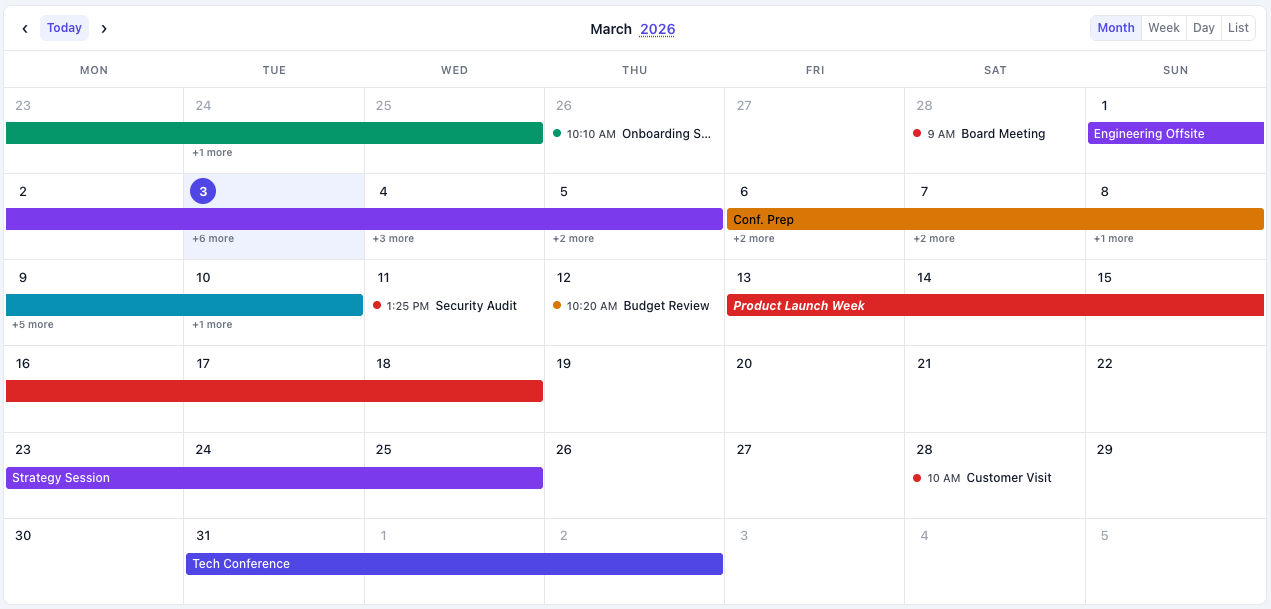
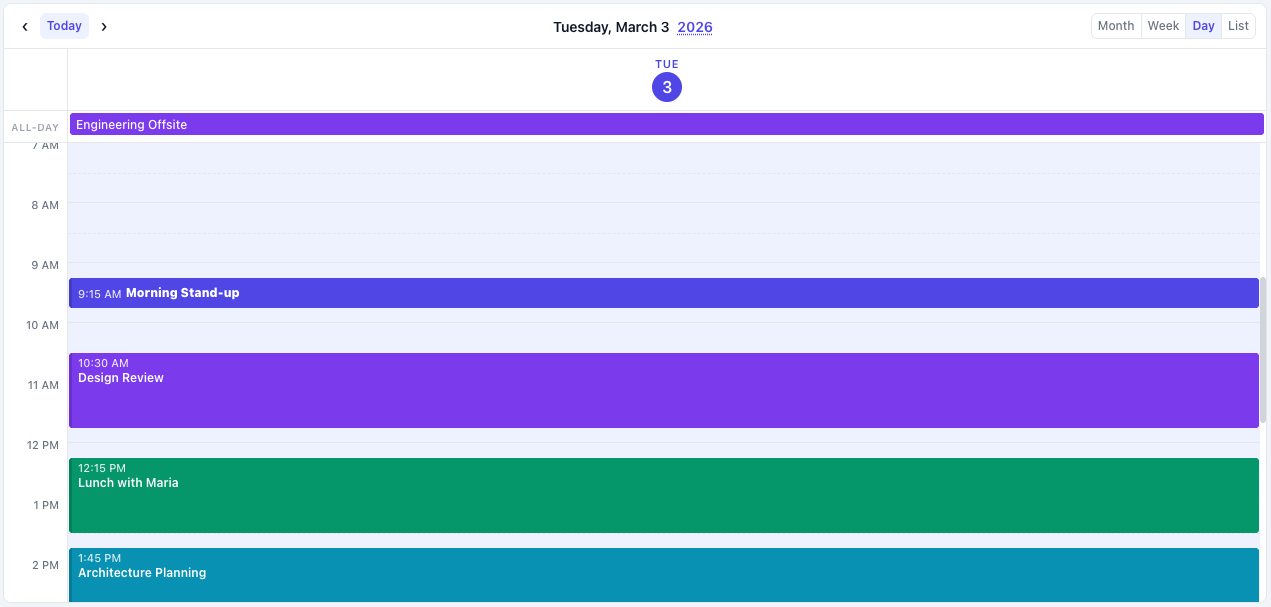
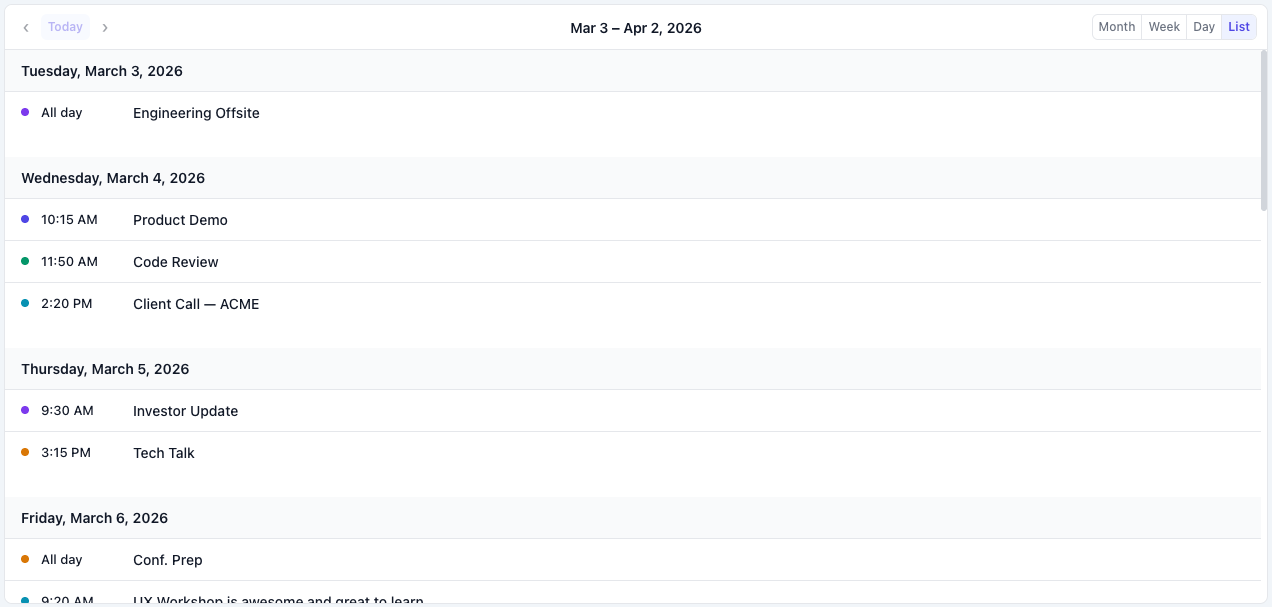
### Four View Modes
Month View
Week View
Day View
List View
### Drag & Drop / Resize Events
Drag & Drop Events
Resize Events
### Date Picker & Range Picker
Date Picker Mode
Range Picker Mode
## Installation
### NPM
```bash
npm install simple-calendar-js
```
### CDN
```html
```
### Manual Download
Download the files from the [dist/](https://github.com/pclslopes/SimpleCalendarJs/tree/main/dist) folder and include them in your project.
> **License:** Free for personal and open source use. Commercial projects require a license → [simplecalendarjs.com/#pricing](https://www.simplecalendarjs.com/#pricing)
## Quick Start
### Vanilla JavaScript
```html
```
### React
```jsx
import SimpleCalendarJsReact from 'simple-calendar-js/frameworks/simple-calendar-js-react.jsx';
import 'simple-calendar-js/dist/simple-calendar-js.min.css';
function MyCalendar() {
const fetchEvents = async (startDate, endDate) => {
const res = await fetch(`/api/events?start=${startDate}&end=${endDate}`);
return await res.json();
};
return (
console.log(event)}
style={{ height: '600px' }}
/>
);
}
```
### Vue 3
```vue
```
### Angular
```typescript
import { Component } from '@angular/core';
@Component({
selector: 'app-calendar',
template: `
`
})
export class CalendarComponent {
async fetchEvents(startDate: Date, endDate: Date) {
const res = await fetch(`/api/events?start=${startDate}&end=${endDate}`);
return await res.json();
}
handleEventClick(event: any) {
console.log('Event clicked:', event);
}
}
```
## Configuration Options
Here are some of the most commonly used configuration options:
```javascript
const calendar = new SimpleCalendarJs('#calendar', {
// View Settings
defaultView: 'month', // 'month', 'week', 'day', 'list'
// Picker Modes
mode: 'calendar', // 'calendar', 'date-picker', 'range-picker'
// Internationalization
locale: 'en-US', // Any valid locale (e.g., 'es-ES', 'fr-FR', 'ja-JP')
firstDayOfWeek: 0, // 0 = Sunday, 1 = Monday
// Events
fetchEvents: async (start, end) => { /* ... */ },
events: [], // Static events array
// Interactions
enableDragDrop: false, // Enable drag & drop
enableResize: false, // Enable event resizing
// Callbacks
onEventClick: (event, mouseEvent) => {},
onDateClick: (date, mouseEvent) => {},
onEventDrop: (event, newStart, newEnd) => {},
onEventResize: (event, newStart, newEnd) => {},
onDateSelect: (date) => {}, // For date-picker mode
onRangeSelect: (start, end) => {}, // For range-picker mode
// Styling
darkMode: 'auto', // 'auto', 'light', 'dark'
enableHtmlInTitles: true, // Allow HTML in event titles
// Advanced
timezone: 'local', // 'local', 'UTC', or IANA timezone
monthViewTimedEventStyle: 'list', // 'list' or 'block'
});
```
## API Methods
```javascript
// Navigation
calendar.goToDate(new Date());
calendar.next();
calendar.prev();
calendar.today();
// View Management
calendar.changeView('week');
calendar.getCurrentView();
// Events
calendar.addEvent(event);
calendar.updateEvent(eventId, updates);
calendar.deleteEvent(eventId);
calendar.refetchEvents();
// Picker Mode (date-picker/range-picker)
calendar.setSelectedDate(date);
calendar.getSelectedDate();
calendar.setSelectedRange(startDate, endDate);
calendar.getSelectedRange();
calendar.clearSelection();
// Cleanup
calendar.destroy();
```
## Full Documentation
For complete documentation including:
- Detailed configuration options
- Event object format and timezone handling
- Drag & drop and resize features
- Tooltips and HTML content
- Theming and dark mode
- Internationalization examples
- Advanced usage patterns
**Visit the full documentation at: [https://www.simplecalendarjs.com/docs](https://www.simplecalendarjs.com/docs)**
## Browser Support
- Chrome 60+
- Firefox 60+
- Safari 12+
- Edge 79+
## Support & Issues
Found a bug or have a feature request? Please open an issue on [GitHub Issues](https://github.com/pclslopes/SimpleCalendarJs/issues).
When reporting bugs, please include:
- Steps to reproduce
- Expected vs actual behavior
- Browser and version
- Code snippets or examples
## Contributing
This project does not accept code contributions or pull requests. All development is handled by the maintainer to ensure code quality and licensing integrity.
However, you can help by:
- Reporting bugs via GitHub Issues
- Suggesting features
- Helping other users in discussions
- Sharing your implementation examples
See [CONTRIBUTING.md](https://github.com/pclslopes/SimpleCalendarJs/blob/main/CONTRIBUTING.md) for more details.
## License
This project is available for personal, educational, and non-commercial use.
**Commercial use requires a separate license.** See [LICENSE](https://github.com/pclslopes/SimpleCalendarJs/blob/main/LICENSE) file for full terms.
For commercial licensing inquiries: simplecalendarjs@gmail.com or visit [www.simplecalendarjs.com/#pricing](https://www.simplecalendarjs.com/#pricing)