# SciChart.js: High Performance JavaScript Chart Library
> **SciChart.JS v6**
>
> Find out what's new in every Major and Minor release at the [Change Log here](https://www.scichart.com/changelog/scichart-js/)
> **Documentation**
>
> Find out our [Documentation web-site here](https://www.scichart.com/documentation/js/current/intro)
SciChart.js is a High Performance [JavaScript Chart library](https://www.scichart.com/javascript-chart-features/). Leveraging WebGL, WebGPU and WebAssembly to achieve incredible big-data and real-time performance.
Fast and able to draw millions of datapoints in realtime, our charts will never cause your app to slow down again!
## Why SciChart?
- Learn why we propose SciChart as the [Best JavaScript Chart Library in 2024](https://www.scichart.com/blog/the-best-javascript-chart-10-reasons/) for Big-Data, complex enterprise apps.
- Read performance test results showing SciChart beating Chart.js, HighCharts, Plotly by a wide margin in a [JavaScript Chart Performance Comparison](https://www.scichart.com/blog/scichart-is-the-fastest-js-chart-library-available-and-why-that-matters-in-todays-world/)
- Learn the features and key differences of SciChart.js [JS Charts](https://www.scichart.com/javascript-chart-features/) library.
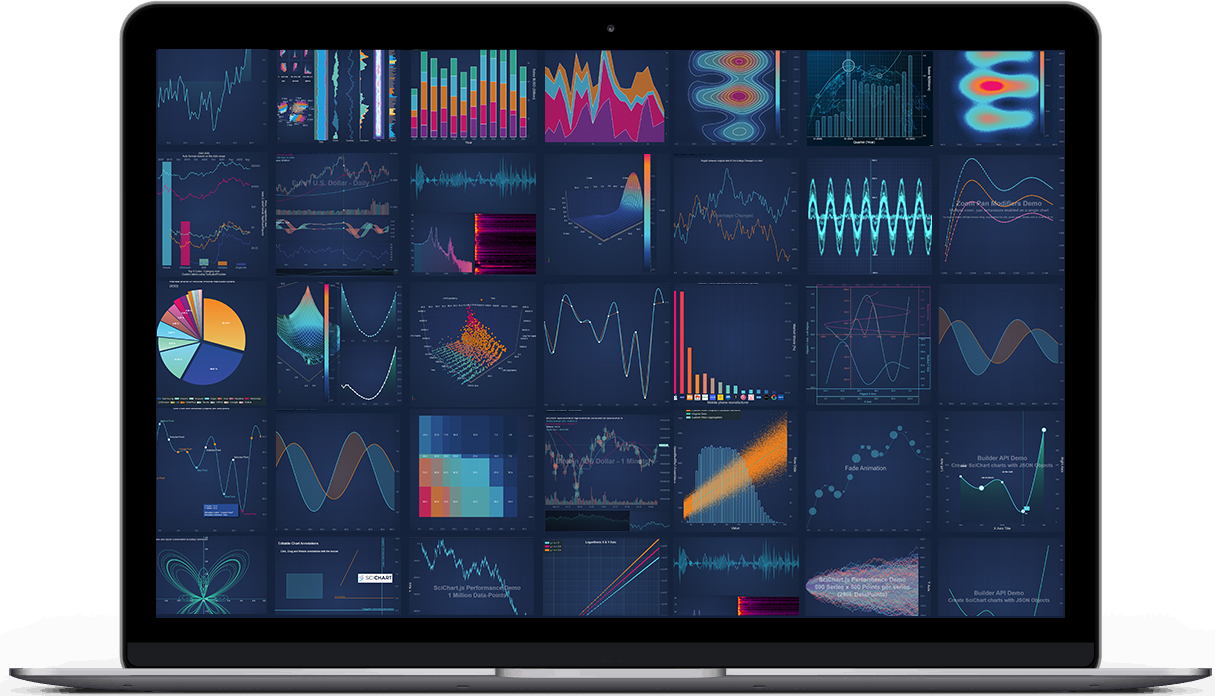
- Browse the demos of [JavaScript Charts](https://www.scichart.com/demo/react) and [JavaScript 3D Charts](https://www.scichart.com/demo/react/3d-bubble-chart) in our interactive React showcase.
> SciChart has an extremely configurable and extensible API and is
> **perfect for scientific, financial, medical, engineering and enterprise applications**,
> apps with demanding performance requirements or complex and mission critical charting.
[](https://www.scichart.com/javascript-chart-features/)
# Releases
SciChart.js v6 is the first release supporting WebGPU which sagnificantly improves multichart scenarious like dashboards. Our userbase has demanding requirements from F1 to medical dashboards, IoT telemetry in industrial, aerospace and defense applications, and v6 answers them with:
- **WebGPU rendering** — a brand new renderer, selected automatically on Apple Silicon Macs, with WebGL used everywhere else.
- **A tree-shakeable package** — `scichart` now ships dual ES-module and CommonJS builds, so bundlers drop the parts of the library you don't use.
- **One modular WebAssembly engine** — 2D and 3D are now a single wasm module, and the 3D engine is fetched lazily, so 2D-only pages never pay for it.
- **wasm64 (Memory64) binaries** — optional builds that lift the 4GB memory ceiling for very large datasets.
- **`TableDataSeries`** — the renamed and extended `XyNDataSeries`, now with string-column support.
- [Latest Changes](https://www.scichart.com/changelog/scichart-js/)
- [v6.0 Release notes](https://www.scichart.com/scichart-js-v6-released/) | [Breaking Changes](https://www.scichart.com/documentation/js/current/whats-new/breaking-changes-v5.2-v6.0/)
- [Financial Drawing Tools v5.2 Release notes](https://www.scichart.com/scichart-js-v5-2-released/) | [Breaking Changes](https://www.scichart.com/documentation/js/current/whats-new/breaking-changes-v5.1-v5.2/)
- [v5.0 Release notes](https://www.scichart.com/scichart-js-v5-released/) | [Breaking Changes](https://www.scichart.com/documentation/js/current/whats-new/breaking-changes-v4-v5/)
- [v4.0 Release notes](https://www.scichart.com/scichart-js-v4-0-released/) | [Breaking Changes](https://www.scichart.com/documentation/js/current/whats-new/breaking-changes-v3-v4/)
- [v3.5 Release notes](https://www.scichart.com/scichart-js-v3-5-released/)
- [Older Releases](https://www.scichart.com/category/scichart-js/)
We release often and if you want to report a bug, request a feature or give general feedback [contact us](https://scichart.com/contact-us)!
## Upgrading to v6
Read the [v5 to v6 Breaking Changes](https://www.scichart.com/documentation/js/current/whats-new/breaking-changes-v5.2-v6.0/) first. Most apps need two changes: the WebAssembly copy step is now a single `_wasm` directory copy (the separate `scichart2d.wasm` / `scichart3d.wasm` files are gone), and a `SciChart3DSurface.configure()` call should be deleted because `SciChartSurface.configure()` now configures both engines.
## License
> SciChart.js is commercial software which ships with a free community edition for personal, non-commercial, educational or blogger/tutorial use.
>
> **Licensing Links**
>
> - [Free Community Licensing FAQs](https://www.scichart.com/community-licensing/)
> - [Read about our **commercial license terms** here](https://www.scichart.com/scichart-eula/)
> - [**Get Started** by following steps here](https://www.scichart.com/getting-started/scichart-javascript/)
> - [**Purchase commercial licenses** here](https://www.scichart.com/shop/)
> - Academic usage, universities and schools qualify for a free non-watermarked license. Read more about this [here](https://www.scichart.com/educational-discount-programme/).
## Demo Application
- We've published over 100 [JavaScript Chart Demos](https://www.scichart.com/demo/react) with ~100 examples you can try in browser.
- You can clone the repo for the demo app at Github: [github.com/ABTSoftware/SciChart.JS.Examples](https://github.com/ABTSoftware/SciChart.JS.Examples/tree/dev_v6.x)
- Or, checkout our boilerplates for various popular Js frameworks:
- [Vanilla JS](https://github.com/ABTSoftware/SciChart.JS.Examples/tree/dev_v6.x/BoilerPlates/javascript)
- [React](https://github.com/ABTSoftware/SciChart.JS.Examples/tree/dev_v6.x/BoilerPlates/scichart-react) with [scichart-react](https://www.npmjs.com/package/scichart-react) which significantly simplifies wrapping scichart in a react component
- [React + Typescript](https://github.com/ABTSoftware/SciChart.JS.Examples/tree/dev_v6.x/BoilerPlates/react-typescript)
- [React + Vite](https://github.com/ABTSoftware/SciChart.JS.Examples/tree/dev_v6.x/BoilerPlates/react-vite)
- [Vue.js](https://github.com/ABTSoftware/SciChart.JS.Examples/tree/dev_v6.x/BoilerPlates/vue)
- [Angular](https://github.com/ABTSoftware/SciChart.JS.Examples/tree/dev_v6.x/BoilerPlates/angular)
- [Next.js](https://github.com/ABTSoftware/SciChart.JS.Examples/tree/dev_v6.x/BoilerPlates/next)
- [Nuxt](https://github.com/ABTSoftware/SciChart.JS.Examples/tree/dev_v6.x/BoilerPlates/nuxt)
- [Svelte + Vite](https://github.com/ABTSoftware/SciChart.JS.Examples/tree/dev_v6.x/BoilerPlates/svelte-vite)
- [Svelte + Rollup](https://github.com/ABTSoftware/SciChart.JS.Examples/tree/dev_v6.x/BoilerPlates/svelte-rollup)
- [Electron](https://github.com/ABTSoftware/SciChart.JS.Examples/tree/dev_v6.x/BoilerPlates/electron)
# Getting Started
> We've prepared a short [Getting Started guide here](https://www.scichart.com/getting-started/scichart-javascript/).
>
> This will walk you through the entire process of starting in your favourite framework and show you where tutorials and documentation are and examples.
## Useful Links
### Features & benefits
- Learn about [features of SciChart.js](https://www.scichart.com/javascript-chart-features/) here
### Onboarding
- [Tutorials](https://www.scichart.com/documentation/js/current/get-started/tutorials-js-npm-webpack/tutorial-01-setting-up-npm-project-with-scichart-js/)
- [Getting Started Guide](https://scichart.com/getting-started/scichart-javascript/)
- [Documentation](https://www.scichart.com/documentation/js/current/intro)
- [CodePen, JSFiddle support](https://www.scichart.com/blog/codepen-codesandbox-and-jsfiddle-support-in-scichart-js/)
### Support
- [Community forums](https://www.scichart.com/questions)
- [Stackoverflow tag](https://stackoverflow.com/tags/scichart)
- [Contact Us (Technical support or sales)](https://www.scichart.com/contact-us/)
### Purchasing
- [Pricing](https://www.scichart.com/shop/)
## Quick Start with NPM and Webpack
> **Tutorial**
>
> See [full npm + Webpack tutorial here](https://www.scichart.com/documentation/js/current/get-started/tutorials-js-npm-webpack/tutorial-01-setting-up-npm-project-with-scichart-js/)
SciChart.js can be loaded as an ES6 module with Babel or TypeScript transpiler.
1. **Install SciChart.js**
```shell
npm install scichart
```
2. **Create a simple chart** by putting this into `src/index.js` file
```javascript
import { SciChartSurface, NumericAxis } from "scichart";
async function initSciChart() {
const { sciChartSurface, wasmContext } = await SciChartSurface.create("scichart-root");
// Create an X,Y Axis and add to the chart
const xAxis = new NumericAxis(wasmContext);
const yAxis = new NumericAxis(wasmContext);
sciChartSurface.xAxes.add(xAxis);
sciChartSurface.yAxes.add(yAxis);
}
initSciChart();
```
3. **Create src/index.html file**
```html
SciChart.js Tutorial 1
Hello SciChart.js world!
In this example we setup webpack, scichart and create a simple chart with one X and Y axis
```
4. **Serve the WebAssembly files.** SciChart.js ships its WebAssembly binaries in `node_modules/scichart/_wasm/`. Copy that whole directory next to your bundle, e.g. with webpack:
```javascript
new CopyPlugin({
patterns: [{ from: "node_modules/scichart/_wasm/", to: "" }]
});
```
Or skip the copy step entirely and load them from our CDN by calling `SciChartSurface.useWasmFromCDN()` before you create a chart.
5. **Run it `npm start`**. As a result you will see a simple line chart.
### Tree-shaking
v6 ships dual ES-module and CommonJS builds, so bundlers that honour the `exports` and `sideEffects` fields drop the parts of SciChart.js you never import - including the 3D engine, which is a separate WebAssembly module fetched only when you create a 3D chart.
Your bundler has to see ES-module syntax for this to work. TypeScript projects that emit CommonJS get the non-shakeable build, so set:
```jsonc
{
"compilerOptions": {
"module": "esnext",
"moduleResolution": "bundler"
}
}
```
## Quick Start with Browser Bundle (Iife bundle)
[](https://www.jsdelivr.com/package/npm/scichart)
> **Tutorial**
>
> See the full [browser bundle tutorial here](https://www.scichart.com/documentation/js/current/get-started/tutorials-cdn/tutorial-01-using-cdn/)
If your environment does not include a bundler like Parcel or Webpack, you can still load SciChart.js using the browser bundle module from [jsDelivr](https://www.jsdelivr.com/package/npm/scichart)
1. **Include index.min.js in your webpage**
```html
```
2. **Create scichart-example.js file with a simple chart**
```javascript
// Equivalent of imports when using index.min.js is to declare global variables like this
const { SciChartSurface, NumericAxis, FastLineRenderableSeries, XyDataSeries } = SciChart;
async function initSciChart() {
// Create the SciChartSurface in the div 'scichart-root'
const { sciChartSurface, wasmContext } = await SciChartSurface.create("scichart-root");
// Create an X,Y Axis and add to the chart
const xAxis = new NumericAxis(wasmContext);
const yAxis = new NumericAxis(wasmContext);
sciChartSurface.xAxes.add(xAxis);
sciChartSurface.yAxes.add(yAxis);
// Add a series
sciChartSurface.renderableSeries.add(
new FastLineRenderableSeries(wasmContext, {
dataSeries: new XyDataSeries(wasmContext, {
xValues: [0, 1, 2, 3, 4],
yValues: [2, 1, 4, 3, 2]
})
})
);
}
```