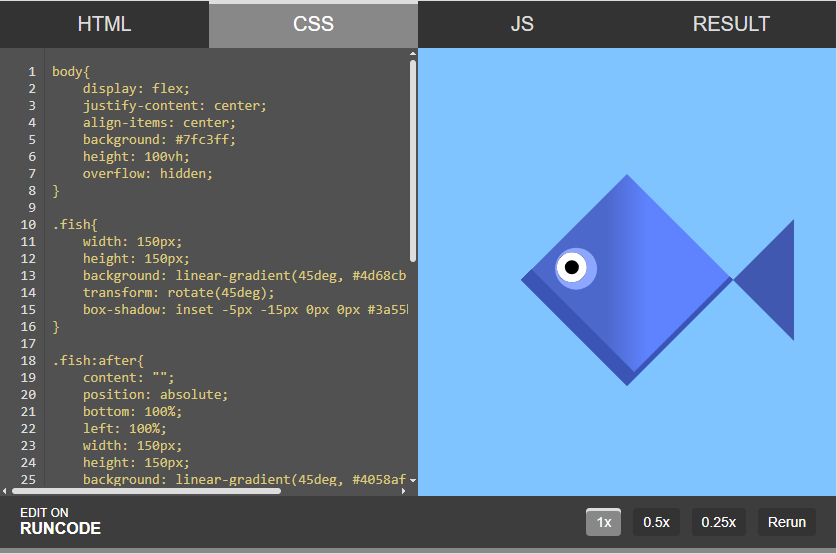
RunCode.js – embed a code editor directly into any webpage.




## Features
- Lightweight (**19 kB** only) and zero-dependency
- Live preview that updates as you type
- Separate editors for HTML, CSS, and JavaScript
- Supports Browser CDN, ES Modules, and CommonJS environments
- Customizable themes
- Secure sandboxed iframe preview
## Getting Started
Choose the installation method that fits your project setup.
### Browser (CDN)
The simplest way to use RunCode. Drop the script tag into any HTML page - no build step needed. The library is loaded directly from a CDN and attaches to any element matching the selector you provide.
```html
```
### ES Modules
For modern JavaScript projects using native ES module syntax. Install via npm, then import RunCode directly into your module. Works out of the box with bundlers like Vite, Rollup, and webpack.
```bash
npm install runcodejs
```
```html
```
### CommonJS
For Node.js-based environments or older bundler setups that rely on `require()`. Fully compatible with tools like Browserify or older webpack configurations.
```js
const RunCode = require('runcodejs');
new RunCode({
element: '.editor',
code: {
html: 'Hello World
',
css: 'h1 { color: #38bdf8; }',
js: 'console.log("ready");'
}
});
```
## Configuration
The `RunCode` constructor accepts a configuration object. At minimum, you need an `element` selector and a `code` object with at least one of `html`, `css`, or `js`.
```js
new RunCode({
element: '.editor', // CSS selector or DOM element to mount into
code: {
html: '...', // Initial HTML content
css: '...', // Initial CSS content
js: '...' // Initial JavaScript content
}
});
```
All three code fields are optional - you can provide just `html`, just `js`, or any combination depending on your use case.
## Documentation
Detailed documentation is split into focused reference pages.
- [API Reference](https://github.com/code-hemu/runcodejs/blob/main/docs/api.md) - complete list of constructor options, instance methods, and TypeScript types
- [Extract](https://github.com/code-hemu/runcodejs/blob/main/docs/extract.md) - how to pull initial code content from existing DOM elements instead of passing it inline
- [Security](https://github.com/code-hemu/runcodejs/blob/main/docs/security.md) - details on the sandboxed iframe, network access controls, and dialog restrictions
- [Themes](https://github.com/code-hemu/runcodejs/blob/main/docs/themes.md) - applying built-in themes and creating your own custom editor theme
- [Examples](https://github.com/code-hemu/runcodejs/blob/main/docs/examples/) - runnable code samples covering common use cases
- [Changelog](https://github.com/code-hemu/runcodejs/blob/main/changelog.md) - version history and release notes
## License
RunCode is licensed under **MIT**. Copyright © [Hemanta Gayen](https://github.com/hemanta-gayen).