[](https://badge.fury.io/js/react-native-modal-dropdown)
# react-native-modal-dropdown
A react-native dropdown/picker/selector component for both Android & iOS.
## Features
- Pure JS.
- Compatible with both iOS and Android.
- Auto position. (Won't be covered or clipped by the edge of screen.)
- Zero configuration. (Options are needed of course or a loading indicator will show.)
- Highly customizable.
- Controllable with API by code. (Show/Hide/Select)
- Change everything into a dropdown list trigger.
## Demo
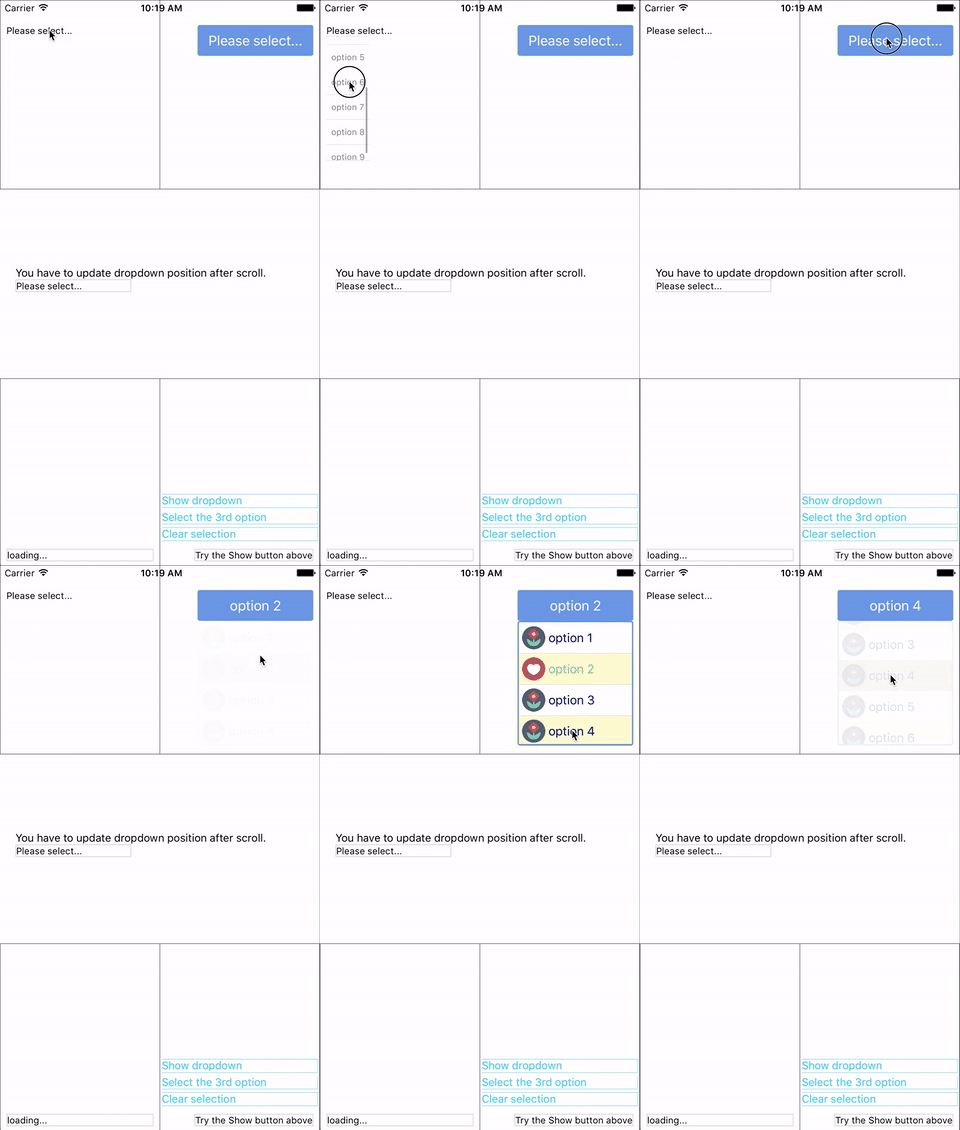
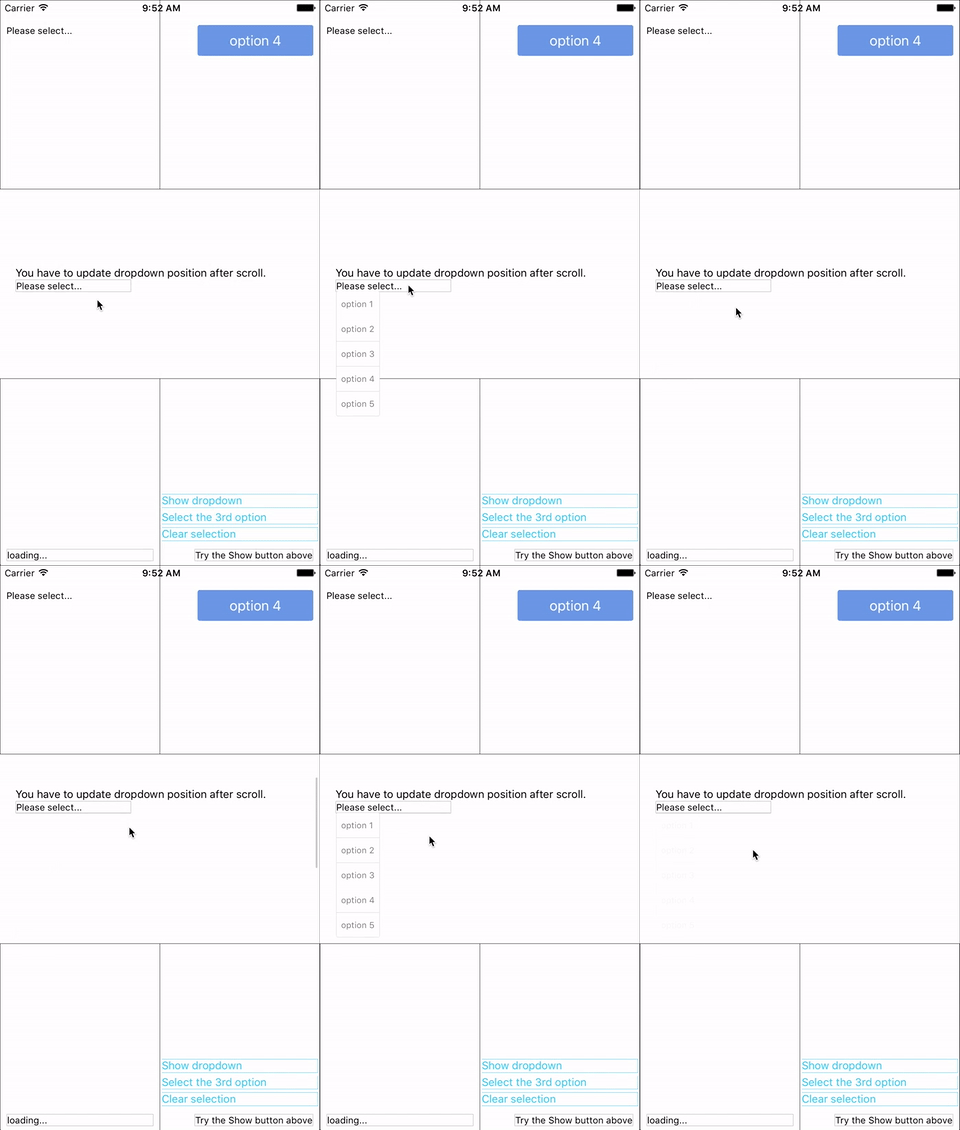
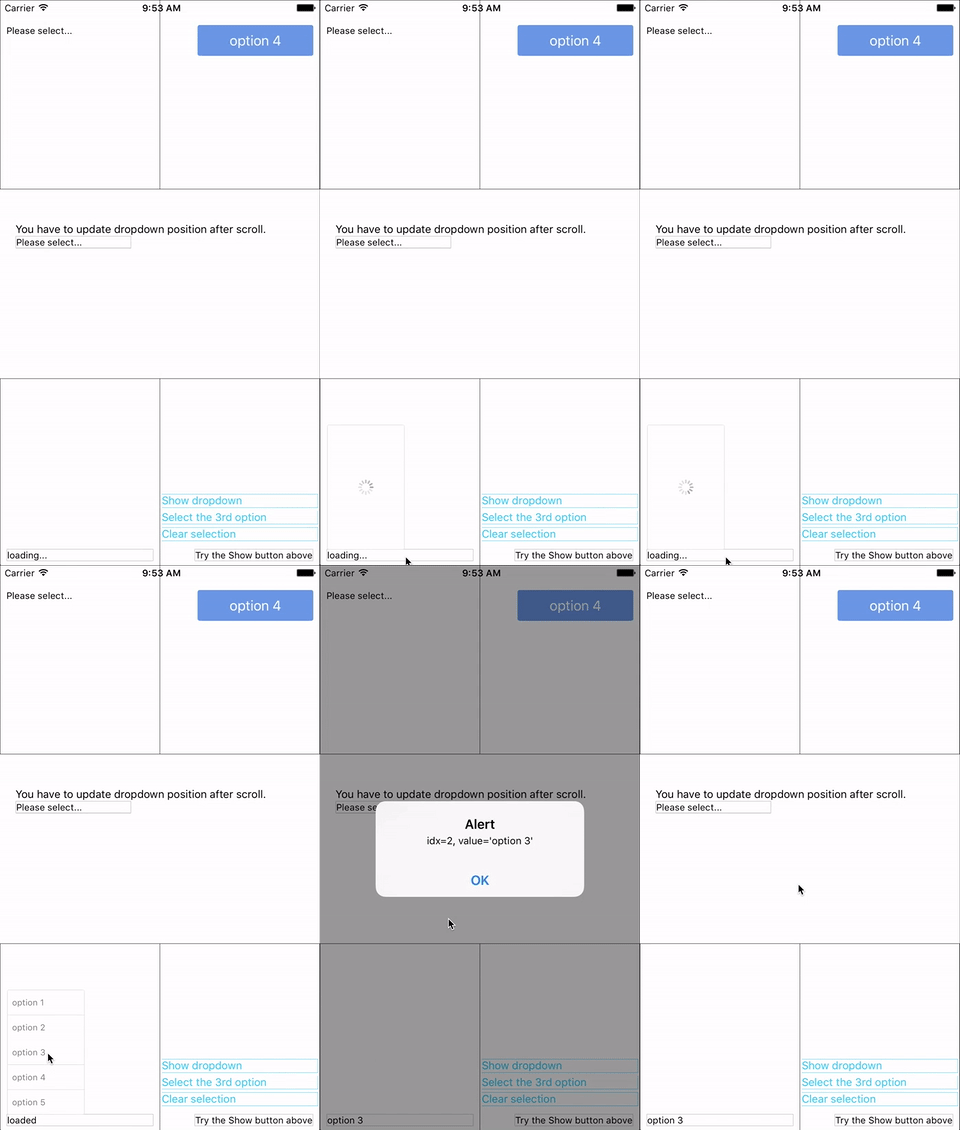 You can find them in the example.
## Update History
### v0.4.1
- Fix bug: [\#27](https://github.com/sohobloo/react-native-modal-dropdown/issues/27) Fix a flex style bug.
- Enhancement: [\#26](https://github.com/sohobloo/react-native-modal-dropdown/issues/26) Support object type of options.
### v0.4.0
- New feature:
[\#10](https://github.com/sohobloo/react-native-modal-dropdown/issues/10) Support touchable component in `renderRow`.
- New feature: [\#11](https://github.com/sohobloo/react-native-modal-dropdown/issues/11) Open `renderSeparator` prop API.
- New feature: Add `adjustFrame` prop for user to adjust the frame style of the dropdown in case the component calculate a mistake frame. \(refer to [#9](https://github.com/sohobloo/react-native-modal-dropdown/issues/5)\) \([code sample](https://github.com/sohobloo/react-native-modal-dropdown/commit/0861d0a1bbe11c221696e8c664ef03ed475a3849#diff-f8c408fd257ff44ce4b01e5f8422b1e1)\)
- Enhancement: Compatible with `react-native` v0.36.0 which has a [break change](https://github.com/facebook/react-native/commit/0a9b6bedb312eba22c5bc11498b1cc41363e5f27) causes the default button with zero size.
- Enhancement: [\#16](https://github.com/sohobloo/react-native-modal-dropdown/issues/16) Prevent from warnings if array of styles is used instead of stylesheet or object. Thanks to @NikolaBorislavovHristov .
### v0.3.2
- Fix bug: [\#9](https://github.com/sohobloo/react-native-modal-dropdown/issues/9) *undefined is not an object (evaluating '_this.updatePosition.bind')* in v0.3.1.
- Fix bug: Wrong width of dropdown in very few cases.
### v0.3.1
- Fix bug: [\#6](https://github.com/sohobloo/react-native-modal-dropdown/issues/6) Can not specify `height` style for `dropdownStyle`.
- Remove `updatePosition` function.
### v0.3.0
- Auto update position before show.
- Mark `updatePosition` function as depreciated. (May be removed in next version.)
### v0.2.0
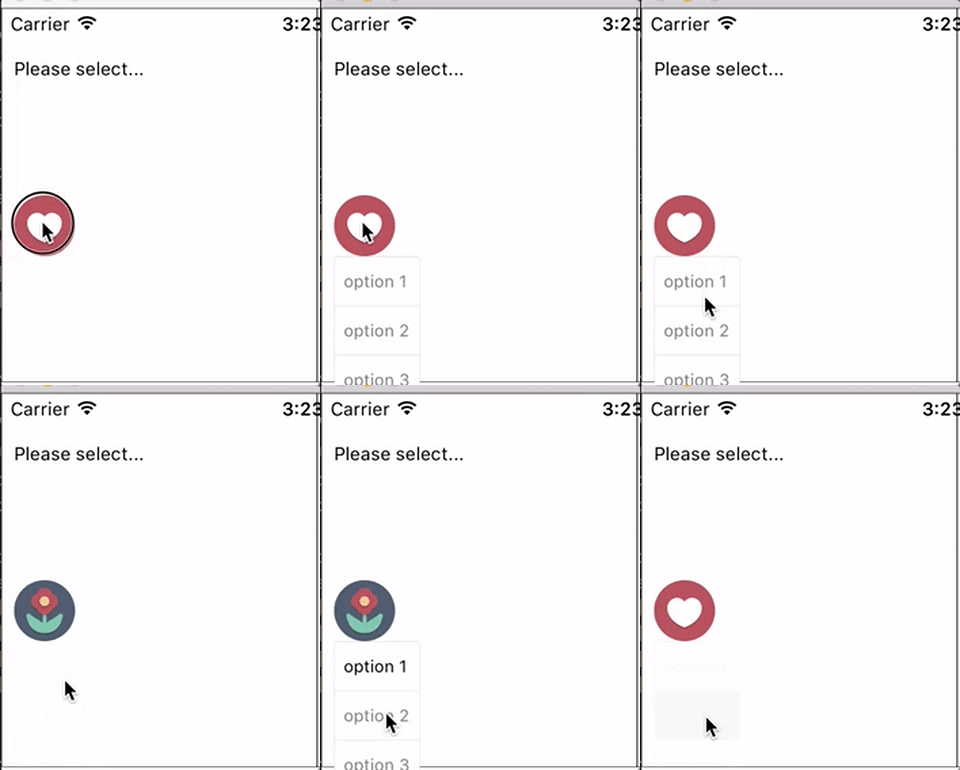
- Add wrapper / container support
Now you can use these component as a wrapper / container. Anything wrapped in it can be the trigger of the dropdown.
You can find them in the example.
## Update History
### v0.4.1
- Fix bug: [\#27](https://github.com/sohobloo/react-native-modal-dropdown/issues/27) Fix a flex style bug.
- Enhancement: [\#26](https://github.com/sohobloo/react-native-modal-dropdown/issues/26) Support object type of options.
### v0.4.0
- New feature:
[\#10](https://github.com/sohobloo/react-native-modal-dropdown/issues/10) Support touchable component in `renderRow`.
- New feature: [\#11](https://github.com/sohobloo/react-native-modal-dropdown/issues/11) Open `renderSeparator` prop API.
- New feature: Add `adjustFrame` prop for user to adjust the frame style of the dropdown in case the component calculate a mistake frame. \(refer to [#9](https://github.com/sohobloo/react-native-modal-dropdown/issues/5)\) \([code sample](https://github.com/sohobloo/react-native-modal-dropdown/commit/0861d0a1bbe11c221696e8c664ef03ed475a3849#diff-f8c408fd257ff44ce4b01e5f8422b1e1)\)
- Enhancement: Compatible with `react-native` v0.36.0 which has a [break change](https://github.com/facebook/react-native/commit/0a9b6bedb312eba22c5bc11498b1cc41363e5f27) causes the default button with zero size.
- Enhancement: [\#16](https://github.com/sohobloo/react-native-modal-dropdown/issues/16) Prevent from warnings if array of styles is used instead of stylesheet or object. Thanks to @NikolaBorislavovHristov .
### v0.3.2
- Fix bug: [\#9](https://github.com/sohobloo/react-native-modal-dropdown/issues/9) *undefined is not an object (evaluating '_this.updatePosition.bind')* in v0.3.1.
- Fix bug: Wrong width of dropdown in very few cases.
### v0.3.1
- Fix bug: [\#6](https://github.com/sohobloo/react-native-modal-dropdown/issues/6) Can not specify `height` style for `dropdownStyle`.
- Remove `updatePosition` function.
### v0.3.0
- Auto update position before show.
- Mark `updatePosition` function as depreciated. (May be removed in next version.)
### v0.2.0
- Add wrapper / container support
Now you can use these component as a wrapper / container. Anything wrapped in it can be the trigger of the dropdown.
 ## Installation
```sh
npm i react-native-modal-dropdown -S
```
## Usage
### Basic
Import this module:
```javascript
import ModalDropdown from 'react-native-modal-dropdown';
```
Use as a component:
```javascript
```
Use as a wrapper / container:
```javascript
...
```
### Customization
Give the style props as your choice:
- `style`: Change the style of the button (basic mode) / container (wrapper mode).
- `textStyle`: Change the style of text of the button. *Invalid in wrapper mode.*
- `dropdownStyle`: Change the style of dropdown container.
You can also render your option row and row separator by implement `renderRow` and `renderSeparator` function.
## API
### Props
Prop | Type | Optional | Default | Description
------------------- | -------- | -------- | --------- | -----------
`disabled` | bool | Yes | false | disable/enable the component.
`defaultIndex` | number | Yes | -1 | Init selected index. `-1`: None is selected. **This only change the highlight of the dropdown row, you have to give a `defaultValue` to change the init text.**
`defaultValue` | string | Yes | Please select... | Init text of the button. **Invalid in wrapper mode.**
`options` | array | Yes | | Options. **The dropdown will show a loading indicator if `options` is `null`/`undefined`.**
`style` | object | Yes | | Style of the button.
`textStyle` | object | Yes | | Style of the button text. **Invalid in wrapper mode.**
`dropdownStyle` | object | Yes | | Style of the dropdown list.
`adjustFrame` | func | Yes | | This is a callback after the frame of the dropdown have been calculated and before showing. You will receive a style object as argument with some of the props like `width` `height` `top` `left` and `right`. Change them to appropriate values that accord with your requirement and **make the new style as the return value of this function**.
`renderRow` | func | Yes | | Customize render option rows. **Will render a default row if `null`/`undefined`.**
`renderSeparator` | func | Yes | | Customize render dropdown list separators. **Will render a default thin gray line if `null`/`undefined`.**
`onDropdownWillShow`| func | Yes | | Trigger when dropdown will show by touching the button. **Return `false` can cancel the event.**
`onDropdownWillHide`| func | Yes | | Trigger when dropdown will hide by touching the button. **Return `false` can cancel the event.**
`onSelect` | func | Yes | | Trigger when option row touched with selected `index` and `value`. **Return `false` can cancel the event.**
`accessible` | bool | Yes | true | Set accessibility of dropdown modal and dropdown rows
### Methods
Method | Description
----------------- | -----------
`show()` | Show the dropdown. **Won't trigger `onDropdownWillShow`.**
`hide()` | Hide the dropdown. **Won't trigger `onDropdownWillHide`.**
`select(idx)` | Select the specified option of the `idx`. Select `-1` will reset it to display `defaultValue`. **Won't trigger `onSelect`.**
## Next version
Any suggestion is welcome.
## Installation
```sh
npm i react-native-modal-dropdown -S
```
## Usage
### Basic
Import this module:
```javascript
import ModalDropdown from 'react-native-modal-dropdown';
```
Use as a component:
```javascript
```
Use as a wrapper / container:
```javascript
...
```
### Customization
Give the style props as your choice:
- `style`: Change the style of the button (basic mode) / container (wrapper mode).
- `textStyle`: Change the style of text of the button. *Invalid in wrapper mode.*
- `dropdownStyle`: Change the style of dropdown container.
You can also render your option row and row separator by implement `renderRow` and `renderSeparator` function.
## API
### Props
Prop | Type | Optional | Default | Description
------------------- | -------- | -------- | --------- | -----------
`disabled` | bool | Yes | false | disable/enable the component.
`defaultIndex` | number | Yes | -1 | Init selected index. `-1`: None is selected. **This only change the highlight of the dropdown row, you have to give a `defaultValue` to change the init text.**
`defaultValue` | string | Yes | Please select... | Init text of the button. **Invalid in wrapper mode.**
`options` | array | Yes | | Options. **The dropdown will show a loading indicator if `options` is `null`/`undefined`.**
`style` | object | Yes | | Style of the button.
`textStyle` | object | Yes | | Style of the button text. **Invalid in wrapper mode.**
`dropdownStyle` | object | Yes | | Style of the dropdown list.
`adjustFrame` | func | Yes | | This is a callback after the frame of the dropdown have been calculated and before showing. You will receive a style object as argument with some of the props like `width` `height` `top` `left` and `right`. Change them to appropriate values that accord with your requirement and **make the new style as the return value of this function**.
`renderRow` | func | Yes | | Customize render option rows. **Will render a default row if `null`/`undefined`.**
`renderSeparator` | func | Yes | | Customize render dropdown list separators. **Will render a default thin gray line if `null`/`undefined`.**
`onDropdownWillShow`| func | Yes | | Trigger when dropdown will show by touching the button. **Return `false` can cancel the event.**
`onDropdownWillHide`| func | Yes | | Trigger when dropdown will hide by touching the button. **Return `false` can cancel the event.**
`onSelect` | func | Yes | | Trigger when option row touched with selected `index` and `value`. **Return `false` can cancel the event.**
`accessible` | bool | Yes | true | Set accessibility of dropdown modal and dropdown rows
### Methods
Method | Description
----------------- | -----------
`show()` | Show the dropdown. **Won't trigger `onDropdownWillShow`.**
`hide()` | Hide the dropdown. **Won't trigger `onDropdownWillHide`.**
`select(idx)` | Select the specified option of the `idx`. Select `-1` will reset it to display `defaultValue`. **Won't trigger `onSelect`.**
## Next version
Any suggestion is welcome.