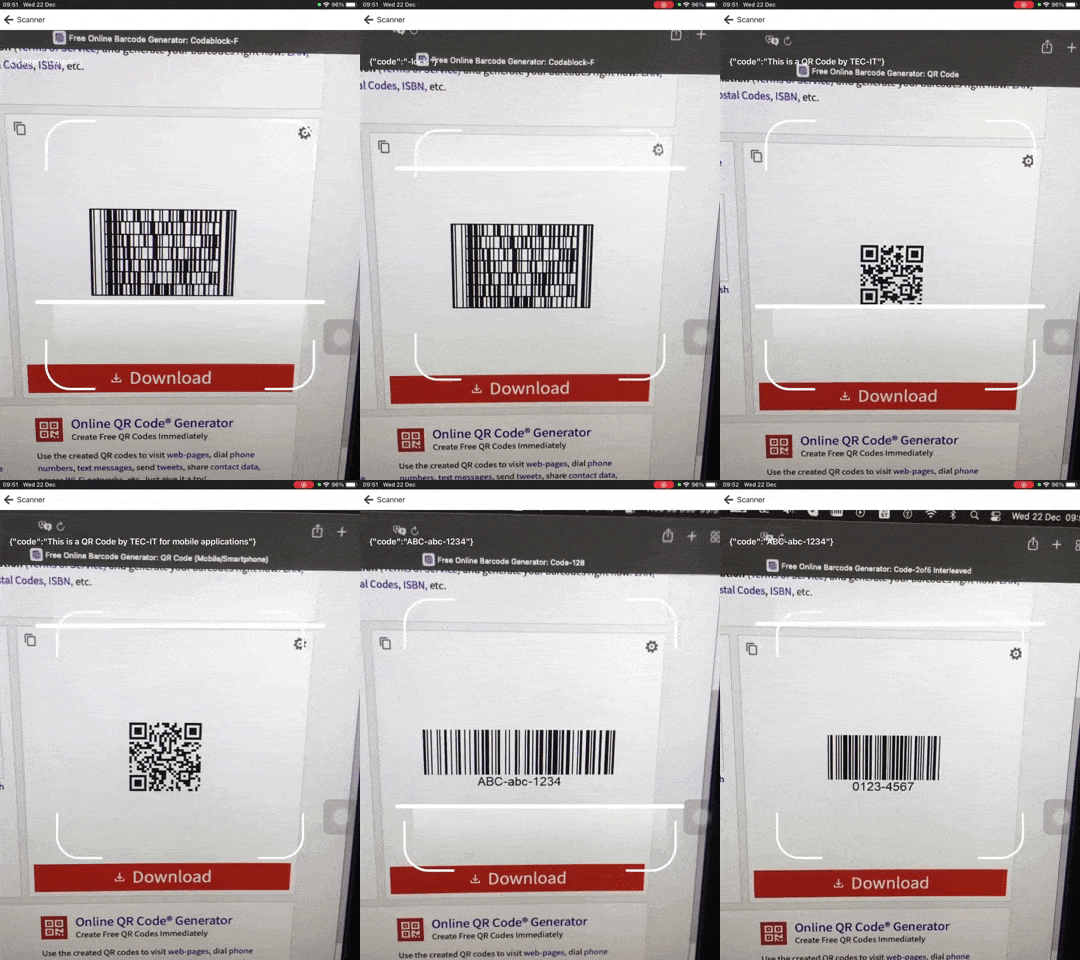
# rn-barcode-zxing

![img](https://media.giphy.com/media/VF2BXRLGVXnax7wYRA/giphy-downsized-large.gif)

## Installation

```sh
npm install rn-barcode-zxing react-native-vision-camera lottie-react-native lottie-ios
```

```sh
yarn add rn-barcode-zxing react-native-vision-camera lottie-react-native lottie-ios
```

## Android

Inside your `gradle.properties` file, add the `enableCodeScanner` flag:

```groovy
VisionCamera_enableCodeScanner=true
```

```xml
    <uses-permission android:name="android.permission.CAMERA" />
    <uses-permission android:name="android.permission.RECORD_AUDIO" />

```

## IOS info.plist

```xml
  <key>NSCameraUsageDescription</key>
  <string>Use the built-in Camera to scan any QR code</string>
```

## Usage

```javascript
import { ScanCode } from 'rn-barcode-zxing';

<SafeAreaView style={[{ flex: 1 }, backgroundStyle]}>
  <StatusBar barStyle={isDarkMode ? 'light-content' : 'dark-content'} />
  <View style={{ flex: 1 }}>
    <ScanCode onScanBarcode={(ScanBarcode) => console.log({ ScanBarcode })} />
  </View>
</SafeAreaView>;
```

- **react-native-barcode-mask**

```javascript
import { BarcodeScanner } from 'rn-barcode-zxing';
import BarcodeMask from 'react-native-barcode-mask';

<View style={[styles.content, StyleSheet.flatten(contentStyle)]}>
  <BarcodeScanner
    style={[styles.cameraStyle, StyleSheet.flatten(cameraStyle)]}
    shouldScan={true}
    onBarcodesDetected={onScanBarcode}
  >
    <BarcodeMask
      width={300}
      height={300}
      showAnimatedLine={true}
      outerMaskOpacity={0.8}
      edgeHeight={48}
      edgeWidth={48}
      animatedLineColor={'#FFFFFF'}
      animatedLineHeight={3}
      backgroundColor={'rgba(3, 3, 3, 0.3)'}
      animatedLineWidth={204}
      lineAnimationDuration={2000}
    />
  </BarcodeScanner>
</View>;
```

## Contributing

See the [contributing guide](CONTRIBUTING.md) to learn how to contribute to the repository and the development workflow.

## License

MIT
