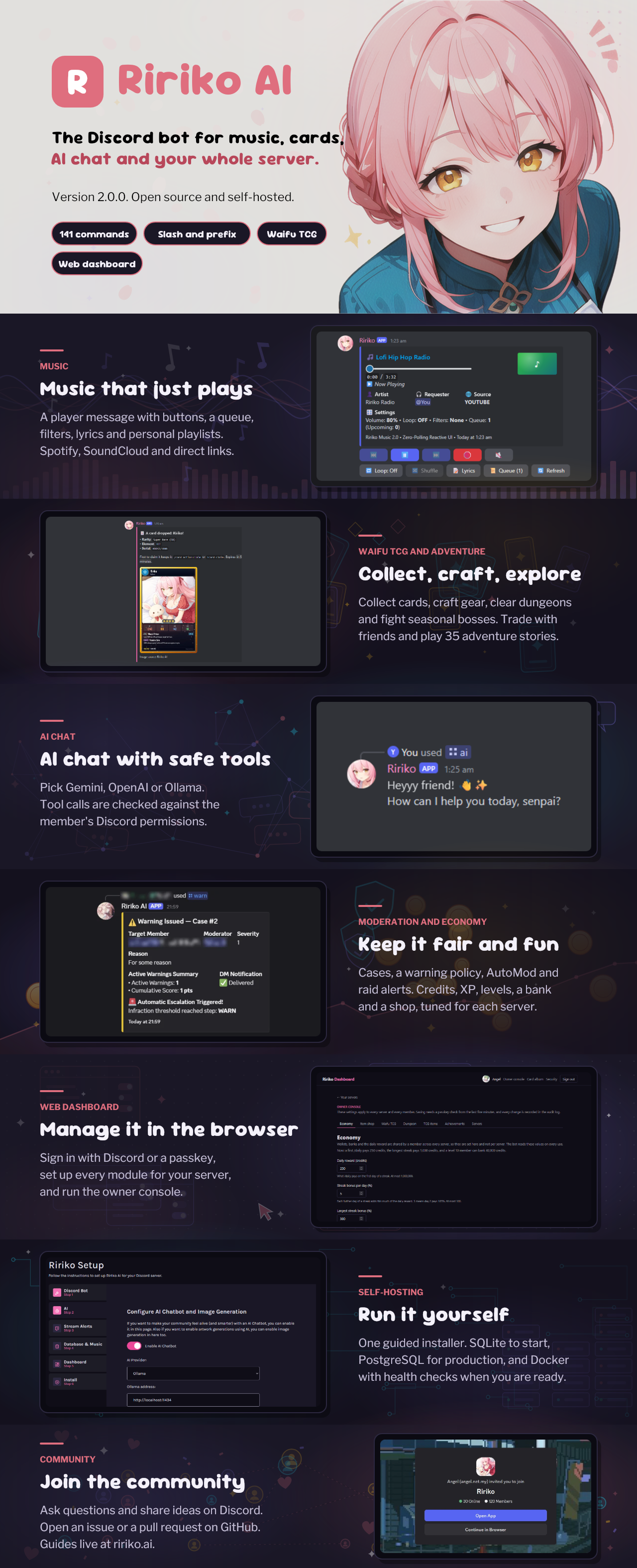
# Ririko AI
**A self-hosted Discord bot with AI chat on Gemini, OpenAI and Ollama, music, a trading card game, moderation, an economy and a web dashboard.**
You run Ririko on your own machine. Your server, your data and your API keys stay with you. This npm package is the quickest way to set it up.
## Why Ririko
- **One bot for a whole community.** Music, AI chat, moderation, levels and games, so you do not need five bots.
- **AI you choose.** Chat and make images with Gemini, an OpenAI-compatible API, or Ollama on your own computer. If one provider fails, Ririko can try the next one you set up.
- **AI that respects Discord permissions.** The bot checks what a member is allowed to do before the AI runs a tool. The AI does not decide who can do what.
- **A dashboard.** Sign in with Discord and change the settings of each server in your browser.
- **You own it.** It is open source (MIT). There is no hosted service to sign up for.
## What it can do
| Feature | In short |
| --- | --- |
| AI chat and images | Gemini, OpenAI-compatible APIs and Ollama, with tools that follow Discord permissions. |
| Music | Play from YouTube, Spotify, SoundCloud, Deezer and more through Lavalink 4, with a live player message. |
| Waifu TCG | A card game: card drops, trading, gear, dungeons and seasonal bosses. |
| Moderation | Warnings, cases, AutoMod and raid alerts. |
| Economy and levels | Credits, XP, a daily reward, a bank and a shop. |
| Community tools | Giveaways, reminders, mini-games, welcome cards and stream alerts. |
| Web dashboard | Manage every server from a browser. |
Ririko has slash commands and prefix commands. Version 2.0 is a full rewrite in TypeScript of the 1.x bot, and it keeps every 1.x command.
## Quick start
Run this in a terminal. You need [Node.js](https://nodejs.org) 20 or newer.
```bash
npx ririko
```
The starter does the setup for you:
1. It asks for an install: **Docker** (recommended) or **source**.
2. It finds the newest Ririko release on GitHub.
3. It sets up the install in a new folder named `ririko`.
4. It runs the setup wizard. You open the address it prints in your browser and add your Discord bot token and your AI key there.
To pick a folder or an install without being asked:
```bash
npx ririko my-bot --docker
```
The folder must not exist, or must be empty.
### Docker install
You need [Docker](https://docs.docker.com/engine/install/) 23 or newer with Compose v2.
```bash
npx ririko --docker
```
The starter downloads the compose files, runs the setup wizard in a container, and asks if it should start the bot. The stack has the bot, the dashboard, a PostgreSQL database and a Lavalink audio server.
### Source install
You need Node.js 22 or newer and Git.
```bash
npx ririko --source
```
The starter clones the release, turns on pnpm with corepack, runs `pnpm install` and then starts the setup wizard (`pnpm installer`).
## Options
| Option | What it does |
| --- | --- |
| `[folder]` | The folder to install into. Default: `ririko`. |
| `--docker` | Docker install, without the question. |
| `--source` | Source install, without the question. |
| `--ref ` | Install this release, for example `--ref v2.0.0`, instead of the newest. |
| `-h`, `--help` | Show the help. |
| `-v`, `--version` | Show the version of the starter. |
## What this package is
This package is a small starter with no dependencies. It is not the bot. It checks your tools, looks up the newest release when you run it, and sets up the install. The starter never reads or prints your secrets. The setup wizard writes your settings to a file on your computer.
Versions of `ririko` before 2.0.0 were the old 1.x bot. They are deprecated.
## Links
- Documentation: [ririko.ai/docs](https://ririko.ai/docs)
- Deploy with Docker: [ririko.ai/docs/deployment](https://ririko.ai/docs/deployment)
- Support server: [Discord](https://discord.gg/UNMZx4qx8G)
- Source code and issues: [github.com/RirikoAI/RirikoBot](https://github.com/RirikoAI/RirikoBot)
## License
MIT