# **˗ˏˋ riffy ´ˎ˗**
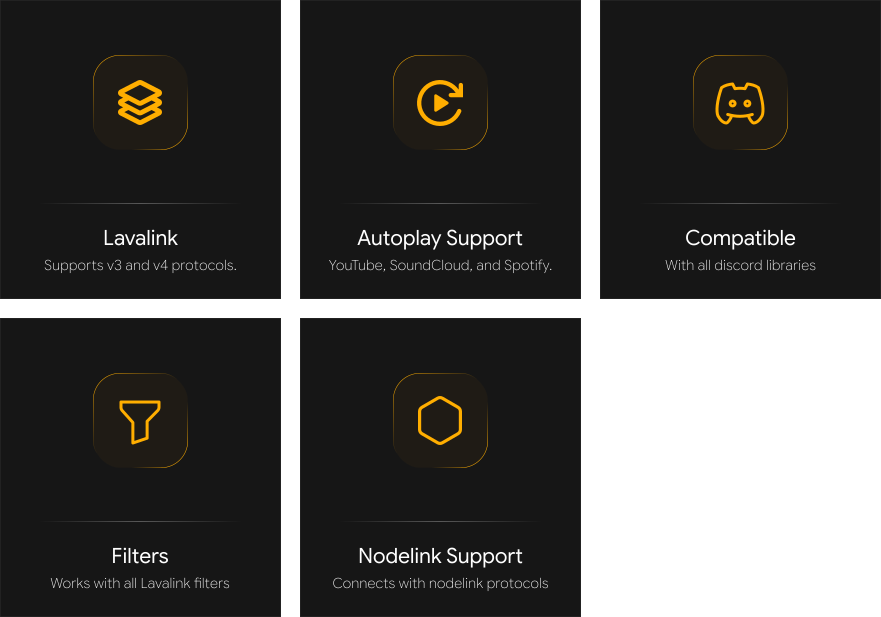
Riffy: Powerful Lavalink client, which is designed to be simple and easy to use, with a focus on stability and more features.
[](https://www.npmjs.com/package/riffy)
[](https://www.npmjs.com/package/riffy)
[](https://github.com/riffy-team/riffy/blob/main/LICENSE)
[](https://github.com/riffy-team/riffy)
## 📄 Documentation
**See https://riffy.js.org/**
### ╰┈1️⃣ Quick Start
First, you’ll need a running Lavalink node. You can either **[download](https://github.com/lavalink-devs/Lavalink)** and host the latest Lavalink release yourself, or use one of the available free public **[Lavalink](https://riffy.js.org/resources)** nodes to get started quickly.
> [!NOTE]
> This project uses `MessageContent` intent, so make sure to enable it in your application settings.
#### Creating a Project
We are using **[discord.js](https://discord.js.org/)** for this example, but you can use any Discord library you prefer.
Import the `Riffy` class from the `riffy` package.
```js
// For CommonJS
const { Riffy } = require("riffy");
// For ES6
import { Riffy } from "riffy";
```
Below is an example of a basic Discord music bot built with Discord.js and Riffy, using Lavalink v4.
```js
// index.js
const { Client, GatewayDispatchEvents } = require("discord.js");
const { Riffy } = require("riffy");
const client = new Client({
intents: [
"Guilds",
"GuildMessages",
"GuildVoiceStates",
"GuildMessageReactions",
"MessageContent",
"DirectMessages",
],
});
const nodes = [
{
host: "localhost",
password: "youshallnotpass",
port: 2333,
secure: false,
},
];
client.riffy = new Riffy(client, nodes, {
send: (payload) => {
const guild = client.guilds.cache.get(payload.d.guild_id);
if (guild) guild.shard.send(payload);
},
defaultSearchPlatform: "ytmsearch",
restVersion: "v4", // Or "v3" based on your Lavalink version.
});
client.on("ready", () => {
client.riffy.init(client.user.id);
console.log(`Logged in as ${client.user.tag}`);
});
client.on("messageCreate", async (message) => {
if (!message.content.startsWith("!") || message.author.bot) return;
const args = message.content.slice(1).trim().split(" ");
const command = args.shift().toLowerCase();
if (command === "play") {
const query = args.join(" ");
// Create a player.
const player = client.riffy.createConnection({
guildId: message.guild.id,
voiceChannel: message.member.voice.channel.id,
textChannel: message.channel.id,
deaf: true,
});
const resolve = await client.riffy.resolve({
query: query,
requester: message.author,
});
const { loadType, tracks, playlistInfo } = resolve;
/**
* Important: If you are using Lavalink V3, here are the changes you need to make:
*
* 1. Replace "playlist" with "PLAYLIST_LOADED"
* 2. Replace "search" with "SEARCH_RESULT"
* 3. Replace "track" with "TRACK_LOADED"
*/
if (loadType === "playlist") {
for (const track of resolve.tracks) {
track.info.requester = message.author;
player.queue.add(track);
}
message.channel.send(
`Added: \`${tracks.length} tracks\` from \`${playlistInfo.name}\``
);
if (!player.playing && !player.paused) return player.play();
} else if (loadType === "search" || loadType === "track") {
const track = tracks.shift();
track.info.requester = message.author;
player.queue.add(track);
message.channel.send(`Added: \`${track.info.title}\``);
if (!player.playing && !player.paused) return player.play();
} else {
return message.channel.send("There are no results found.");
}
}
});
// This will send log when the lavalink node is connected.
client.riffy.on("nodeConnect", (node) => {
console.log(`Node "${node.name}" connected.`);
});
// This will send log when the lavalink node faced an error.
client.riffy.on("nodeError", (node, error) => {
console.log(`Node "${node.name}" encountered an error: ${error.message}.`);
});
// This is the event handler for track start.
client.riffy.on("trackStart", async (player, track) => {
const channel = client.channels.cache.get(player.textChannel);
channel.send(`Now playing: \`${track.info.title}\` by \`${track.info.author}\`.`);
});
// This is the event handler for queue end.
client.riffy.on("queueEnd", async (player) => {
const channel = client.channels.cache.get(player.textChannel);
// Set this to true if you want to enable autoplay.
const autoplay = false;
if (autoplay) {
player.autoplay(player);
} else {
player.destroy();
channel.send("Queue has ended.");
}
});
// This will update the voice state of the player.
client.on("raw", (d) => {
if (
![
GatewayDispatchEvents.VoiceStateUpdate,
GatewayDispatchEvents.VoiceServerUpdate,
].includes(d.t)
)
return;
client.riffy.updateVoiceState(d);
});
client.login("Discord-Bot-Token-Here");
```
#### Start the Bot
Now that we have created our project, we can run our bot by typing the following command in the terminal.
```shell
node index.js
```
After running the bot, invite the bot in your server and run `!play` command to play music.
---
### ╰┈2️⃣ Queue Management
Riffy's queue system extends the native Array class, giving you access to all standard array methods plus powerful custom ones.
```js
// Add a track to the end
player.queue.add(track);
// Add a track to the front (Priority)
player.queue.unshift(track);
// Shuffle the queue (Fisher-Yates)
player.queue.shuffle();
// Move a track from position 2 to position 0
player.queue.move(2, 0);
// Remove a specific track by index
const removedTrack = player.queue.remove(2);
// Clear the entire queue
player.queue.clear();
// Get queue size
console.log(player.queue.size);
```
---
### ╰┈3️⃣ Our Team
- 🟦 Emmanuel Lobo: **[@unschooledgamer](https://github.com/unschooledgamer)**
- 🟪 Priyanshu Jain: **[@elitex07](https://github.com/elitex07)**
- 🟥 Kunal KandePatil : **[@kunalkandepatil](https://github.com/kunalkandepatil)**
---
### ╰┈4️⃣ Example Projects
- **[Riffy Music Bot](https://github.com/riffy-team/riffy-music-bot)** | Contribute to add yours.
---
### ╰┈5️⃣ Official Plugins
- **[riffy-spotify](https://github.com/riffy-team/riffy-spotify)** (Spotify Plugin for Riffy Client.)