# rflowz
> Library for building flow chart and diagrams using React
[](https://www.npmjs.com/package/rflowz) [](https://standardjs.com)
## Install
```bash
npm install rflowz
```
## Usage
### Basic Usage
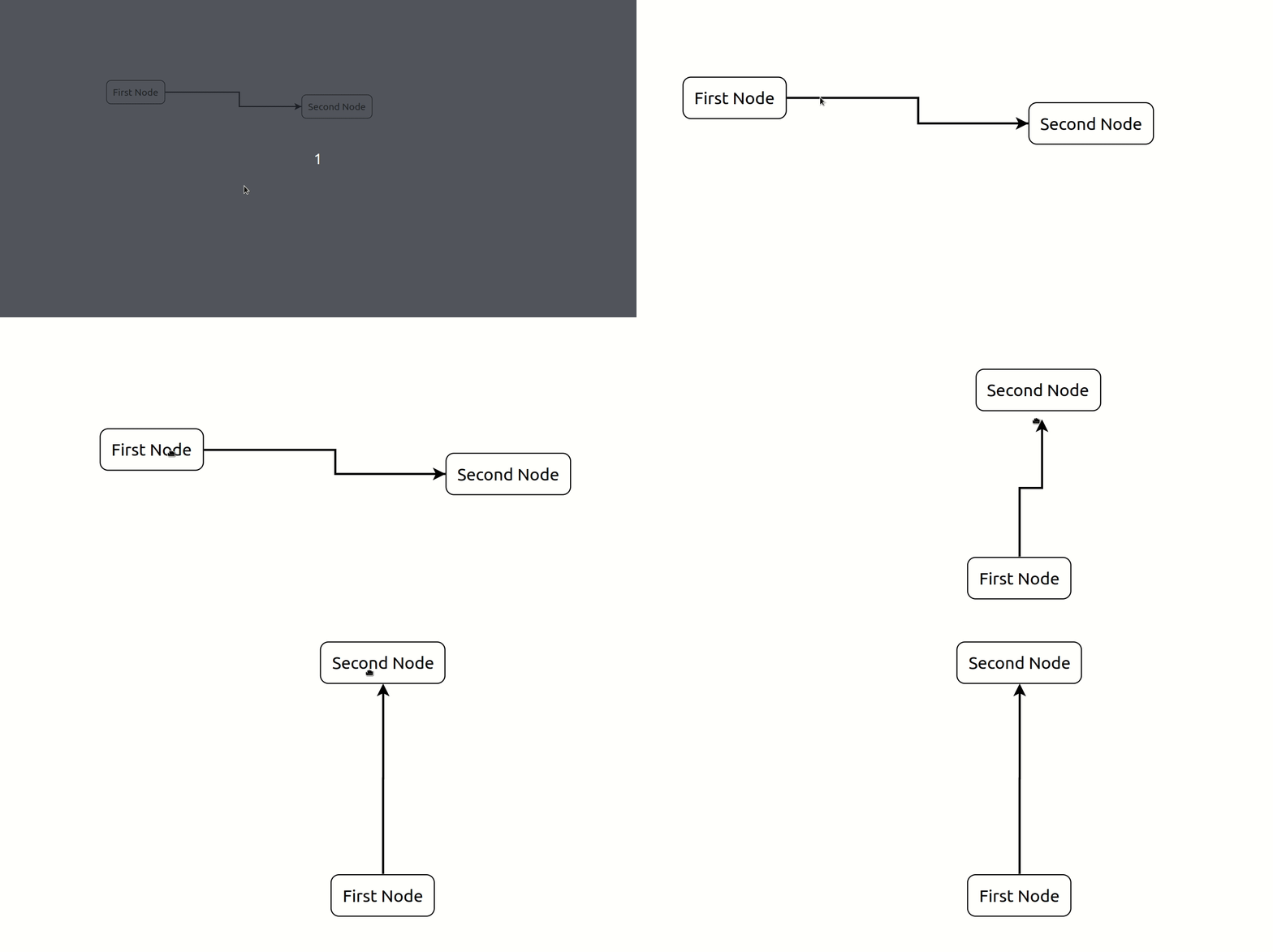
```jsx
import React from 'react';
import RFlowz, { useNodeState } from 'rflowz';
import 'rflowz/dist/index.css';
const DefaultNode = ({ data }) => {data.labelPrefix} Node
;
export default function App() {
const [nodes, setNodes] = useNodeState([
{
id: '1',
x: 100,
y: 200,
component: DefaultNode,
data: { labelPrefix: 'First' },
nextNodeIds: ['2']
},
{
id: '2',
x: 425,
y: 224,
component: DefaultNode,
data: { labelPrefix: 'Second' },
nextNodeIds: []
}
]);
return (
);
}
```
### Passing Events to Node Component
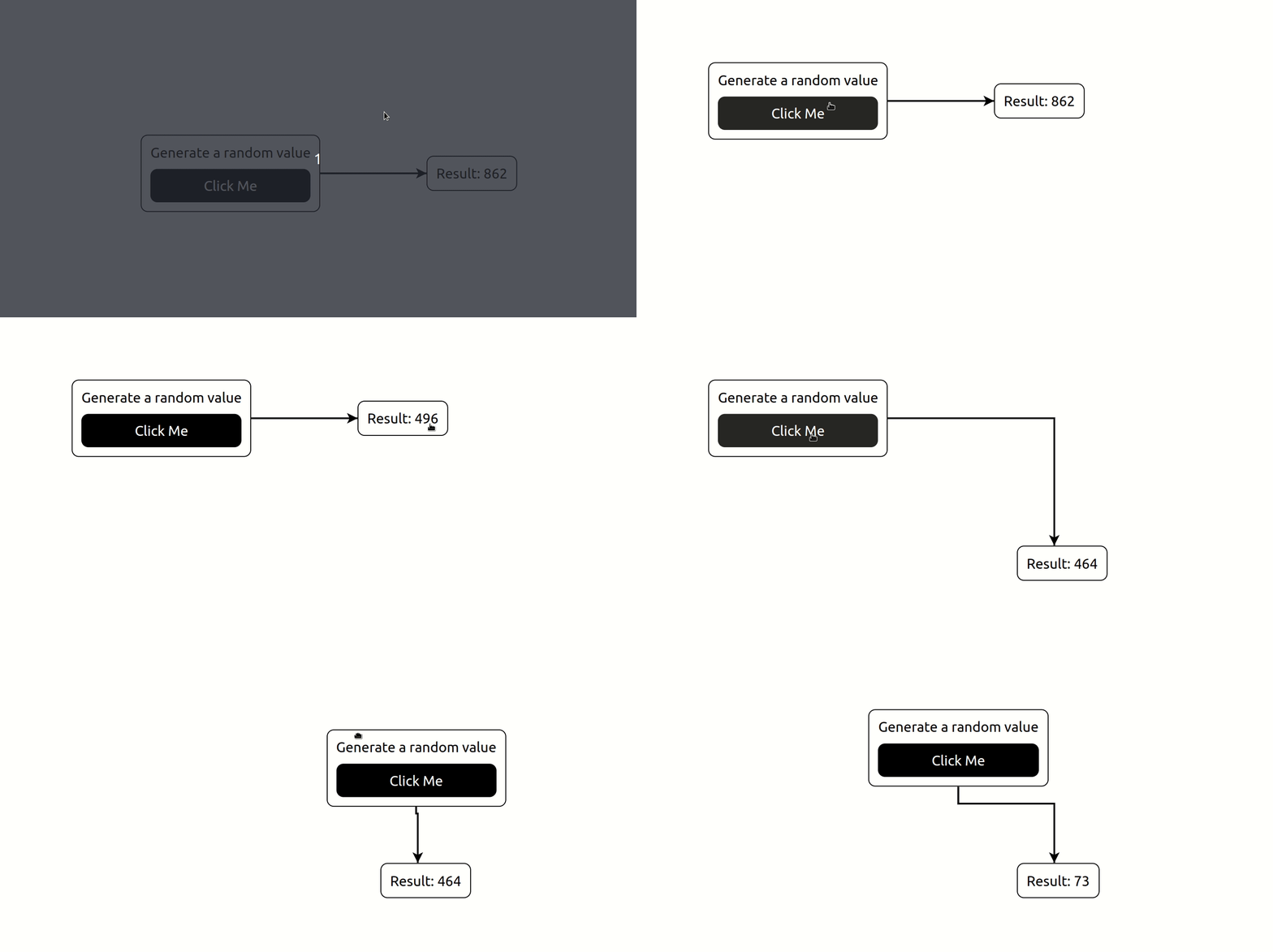
```jsx
import React, { useEffect } from 'react';
import RFlowz, { useNodeState } from 'rflowz';
import 'rflowz/dist/index.css';
const StartNode = ({ data }) => (
Generate a random value
Click Me
Result: {data.randomValue}
);
export default function EventExample() {
const [nodes, setNodes] = useNodeState([]);
useEffect(() => {
const generateRandomValue = (e) => {
setNodes((nds) =>
nds.map((node) => {
if (node.id === 'result') {
const newNode = {
...node,
data: {
...node.data,
randomValue: Math.round(Math.random() * 999) + 1
}
};
return newNode;
}
return node;
})
);
};
setNodes([
{
id: 'start',
x: 100,
y: 200,
component: StartNode,
data: {
generateRandomValue: generateRandomValue
},
nextNodeIds: ['result']
},
{
id: 'result',
x: 425,
y: 224,
component: ResultNode,
data: {
randomValue: 1
},
nextNodeIds: []
}
]);
}, [setNodes]);
return (
);
}
```
## API
### RFlowz
**Important:** The RFlowz height is controlled by it's parent element.
```jsx
```
#### props
- **nodes**
Type: Node[]
### Nodes
```js
const nodes = [{
id: '1',
x: 100,
y: 200,
component: CustomNode,
data: { title: 'Node Title' },
nextNodeIds: ['2']
}];
```
- **id (required)**
Description: Unique identifier
Type: string
- **x (required)**
Type: number
- **y (required)**
Type: number
- **component (required)**
Type: React.Component
- **data**
Type: Object
- **nextNodeIds**
Type: string[]
- **arrowColor**
Type: string
### Hooks
- #### useNodeState
##### Usage
```js
import RFlowz, { useNodeState } from 'rflowz';
function Component() {
const [nodes, setNodes] = useNodeState([]);
...
}
```
##### Typescript
```ts
import RFlowz, { useNodeState, Node } from 'rflowz';
function Component() {
const [nodes, setNodes] = useNodeState([]);
...
}
```
## License
MIT © [Briuor](https://github.com/Briuor)