# rev-web-assets
 _Revision web asset filenames with cache busting content hash fingerprints_
[](https://github.com/center-key/rev-web-assets/blob/main/LICENSE.txt)
[](https://www.npmjs.com/package/rev-web-assets)
[](https://github.com/center-key/rev-web-assets/actions/workflows/run-spec-on-push.yaml)
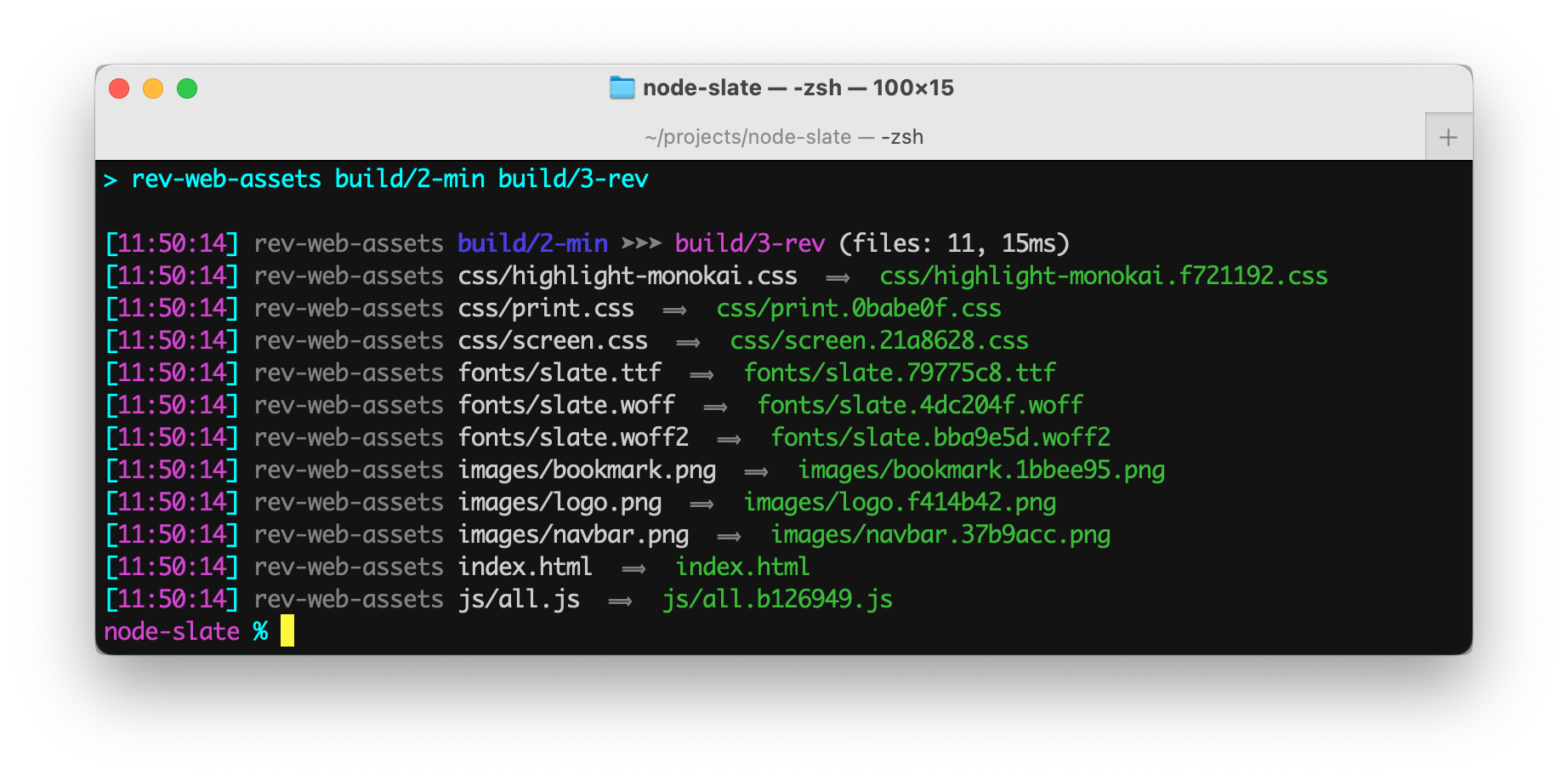
**rev-web-assets** updates the asset filenames of a website to contain a eight-digit hex hash.
The command's console output includes a timestamp and formatting helpful in build systems.
_Revision web asset filenames with cache busting content hash fingerprints_
[](https://github.com/center-key/rev-web-assets/blob/main/LICENSE.txt)
[](https://www.npmjs.com/package/rev-web-assets)
[](https://github.com/center-key/rev-web-assets/actions/workflows/run-spec-on-push.yaml)
**rev-web-assets** updates the asset filenames of a website to contain a eight-digit hex hash.
The command's console output includes a timestamp and formatting helpful in build systems.
 ## A) Setup
Install package for node:
```shell
$ npm install --save-dev rev-web-assets
```
## B) Usage
### 1. Synopsis
```
rev-web-assets [SOURCE] [TARGET]
```
Parameters:
* The **first** parameter is the *source* folder.
* The **second** parameter is the *target* folder.
### 2. npm package.json scripts
Run `rev-web-assets` from the `"scripts"` section of your **package.json** file.
Example **package.json** scripts:
```json
"scripts": {
"revision": "rev-web-assets build/dev/web-app build/prod/web-app"
},
```
### 3. Command-line npx
Example terminal commands:
```shell
$ npm install --save-dev rev-web-assets
$ npx rev-web-assets build/dev/web-app build/prod/web-app
```
You can also install **rev-web-assets** globally (`--global`) and then run it anywhere directly from the terminal.
### 4. CLI flags
Command-line flags:
| Flag | Description | Value |
| --------------------- | ---------------------------------------------------------------------- | ---------- |
| `--cd` | Change working directory before starting starting. | **string** |
| `--force` | Revision (hash) all asset files even if not referenced. | N/A |
| `--hide404s` | Suppress warning messages about missing asset files. | N/A |
| `--manifest` | Output the list of files to: **manifest.json** | N/A |
| `--meta-content-base` | Make meta URLs, like "og:image", absolute. | **string** |
| `--note` | Place to add a comment only for humans. | **string** |
| `--quiet` | Suppress informational messages. | N/A |
| `--skip` | Do not revision (hash) asset files with paths containing given string. | **string** |
| `--summary` | Only print out the single line summary message. | N/A |
### 5. Examples
- `rev-web-assets web/source web/target`
## A) Setup
Install package for node:
```shell
$ npm install --save-dev rev-web-assets
```
## B) Usage
### 1. Synopsis
```
rev-web-assets [SOURCE] [TARGET]
```
Parameters:
* The **first** parameter is the *source* folder.
* The **second** parameter is the *target* folder.
### 2. npm package.json scripts
Run `rev-web-assets` from the `"scripts"` section of your **package.json** file.
Example **package.json** scripts:
```json
"scripts": {
"revision": "rev-web-assets build/dev/web-app build/prod/web-app"
},
```
### 3. Command-line npx
Example terminal commands:
```shell
$ npm install --save-dev rev-web-assets
$ npx rev-web-assets build/dev/web-app build/prod/web-app
```
You can also install **rev-web-assets** globally (`--global`) and then run it anywhere directly from the terminal.
### 4. CLI flags
Command-line flags:
| Flag | Description | Value |
| --------------------- | ---------------------------------------------------------------------- | ---------- |
| `--cd` | Change working directory before starting starting. | **string** |
| `--force` | Revision (hash) all asset files even if not referenced. | N/A |
| `--hide404s` | Suppress warning messages about missing asset files. | N/A |
| `--manifest` | Output the list of files to: **manifest.json** | N/A |
| `--meta-content-base` | Make meta URLs, like "og:image", absolute. | **string** |
| `--note` | Place to add a comment only for humans. | **string** |
| `--quiet` | Suppress informational messages. | N/A |
| `--skip` | Do not revision (hash) asset files with paths containing given string. | **string** |
| `--summary` | Only print out the single line summary message. | N/A |
### 5. Examples
- `rev-web-assets web/source web/target`
Revisions the files in the **web/source** folder and saves the new files to the **web/target** folder.
- `rev-web-assets --cd=web source target`
Identical to the previous example.
- `rev-web-assets source target --quiet`
Displays no output.
- `rev-web-assets source target --summary`
Displays the summary informaion but not informaion about individual filenames.
- `rev-web-assets source 'target/Web Files' --summary`
Save the target files to a folder that has a space in its name.
- `rev-web-assets source target --meta-content-base=https://example.net`
Prepends the base to `` URLs.
> [!NOTE]
> _Single quotes in commands are normalized so they work cross-platform and avoid the
errors often encountered on Microsoft Windows._
URLs in `` tag `content` attributes generally need to be absolute URLs.
Setting the `--meta-content-base` flag to `https://example.net` will transform the line of HTML
from:
```html
```
into something like:
```html
```
### 6. Manifest
The `--manifest` flag produces a JSON file containing an array objects with details about each file:
```typescript
export type ManifestDetail = {
origin: string, //source path of asset file
filename: string, //source filename of asset file
canonical: string, //normalized path used to lookup asset in manifest
canonicalFolder: string, //directory of the normalized path of the asset file
isHtml: boolean, //asset file is HTML
isCss: boolean, //asset file is CSS
bytes: number | null, //asset file size
hash: string | null, //eight-digit cache busting hex humber that changes if the asset changes
hashedFilename: string | null, //filename of the asset with hash inserted before the file extension
destFolder: string, //directory of the target asset
destPath: string | null, //folder and filename of the target asset
usedIn: string[] | null, //files that references the asset
references: number | null, //number of times the asset is referenced
skipped: boolean, //asset file is configured to not be hashed
};
```
Example:
```json
{
"origin": "src/website/graphics/logo.png",
"filename": "logo.png",
"canonicalFolder": "graphics",
"canonical": "graphics/logo.png",
"bytes": 7203,
"isHtml": false,
"isCss": false,
"hash": "ad42b203",
"hashedFilename": "logo.ad42b203.png",
"destFolder": "target/website/graphics",
"destPath": "target/website/graphics/logo.ad42b203.png",
"usedIn": [
"index.html",
"products/index.html",
"style.css",
],
"references": 7
},
```
## C) Application Code
Even though **rev-web-assets** is primarily intended for build scripts, the package can be used programmatically in ESM and TypeScript projects.
Example:
``` typescript
import { revWebAssets } from 'rev-web-assets';
const options = { saveManifest: true };
const results = revWebAssets.revision('source', 'target', options);
console.info('Number of web files processed:', results.count);
```
See the **TypeScript Declarations** at the top of [rev-web-assets.ts](src/rev-web-assets.ts) for documentation.
---
[MIT License](LICENSE.txt)
[🛡️ npm Security Aggregator](https://center-key.github.io/npm-security-aggregator/?package=rev-web-assets)
See the `runScriptsConfig` section of [`package.json`](package.json) for a clean way to organize build tasks:
- 🎋 [`add-dist-header`](https://github.com/center-key/add-dist-header) — _Prepend a one-line banner comment (with license notice) to distribution files_
- 📄 [`copy-file-util`](https://github.com/center-key/copy-file-util) — _Copy or rename a file with optional package version number_
- 📂 [`copy-folder-util`](https://github.com/center-key/copy-folder-util) — _Recursively copy files from one folder to another folder_
- 🪺 [`recursive-exec`](https://github.com/center-key/recursive-exec) — _Run a command on each file in a folder and its subfolders_
- 🔍 [`replacer-util`](https://github.com/center-key/replacer-util) — _Find and replace strings or template outputs in text files_
- 🔢 [`rev-web-assets`](https://github.com/center-key/rev-web-assets) — _Revision web asset filenames with cache busting content hash fingerprints_
- 🚆 [`run-scripts-util`](https://github.com/center-key/run-scripts-util) — _Organize npm package.json scripts into groups of easy-to-manage commands_
- 🚦 [`w3c-html-validator`](https://github.com/center-key/w3c-html-validator) — _Check the markup validity of HTML files using the W3C validator_