# rekapi-timeline
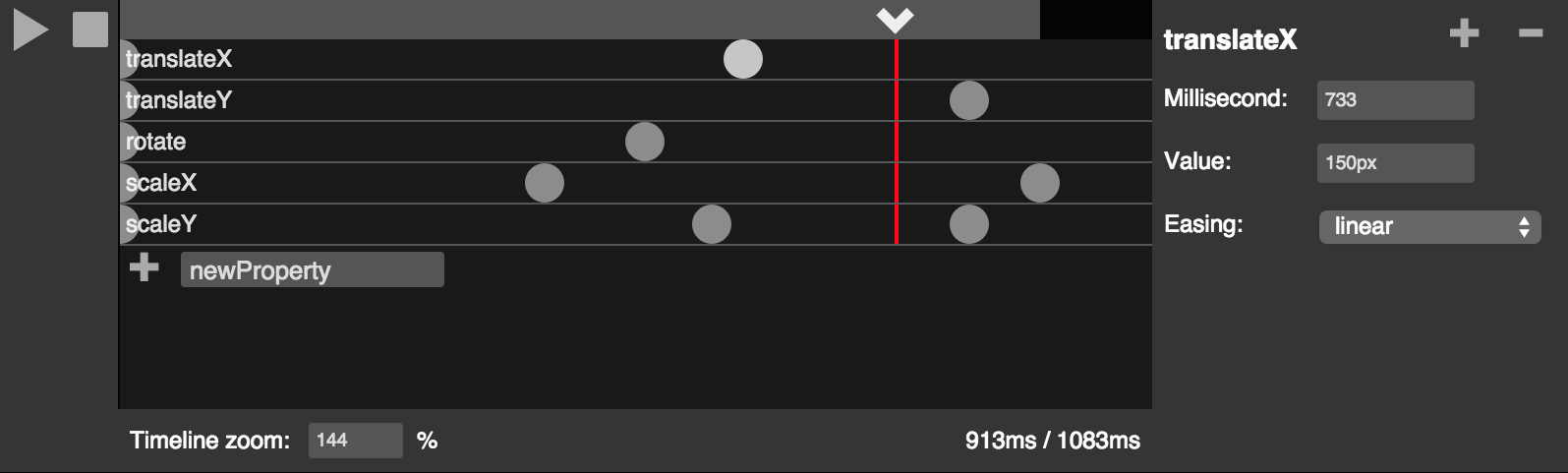
rekapi-timeline is a general-purpose timeline-editing interface for [Rekapi](http://rekapi.com/) meant to be integrated into graphical applications. It is designed to be feature-rich but flexible. rekapi-timeline is not intended to be used as a standalone application. A practical example of it in use is [Mantra](http://jeremyckahn.github.io/mantra/).
## Dependencies
* [Rekapi](http://rekapi.com/)
* [Shifty](http://jeremyckahn.github.io/shifty/)
* [Lateralus](https://github.com/Jellyvision/lateralus)
* [jQuery](http://jquery.com/)
* [Backbone](http://backbonejs.org/)
* [Lodash](https://lodash.com/)
* [Mustache](https://github.com/janl/mustache.js/)
* [jQuery Dragon](https://github.com/jeremyckahn/dragon)
## Installation
```
npm install rekapi-timeline
```
## Integration
To use rekapi-timeline in your app, just load `dist/scripts/rekapi-timeline.js`. This is a large file with styles and fonts embedded; if you would like to optimized your builds, you may want to consider loading the source files (in `scripts/`) directly into your application and customizing your build process to suit your needs.
rekapi-timeline bundles [Rekapi](http://jeremyckahn.github.io/rekapi/doc/) and defines `Rekapi.prototype.createTimeline`. All you need is a DOM element to insert the timeline into:
```html
```
```javascript
import { Rekapi } from 'rekapi-timeline';
const timelineEl = document.querySelector('#rekapi-timeline');
const rekapi = new Rekapi(document.body);
const actor = rekapi.addActor({
context: document.querySelector('#actor-1')
});
const timeline = rekapi.createTimeline(timelineEl);
```
This library exposes a UMD module named `'rekapi-timeline'` that exports the [`rekapi`](http://jeremyckahn.github.io/rekapi/doc/rekapi.html) classes.
## License
MIT