# Reason-apollo
[](https://badge.fury.io/js/reason-apollo)
[](https://spectrum.chat/apollo)
> react-apollo with ReasonML
## Install and setup
#### Install
```
yarn add reason-apollo
# Add graphql_ppx
yarn add @baransu/graphql_ppx_re --dev
```
#### bsconfig
Add `reason-apollo` to your `bs-dependencies` and
`@baransu/graphql_ppx_re/ppx` to your `ppx-flags`
**bsconfig.json**
```
"bs-dependencies": [
"reason-react",
"reason-apollo"
],
"ppx-flags": [
"@baransu/graphql_ppx_re/ppx"
]
```
#### Send introspection query
This will generate a `graphql_schema.json` which will be used to safely type your GraphQL queries/mutations.
```
npx get-graphql-schema ENDPOINT_URL -j > graphql_schema.json
```
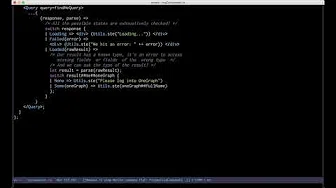
## Why reason-apollo?
Watch its usage in this video:
[](https://www.youtube.com/watch?v=yMqE37LqRLA)
# Usage
## Create the Apollo Client
**Client.re**
```reason
/* Create an InMemoryCache */
let inMemoryCache = ApolloInMemoryCache.createInMemoryCache();
/* Create an HTTP Link */
let httpLink =
ApolloLinks.createHttpLink(~uri="http://localhost:3010/graphql", ());
let instance =
ReasonApollo.createApolloClient(~link=httpLink, ~cache=inMemoryCache, ());
```
## ApolloProvider
**Index.re**
```reason
/*
Enhance your application with the `ReasonApollo.Provider`
passing it your client instance
*/
ReactDOMRe.renderToElementWithId(
,
"index",
);
```
## Query
**MyQuery.re**
```reason
/* Create a GraphQL Query by using the graphql_ppx */
module GetUserName = [%graphql
{|
query getUserName($id: ID!){
user(id: $ID) {
id
device {
id
brand {
id
name
}
}
}
}
|}
];
module GetUserNameQuery = ReasonApollo.CreateQuery(GetUserName);
[@react.component]
let make = () => {
let userNameQuery = GetUserName.make(~id="42", ());
...{({result}) =>
switch (result) {
| Loading =>
| Data(_response) =>
}
}}
;
};
```
## ApolloConsumer
If you simply want to have access to the ApolloClient, you can use the `ApolloConsumer`
```reason
...{apolloClient => {/* We have access to the client! */}}
;
```
## Tips and Tricks
### access deeply nested optional objects
If for this query
```graphql
query {
user {
device {
brand {
name
}
}
}
}
```
you end up with that kind of code:
```reason
let deviceName =
switch (response##user) {
| None => ""
| Some(user) =>
switch (user##device) {
| None => ""
| Some(device) =>
switch (device##brand) {
| None => ""
| Some(brand) => brand##name
}
}
};
```
1. Use `Belt`
```reason
open Belt.Option;
let deviceName =
response##user
->flatMap(user => user##device)
->flatMap(device => device##brand)
->mapWithDefault("", brand => brand##name);
```
2. Use `@bsRecord`
The `@bsRecord` modifier is an [extension](https://github.com/reasonml-community/graphql_ppx#record-conversion) of the graphql syntax for BuckleScipt/ReasonML. It allows you to convert a reason object to a reason record and reap the benefits of pattern matching, but you need to defined the record by yourself.
```reason
type brand = {
name: string
};
type device = {
brand: option(brand)
};
type user = {
device: option(device)
};
type response = user;
query {
user @bsRecord {
device @bsRecord {
brand @bsRecord {
name
}
}
}
}
```
This time we can pattern match more precisely.
```reason
let deviceName =
switch (response##user) {
| Some({device: Some({brand: {name}})}) => name
| _ => ""
};
```
3. Use `get_in_ppx`
`npm install get_in_ppx`
and in `bsconfig.json`
`"ppx-flags": ["get_in_ppx/ppx"]`
you can write
```reason
let deviceName = response##user#??device#??brand#?name;
```
There's a [blogpost](https://jaredforsyth.com/posts/optional-attribute-access-in-reason/) from Jared Forsyth (author of this ppx) for more explanation.
### Use an alias for irregular field names
You might find yourself consuming an API with field names like `Field`. Currently, reason object field names are required to be camel case. Therefore if you have a request like this:
```reason
{
Object {
id
title
}
}
```
You will attempt to access the response object but it will throw an error:
```reason
response##Object; /* Does not work :( */
```
Instead, use an `alias` to modify the response:
```reason
{
object: Object {
id
title
}
}
```
Then you can access the object like this:
```reason
response##object
```
### Generic Error and Loading components
You can create a generic error and Loading component and compose them like this example:
```reason
module QueryView = {
[@react.component]
let make =
(
~result: ReasonApolloTypes.queryResponse('a),
~accessData: 'a => option('b),
~render: ('b, 'c) => React.element,
~onLoadMore: ('b, 'unit) => unit=(_, ()) => (),
) => {
switch (result) {
| Error(error) =>
| Loading => ReasonReact.null
| Data(response) =>
switch (accessData(response)) {
| Some(data) => render(data, onLoadMore(data))
| _ =>
}
};
};
};
```
## FAQ
### I've added the schema file, but my build fails saying it couldn't be found?
In some cases, it seems like there are some differences between the provided `send-introspection-query`
and output from tools you might be using to download the schema (such as `apollo-codegen` or `graphql-cli`).
If your build is failing, please make sure to try with the provided script. In your project root, run:
```
npx get-graphql-schema ENDPOINT_URL -j > graphql_schema.json
```