# reactjs-availability-calendar
[![NPM version][npm-image]][npm-url]
![npm-typescript]
[![License][github-license]][github-license-url]
[**Live Demo**](https://reactjs-availability-calendar-demo-simpletut.vercel.app/)
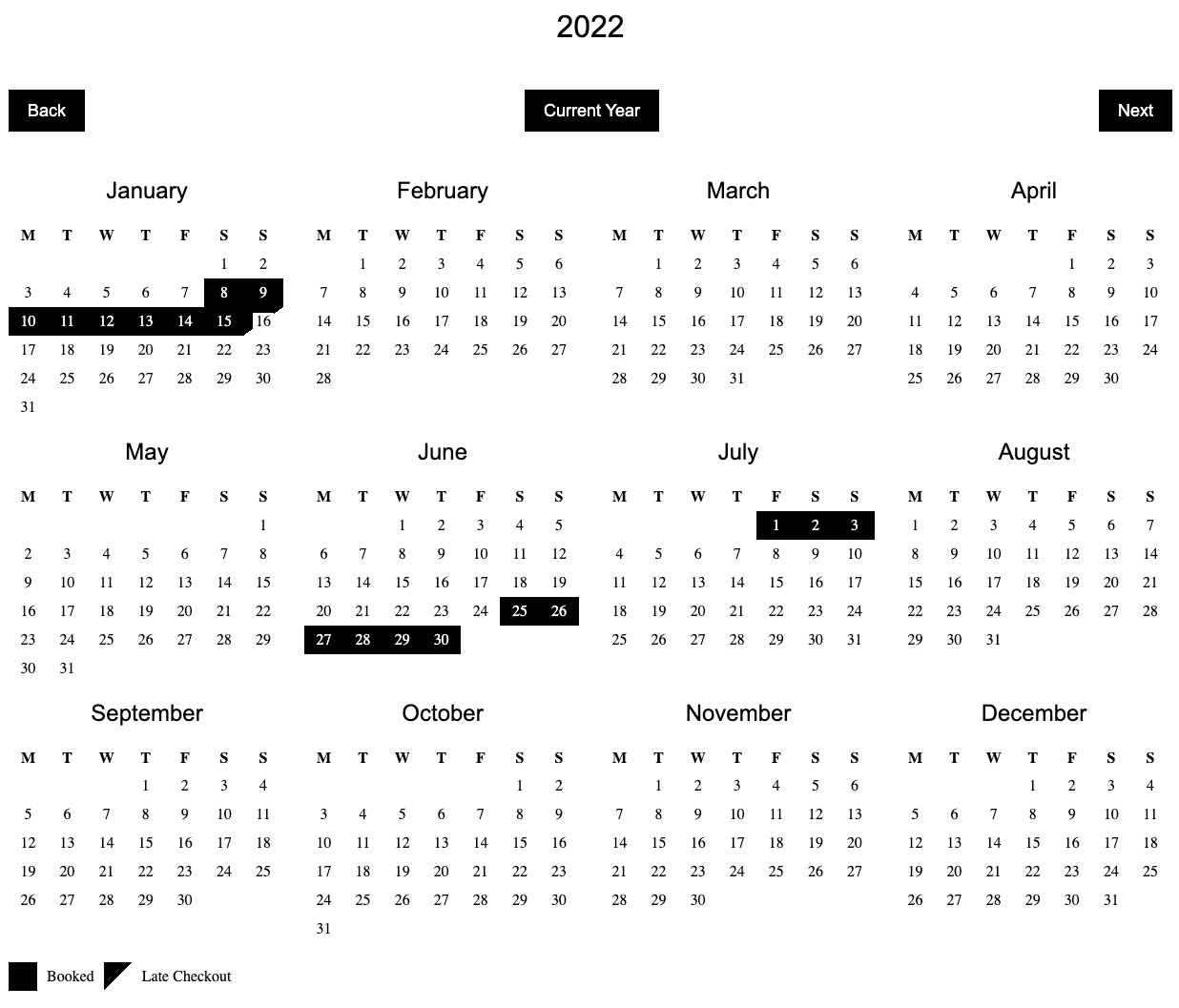
Lightweight Availability/Bookings Calendar Built with React & TypeScript
[](https://www.paypal.com/donate/?hosted_button_id=5XUQK37UT4Z7Y)
## Installation:
```bash
npm install reactjs-availability-calendar
```
or
```bash
yarn add reactjs-availability-calendar
```
## Usage :
Add `Calendar` to your component:
```js
import React from 'react'
import Calendar from 'reactjs-availability-calendar'
export default function App() {
const bookings = [
{
from: new Date('2022-07-03'),
to: new Date('2022-07-30'),
middayCheckout: true,
},
{
from: '2022-04-08',
to: '2022-04-13',
middayCheckout: true,
},
{
from: '2022-09-03T19:20:35.593Z',
to: '2022-09-22T19:20:35.593Z',
middayCheckout: false,
},
]
return (
)
}
```
## Default CSS
Please copy and self host the default CSS linked below.
Default CSS
Minified Default CSS
```
```
## Settings / Configurations:
### bookings
**Type:** Array of Bookings\
**Default:** []\
**Example:**
```
[{
from: '2022-04-08T00:00:00.000Z',
to: '2022-04-10T00:00:00.000Z',
middayCheckout: true,
}]
```
**Notes:** For best results, `Dates` should be in valid ISO 8601 format. Learn more\
**Description:** Dates to be shown as unavailable on the calendar
### showNumberOfMonths
**Type:** Number\
**Default:** 12\
**Options:** 12 | 4 | 2 | 1\
**Description:** Number of Months to show
### showCurrentYear
**Type:** Bool\
**Default:** true\
**Description:** Render active Calendar Year
### showControls
**Type:** Bool\
**Default:** true\
**Description:** Render navigation buttons to move forward and previous Calendar Years
### showKey
**Type:** Bool\
**Default:** true\
**Description:** Render Key for the different Calendar States
[npm-url]: https://www.npmjs.com/package/reactjs-availability-calendar
[npm-image]: https://img.shields.io/npm/v/reactjs-availability-calendar
[github-license]: https://img.shields.io/github/license/simpletut/reactjs-availability-calendar
[github-license-url]: https://github.com/simpletut/reactjs-availability-calendar/blob/main/LICENSE
[npm-typescript]: https://img.shields.io/npm/types/reactjs-availability-calendar