# Installation
Install via NPM:
```shell
npm install react-uploader
```
Or via YARN:
```shell
yarn add react-uploader
```
Or via a `
```
# Usage
## UploadButton — [Try on CodePen](https://codepen.io/bytescale/pen/popWJpX?editors=0010)
The `UploadButton` component uses a [render prop](https://reactjs.org/docs/render-props.html) to provide an `onClick` callback to your button element.
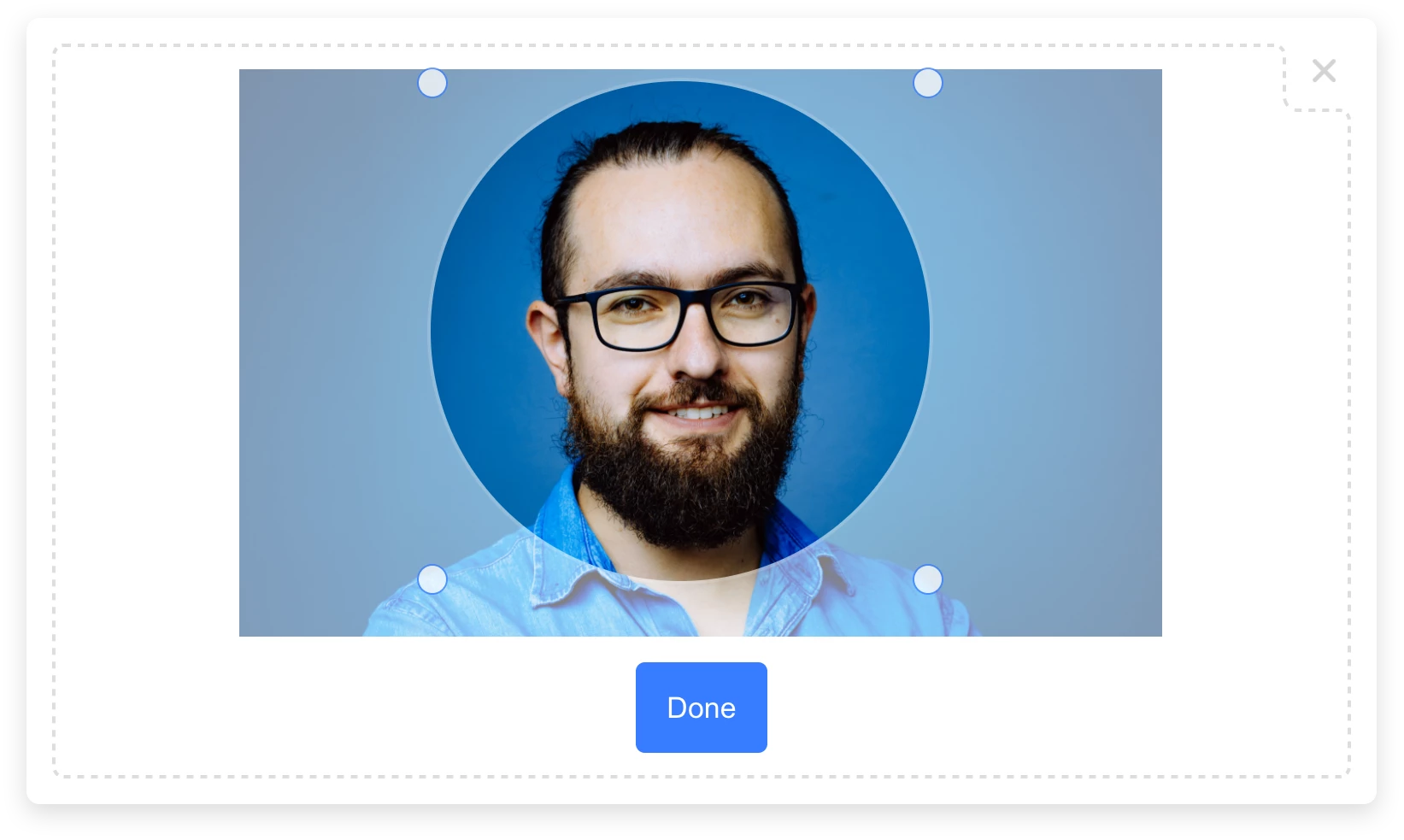
When clicked, a file upload modal will appear:
```javascript
import { Uploader } from "uploader"; // Installed by "react-uploader".
import { UploadButton } from "react-uploader";
// Initialize once (at the start of your app).
const uploader = Uploader({
apiKey: "free" // Get production API keys from Bytescale
});
// Configuration options: https://www.bytescale.com/docs/upload-widget/frameworks/react#customize
const options = { multi: true };
const MyApp = () => (
alert(files.map(x => x.fileUrl).join("\n"))}>
{({onClick}) =>
}
);
```
Required props:
- `uploader`
- `children`
Optional props:
- `options`
- `onComplete`
## UploadDropzone — [Try on CodePen](https://codepen.io/bytescale/pen/LYrMzaB?editors=0010)
The `UploadDropzone` component renders an inline drag-and-drop file upload dropzone:
```javascript
import { Uploader } from "uploader"; // Installed by "react-uploader".
import { UploadDropzone } from "react-uploader";
// Initialize once (at the start of your app).
const uploader = Uploader({
apiKey: "free" // Get production API keys from Bytescale
});
// Configuration options: https://www.bytescale.com/docs/upload-widget/frameworks/react#customize
const options = { multi: true };
const MyApp = () => (
alert(files.map(x => x.fileUrl).join("\n"))}
width="600px"
height="375px" />
);
```
Required props:
- `uploader`
Optional props:
- `options`
- `onUpdate`
- `width`
- `height`
## The Result
The callbacks receive a `Array`:
```javascript
{
fileUrl: "https://upcdn.io/FW25...", // URL to use when serving this file.
filePath: "/uploads/example.jpg", // File path (we recommend saving this to your database).
editedFile: undefined, // Edited file (for image crops). Same structure as below.
originalFile: {
fileUrl: "https://upcdn.io/FW25...", // Uploaded file URL.
filePath: "/uploads/example.jpg", // Uploaded file path (relative to your raw file directory).
accountId: "FW251aX", // Bytescale account the file was uploaded to.
originalFileName: "example.jpg", // Original file name from the user's machine.
file: { ... }, // Original DOM file object from the element.
size: 12345, // File size in bytes.
lastModified: 1663410542397, // Epoch timestamp of when the file was uploaded or updated.
mime: "image/jpeg", // File MIME type.
metadata: {
... // User-provided JSON object.
},
tags: [
"tag1", // User-provided & auto-generated tags.
"tag2",
...
]
}
}
```
# 🌐 API Support
## 🌐 File Management API
Bytescale provides an [Upload API](https://www.bytescale.com/docs/upload-api), which supports the following:
- File uploading.
- File listing.
- File deleting.
- And more...
Uploading a `"Hello World"` text file is as simple as:
```shell
curl --data "Hello World" \
-u apikey:free \
-X POST "https://api.bytescale.com/v1/files/basic"
```
_Note: Remember to set `-H "Content-Type: mime/type"` when uploading other file types!_
[Read the Upload API docs »](https://www.bytescale.com/docs/upload-api)
## 🌐 Image Processing API (Resize, Crop, etc.)
Bytescale also provides an [Image Processing API](https://www.bytescale.com/docs/image-processing-api), which supports the following:
- [Image Resizing](https://www.bytescale.com/docs/image-processing-api#image-resizing-api)
- [Image Cropping](https://www.bytescale.com/docs/image-processing-api#image-cropping-api)
- [Image Compression](https://www.bytescale.com/docs/image-processing-api#image-compression-api)
- [Image Conversion](https://www.bytescale.com/docs/image-processing-api#f)
- [Image Manipulation (blur, sharpen, brightness, etc.)](https://www.bytescale.com/docs/image-processing-api#image-manipulation-api)
- [Layering (e.g for text & image watermarks)](https://www.bytescale.com/docs/image-processing-api#image)
- and more...
[Read the Image Processing API docs »](https://www.bytescale.com/docs/image-processing-api)
### Original Image
Here's an example using [a photo of Chicago](https://upcdn.io/W142hJk/raw/example/city-landscape.jpg):
```
https://upcdn.io/W142hJk/raw/example/city-landscape.jpg
```
### Processed Image
Using the [Image Processing API](https://www.bytescale.com/docs/image-processing-api), you can produce [this image](https://upcdn.io/W142hJk/image/example/city-landscape.jpg?w=900&h=600&fit=crop&f=webp&q=80&blur=4&text=WATERMARK&layer-opacity=80&blend=overlay&layer-rotate=315&font-size=100&padding=10&font-weight=900&color=ffffff&repeat=true&text=Chicago&gravity=bottom&padding-x=50&padding-bottom=20&font=/example/fonts/Lobster.ttf&color=ffe400):
```
https://upcdn.io/W142hJk/image/example/city-landscape.jpg
?w=900
&h=600
&fit=crop
&f=webp
&q=80
&blur=4
&text=WATERMARK
&layer-opacity=80
&blend=overlay
&layer-rotate=315
&font-size=100
&padding=10
&font-weight=900
&color=ffffff
&repeat=true
&text=Chicago
&gravity=bottom
&padding-x=50
&padding-bottom=20
&font=/example/fonts/Lobster.ttf
&color=ffe400
```
## Full Documentation
[Uploader Documentation »](https://www.bytescale.com/docs/upload-widget)
## Need a Headless (no UI) File Upload Library?
[Try Upload.js »](https://www.bytescale.com/upload-js)
## Can I use my own storage?
**Yes:** Bytescale supports AWS S3, Cloudflare R2, Google Storage, and DigitalOcean Spaces.
To configure a custom storage backend, please see:
[https://www.bytescale.com/docs/storage/sources](https://www.bytescale.com/docs/storage/sources)
## 👋 Create your Bytescale Account
React Uploader is the React Upload Widget for Bytescale: the best way to serve images, videos, and audio for web apps.
**[Create a Bytescale account »](https://www.bytescale.com/)**
## Building From Source
[BUILD.md](BUILD.md)
## License
[MIT](LICENSE)







 ```
https://upcdn.io/W142hJk/raw/example/city-landscape.jpg
```
### Processed Image
Using the [Image Processing API](https://www.bytescale.com/docs/image-processing-api), you can produce [this image](https://upcdn.io/W142hJk/image/example/city-landscape.jpg?w=900&h=600&fit=crop&f=webp&q=80&blur=4&text=WATERMARK&layer-opacity=80&blend=overlay&layer-rotate=315&font-size=100&padding=10&font-weight=900&color=ffffff&repeat=true&text=Chicago&gravity=bottom&padding-x=50&padding-bottom=20&font=/example/fonts/Lobster.ttf&color=ffe400):
```
https://upcdn.io/W142hJk/raw/example/city-landscape.jpg
```
### Processed Image
Using the [Image Processing API](https://www.bytescale.com/docs/image-processing-api), you can produce [this image](https://upcdn.io/W142hJk/image/example/city-landscape.jpg?w=900&h=600&fit=crop&f=webp&q=80&blur=4&text=WATERMARK&layer-opacity=80&blend=overlay&layer-rotate=315&font-size=100&padding=10&font-weight=900&color=ffffff&repeat=true&text=Chicago&gravity=bottom&padding-x=50&padding-bottom=20&font=/example/fonts/Lobster.ttf&color=ffe400):
 ```
https://upcdn.io/W142hJk/image/example/city-landscape.jpg
?w=900
&h=600
&fit=crop
&f=webp
&q=80
&blur=4
&text=WATERMARK
&layer-opacity=80
&blend=overlay
&layer-rotate=315
&font-size=100
&padding=10
&font-weight=900
&color=ffffff
&repeat=true
&text=Chicago
&gravity=bottom
&padding-x=50
&padding-bottom=20
&font=/example/fonts/Lobster.ttf
&color=ffe400
```
## Full Documentation
[Uploader Documentation »](https://www.bytescale.com/docs/upload-widget)
## Need a Headless (no UI) File Upload Library?
[Try Upload.js »](https://www.bytescale.com/upload-js)
## Can I use my own storage?
**Yes:** Bytescale supports AWS S3, Cloudflare R2, Google Storage, and DigitalOcean Spaces.
To configure a custom storage backend, please see:
[https://www.bytescale.com/docs/storage/sources](https://www.bytescale.com/docs/storage/sources)
## 👋 Create your Bytescale Account
React Uploader is the React Upload Widget for Bytescale: the best way to serve images, videos, and audio for web apps.
**[Create a Bytescale account »](https://www.bytescale.com/)**
## Building From Source
[BUILD.md](BUILD.md)
## License
[MIT](LICENSE)
```
https://upcdn.io/W142hJk/image/example/city-landscape.jpg
?w=900
&h=600
&fit=crop
&f=webp
&q=80
&blur=4
&text=WATERMARK
&layer-opacity=80
&blend=overlay
&layer-rotate=315
&font-size=100
&padding=10
&font-weight=900
&color=ffffff
&repeat=true
&text=Chicago
&gravity=bottom
&padding-x=50
&padding-bottom=20
&font=/example/fonts/Lobster.ttf
&color=ffe400
```
## Full Documentation
[Uploader Documentation »](https://www.bytescale.com/docs/upload-widget)
## Need a Headless (no UI) File Upload Library?
[Try Upload.js »](https://www.bytescale.com/upload-js)
## Can I use my own storage?
**Yes:** Bytescale supports AWS S3, Cloudflare R2, Google Storage, and DigitalOcean Spaces.
To configure a custom storage backend, please see:
[https://www.bytescale.com/docs/storage/sources](https://www.bytescale.com/docs/storage/sources)
## 👋 Create your Bytescale Account
React Uploader is the React Upload Widget for Bytescale: the best way to serve images, videos, and audio for web apps.
**[Create a Bytescale account »](https://www.bytescale.com/)**
## Building From Source
[BUILD.md](BUILD.md)
## License
[MIT](LICENSE)