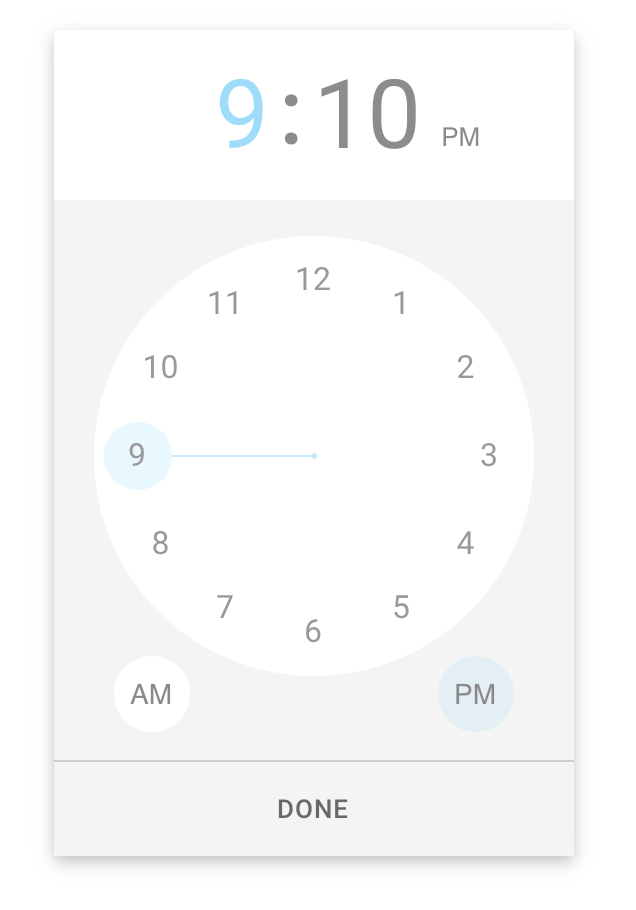
React Timekeeper



Time picker based on the style of the
Android Google Keep
app.
------------
**Features**
- supports both 12 hour and 24 hour mode, and flexible time formats
- simple to use with many customizable options
- smooth, beautiful animations with [react spring](https://www.react-spring.io)
- typescript support
- css variable support for custom styles
## Installation
```shell
$ yarn add react-timekeeper
# or via npm
$ npm install --save react-timekeeper
```
Version 2+ of timekeeper requires [react hooks (v16.8)](https://reactjs.org/blog/2019/02/06/react-v16.8.0.html). If you're using an older version of react, install timekeeper v1 via
```shell
$ npm install --save react-timekeeper@^1.0.0
```
## Usage
```javascript
import React, {useState} from 'react';
import TimeKeeper from 'react-timekeeper';
function YourComponent(){
const [time, setTime] = useState('12:34pm')
return (
setTime(data.formatted12)}
/>
Time is {time}
)
}
```
All styles are inlined via [emotion](https://github.com/emotion-js/emotion) so no css imports are required.
## API
For full api and examples, see [API docs](https://catc.github.io/react-timekeeper/#api) and [examples](https://catc.github.io/react-timekeeper/#examples)
## Development
1. Clone the repo
3. `nvm use v12.16.0` (or anything >12+)
2. `yarn install`
- may also need to install react since it's a peer dev: `yarn add -P react react-dom`
3. `npm run docs:dev`
4. Navigate to `localhost:3002`
### Contributing
Before submitting a PR, ensure that:
1. you follow all eslint rules (should be automatic)
1. all tests pass via `npm run tests`
1. everything builds
- docs - `npm run docs:build`
- lib - `npm run lib`
1. provide detailed info on what bug you're fixing or feature you're adding - if possible include a screenshot/gif
------------
Other useful commands:
- new npm releases:
- bump version: `npm version NEW_VERSION`, commit and push - CI should publish to npm automatically
- new github releases
- manual (TODO - add github action)