ReactRTC-beta is a JS library that brings the real-time communication capabilities of WebRTC into React applications.
ReactRTC simplifies the implementation of WebRTC by providing developers with a customizable react component and signalling server module for the back-end.
Features
- Live video & audio streaming capabilities.
- GUI interface providing key user functionality.
- Signalling server module utilizing websockets.
- Multi-user support through the implementation of server side rooms.
Installing
npm install react-rtc-real
ReactRTC runs on React^16.11.0 and requires the following dependencies to operate.
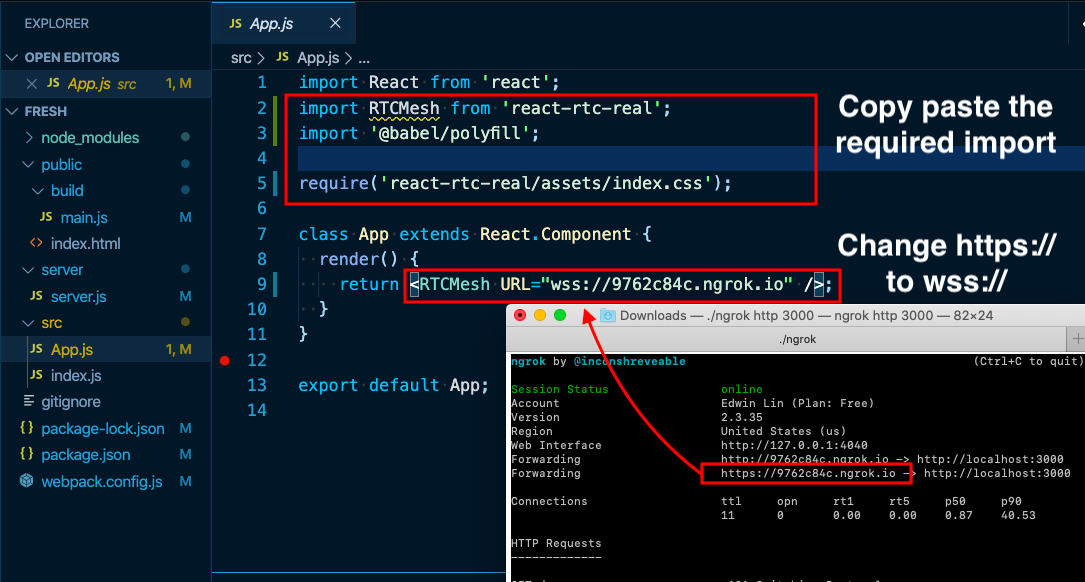
Import the `` component into your React application to begin.
import RTCMesh from 'react-rtc-real';
require('react-rtc-real/assets/index.css');
To set the URL of the signaling server pass the URL into props like so.
``
URL must be a websocket, pre-pended with wss://
*_*_*_*_*_*_*_*_*_*_*_*_*_*_*_*_*_*_*_*_*_*_*
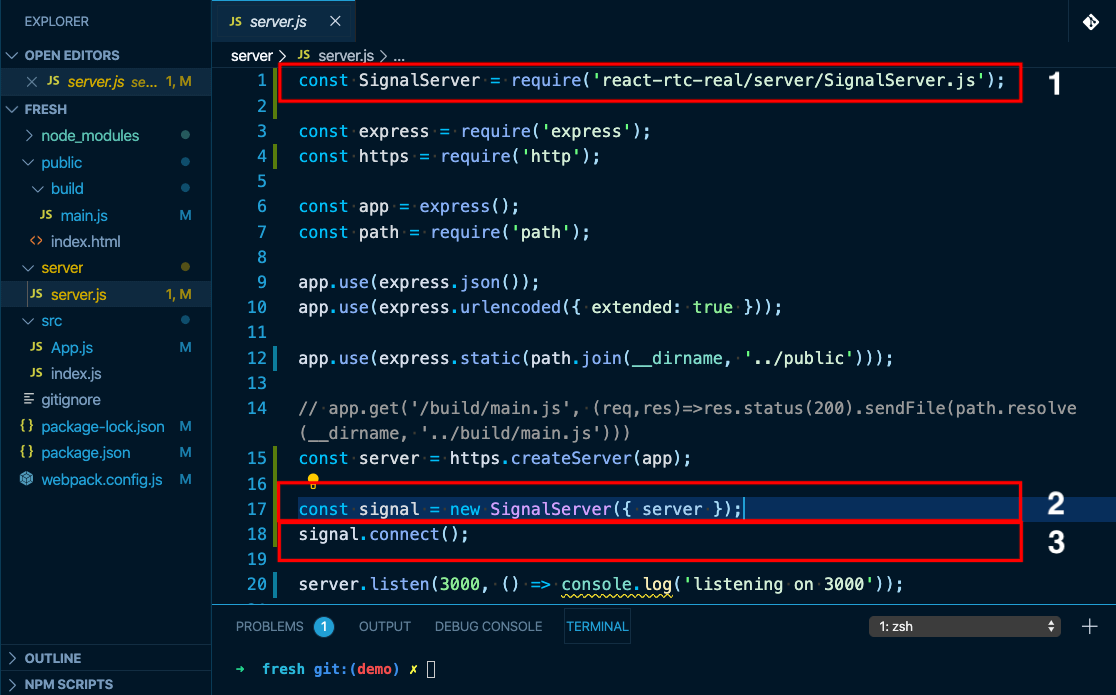
To set up Signaling Server to find remote client, import to your server.js file.
There should only be 3 lines of code added to your server.js file, numbered below.
(assuming Node/Express is being used):
[1]: const SignalServer = require('react-rtc-real/server/SignalServer.js');
Find your server instance, which will be invoking the http.createServer(), for example:
const server = https.createServer(app);
Create the Signal Server instance and connect to it:
[2]: const signal = new SignalServer({ server });
[3]: signal.connect();
Make sure your server instance is listening for the PORT number, like so:
server.listen(3000, () => console.log('listening on 3000'));
Choose your preferred tech for exposing a PORT for Signal Server.
Using ngrok: https://ngrok.com/download
Use the same PORT number and call in terminal (ie. 3000):
./ngrok http 3000
Using LocalTunnel: npm install -g localtunnel
lt --port 3000 --subdomain chooseUniqueName
*_*_*_*_*_*_*_*_*_*_*_*_*_*_*_*_*_*_*_*_*_*_*
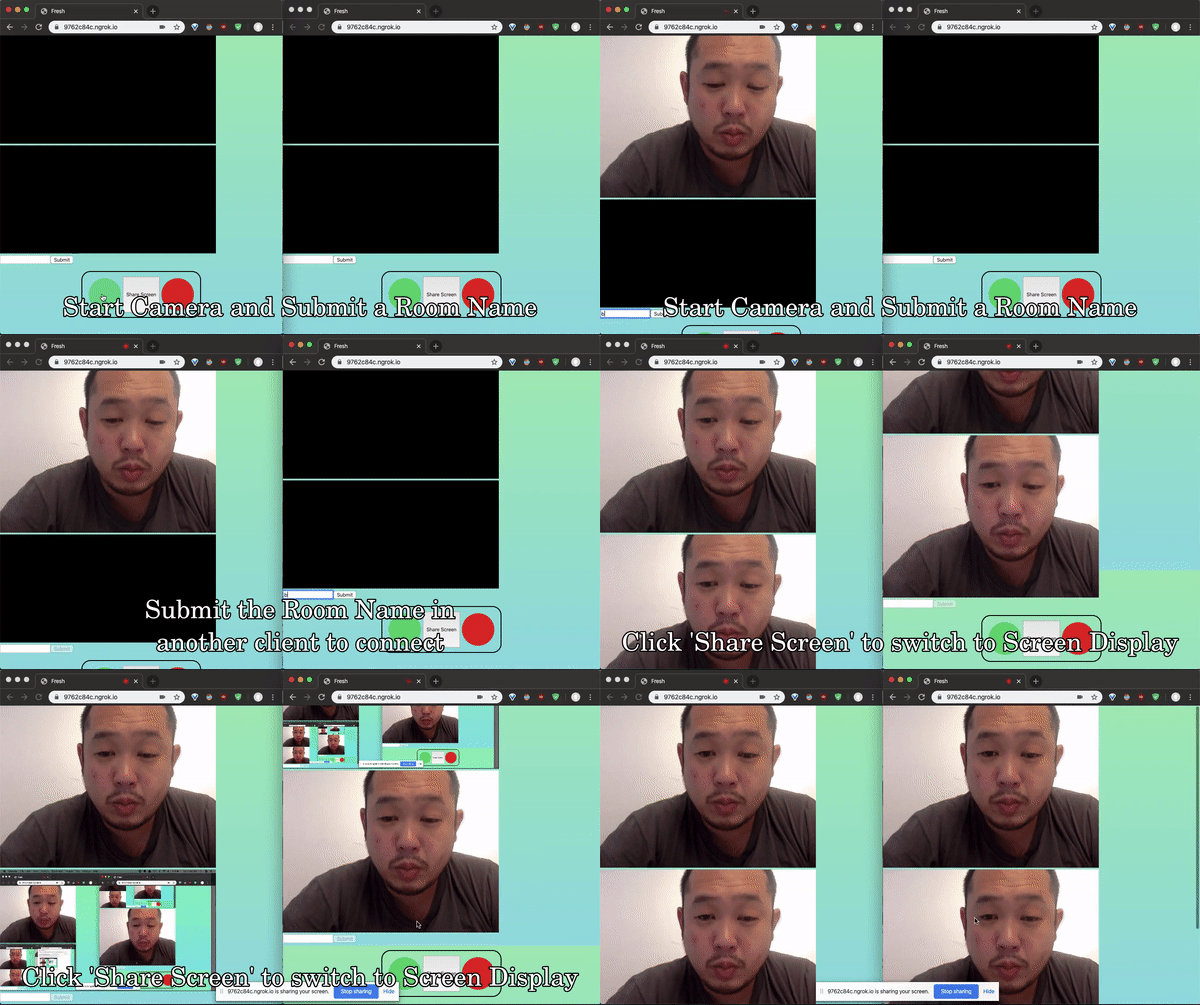
Demo
*_*_*_*_*_*_*_*_*_*_*_*_*_*_*_*_*_*_*_*_*_*_*
Authors
- Michael Romero
- Joseph Wolensky
- Diane Wu
- Edwin Lin
Licenses
This project is licensed under the MIT License - see the LICENSE file for details
