- 지금 PDF 인쇄시 리더스아이 마크 뺄것.
- 마크 외부에서 넣을시 해당 마크 사용 테스트 할것
- 14.17.3 에서 빌드
- 14.17.3 , 20.11.1 에서 동작 확인완료
-----------------------------------------------------
excuted screenshot
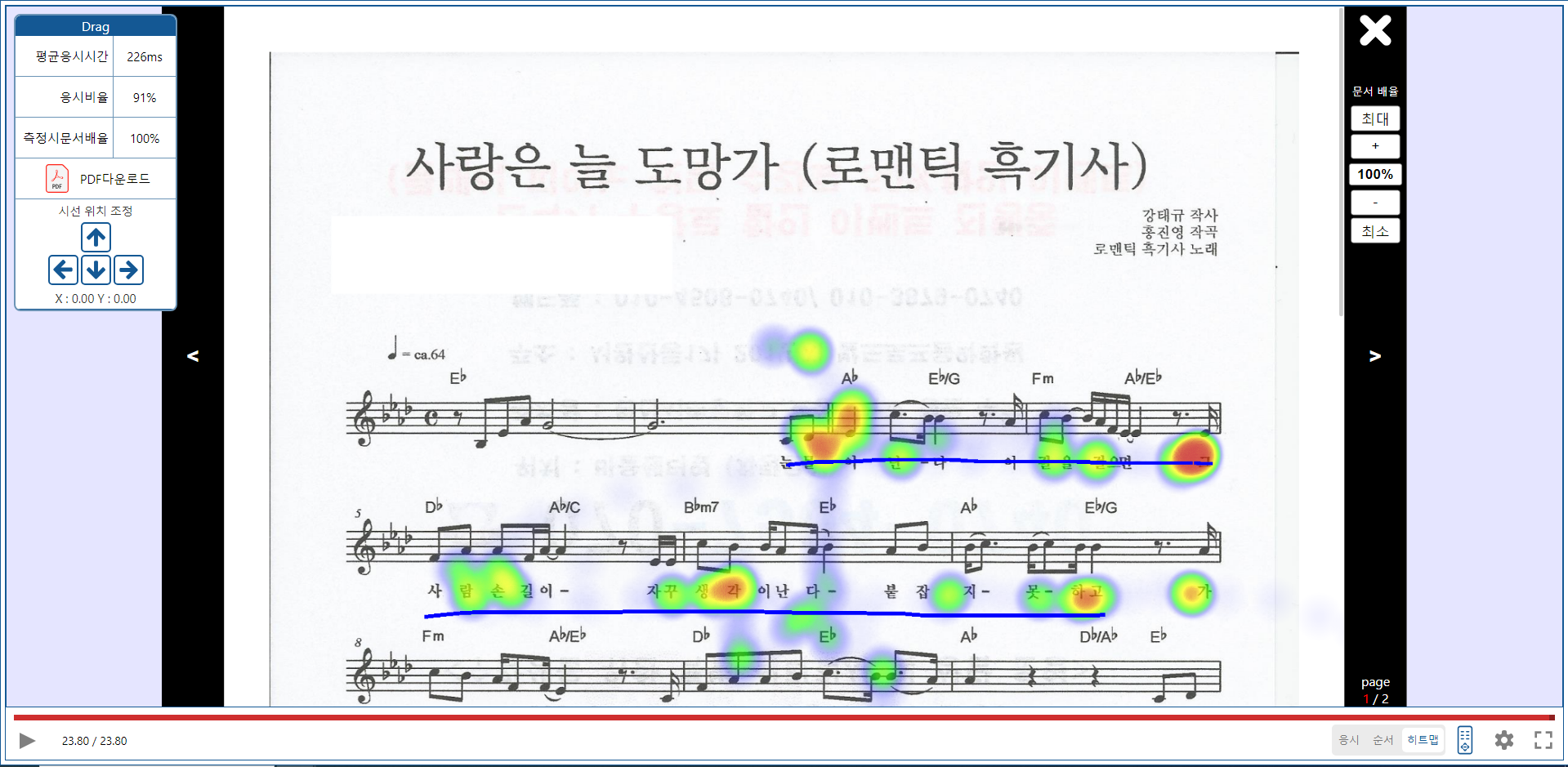 -------------------------------------
- how to get measuring data
https://www.readerseye.com
- for use this
you need readerseye data
- how to use
```javascript
{
set_selPathway(null);
}} //X 눌렀을시 click X btn
showConfirmBtn={false} //show confirm btn
onConfirm={() => {
set_selPathway(null);
}} //완료 버튼 눌렀을시 //click Confirm btn
// path={"https://readerseye-pathway.s3.ap-northeast-2.amazonaws.com/25.pdf"} //1번 json
// path={"https://readerseye-pathway.s3.ap-northeast-2.amazonaws.com/18.pdf"} //300번 json
// path={"https://readerseye-pathway.s3.ap-northeast-2.amazonaws.com/95.pdf"} //301번 json
//PDFfile URL
path={"https://readerseye-pathway.s3.ap-northeast-2.amazonaws.com/4.pdf"} //302번 json
viewpercent={100} //이건 측정할때의 값인데. 일단은 100 넣어버림. //pdfviewpercent
data={{
gazeData: data1, // readerseye data
screenSize: { //screensize of moment of the measurement
width: 1920,
height: 1080
},
pdfSize: { //PDFsize of moment of the measurement
width: 1728,
height: 2443
}
}}
specialWidth={'100%'} //you can set modal width height
specialHeight={'100%'}
printPDFData={{
agencyName: '테스트학원이름',
testeeClass: 'xx반',
testeeName: '홍길동',
testeeID: '가나다라마바사',
testDate: '1999.04.19',
pdfName: '테스트PDF',
}} // PDF download file default information
downloadFileName="테스트파일이름" //download file name
PDFonloadCallback={(pages) => {
// console.log("페이지수?",pages);
}}
pencolor={"#0000FF"} //must HEX PDF인쇄시 HEX필요
penweight={5} //pen weight
penpermit={1} //show user pen writing permit
hideRemocon={false} //default hide remocon controller
isPathwayPlus={true} //heatmap rainbow permission
/>
```
-------------------------------------
- how to get measuring data
https://www.readerseye.com
- for use this
you need readerseye data
- how to use
```javascript
{
set_selPathway(null);
}} //X 눌렀을시 click X btn
showConfirmBtn={false} //show confirm btn
onConfirm={() => {
set_selPathway(null);
}} //완료 버튼 눌렀을시 //click Confirm btn
// path={"https://readerseye-pathway.s3.ap-northeast-2.amazonaws.com/25.pdf"} //1번 json
// path={"https://readerseye-pathway.s3.ap-northeast-2.amazonaws.com/18.pdf"} //300번 json
// path={"https://readerseye-pathway.s3.ap-northeast-2.amazonaws.com/95.pdf"} //301번 json
//PDFfile URL
path={"https://readerseye-pathway.s3.ap-northeast-2.amazonaws.com/4.pdf"} //302번 json
viewpercent={100} //이건 측정할때의 값인데. 일단은 100 넣어버림. //pdfviewpercent
data={{
gazeData: data1, // readerseye data
screenSize: { //screensize of moment of the measurement
width: 1920,
height: 1080
},
pdfSize: { //PDFsize of moment of the measurement
width: 1728,
height: 2443
}
}}
specialWidth={'100%'} //you can set modal width height
specialHeight={'100%'}
printPDFData={{
agencyName: '테스트학원이름',
testeeClass: 'xx반',
testeeName: '홍길동',
testeeID: '가나다라마바사',
testDate: '1999.04.19',
pdfName: '테스트PDF',
}} // PDF download file default information
downloadFileName="테스트파일이름" //download file name
PDFonloadCallback={(pages) => {
// console.log("페이지수?",pages);
}}
pencolor={"#0000FF"} //must HEX PDF인쇄시 HEX필요
penweight={5} //pen weight
penpermit={1} //show user pen writing permit
hideRemocon={false} //default hide remocon controller
isPathwayPlus={true} //heatmap rainbow permission
/>
```