# React-power-tooltip

 
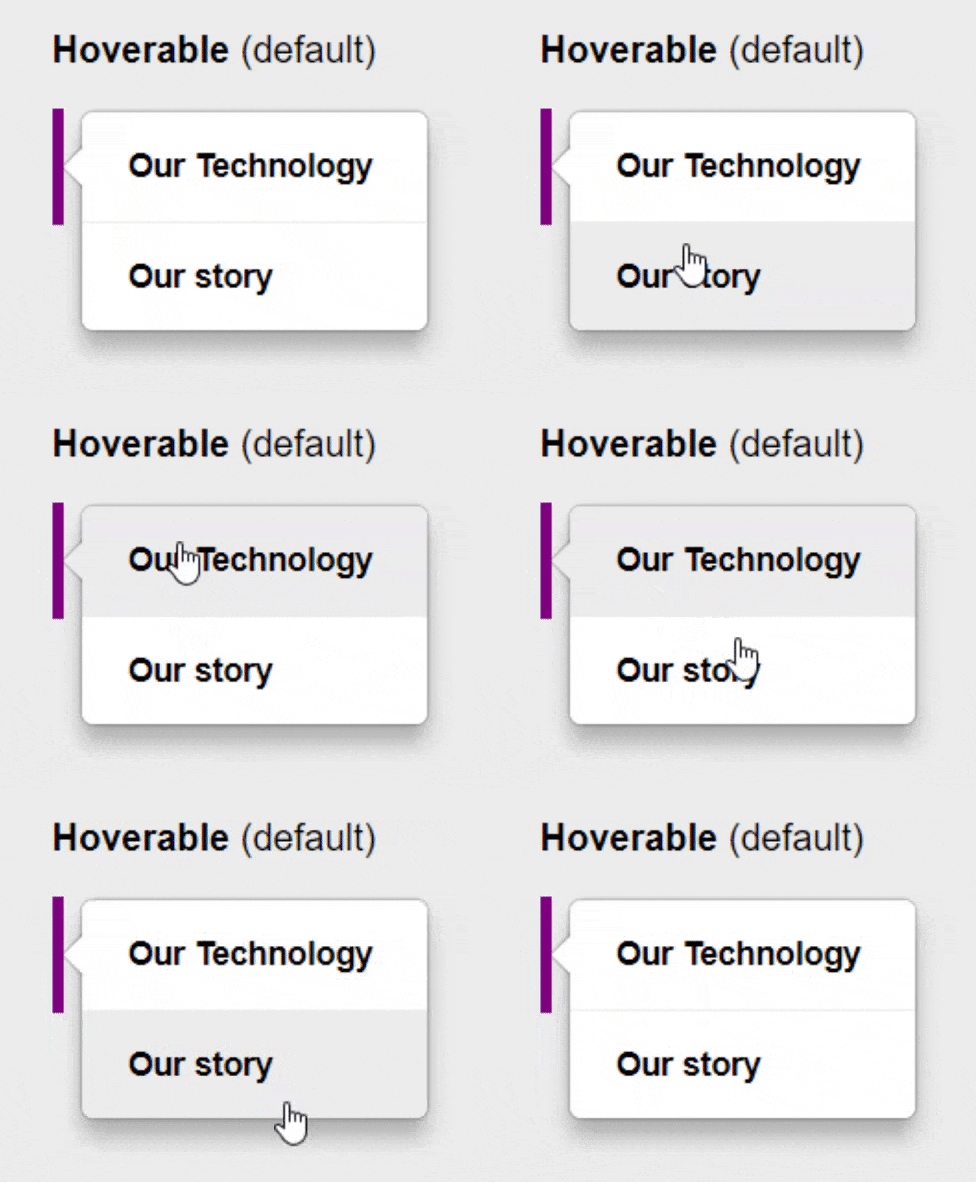 A **powerful** and **elegant** alternative for all your tooltips and menu needs.
- **Different Types** - For every use context: Choose between _Hoverable_, _Static_ & _Alert_ tooltips.
- **Fully Customizable** - Easily change default settings via props
- **Reliable Positioning** - Align your tooltip to your
target element with ease
- **Advanced Customization** - Add your own animations and styles via separate CSS files
## DEMO
Check out the [documentation & demo pages](https://justinrhodes1.github.io/react-power-tooltip/) to to see all use cases.
## Installation
### NPM
```bash
npm install react-power-tooltip
```
## Usage
```jsx
import React, { Component } from "react";
import Tooltip from "react-power-tooltip";
class Example extends Component {
state = {
show: false
}
showTooltip = bool => {
this.setState({ show: bool })
}
render() {
return (
A **powerful** and **elegant** alternative for all your tooltips and menu needs.
- **Different Types** - For every use context: Choose between _Hoverable_, _Static_ & _Alert_ tooltips.
- **Fully Customizable** - Easily change default settings via props
- **Reliable Positioning** - Align your tooltip to your
target element with ease
- **Advanced Customization** - Add your own animations and styles via separate CSS files
## DEMO
Check out the [documentation & demo pages](https://justinrhodes1.github.io/react-power-tooltip/) to to see all use cases.
## Installation
### NPM
```bash
npm install react-power-tooltip
```
## Usage
```jsx
import React, { Component } from "react";
import Tooltip from "react-power-tooltip";
class Example extends Component {
state = {
show: false
}
showTooltip = bool => {
this.setState({ show: bool })
}
render() {
return (
this.showTooltip(true)}
onMouseLeave={() => this.showTooltip(false)}
>
Option 1
Option 2
);
}
}
export default Example;
```
## API
| Props | Types / Options | Default | Description |
| --------------- | --------------------------------------------------------- | ------------------- | ----------------------------------------------------------------------- |
| show | bool: false, true | false | Mount tooltip if true. |
| fontFamily | string: font family | 'inherit' | Font family of text |
| fontSize | string: px | 'inherit' | Font size of text |
| fontWeight | string | 'bold' | Font weight of text |
| color | string | 'inherit' | Font color of text |
| animation | string: fade _or_ bounce | 'fade' | Mount/Unmount anmation. Custom animations: See advanced usage examples. |
| hoverBackground | string: hex colors | '#ececec' | Background color on hover |
| hoverColor | string: hex colors | '#000000' | Font color on hover |
| backgroundColor | string: hex colors | '#ffffff' | Background color |
| alert | string: rgb colors | false | Pulse animation |
| textBoxWidth | string: px _or_ auto | '150px' | Width of the text box |
| padding | string: px | '15px 20px' | Padding of text |
| borderRadius | string: px | '5px' | Radius of corners |
| zIndex | string: number | '100' | Z-index of tooltip |
| moveDown | string: px | '0px' | Downward position adjustment |
| moveRight | string: px | '0px' | Right position adjustment |
| static | boolean: false _or_ true | false | Disable hover animations |
| flat | boolean: false _or_ true | false | Disable shadows |
| lineSeparated | boolean: false _or_ true _or_ string: css border property | '1px solid #ececec' | Enable ∓ specify line separation between options |
| arrowAlign | string: 'start' _or_ 'center' _or_ 'end' | 'start' | Positions arrow relative to textbox |
| position | string: 'position1 position2' | 'right center' | Positions tooltip relative to target element |
## Development
You're welcome to contribute to react-power-tooltip.
To set up the project:
1. Fork and clone the repository
2. `$ npm install`
3. `$ npm run dev`
The demo page will then be served on http://localhost:8000/ in watch mode, meaning you don't have refresh the page to see your changes.
## Contributors
## License
MIT 