# react-phone-input-pro
Phone number input component for react to format phone numbers according to selected country in real time.
## Features
* Easy to use - just import and use.
* Lightweight - No third-party dependencies.
* Search bar - You can anable or disable search bar from countries options list.
* You have option to include or exclude dial code from number.
* You can create your own formats
## Installation
Run this command in your terminal
```bash
npm install react-phone-input-pro
```
| Props | Description |
| --- | --- |
| initialFormat: Boolean | When using this component in editable forms. this function automatically guess the the dial code and formats the number|
| prefix: Boolean| user will get dial code pre defined When this is true or undefined |
| className: String | To add a css class in this component |
| includeDialingCode: Boolean | If you don't want to include dial code in number then make this false |
| placeholder: String | To change placeholder |
| onchange: Function() | This function returns current unformatted value. Which you can use to setState of value. |
| onlyCountries: Array | To filter country options. e.g.: ["USA", "IND"] |
| fixLength: Boolean | To limit input length |
| disabled: Boolean | To make input and selector disable|
| fullIsoCode: Boolean | Sets 3 letter ISO Code e.g. "IND", "USA"|
| searchOption: Boolean | To add or remove search bar|
| getCountryCode: Function() | To get selected country code |
| flags: Boolean | To get country code instead of flag |
| error: [errorStatus:boolean, errorMessage:string] | To show error message |
 ## Usage
```typescript
import PhoneInput from 'react-phone-input-pro';
```
```javascript
const [number, setNumber] = useState();
const [err, setErr] = useState(false);
```
```typescript
//for typescript
const [number, setNumber] = useState();
const [err, setErr] = useState(false);
```
## Example: Inside React-hook-form
#
```typescript
(
{
onChange(n);
}}
/>
)}
/>
```
## Normal use
#
```typescript
setNumber(n)}
fullIsoCode={true}
/>
```

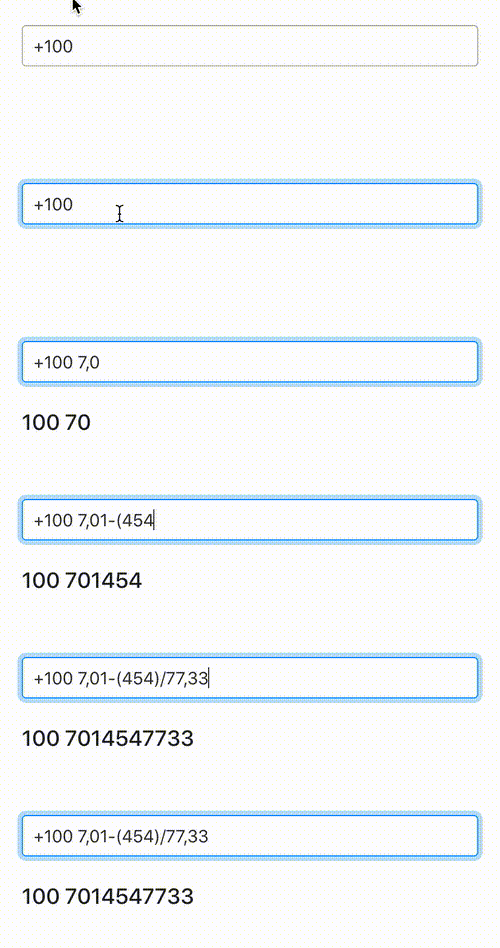
## Create your own format
#
```typescript
setPhone(n)}
/>
```
## Error handling
```typescript
{
setNumber(value)
setErr(false);
}}
/>
```

####
Based on [react-number-formatter](https://www.npmjs.com/package/react-number-formatter)
## Usage
```typescript
import PhoneInput from 'react-phone-input-pro';
```
```javascript
const [number, setNumber] = useState();
const [err, setErr] = useState(false);
```
```typescript
//for typescript
const [number, setNumber] = useState();
const [err, setErr] = useState(false);
```
## Example: Inside React-hook-form
#
```typescript
(
{
onChange(n);
}}
/>
)}
/>
```
## Normal use
#
```typescript
setNumber(n)}
fullIsoCode={true}
/>
```

## Create your own format
#
```typescript
setPhone(n)}
/>
```

## Error handling
```typescript
{
setNumber(value)
setErr(false);
}}
/>
```

####
Based on [react-number-formatter](https://www.npmjs.com/package/react-number-formatter)