# react-perspective-cropper
> React component performing border detection, perspective correction and simple image filters over a provided image 📲 📸
[](https://www.npmjs.com/package/react-perspective-cropper) [](https://standardjs.com)
## Intro
react-perspective-cropper doesn't, yet, do live borders recognition like some famous mobile apps.
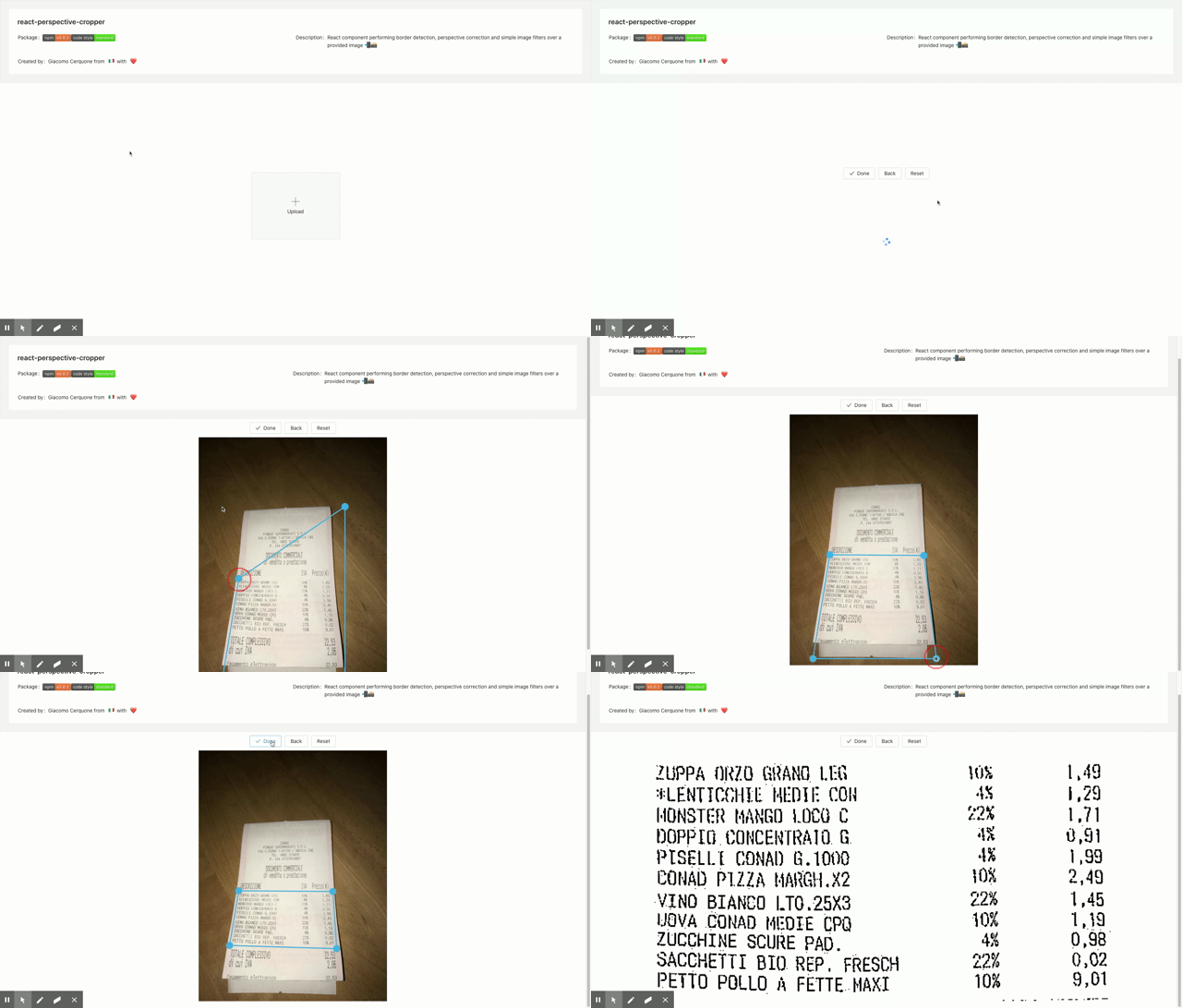
Though it exports a main `` component which given an image it renders a cropper component with an already applied but editable crop area.
You **must** pass an img through the `src` prop otherwise the component won't be rendered. Using its ref you have:
- a `done` async method that you can call and it will return the cropped and filtered image and you have the option to also show a preview of the edited image!
- a `backToCrop` method to use **only** if you requested for a preview in the done.
If you have special needs, please open a issue and we'll discuss it there!
## [Demo](https://giacomocerquone.github.io/react-perspective-cropper/)
## Install
```bash
npm i react-perspective-cropper
```
or
```bash
yarn add react-perspective-cropper
```
## Props
```typescript
export interface CropperProps {
image: string | File
onDragStop: () => void
onChange: () => void
cropperRef: React.ElementRef
pointSize: number
lineWidth: number
pointBgColor: string
pointBorder: string // css border property value
lineColor: string
maxWidth: number
maxHeight: number
openCvPath: string
}
```
## Usage
```jsx
import React from 'react'
import Cropper from 'react-perspective-cropper'
const App = () => {
const [cropState, setCropState] = useState()
const [img, setImg] = useState()
const [inputKey, setInputKey] = useState(0)
const cropperRef = useRef()
const onDragStop = useCallback((s) => setCropState(s), [])
const onChange = useCallback((s) => setCropState(s), [])
const doSomething = async () => {
console.log(cropState)
try {
const res = await cropperRef.current.done({ preview: true })
console.log(res)
} catch (e) {
console.log('error', e)
}
}
const onImgSelection = async (e) => {
if (e.target.files && e.target.files.length > 0) {
// it can also be a http or base64 string for example
setImg(e.target.files[0])
}
}
return (
)
}
```
## OpenCV
This cropper uses OpenCV for border recognition, perspective transformation and b&w thresholding. In order to use it, I've created this other handy wrapper around it: [opencv-react](https://github.com/giacomocerquone/opencv-react)
If you're already using it or if you're importing OpenCV manually in a different way, **this lib got you covered as long as you provide the OpenCV instance in `window.cv` and the component isn't rendered before OpenCV finished loading**.
So, be careful.
## OpenCV async loading
The openCV library is really big (approx. 1mb for the entire js file).
Now, opencv-react uses the `document.createElement('script')` browser function to inject this script and that's equal to writing `` in your html page. The parsing of the js file from the browser is done synchronously and we don't want this since it'd block the js thread.
The solution, which is already implemented in the opencv-react lib, is to use the keyword async in front of the script tag. This won't block the thread but still **you gotta decide** when to load it.