# React Openfin
[![version][version-badge]][CHANGELOG] [![license][license-badge]][LICENSE]
[](https://travis-ci.com/openfin-js-app/react-openfin)
[](https://coveralls.io/github/openfin-js-app/react-openfin?branch=master)
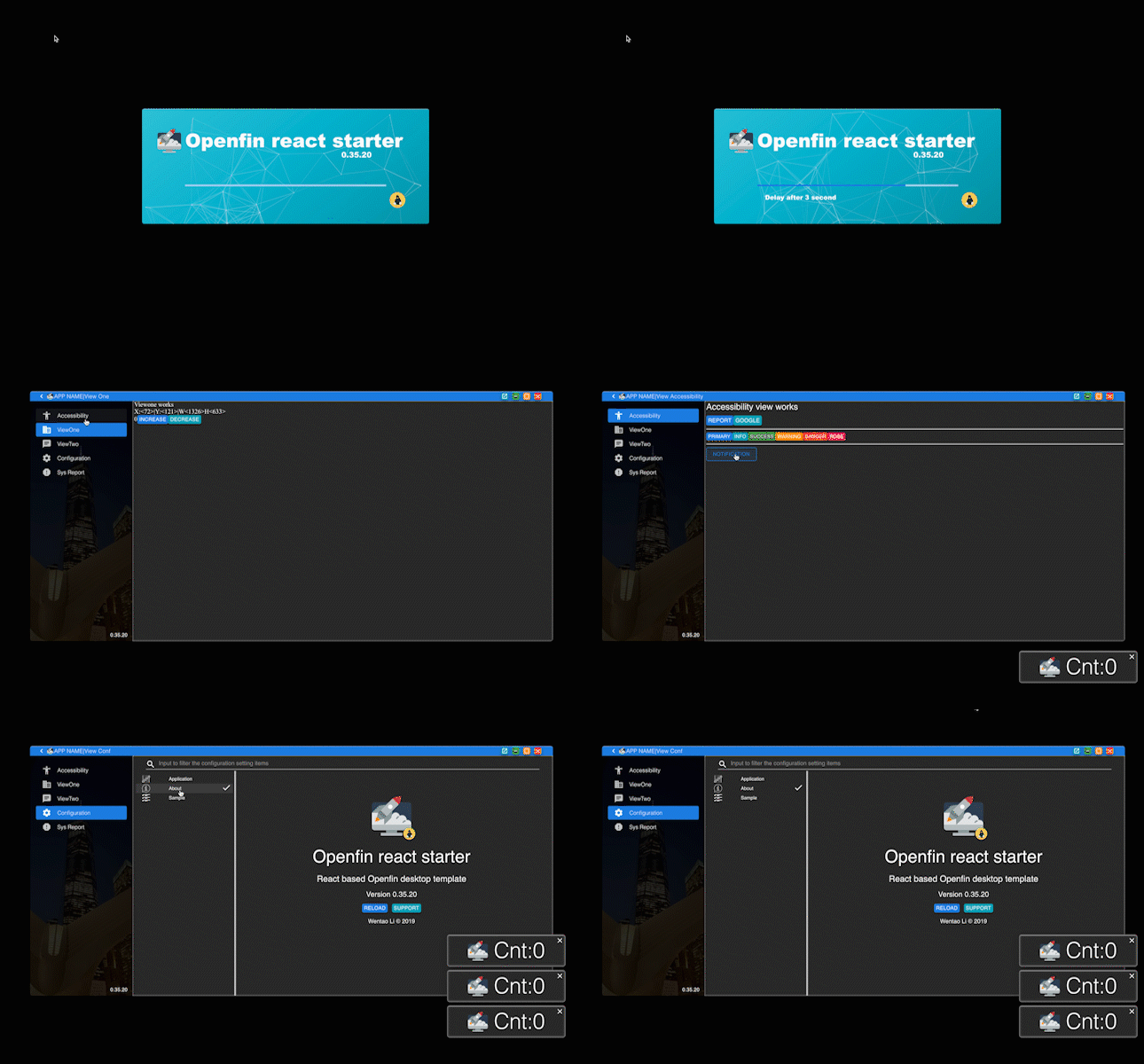
React utils for Openfin Application development
* All in typescript
* Provide general features for frameless window
* Provide a general client-side config service
[DOCUMENTATION](./DOCUMENTATION.md)
## Installation
```text
npm i react-openfin
or
yarn add react-openfin
```
React-Openfin & its Materialize UI Implementation
-----------------------------------------------
> Before continue, make sure you have already generated a sample project via [openfin-js-cli]
> or use `https://github.com/openfin-js-app/openfin-react-concise` as a helper for simplicity.
### Big Pic
**First of all, thanks to [material-ui], a awesome more-than-style lib help us materialize our projects.**
If you check the modules I installed in the package.json, you might find out there are two modules which are part of
[openfin-js-app].
- #### [react-openfin-mat-impl]
[react-openfin-mat-impl], you can tell by the name, it is an implementation of [react-openfin] via [material-ui]. And,
it is due to this, that [react-openfin-mat-impl] internally control the version of [react-openfin] it wanna implement.
And app developer does not have to include [react-openfin] specifically! Besides these, the primary task of
[react-openfin-mat-impl] is to provide reusable components to simplify the openfin app developing. All the details and
props of the components exported will be covered in the latter [react-openfin-mat-impl] section.
- #### [react-openfin-scripts]
[react-openfin-scripts] is like [react-scripts], but it does one more thing, [react-openfin-scripts] enhances the
default setting to adapt the new openfin app requirements, also provide few additional tasks to aid openfin app developing,
like serving, packaging, start with openfin app, serve with app and a new dot env profile variable `REACT_APP_ENV` to load
different dotenv config.
- #### [react-openfin]
Since you do not have to install [react-openfin] but it exists already brought by [react-openfin-mat-impl]. In the professional
section, we might encounter [react-openfin] more frequency for advance features. Thus it is not harm to know it for now.
[react-openfin] just provides few react contexts and helper event format to scandalize the way to use [Openfin] js api. It only
focus on the logic instead of views. And [react-openfin-mat-impl] materialize the views [react-openfin] trying to expresss.
#### Conclusion
In a nutshell,
- if wanna seize a reusable component, check [react-openfin-mat-impl].
- if wanna tweak communicate with the openfin settings, check [react-openfin] instead.
- need to write a script to do some scaffolding tasks, check [react-scripts], it might already have one already.
### Initialization of Openfin JS App
_With a big pic of what is what. Time to get hands dirty a little bit._
A regular react-app cannot be an openfin js app, thus we need some general initialization step. Thanks to [React] &
[react-openfin], this procedure could be very simple.
##### [src/index.tsx](https://github.com/openfin-js-app/openfin-react-concise/blob/master/src/index.tsx)
```typescript jsx
import * as React from 'react';
import * as ReactDOM from 'react-dom';
import { InitializeReactOpenfin, ReactOpenfin } from 'react-openfin';
import i18n from './i18n';
import hist from './utils/history';
import App from './App';
declare const window:any;
InitializeReactOpenfin({
fin:window.fin,
finUuid: process.env.REACT_APP_FIN_UUID,
i18n,
hist
});
ReactDOM.render(
}>
,
document.getElementById('root')
);
```
All app developers need to do is import initializer `InitializeReactOpenfin` and wrapper `ReactOpenfin` from `react-openfin`
and fill in the init argument of `InitializeReactOpenfin` and use `ReactOpenfin` to wrap all your components. That is it.
> However, you might also notice there are two other pals called i18n and history required in the init argument.
> i18n is instance of the [i18next] lib to support multi-lang and hist is a js lib [history] that lets use easily manage session
> history anywhere. And their setup codes can be find over here
> [i18n.ts](https://github.com/openfin-js-app/openfin-react-concise/blob/master/src/i18n.ts) and
> [history.ts](https://github.com/openfin-js-app/openfin-react-concise/blob/master/src/utils/history.ts)
### Start Openfin JS App
Once [react-openfin] is initialized, it is the time to start the it. The best place to start it is undoubtedly
the root entry `App` component.
##### [src/App.tsx](https://github.com/openfin-js-app/openfin-react-concise/blob/master/src/App.tsx)
```typescript jsx
import * as React from 'react';
import { useContext, useEffect} from 'react';
import { Router, Route, Switch, Redirect } from 'react-router-dom';
import { ApplicationContext, ConfigContext, MuiTheme } from 'react-openfin';
import { buildMuiTheme } from 'react-openfin-mat-impl';
import CssBaseline from '@material-ui/core/CssBaseline';
import { MuiThemeProvider, createMuiTheme } from '@material-ui/core/styles';
import { ThemeProvider } from '@material-ui/styles';
import indexRoutes from './routes';
import hist from './utils/history';
const App:React.FunctionComponent<{}> = (
{
}
)=>{
const {
state:{
loading,
},
actions:{
onApplicationStart,
onChildWinStart,
onNotificationStart,
}
} = useContext(ApplicationContext);
useEffect(()=>{
console.log("App Entry::init effect");
// !!!README!!!
// make sure to start the application/childWindow/Notification at the Entry component to boot react-openfin
if (window.name === process.env.REACT_APP_FIN_UUID){
onApplicationStart();
}else if (window.location && window.location.pathname.toLowerCase().indexOf('notification')>-1){
onNotificationStart();
}else{
onChildWinStart();
}
},[]);
const {
config:{
application:{
theme
}
}
} = useContext(ConfigContext);
const muiTheme = buildMuiTheme(theme);
return (
{
indexRoutes.map((prop:any,key)=>{
if (prop.redirect)
return ;
return ;
})
}
);
}
export default App;
```
We import the two context api `ApplicationContext` `ConfigContext` from [react-openfin]. `ApplicationContext` contains
the functions to start the openfin js app.
- onApplicationStart
- onNotificationStart
- onChildWinStart
You can tell by name, one to start main window application, one to start a regular notification and one to start a
regular child window.
Since the react app is a SPA, we do not want build each one SPA for each window or app; better share and reuse as much code
as possible. Thus for the same App component, we have to make decision and tell them apart from MainWindow, Child Window or
Notification.
- If current window is the only one main window, [Openfin] will popluate the window.name field with UUID
- Mentioned in the section, the router path for notification will contain the string of notificaiton.
- Besides main window and notification, the rest should be the child window.
Thus basing on these condition, we triggered corresponding init function.
As we are going to reuse components from [react-openfin-mat-impl], we need to initialize a theme to for [material-ui] also.
[react-openfin-mat-impl] provides an expected theme builder `buildMuiTheme`, with the dark/light theme identifier, a
`muiTheme` is created and app developer can still modify the theme before giving to the ThemeProvider.
The rest of children components are loaded routing children via [react-router-dom]. We will cover the routing comps in
the next section.
[openfin-js-cli]: https://www.npmjs.com/package/openfin-js-cli
[openfin-js-app]: https://github.com/openfin-js-app
[Openfin]: https://openfin.co/
[React]: https://reactjs.org/
[react-scripts]: https://www.npmjs.com/package/react-scripts
[react-router-dom]: https://www.npmjs.com/package/react-router-dom
[material-ui]: https://material-ui.com/
[i18next]: https://www.npmjs.com/package/i18next
[history]: https://www.npmjs.com/package/history
[react-openfin]:https://www.npmjs.com/package/react-openfin
[react-openfin-mat-impl]:https://www.npmjs.com/package/react-openfin-mat-impl
[react-openfin-scripts]: https://www.npmjs.com/package/react-openfin-scripts
[LICENSE]: ./LICENSE.md
[CHANGELOG]: ./CHANGELOG.md
[version-badge]: https://img.shields.io/badge/version-1.1.0-green.svg
[license-badge]: https://img.shields.io/badge/license-MIT-green.svg