react-object-inspector
=====================
[](https://travis-ci.org/xyc/react-object-inspector)
[](https://www.npmjs.com/package/react-object-inspector)
Simple object inspector made with [React](http://facebook.github.io/react/) styled similarly to [Chrome DevTools](https://developer.chrome.com/devtools). You can use this tool to inspect Javascript Objects as an alternative to `JSON.stringify(data, null, 2)
`. Check out the playground [here](http://xyc.github.io/react-object-inspector/)
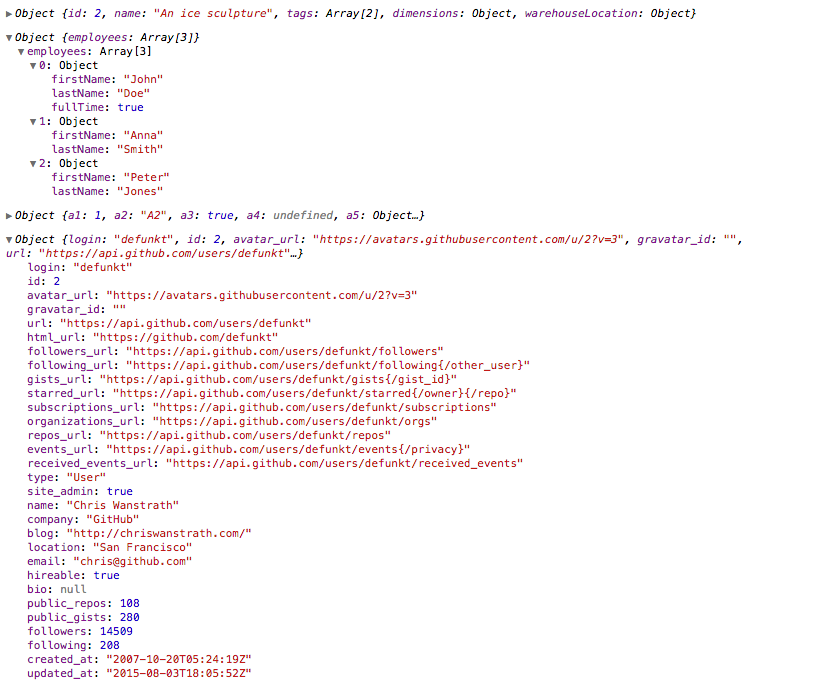
Tree state is saved at root. If you click to expand some elements in the hierarchy, the state will be preserved after the element is unmounted.
### Install
NPM:
```sh
npm install react-object-inspector
```
Starting from 0.2.0, react-object-inspector uses inline styles and you don't need to include any additional CSS files.
## API
#### <ObjectInspector />
The component accepts the following props:
#### `data`: the Javascript object you would like to inspect
#### `name`: specify the name of the root node, default to `undefined`
#### `initialExpandedPaths`: an array containing all the paths that should be expanded when the component is initialized.
- A path is a dot separated string like `root.foo.bar`
- By default you can refer to root's path as `'root'`, or the name prop if name is defined
- For example, `['root']` expands the first level nodes
- `['myCustomName']` can also expand the first level nodes if the component is setup as ``.
- `['root.foo.bar']` expands the path `root.foo.bar` if `root.foo.bar` is an existing property
- You can use wildcard to expand all paths on a specific level
- For example, to expand all first level and second level nodes, use `['root', 'root.*']`
### Usage
```js
import ObjectInspector from 'react-object-inspector';
let data = { /* ... */ };
React.render(
,
document.getElementById('objectInspector')
);
```
One common usage is embedding this in a component's render() method to provide a view for its props/state.
### Install the example
```sh
npm install && npm start
```
Open http://localhost:3000/example/index.html