# React Navigation TabBar Collection
[]()
Collection of Animated **60 FPS** TabBar Components based on `React Navigation`.
## Features
- **60 FPS** Animation
- Beautiful TabBar Components
- Based on `React Navigation` **v5** or higher
- Easy to use
- Dark Mode Support
- Many Beautiful TabBars will be **added** into the collection in the **future**
## Installation
> This TabBar Collection is based on `@react-navigation/bottom-tabs` and require `React Navigation v5 or higher` so first thing first you must install [@react-navigation/native](https://reactnavigation.org/docs/getting-started/) and [@react-navigation/bottom-tabs](https://reactnavigation.org/docs/tab-based-navigation/) in your project.
##### via NPM
```sh
npm install react-navigation-tabbar-collection
```
##### via Yarn
```sh
yarn add react-navigation-tabbar-collection
```
## TabBar Collection
### Colorful TabBar
> This TabBar is inspired by [Aurélien Salomon](https://dribbble.com/aureliensalomon)'s works on [Dribbble](https://dribbble.com/shots/5925052-Google-Bottom-Bar-Navigation-Pattern-Mobile-UX-Design).
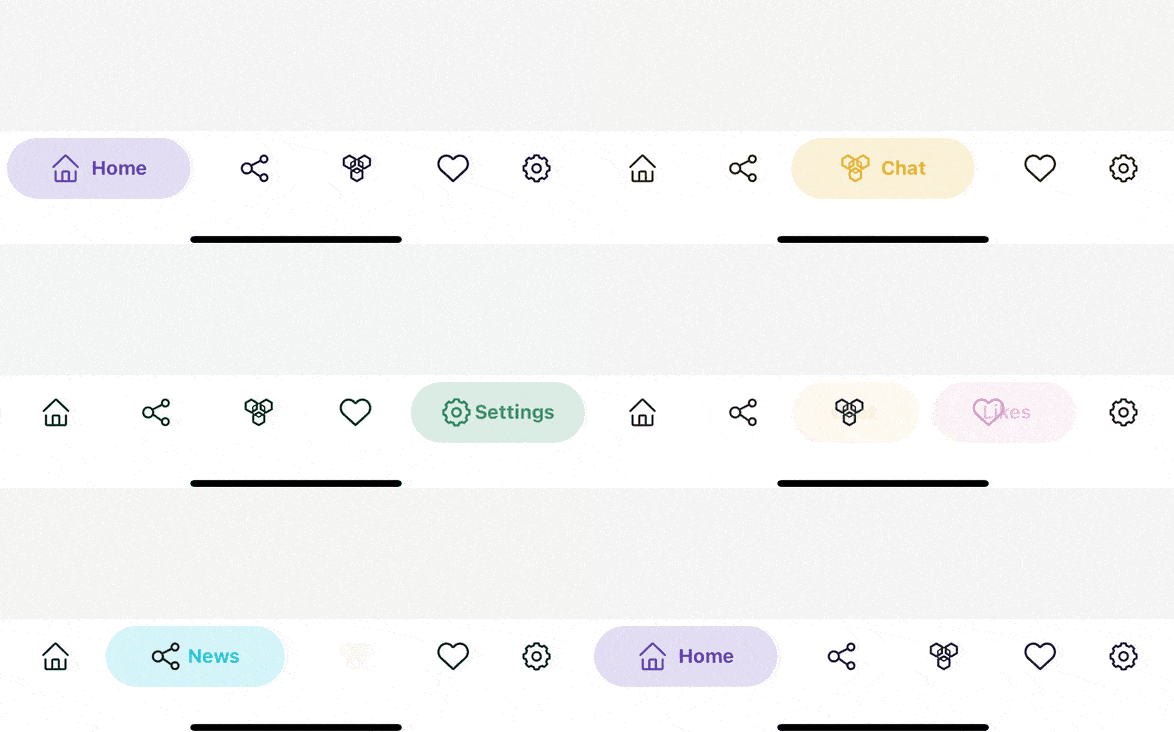
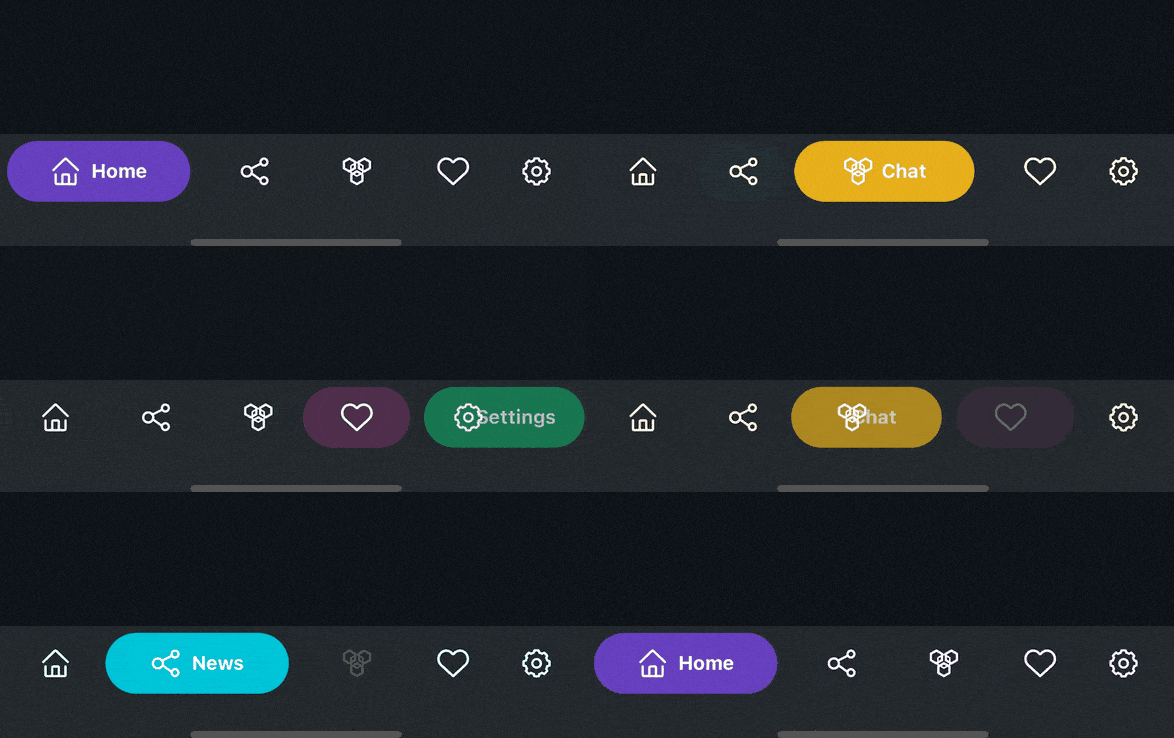 ```js
import { ColorfulTabBar } from 'react-navigation-tabbar-collection';
const App = () => {
return (
} //Add Here
>
{/* Your Screens Here ~ */}
)
}
```
```js
import { ColorfulTabBar } from 'react-navigation-tabbar-collection';
const App = () => {
return (
} //Add Here
>
{/* Your Screens Here ~ */}
)
}
```
Example
```js
import React from 'react';
import { NavigationContainer } from '@react-navigation/native';
import { createBottomTabNavigator } from '@react-navigation/bottom-tabs';
import { StyleSheet, Text, View } from 'react-native';
import { ColorfulTabBar } from 'react-navigation-tabbar-collection';
import Icon from 'react-native-vector-icons/AntDesign';
const Tab = createBottomTabNavigator();
const DemoScreen = ({ route }) => (
{route.name}
);
const App = () => {
return (
}
>
(
),
color: 'primary',
}}
/>
(
),
color: 'info',
}}
/>
(
),
color: 'warning',
}}
/>
(
),
color: 'danger',
}}
/>
(
),
color: 'success',
}}
/>
);
};
export default App;
const styles = StyleSheet.create({
screen: {
width: '100%',
height: '100%',
flex: 6,
justifyContent: 'center',
alignItems: 'center',
},
});
```
### Clean TabBar
> This TabBar is inspired by [Cuberto](https://dribbble.com/cuberto)'s works on [Dribbble](https://dribbble.com/shots/5605168-Toolbar-icons-animation).
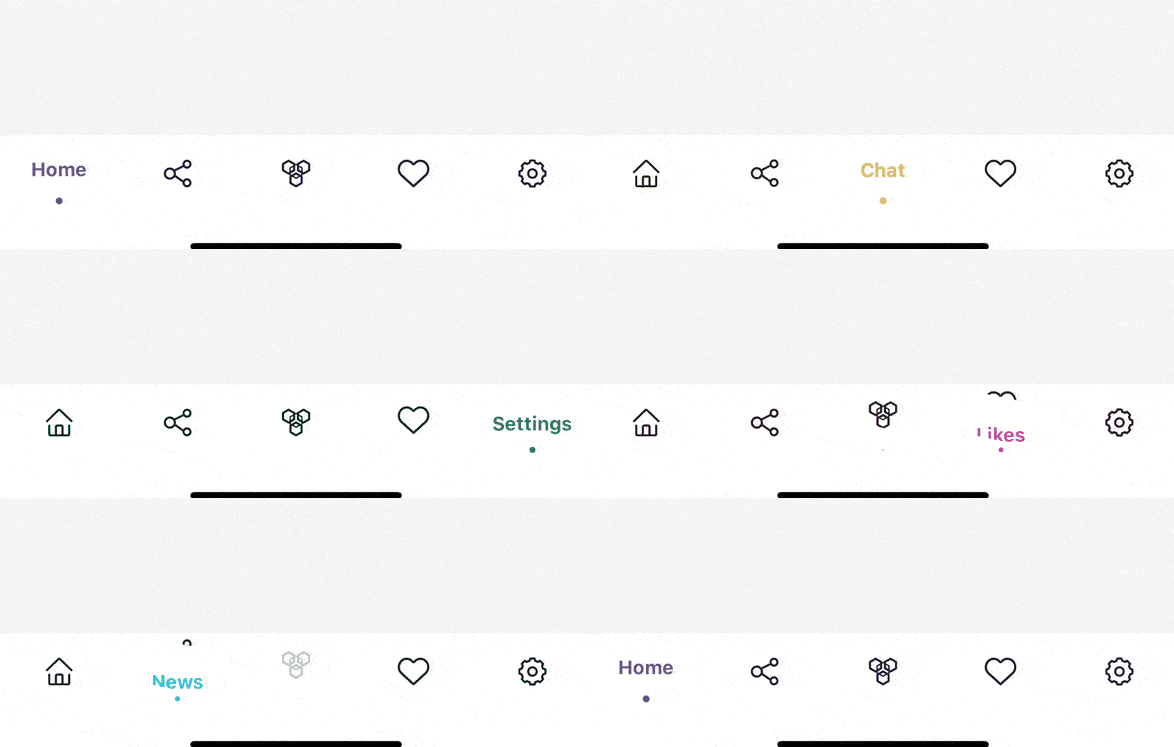
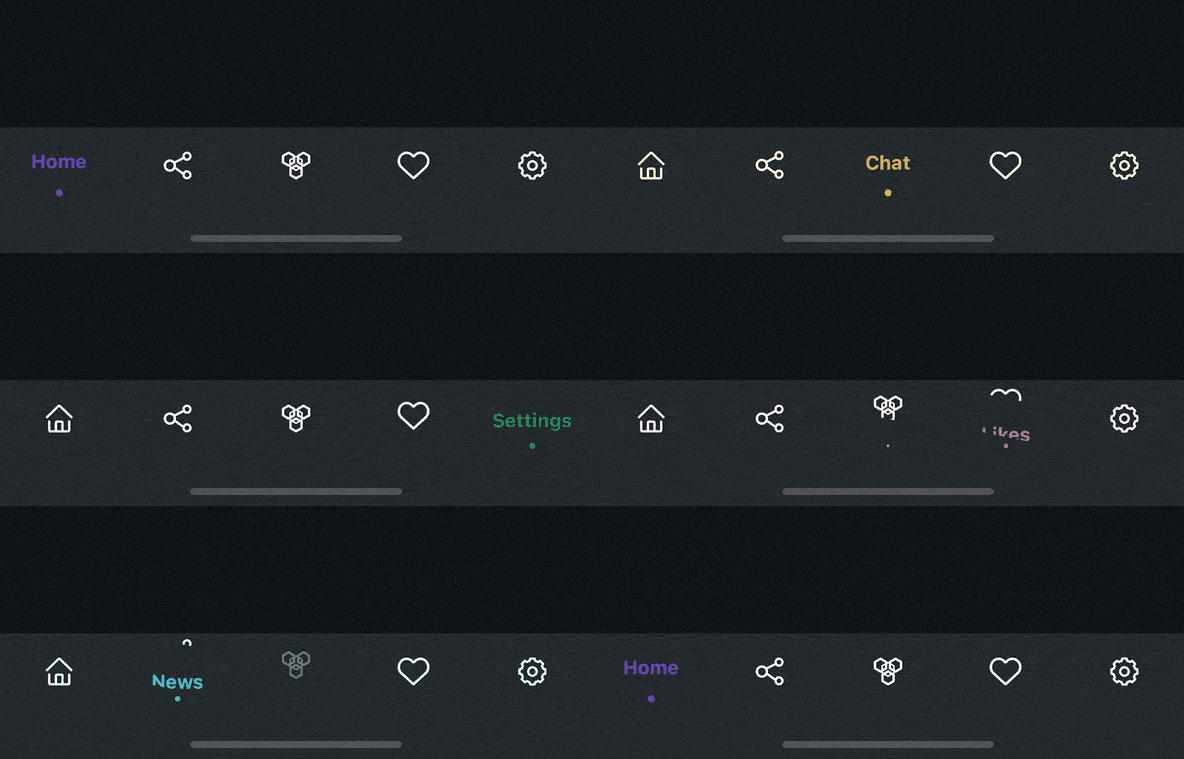 ```js
import { CleanTabBar } from 'react-navigation-tabbar-collection';
const App = () => {
return (
} //Add Here
>
{/* Your Screens Here ~ */}
)
}
```
```js
import { CleanTabBar } from 'react-navigation-tabbar-collection';
const App = () => {
return (
} //Add Here
>
{/* Your Screens Here ~ */}
)
}
```
Example
```js
import React from 'react';
import { NavigationContainer } from '@react-navigation/native';
import { createBottomTabNavigator } from '@react-navigation/bottom-tabs';
import { StyleSheet, Text, View } from 'react-native';
import { CleanTabBar } from 'react-navigation-tabbar-collection';
import Icon from 'react-native-vector-icons/AntDesign';
const Tab = createBottomTabNavigator();
const DemoScreen = ({ route }) => (
{route.name}
);
const App = () => {
return (
}
>
(
),
color: 'primary',
}}
/>
(
),
color: 'info',
}}
/>
(
),
color: 'warning',
}}
/>
(
),
color: 'danger',
}}
/>
(
),
color: 'success',
}}
/>
);
};
export default App;
const styles = StyleSheet.create({
screen: {
width: '100%',
height: '100%',
flex: 6,
justifyContent: 'center',
alignItems: 'center',
},
});
```
## Props
| Name | Description | Required | Type | Default | Supported Component |
| -------------- | ----------------------------------------- | -------- | ------- | ------------------------------------------------------------------------------------------------------------- | ------------------- |
| `{...props}` | Default Bottom Tab React Navigation Props | YES | | | All |
| `maxWidth` | TabBar Content Max Width | NO | number | 600 | All |
| `height` | TabBar Container Height | NO | number | | All |
| `darkMode` | TabBar Style Mode | NO | boolean | false | All |
| `colorPalette` | TabBar Color Palette | NO | object | [see down here](https://github.com/mikalyh/react-navigation-tabbar-collection/tree/main#default-colorpalette) | All |
##### Default `colorPalette` value
```js
{
primary: "#5b37b7",
secondary: "#6c757d",
success: "#198754",
danger: "#c9379d",
warning: "#e6a919",
info: "#00bcd4",
light: "#ffffff", //Background Color
dark: "#212529", //Foreground Color
}
```
> Background and Foreground Color are Inverted when the `darkMode` is `true`
## Screen Options
These options came from React Navigation `options` or `screenOptions` with additional new options to configure the TabBar Item.
| Name | Description | Type |
| ---- | ----------- | ---- |
| `title`, `label` or `tabBarLabel` | Title string of a tab displayed in the tab bar. | string |
| `labelStyle` or `tabBarLabelStyle` | Style object for the tab label. | StyleProp |
| `icon` or `tabBarIcon` | Function that is given the `focused` state, `color`, and `size` params. | ({focused: boolean, color: string, size: number}) => void |
| `color` or `tabBarActiveTintColor` | Color for the icon and label in the active tab. enum options are from the colorPalette `primary`, `secondary`, `success`, `danger`, `warning`, `info`, `light`, `dark`. or just a string of `hex` | enum \| string |
| `tabBarTestID` | ID to locate this tab button in tests. | string |
## Author
- [Mikalyh](https://github.com/mikalyh/)
## Contributing
See the [contributing guide](CONTRIBUTING.md) to learn how to contribute to the repository and the development workflow.
## License
MIT
## Built With
- Animated (React Native)
## Requirements
| Name | Version |
| --------------------------------------------------------------------------------------- | ------- |
| [@react-navigation/native](https://reactnavigation.org/docs/getting-started/) | >=5.0.0 |
| [@react-navigation/bottom-tabs](https://reactnavigation.org/docs/tab-based-navigation/) | >=5.0.0 |