# Tinder Cards for React Native
LOOKING FOR CONTRIBUTORS. I'm not currently using this in any active projects. If anyone wants to be added, please write me.
A [package](https://www.npmjs.com/package/react-native-swipe-cards) based on [@brentvatne](https://github.com/brentvatne/)'s awesome [example](https://github.com/brentvatne/react-native-animated-demo-tinder), based in turn on the Tinder swipe interface.
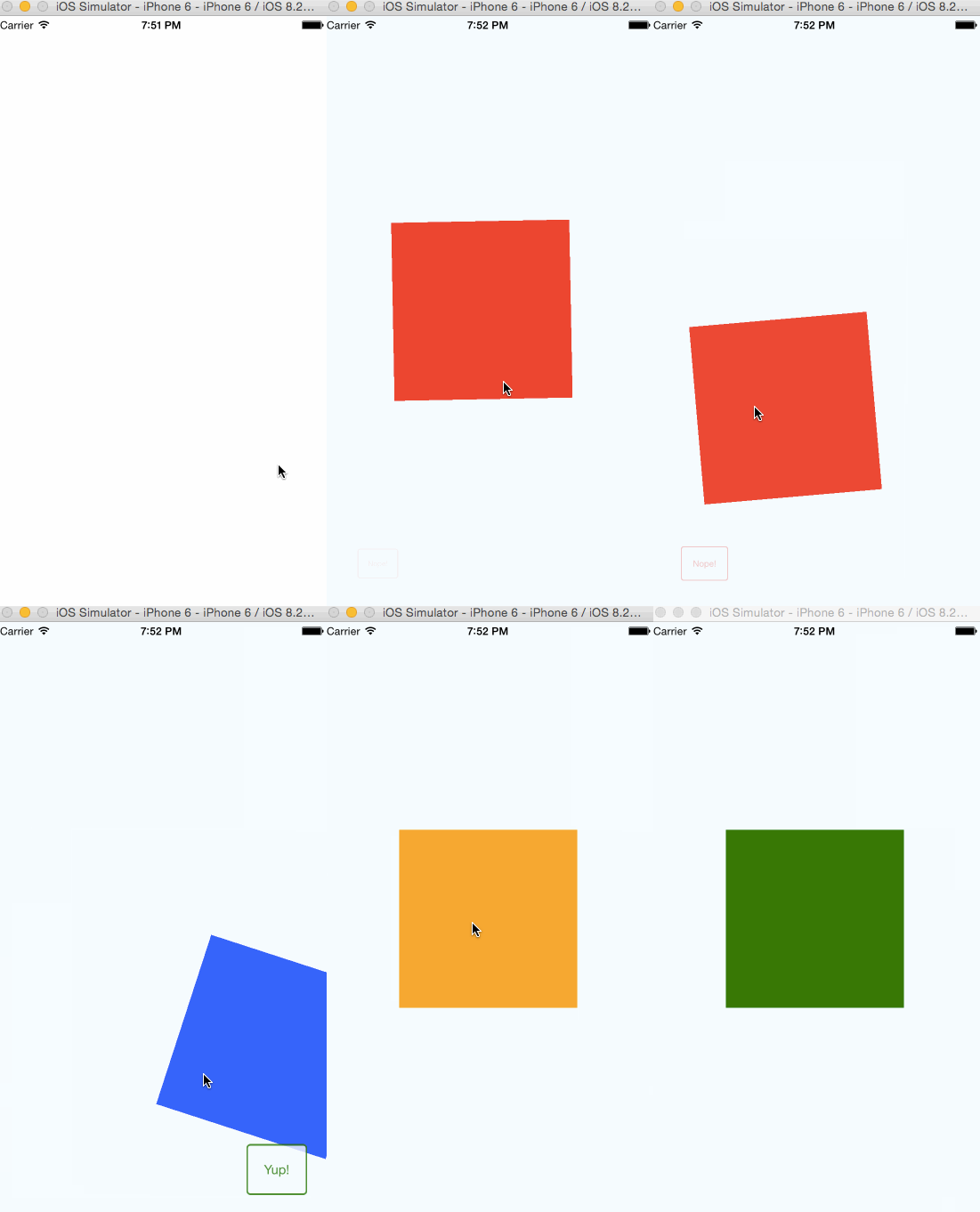
## Quick Start
1. `npm install --save react-native-swipe-cards`
2. Create a module e.g. `Tinder.js`
3. Import it `import Tinder from './Tinder.js'`
4. Render it ``
```javascript
// Tinder.js
'use strict';
import React, {StyleSheet, Text, View, Image} from 'react-native';
import SwipeCards from 'react-native-swipe-cards';
let Card = React.createClass({
render() {
return (
{this.props.text}
)
}
})
const Cards = [
{text: 'Tomato', backgroundColor: 'red'},
{text: 'Aubergine', backgroundColor: 'purple'},
{text: 'Courgette', backgroundColor: 'green'},
{text: 'Blueberry', backgroundColor: 'blue'},
{text: 'Umm...', backgroundColor: 'cyan'},
{text: 'orange', backgroundColor: 'orange'},
]
export default React.createClass({
getInitialState() {
return {
cards: Cards
}
},
handleYup (card) {
console.log(`Yup for ${card.text}`)
},
handleNope (card) {
console.log(`Nope for ${card.text}`)
},
render() {
return (
}
renderNoMoreCards={() => }
handleYup={this.handleYup}
handleNope={this.handleNope}
/>
)
}
})
const styles = StyleSheet.create({
card: {
flex: 1,
justifyContent: 'center',
alignItems: 'center',
width: 300,
height: 300,
}
})
```
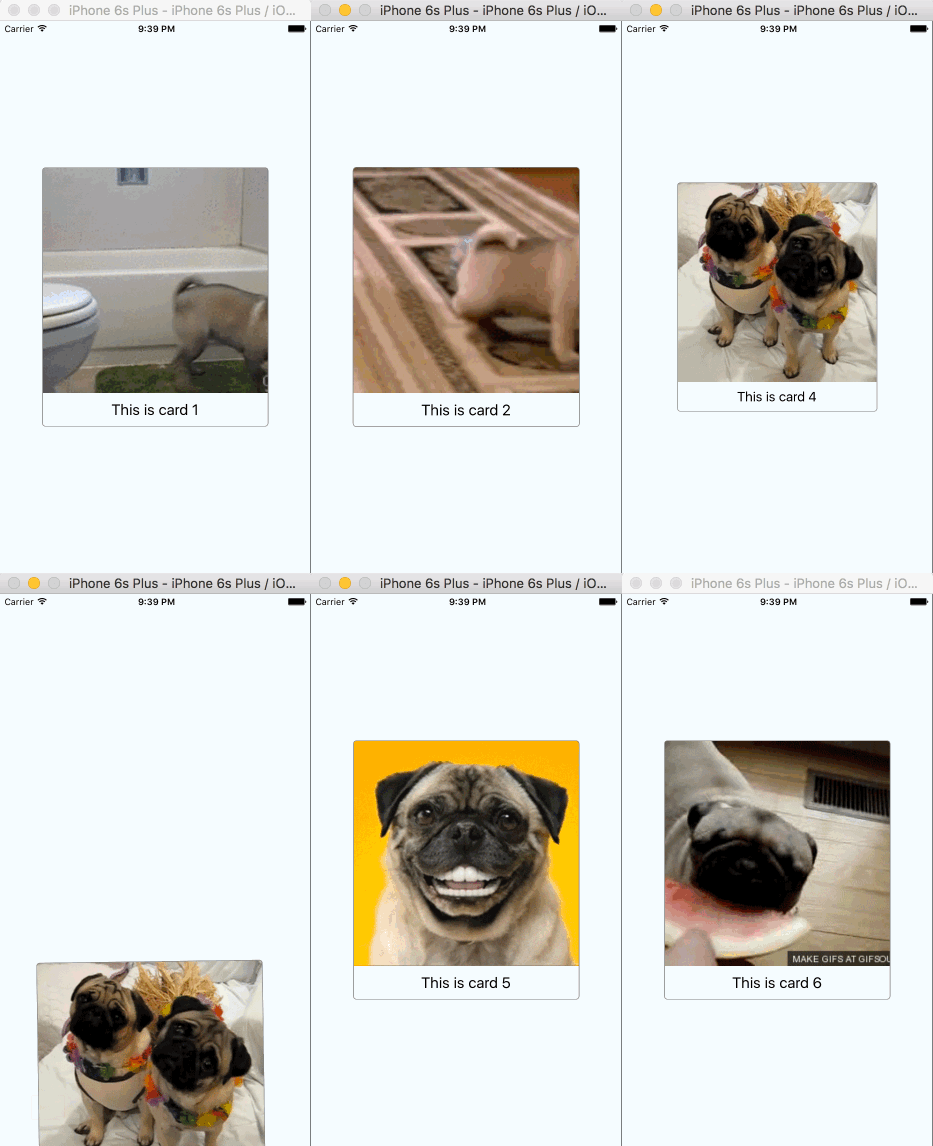
### More complex example
```javascript
'use strict';
import React, {StyleSheet, Text, View, Image} from 'react-native';
import SwipeCards from 'react-native-swipe-cards';
let Card = React.createClass({
render() {
return (
This is card {this.props.name}
)
}
})
let NoMoreCards = React.createClass({
render() {
return (
No more cards
)
}
})
const Cards = [
{name: '1', image: 'https://media.giphy.com/media/GfXFVHUzjlbOg/giphy.gif'},
{name: '2', image: 'https://media.giphy.com/media/irTuv1L1T34TC/giphy.gif'},
{name: '3', image: 'https://media.giphy.com/media/LkLL0HJerdXMI/giphy.gif'},
{name: '4', image: 'https://media.giphy.com/media/fFBmUMzFL5zRS/giphy.gif'},
{name: '5', image: 'https://media.giphy.com/media/oDLDbBgf0dkis/giphy.gif'},
{name: '6', image: 'https://media.giphy.com/media/7r4g8V2UkBUcw/giphy.gif'},
{name: '7', image: 'https://media.giphy.com/media/K6Q7ZCdLy8pCE/giphy.gif'},
{name: '8', image: 'https://media.giphy.com/media/hEwST9KM0UGti/giphy.gif'},
{name: '9', image: 'https://media.giphy.com/media/3oEduJbDtIuA2VrtS0/giphy.gif'},
]
const Cards2 = [
{name: '10', image: 'https://media.giphy.com/media/12b3E4U9aSndxC/giphy.gif'},
{name: '11', image: 'https://media4.giphy.com/media/6csVEPEmHWhWg/200.gif'},
{name: '12', image: 'https://media4.giphy.com/media/AA69fOAMCPa4o/200.gif'},
{name: '13', image: 'https://media.giphy.com/media/OVHFny0I7njuU/giphy.gif'},
]
export default React.createClass({
getInitialState() {
return {
cards: Cards,
outOfCards: false
}
},
handleYup (card) {
console.log("yup")
},
handleNope (card) {
console.log("nope")
},
cardRemoved (index) {
console.log(`The index is ${index}`);
let CARD_REFRESH_LIMIT = 3
if (this.state.cards.length - index <= CARD_REFRESH_LIMIT + 1) {
console.log(`There are only ${this.state.cards.length - index - 1} cards left.`);
if (!this.state.outOfCards) {
console.log(`Adding ${Cards2.length} more cards`)
this.setState({
cards: this.state.cards.concat(Cards2),
outOfCards: true
})
}
}
},
render() {
return (
}
renderNoMoreCards={() => }
showYup={true}
showNope={true}
handleYup={this.handleYup}
handleNope={this.handleNope}
cardRemoved={this.cardRemoved}
/>
)
}
})
const styles = StyleSheet.create({
card: {
alignItems: 'center',
borderRadius: 5,
overflow: 'hidden',
borderColor: 'grey',
backgroundColor: 'white',
borderWidth: 1,
elevation: 1,
},
thumbnail: {
flex: 1,
width: 300,
height: 300,
},
text: {
fontSize: 20,
paddingTop: 10,
paddingBottom: 10
},
noMoreCards: {
flex: 1,
justifyContent: 'center',
alignItems: 'center',
}
})
```
### Props
| Props name | Type | Description | Default |
|-------------------|----------|------------------------------------------------------|---------|
| cards* | Array | Data that will be provided as props for the cards | |
| renderCard* | Function | Renders the card with the current data | |
| loop | Boolean | If true, start again when run out of cards | `false` |
| renderNoMoreCards | Function | Renders what is shown after swiped last card | |
| showYup | Boolean | Shows the 'Yup' component | `true` |
| showNope | Boolean | Shows the 'Nope' | `true` |
| renderYup | Function | Renders Yup | `true` |
| renderYup | Function | Renders Nope | `true` |
| handleYup | Function | Called when card is 'passed' with that card's data | |
| handleNope | Function | Called when card is 'rejected' with that card's data | |
*required
### Todo (PRs welcome!)
- [ ] Show next card underneath current card
- [ ] Shadow when card is being dragged
- [ ] Example with backend
- [ ] Example with polaroids
- [ ] Submit to repos
- [x] renderYup
- [x] renderNope
- [ ] Testing
- [ ] Add more args to `cardRemoved`?
- [ ] `class extends` all components