# [NativeForms.com](https://nativeforms.com)
## Build **forms, surveys and polls** for React Native apps.
### Why this product was created?
We created NativeForms to save you countless hours of boring development of forms. Our product offers advanced solutions to all your problems and let you focus on things that are really important in your app.
### How does it work?
After creating account, you get access to admin panel where you manage all your forms. Each form has unique address, that you can use both on mobile and web. Each time form is completed, you receive email notification. All completed forms will be visible in admin panel. You can export collected data to file format of your choice.
## 1. Installation
```js
yarn add native-forms
// or
npm install native-forms --save
```
## 2. Basic Usage
1. Import component.
```js
import NativeForms from 'native-forms';
```
2. Use this component in your **render()** method.
```js
```
This code will display form in your application. You can create your own forms [here](https://app.nativeforms.com).
## 3. Full Example
Basic flow of **NativeForms** in your application.
```js
import React, {useState} from 'react';
import { Button, StyleSheet, Text, View } from 'react-native';
import NativeForms from 'native-forms';
const App = () => {
const [hasForm, showForm] = useState(false);
const show = () => showForm(true);
const hide = () => showForm(false);
return (
NativeForms.com
{hasForm && (
)}
);
};
const styles = StyleSheet.create({
container: {
flex: 1,
backgroundColor: '#fff',
alignItems: 'center',
justifyContent: 'center',
},
});
export default App;
```
You can create your own forms [here](https://app.nativeforms.com).
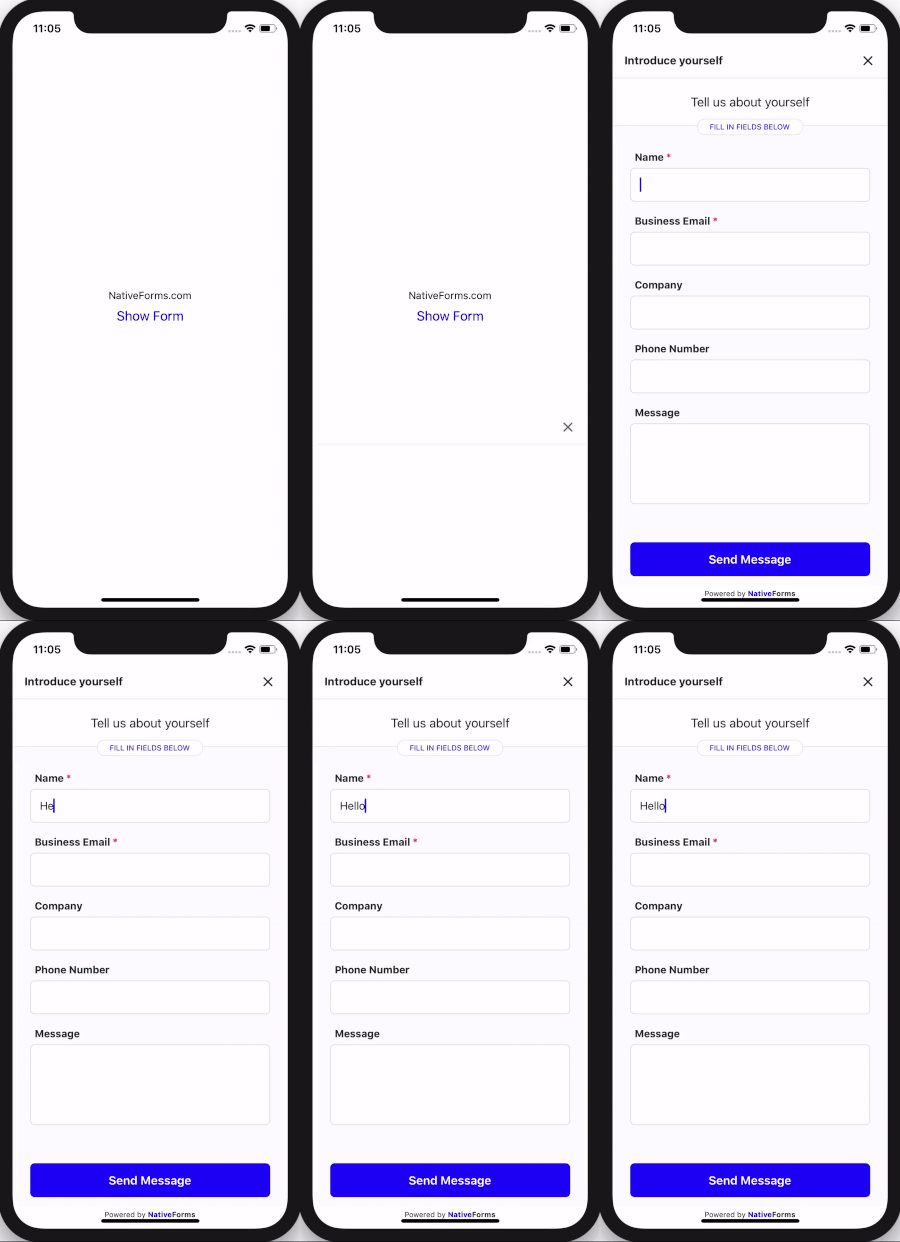
## 4. Demo
## 5. Props
| Name | Type | Required | Note |
|--------------------|--------|---------|----------------------------------------------------------------|
| **form** | String | **Yes** | URL of **form** to display. |
| **onClose** | Function | No | Called when user decides to close the form. |
| **onSend** | Function | No | Called when **completed** form was sent. |
| **email** | String | No | Email of person that will complete form (it will be displayed in admin panel). |
| **name** | String | No | Name of person that will complete form. |
Example of using props:
```js
console.log("Form completed")}
onClose={() => console.log("User cancels forms")}
name="John Smith"
email="customer@gmail.com"
/>
```
## 6. Live Preview
1. [Codesandbox](https://codesandbox.io/embed/native-forms-web-p5k7u)
2. [Expo](https://expo.io/@venits/native-forms)
3. [Codepen](https://codepen.io/venits/pen/QWLOmMV)
## Support
In case of any questions or problems, please contact me at:
[hello@nativeforms.com](mailto:tomasz.przybyl.it@gmail.com)