# react-native-stonk-charts 💸
> **Note:** This library is a fork of [react-native-wagmi-charts](https://github.com/coinjar/react-native-wagmi-charts), updated to support React Native Reanimated v4 and the latest React Native ecosystem.
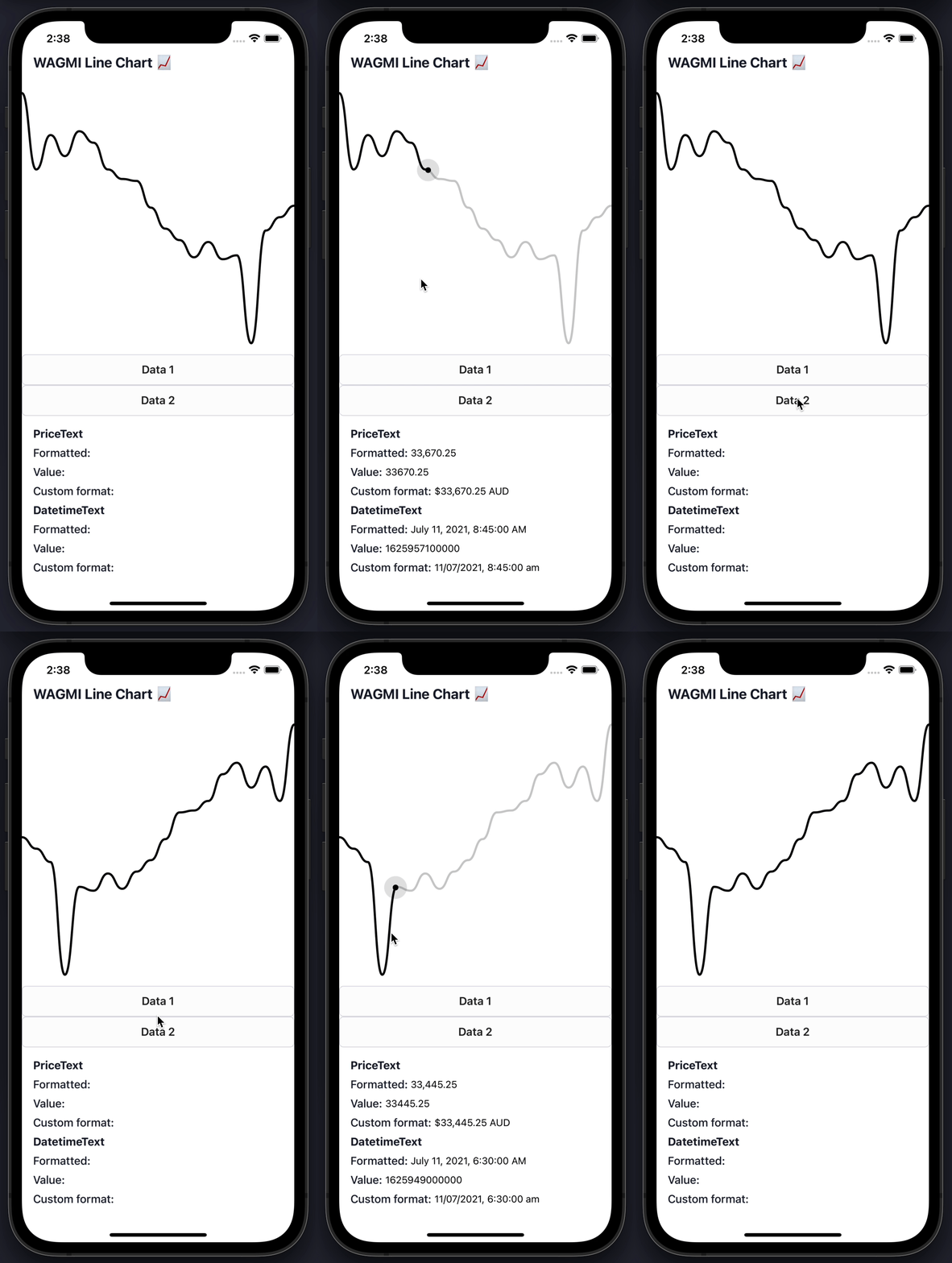
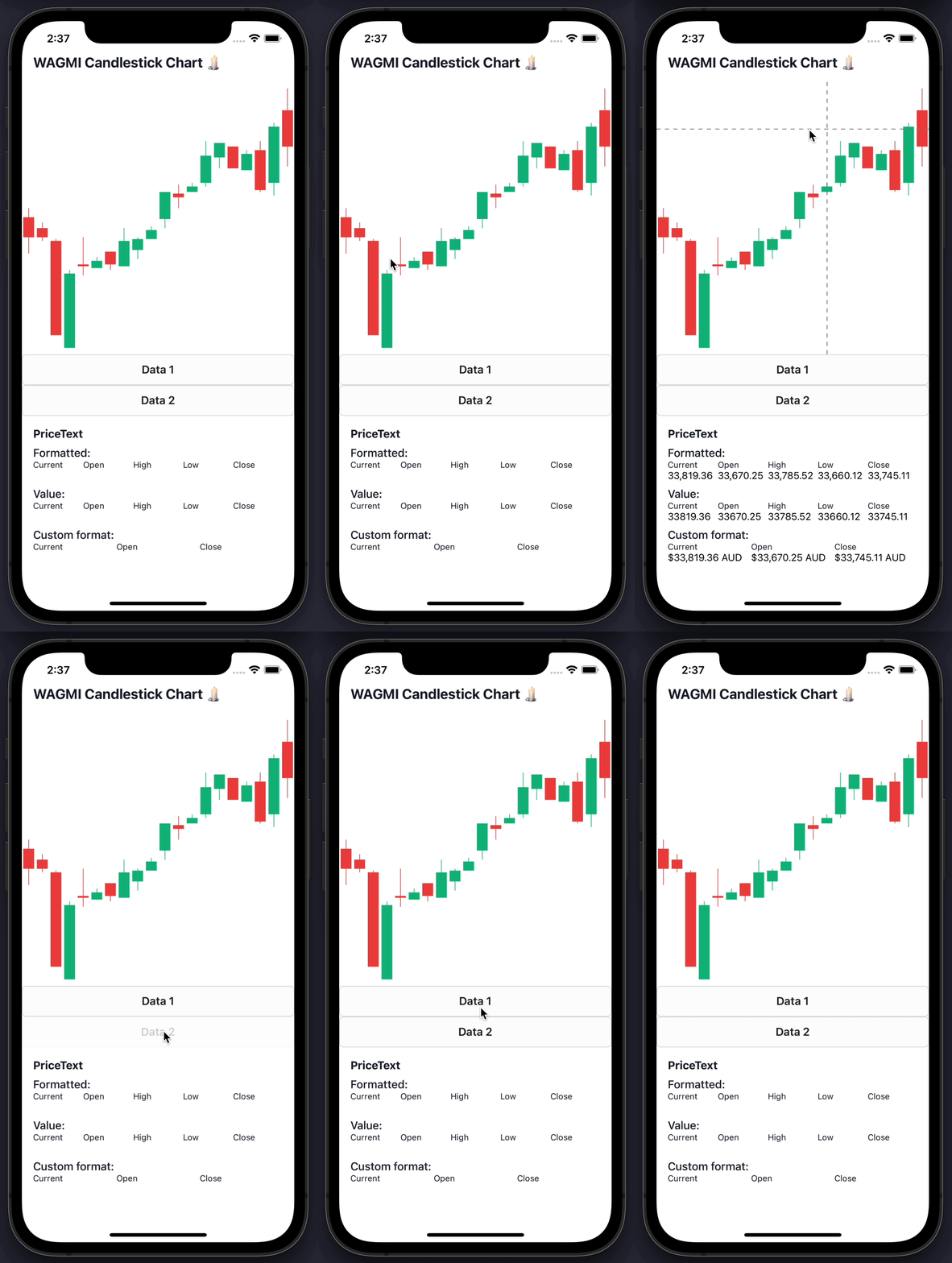
A sweet & simple chart library for React Native with beautiful animations and interactions
## Features
📈 Line charts & candlestick charts (more to come 🔜)
🏷 Interactive price & date/time label components
🧱 Built with composability in mind
🛠 Highly customizable APIs
✨ Uses React Native Reanimated under-the-hood
🧈 Slick data transition animations
💬 Interactive tooltips
## Table of Contents
- [Features](#features)
- [Table of Contents](#table-of-contents)
- [Install](#install)
- [Basic Usage](#basic-usage)
- [Line chart](#line-chart)
- [Candlestick chart](#candlestick-chart)
- [Line Chart Guides](#line-chart-guides)
- [Interactive cursors](#interactive-cursors)
- [Interactive labels](#interactive-labels)
- [Interactive tooltips](#interactive-tooltips)
- [Tooltips / labels](#tooltips--labels)
- [Haptic feedback](#haptic-feedback)
- [Colors](#colors)
- [Gradients](#gradients)
- [Dots](#dots)
- [Horizontal lines](#horizontal-lines)
- [Customizing size](#customizing-size)
- [Customizing labels](#customizing-labels)
- [Customizing tooltips](#customizing-tooltips)
- [Axis](#axis)
- [Candlestick Chart Guides](#candlestick-chart-guides)
- [Interactive cursors](#interactive-cursors-1)
- [Interactive labels](#interactive-labels-1)
- [Interactive tooltips](#interactive-tooltips-1)
- [Haptic feedback](#haptic-feedback-1)
- [Colors](#colors-1)
- [Customizing labels](#customizing-labels-1)
- [Component APIs](#component-apis)
- [LineChart.Provider](#linechartprovider)
- [LineChart](#linechart)
- [LineChart.Path](#linechartpath)
- [LineChart.CursorCrosshair](#linechartcursorcrosshair-1)
- [LineChart.CursorLine](#linechartcursorline-1)
- [LineChart.Dot](#linechartdot)
- [LineChart.Highlight](#linechartdot)
- [LineChart.HorizontalLine](#linecharthorizontalline)
- [LineChart.Gradient](#linechartgradient)
- [LineChart.Tooltip](#linecharttooltip)
- [LineChart.PriceText](#linechartpricetext)
- [LineChart.DatetimeText](#linechartdatetimetext)
- [CandlestickChart.Provider](#candlestickchartprovider)
- [CandlestickChart](#candlestickchart)
- [CandlestickChart.Candles](#candlestickchartcandles)
- [CandlestickChart.Crosshair](#candlestickchartcrosshair)
- [CandlestickChart.Tooltip](#candlestickcharttooltip)
- [CandlestickChart.PriceText](#candlestickchartpricetext)
- [CandlestickChart.DatetimeText](#candlestickchartdatetimetext)
- [Hooks](#hooks)
- [LineChart.useChart](#linechartusechart)
- [LineChart.useDatetime](#linechartusedatetime)
- [LineChart.usePrice](#linechartuseprice)
- [CandlestickChart.useChart](#candlestickchartusechart)
- [CandlestickChart.useCandleData](#candlestickchartusecandledata)
- [CandlestickChart.useDatetime](#candlestickchartusedatetime)
- [CandlestickChart.usePrice](#candlestickchartuseprice)
- [What's Different from wagmi-charts?](#whats-different-from-wagmi-charts)
- [Migration from wagmi-charts](#migration-from-wagmi-charts)
- [Credits](#credits)
## Install
```bash
npm install react-native-stonk-charts
```
or with bun:
```bash
bun add react-native-stonk-charts
```
### Peer Dependencies
This library depends on the following packages, which you'll need to install if you don't already have them:
```bash
npm install react-native-reanimated react-native-worklets react-native-gesture-handler react-native-svg react-native-haptic-feedback
```
```bash
bun add react-native-reanimated react-native-worklets react-native-gesture-handler react-native-svg react-native-haptic-feedback
```
### Compatibility
Version 5 requires React Native Gesture Handler 3 (`>=3.0.0`) and Reanimated 4 (`>=4.1.0`, with `react-native-worklets >=0.5.0`). For Gesture Handler 2, stay on `react-native-stonk-charts@4`.
`react-native-haptic-feedback` (`>=2.3.3`) is a peer dependency: the library uses your app's copy instead of bundling its own.
**Important:** Make sure you have the Reanimated Babel plugin configured in your `babel.config.js`:
```javascript
module.exports = {
presets: [
// ... your other presets
],
plugins: [
// ... your other plugins
'react-native-worklets/plugin',
],
};
```
## Basic Usage
The library currently comes with 2 types of charts: Line & Candlestick. Below are the most basic usages of them.
### Line chart
To render a simple line chart, you will need to use the `LineChart.Provider`, `LineChart` & `LineChart.Path` components.
The `LineChart.Provider` component sets up the context of your chart, `LineChart` composes the chart elements, and the `LineChart.Path` component renders your data in the form of a line path.
> Note: This chart does not include an interactive cursor like in the animated example above. If you want one, [check out the "Interactive Cursors" guide](#interactive-cursors)
```jsx
import { LineChart } from 'react-native-stonk-charts';
const data = [
{
timestamp: 1625945400000,
value: 33575.25,
},
{
timestamp: 1625946300000,
value: 33545.25,
},
{
timestamp: 1625947200000,
value: 33510.25,
},
{
timestamp: 1625948100000,
value: 33215.25,
},
];
function Example() {
return (
);
}
```
### Candlestick chart
To render a simple candlestick chart, you will need to use the `CandlestickChart` & `CandlestickChart.Candles` components.
The `CandlestickChart.Provider` component sets up the context of your chart, `CandlestickChart` composes the chart elements, and the `CandlestickChart.Candles` component renders your data in the form of a line path.
> Note: This chart does not include an interactive cursor like in the animated example above. If you want one, [check out the "Interactive Cursors" guide](#interactive-cursors)
```jsx
import { CandlestickChart } from 'react-native-stonk-charts';
const data = [
{
timestamp: 1625945400000,
open: 33575.25,
high: 33600.52,
low: 33475.12,
close: 33520.11,
},
{
timestamp: 1625946300000,
open: 33545.25,
high: 33560.52,
low: 33510.12,
close: 33520.11,
},
{
timestamp: 1625947200000,
open: 33510.25,
high: 33515.52,
low: 33250.12,
close: 33250.11,
},
{
timestamp: 1625948100000,
open: 33215.25,
high: 33430.52,
low: 33215.12,
close: 33420.11,
},
];
function Example() {
return (
);
}
```
## Line Chart Guides
Below are some line chart guides to help you make your charts suit your brand. Hopefully a combination of the below will enable you to make a great chart! :-)
### Interactive cursors
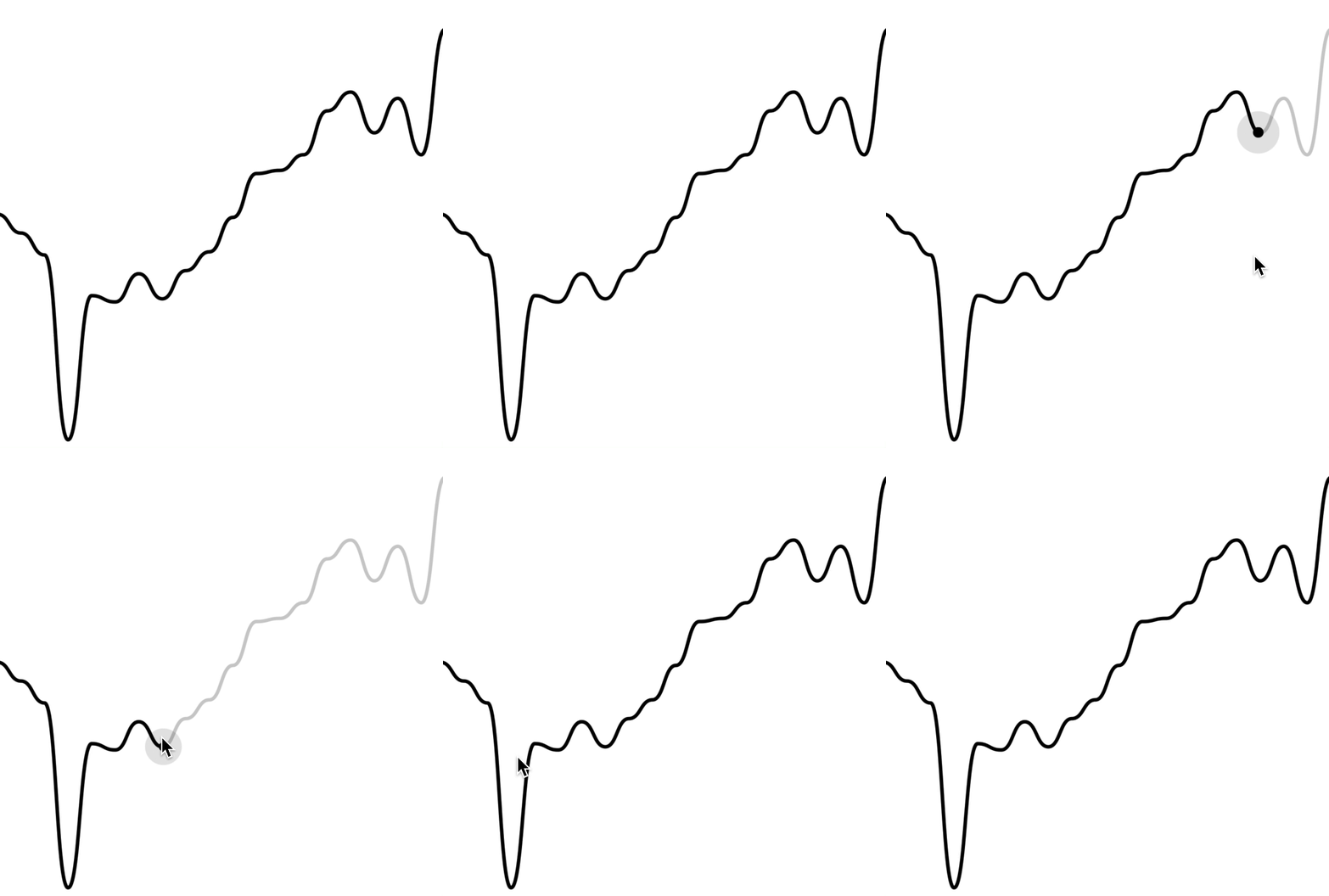
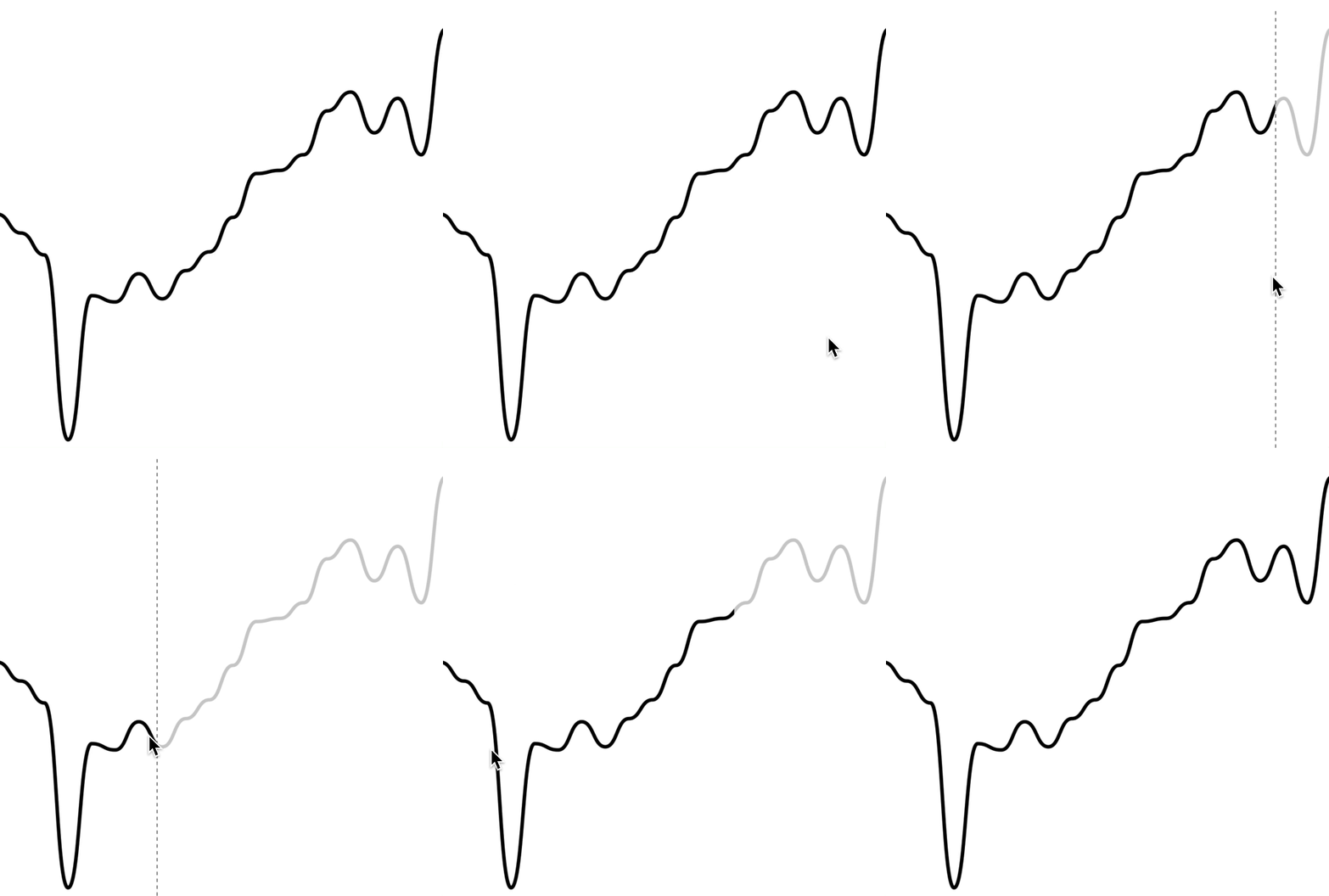
To render an interactive cursor on your line chart, you can include either the `LineChart.CursorCrosshair` or `LineChart.CursorLine` components:
##### `LineChart.CursorCrosshair`
```jsx
```
 ##### `LineChart.CursorLine`
```jsx
```
##### `LineChart.CursorLine`
```jsx
```
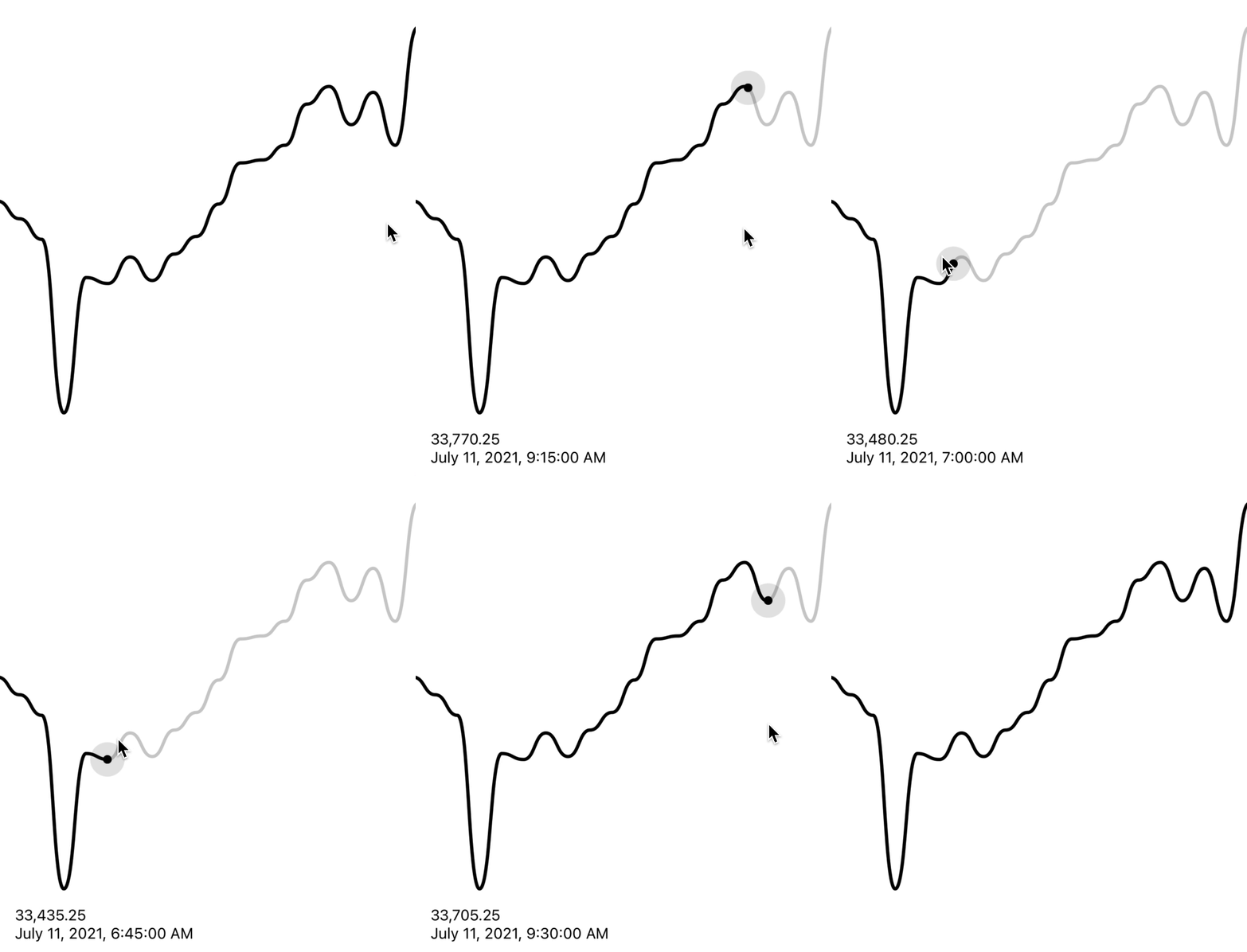
 ### Interactive labels
To render an interactive label on your line chart as your cursor moves along the graph, you can use the `PriceText` or `DatetimeText` components:
> Note: These components **must** be within the `LineChart.Provider` component.
```jsx
```
### Interactive labels
To render an interactive label on your line chart as your cursor moves along the graph, you can use the `PriceText` or `DatetimeText` components:
> Note: These components **must** be within the `LineChart.Provider` component.
```jsx
```
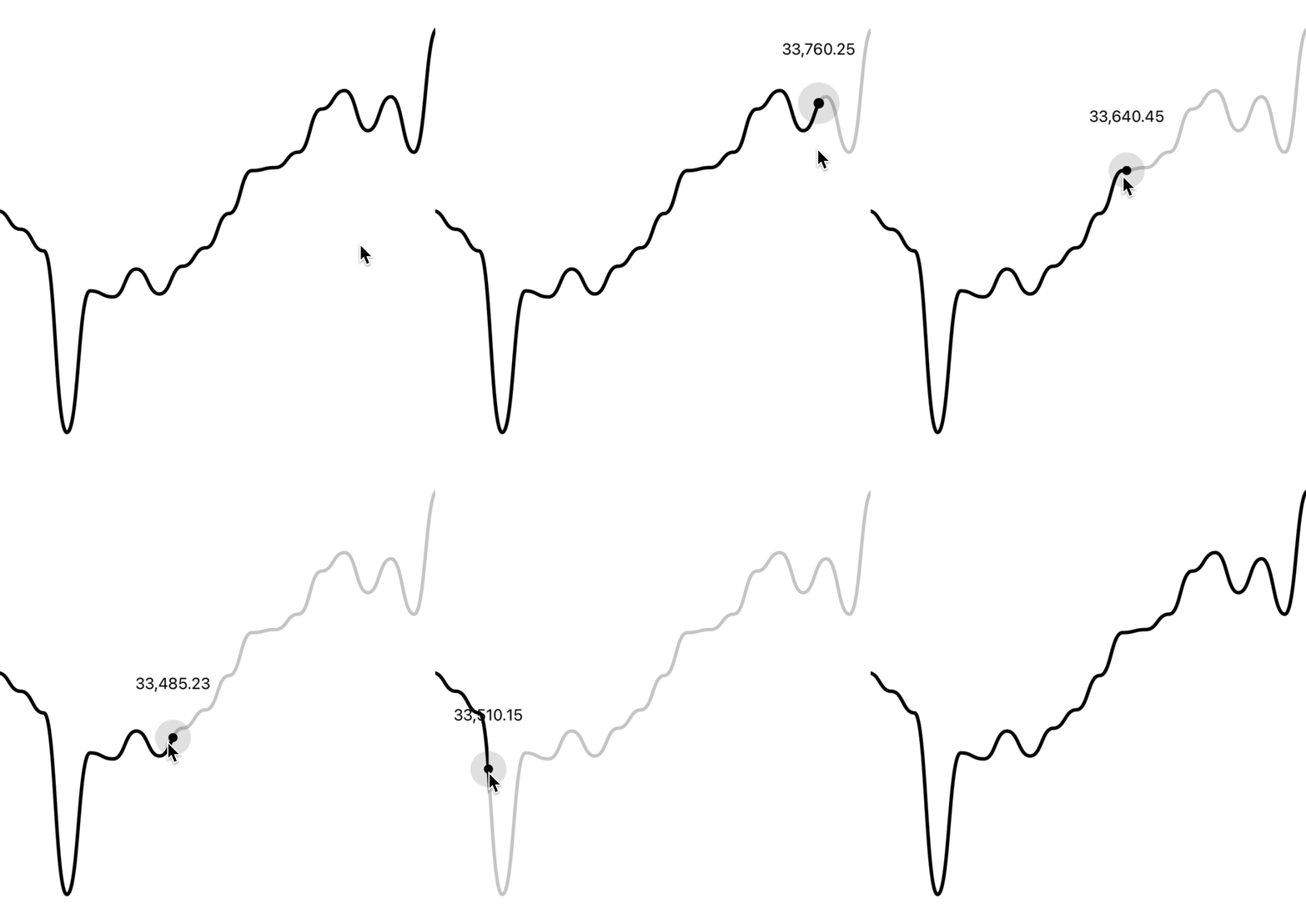
 ### Interactive tooltips
To render an interactive tooltip that follows your cursor, you can use the `Tooltip` component.
```jsx
```
### Interactive tooltips
To render an interactive tooltip that follows your cursor, you can use the `Tooltip` component.
```jsx
```
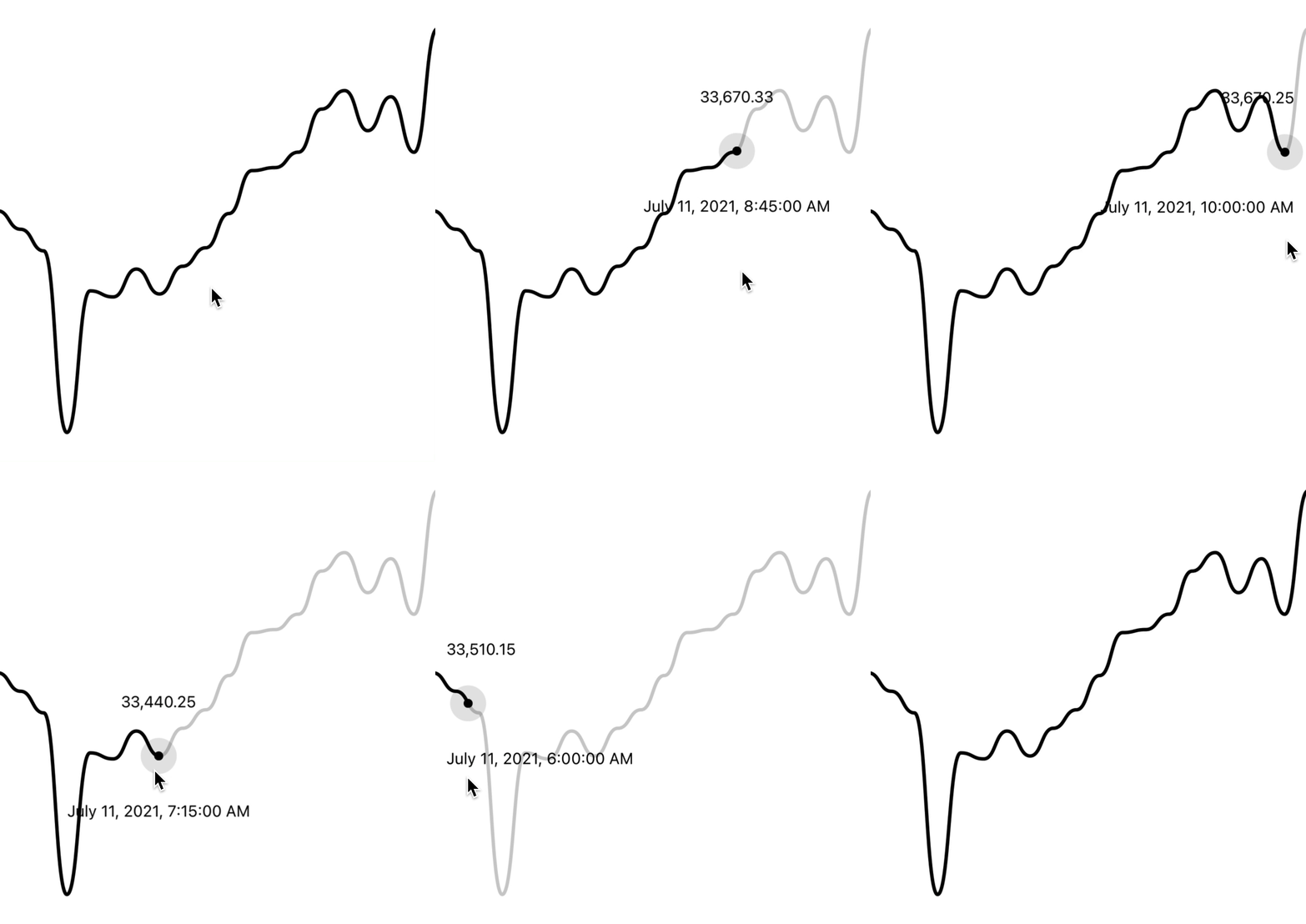
 You can even add another tooltip to show something like date/time:
```jsx
```
You can even add another tooltip to show something like date/time:
```jsx
```
 ### Tooltips / Labels
You can also use the `Tooltip` component to render a "static" tooltip at a given index, by specifying the `at` prop (similar to [Dots](#dots)).
Note that the tooltip will disappear when there is interaction with a cursor on the chart.
```jsx
```
### Tooltips / Labels
You can also use the `Tooltip` component to render a "static" tooltip at a given index, by specifying the `at` prop (similar to [Dots](#dots)).
Note that the tooltip will disappear when there is interaction with a cursor on the chart.
```jsx
```
 ### Haptic feedback
By making use of the chart event handlers, you are able to integrate haptic feedback into your charts.
We can utilise the `onActivated` and `onEnded` events to create haptic feedback
on our line chart. This will cause a vibration on touch down/up.
```jsx
import * as haptics from 'expo-haptics';
const data = [...];
function invokeHaptic() {
haptics.impactAsync(haptics.ImpactFeedbackStyle.Light);
}
function Example() {
return (
)
}
```
We can also use the `onCurrentIndexChange` callback, passed to
`LineChart.Provider`. This differs to the above method as it will cause a
vibration on touch down/up and also when the selected value changes.
```tsx
import * as haptics from 'expo-haptics';
const data = [...];
function invokeHaptic() {
haptics.impactAsync(haptics.ImpactFeedbackStyle.Light);
}
function Example() {
return (
)
}
```
If you want to synchronize two graphs, or even initialize a new graph with a cursor position, you can use the `at` prop:
```tsx
```
### Colors
By default, the charts come with default colors out-of-the-box... But you probably will want to change these to suit your brand.
#### Coloring the path
To customise the color of the line chart path, supply a `color` prop to `LineChart.Path`. This can be any valid React Native `StyleSheet` compatible color.
```jsx
```
### Haptic feedback
By making use of the chart event handlers, you are able to integrate haptic feedback into your charts.
We can utilise the `onActivated` and `onEnded` events to create haptic feedback
on our line chart. This will cause a vibration on touch down/up.
```jsx
import * as haptics from 'expo-haptics';
const data = [...];
function invokeHaptic() {
haptics.impactAsync(haptics.ImpactFeedbackStyle.Light);
}
function Example() {
return (
)
}
```
We can also use the `onCurrentIndexChange` callback, passed to
`LineChart.Provider`. This differs to the above method as it will cause a
vibration on touch down/up and also when the selected value changes.
```tsx
import * as haptics from 'expo-haptics';
const data = [...];
function invokeHaptic() {
haptics.impactAsync(haptics.ImpactFeedbackStyle.Light);
}
function Example() {
return (
)
}
```
If you want to synchronize two graphs, or even initialize a new graph with a cursor position, you can use the `at` prop:
```tsx
```
### Colors
By default, the charts come with default colors out-of-the-box... But you probably will want to change these to suit your brand.
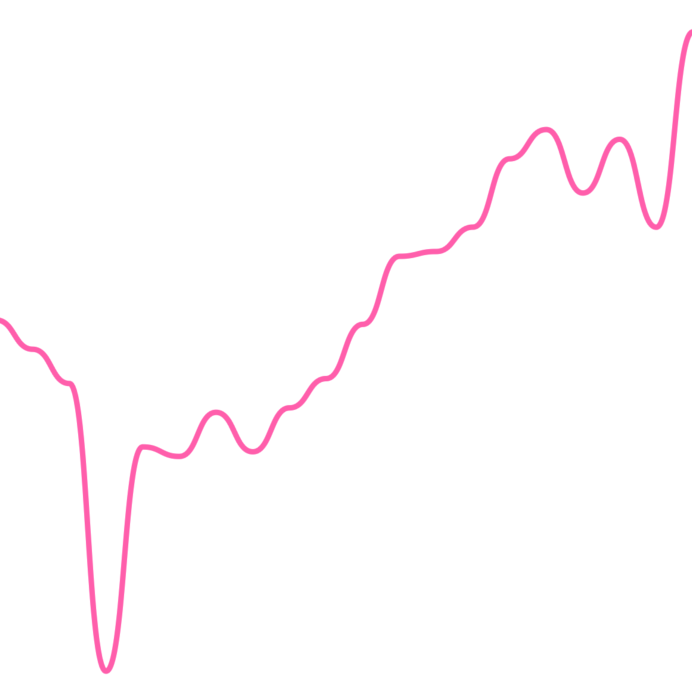
#### Coloring the path
To customise the color of the line chart path, supply a `color` prop to `LineChart.Path`. This can be any valid React Native `StyleSheet` compatible color.
```jsx
```
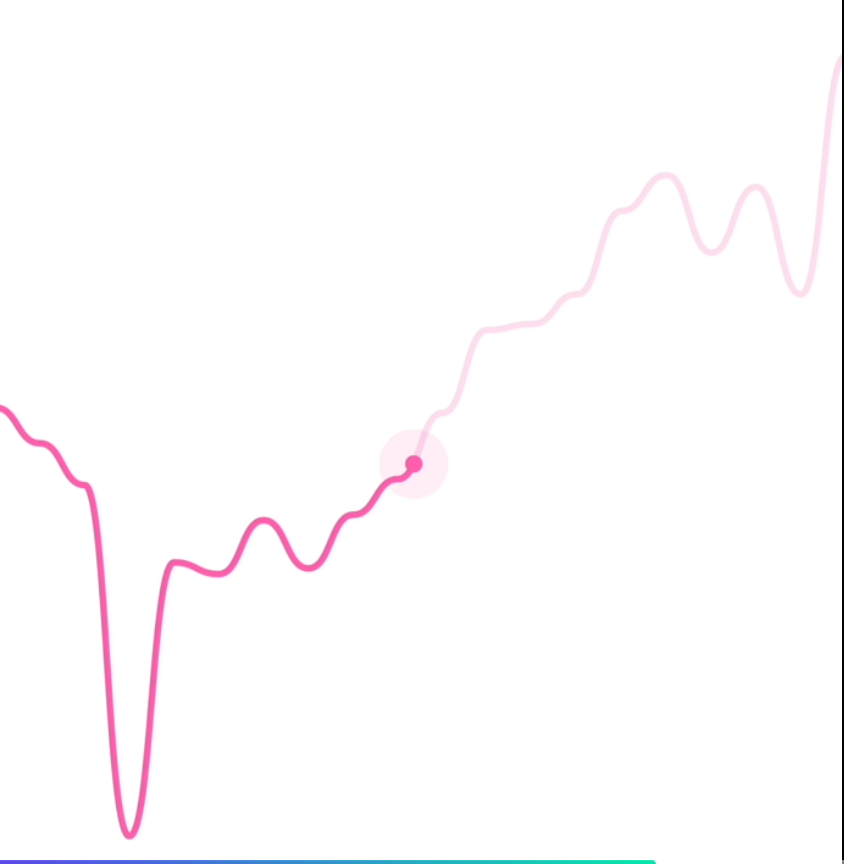
 #### Coloring the cursor
To customise the color of the line chart cursor, supply a `color` prop to `LineChart.CursorCrosshair`. This can be any valid React Native `StyleSheet` compatible color.
> Note: This also works for `LineChart.CursorLine`
```jsx
```
#### Coloring the cursor
To customise the color of the line chart cursor, supply a `color` prop to `LineChart.CursorCrosshair`. This can be any valid React Native `StyleSheet` compatible color.
> Note: This also works for `LineChart.CursorLine`
```jsx
```
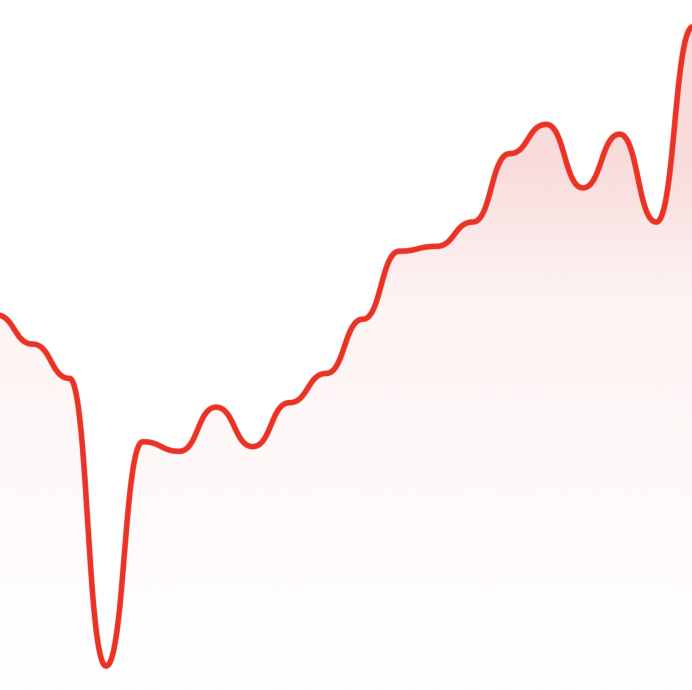
 ### Gradients
By using the `LineChart.Gradient` component, you can apply a gradient to the area underneath your path.
```jsx
```
### Gradients
By using the `LineChart.Gradient` component, you can apply a gradient to the area underneath your path.
```jsx
```
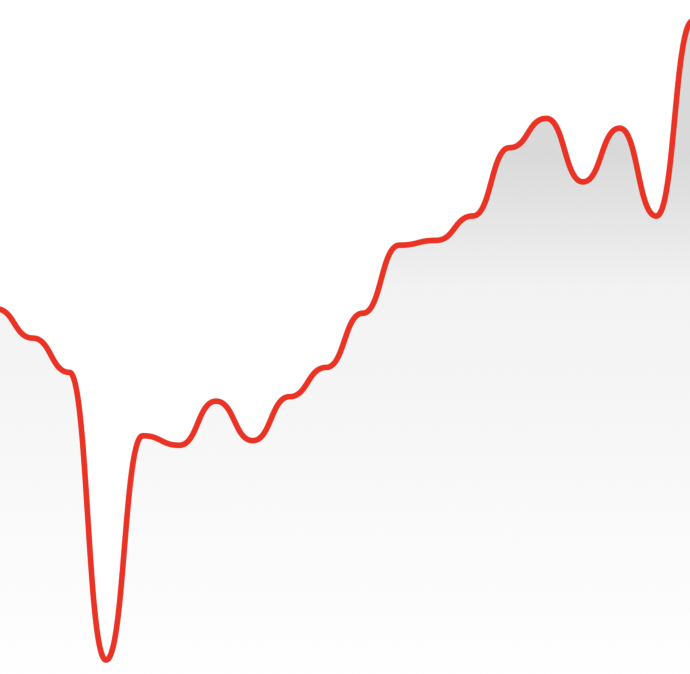
 The gradient will inherit your path's color by default, however, you can provide a color prop to `LineChart.Gradient`:
```jsx
```
The gradient will inherit your path's color by default, however, you can provide a color prop to `LineChart.Gradient`:
```jsx
```
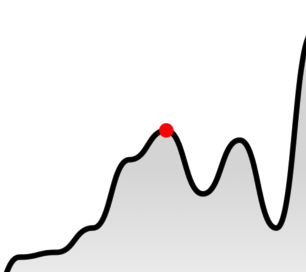
 ### Dots
You can render dots on your line chart with `LineChart.Dot`.
```jsx
```
### Dots
You can render dots on your line chart with `LineChart.Dot`.
```jsx
```
 Your dot can also have an animated pulse by passing the `hasPulse` prop.
```jsx
```

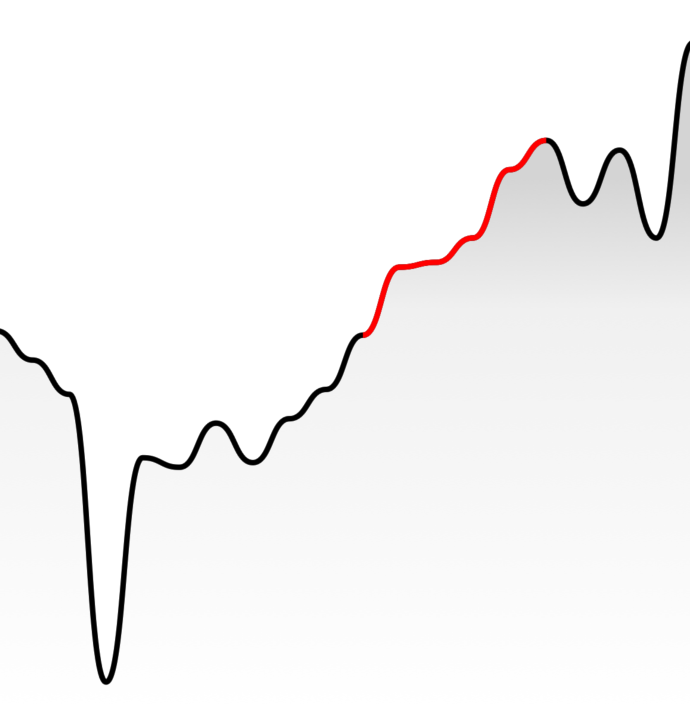
### Path highlighting
You can highlight a section of your path with `LineChart.Highlight`.
```jsx
```
Your dot can also have an animated pulse by passing the `hasPulse` prop.
```jsx
```

### Path highlighting
You can highlight a section of your path with `LineChart.Highlight`.
```jsx
```
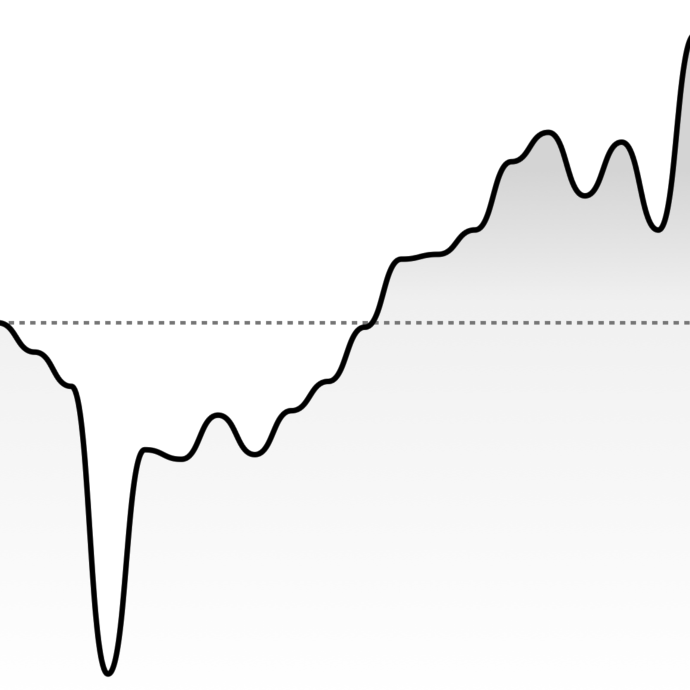
 ### Horizontal lines
You can render a static horizontal line on your line chart which moves whenever your data change. It's located on height of point which is on `at` position of provided data.
```jsx
```
### Horizontal lines
You can render a static horizontal line on your line chart which moves whenever your data change. It's located on height of point which is on `at` position of provided data.
```jsx
```
 You can also pass a (y) value to `HorizontalLine` with the `value` attribute:
```jsx
```
### Customizing size
You can modify the width & height of the charts by providing `width` and `height` props to `LineChart` or `CandlestickChart`. Your chart should adapt to it's size.
```jsx
```
### Customizing labels
#### Price labels
##### Precision
By default, the price labels have a precision of `2`, meaning that the prices will always be to 2 decimal places. However, you can customize this with the `precision` prop:
```jsx
```
##### Custom formatting
To customize the formatting of the price text, you can supply a `format` function in the form of a [reanimated worklet](https://docs.swmansion.com/react-native-reanimated/docs/fundamentals/worklets):
> Note: due to the nature of reanimated worklets, you cannot define functions that run on the React Native JS thread. [Read more here](https://docs.swmansion.com/react-native-reanimated/docs/fundamentals/worklets)
```jsx
{
'worklet';
const formattedPrice = yourOwnFormatValueFn(value);
return `$${formattedPrice} AUD`;
}}
/>
```
#### Datetime labels
##### Date/time options
Internally, WAGMI charts uses [`Date.prototype.toLocaleString()`](https://developer.mozilla.org/en-US/docs/Web/JavaScript/Reference/Global_Objects/Date/toLocaleString) to generate the date/time label. You can customise it's options like so:
```jsx
```
##### Custom formatting
To customize the formatting of the date/time text, you can supply a `format` function in the form of a [reanimated worklet](https://docs.swmansion.com/react-native-reanimated/docs/fundamentals/worklets):
> Note: due to the nature of reanimated worklets, you cannot define functions that run on the React Native JS thread. [Read more here](https://docs.swmansion.com/react-native-reanimated/docs/fundamentals/worklets)
```jsx
{
'worklet';
const formattedDate = yourOwnFormatValueFn(value);
return formattedDate;
}}
/>
```
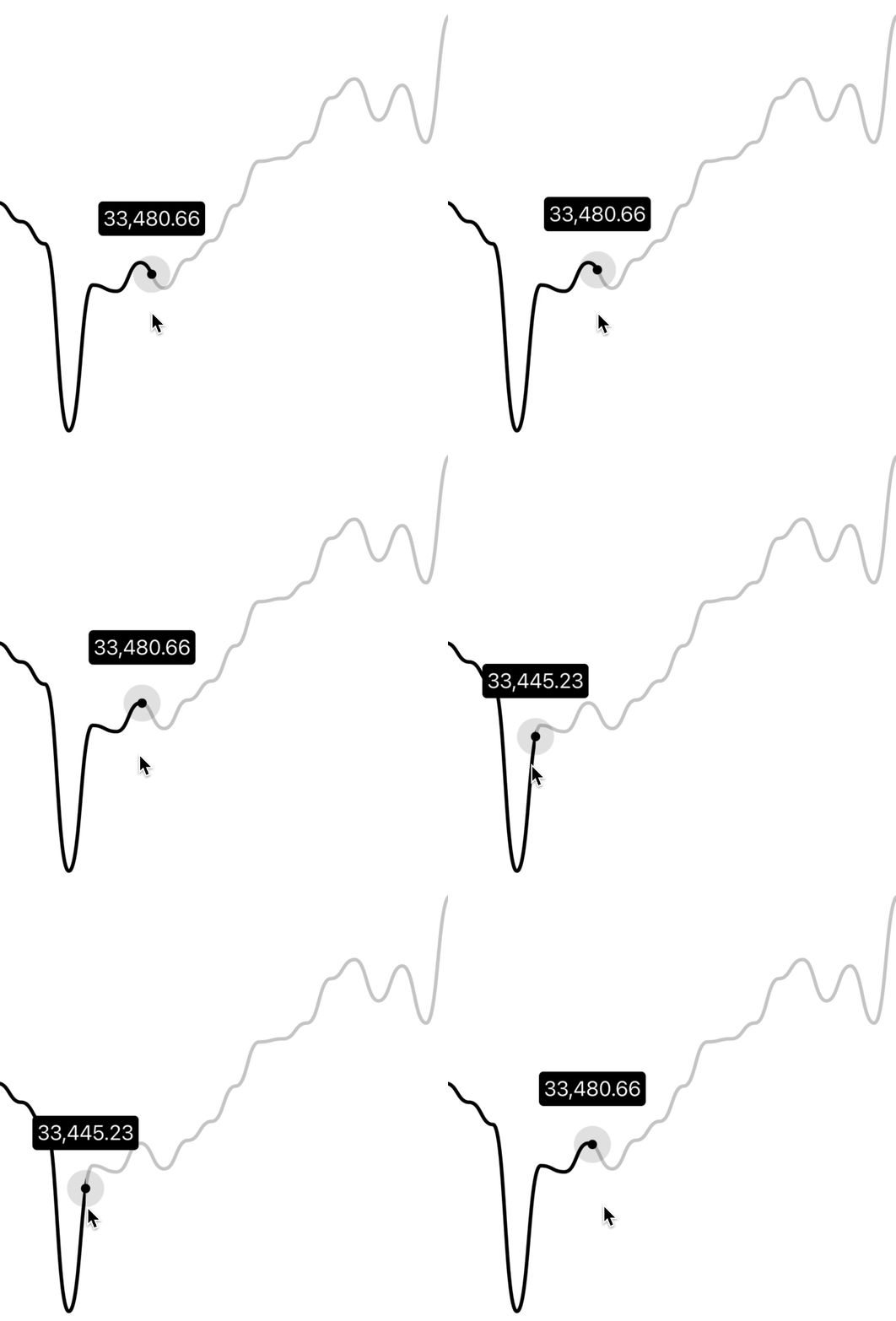
### Customizing tooltips
#### Style
You can customize the style of the tooltip by providing the `textStyle` prop:
```jsx
```
You can also pass a (y) value to `HorizontalLine` with the `value` attribute:
```jsx
```
### Customizing size
You can modify the width & height of the charts by providing `width` and `height` props to `LineChart` or `CandlestickChart`. Your chart should adapt to it's size.
```jsx
```
### Customizing labels
#### Price labels
##### Precision
By default, the price labels have a precision of `2`, meaning that the prices will always be to 2 decimal places. However, you can customize this with the `precision` prop:
```jsx
```
##### Custom formatting
To customize the formatting of the price text, you can supply a `format` function in the form of a [reanimated worklet](https://docs.swmansion.com/react-native-reanimated/docs/fundamentals/worklets):
> Note: due to the nature of reanimated worklets, you cannot define functions that run on the React Native JS thread. [Read more here](https://docs.swmansion.com/react-native-reanimated/docs/fundamentals/worklets)
```jsx
{
'worklet';
const formattedPrice = yourOwnFormatValueFn(value);
return `$${formattedPrice} AUD`;
}}
/>
```
#### Datetime labels
##### Date/time options
Internally, WAGMI charts uses [`Date.prototype.toLocaleString()`](https://developer.mozilla.org/en-US/docs/Web/JavaScript/Reference/Global_Objects/Date/toLocaleString) to generate the date/time label. You can customise it's options like so:
```jsx
```
##### Custom formatting
To customize the formatting of the date/time text, you can supply a `format` function in the form of a [reanimated worklet](https://docs.swmansion.com/react-native-reanimated/docs/fundamentals/worklets):
> Note: due to the nature of reanimated worklets, you cannot define functions that run on the React Native JS thread. [Read more here](https://docs.swmansion.com/react-native-reanimated/docs/fundamentals/worklets)
```jsx
{
'worklet';
const formattedDate = yourOwnFormatValueFn(value);
return formattedDate;
}}
/>
```
### Customizing tooltips
#### Style
You can customize the style of the tooltip by providing the `textStyle` prop:
```jsx
```
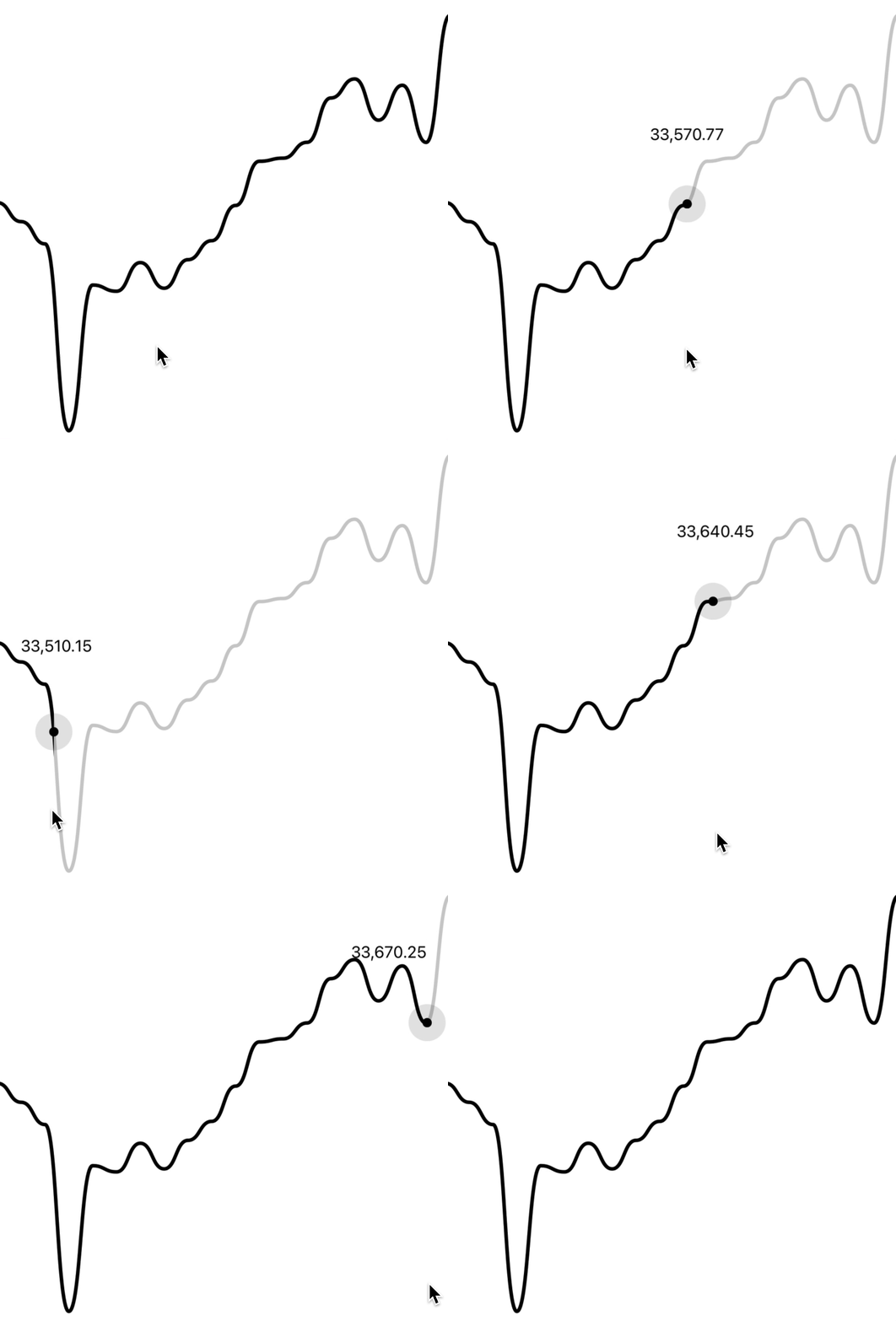
 #### Gutter
You can customize the gutters of the tooltip by providing `cursorGutter`, `xGutter` or `yGutter`.
`cursorGutter` is the gutter between the cursor and the tooltip.
`xGutter` and `yGutter` is the gutter on the x & y axis of the chart (the tooltip can't pass the gutter).
```jsx
```
#### Gutter
You can customize the gutters of the tooltip by providing `cursorGutter`, `xGutter` or `yGutter`.
`cursorGutter` is the gutter between the cursor and the tooltip.
`xGutter` and `yGutter` is the gutter on the x & y axis of the chart (the tooltip can't pass the gutter).
```jsx
```
 ### Axis
You can render an axis on your line chart with `LineChart.Axis`.
```jsx
```
## Candlestick Chart Guides
### Interactive cursors
To render an interactive cursor on your candlestick chart, you can include the `CandlestickChart.Crosshair` component:
```jsx
```
### Axis
You can render an axis on your line chart with `LineChart.Axis`.
```jsx
```
## Candlestick Chart Guides
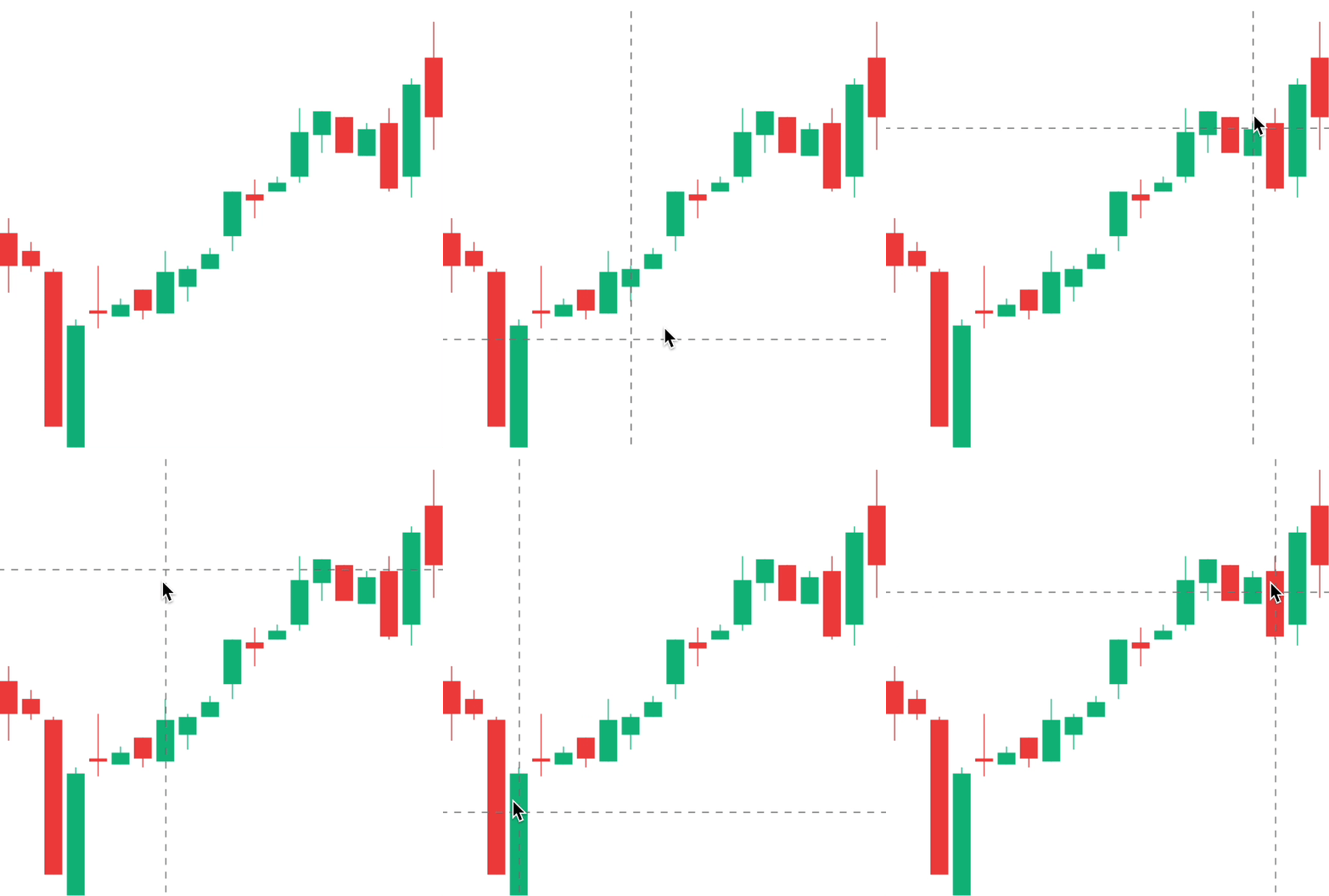
### Interactive cursors
To render an interactive cursor on your candlestick chart, you can include the `CandlestickChart.Crosshair` component:
```jsx
```
 ### Interactive labels
To render an interactive label on your candlestick chart, you can use the `PriceText` or `DatetimeText` components:
> Note: These components **must** be within the `CandlestickChart.Provider` component.
```jsx
```
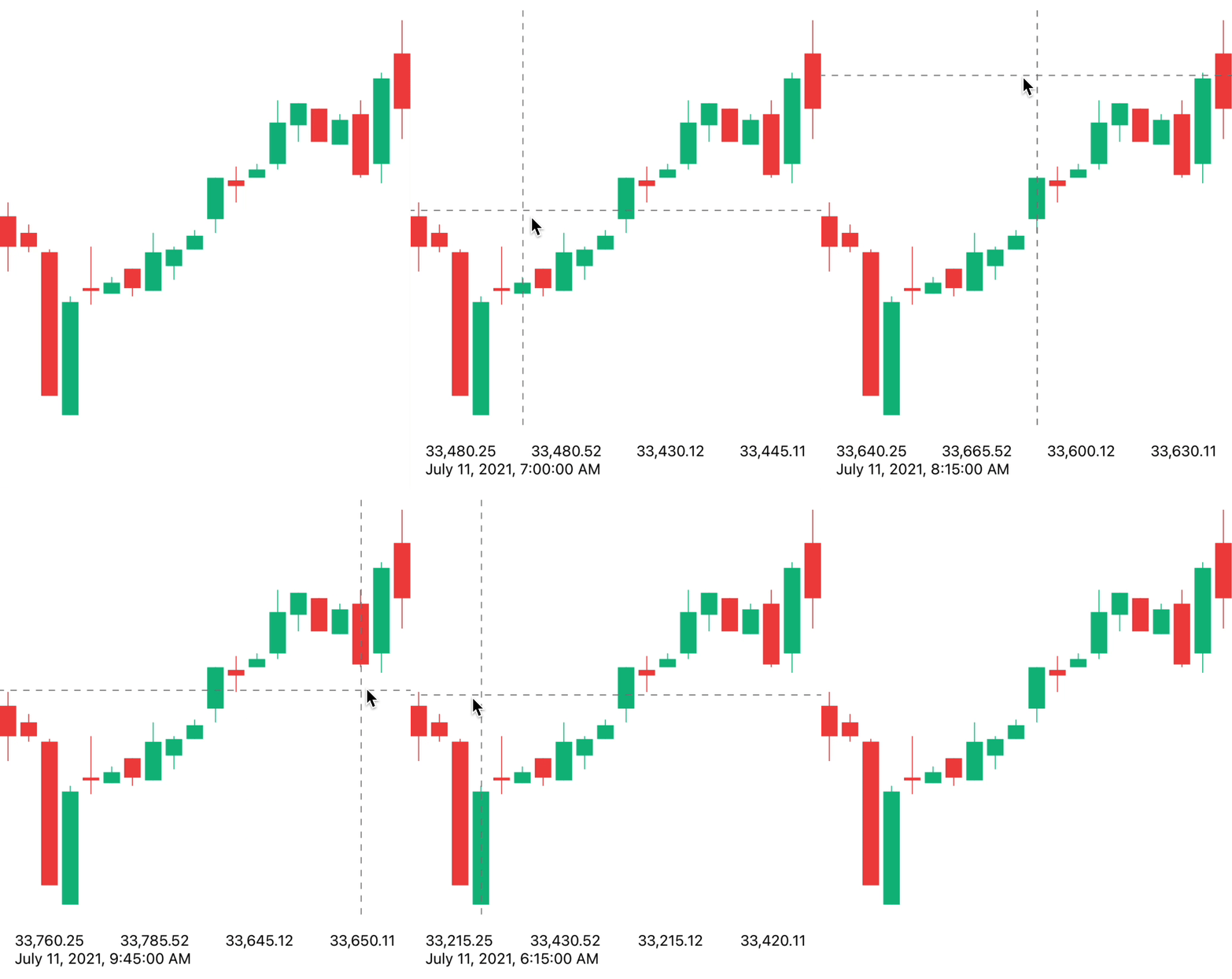
### Interactive labels
To render an interactive label on your candlestick chart, you can use the `PriceText` or `DatetimeText` components:
> Note: These components **must** be within the `CandlestickChart.Provider` component.
```jsx
```
 ### Interactive tooltips
To render an interactive tooltip that follows your crosshair, you can use the `Tooltip` component.
```jsx
```
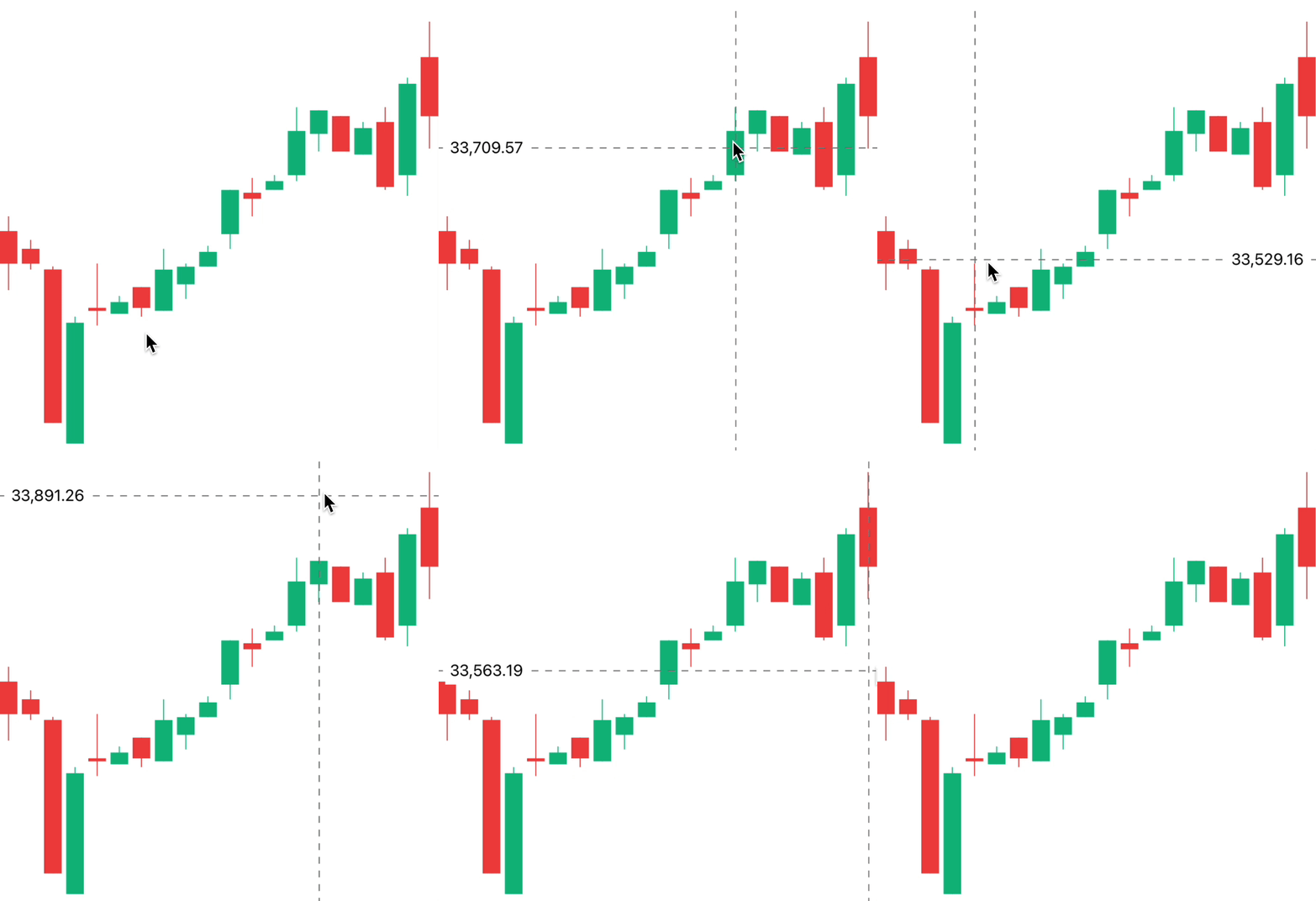
### Interactive tooltips
To render an interactive tooltip that follows your crosshair, you can use the `Tooltip` component.
```jsx
```
 ### Haptic feedback
By making use of the chart event handlers, you are able to integrate haptic feedback into your charts.
We can utilise the `onCurrentXChange` event to create haptic feedback on our candlestick chart.
```jsx
import * as haptics from 'expo-haptics';
const data = [...];
function invokeHaptic() {
haptics.impactAsync(haptics.ImpactFeedbackStyle.Light);
}
function Example() {
return (
)
}
```
### Colors
By default, the charts come with default colors out-of-the-box... But you probably will want to change these to suit your brand.
#### Coloring the candles
To customise the color of the candlestick chart candles, supply a `negativeColor` and a `positiveColor` to `CandlestickChart.Candles`. This can be any valid React Native `StyleSheet` compatible color.
```jsx
```
### Haptic feedback
By making use of the chart event handlers, you are able to integrate haptic feedback into your charts.
We can utilise the `onCurrentXChange` event to create haptic feedback on our candlestick chart.
```jsx
import * as haptics from 'expo-haptics';
const data = [...];
function invokeHaptic() {
haptics.impactAsync(haptics.ImpactFeedbackStyle.Light);
}
function Example() {
return (
)
}
```
### Colors
By default, the charts come with default colors out-of-the-box... But you probably will want to change these to suit your brand.
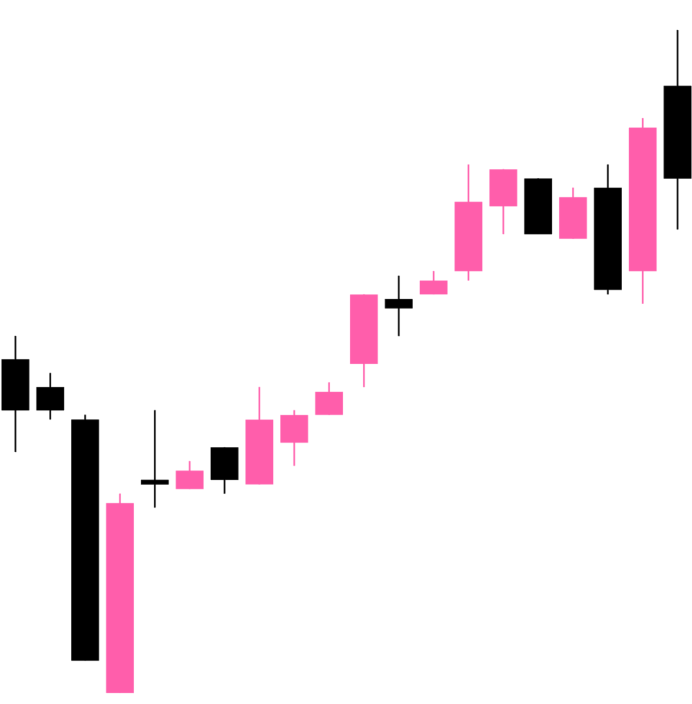
#### Coloring the candles
To customise the color of the candlestick chart candles, supply a `negativeColor` and a `positiveColor` to `CandlestickChart.Candles`. This can be any valid React Native `StyleSheet` compatible color.
```jsx
```
 #### Coloring the crosshair
To customise the color of the line chart cursor, supply a `color` prop to `CandlestickChart.Crosshair`. This can be any valid React Native `StyleSheet` compatible color.
```jsx
```
#### Coloring the crosshair
To customise the color of the line chart cursor, supply a `color` prop to `CandlestickChart.Crosshair`. This can be any valid React Native `StyleSheet` compatible color.
```jsx
```
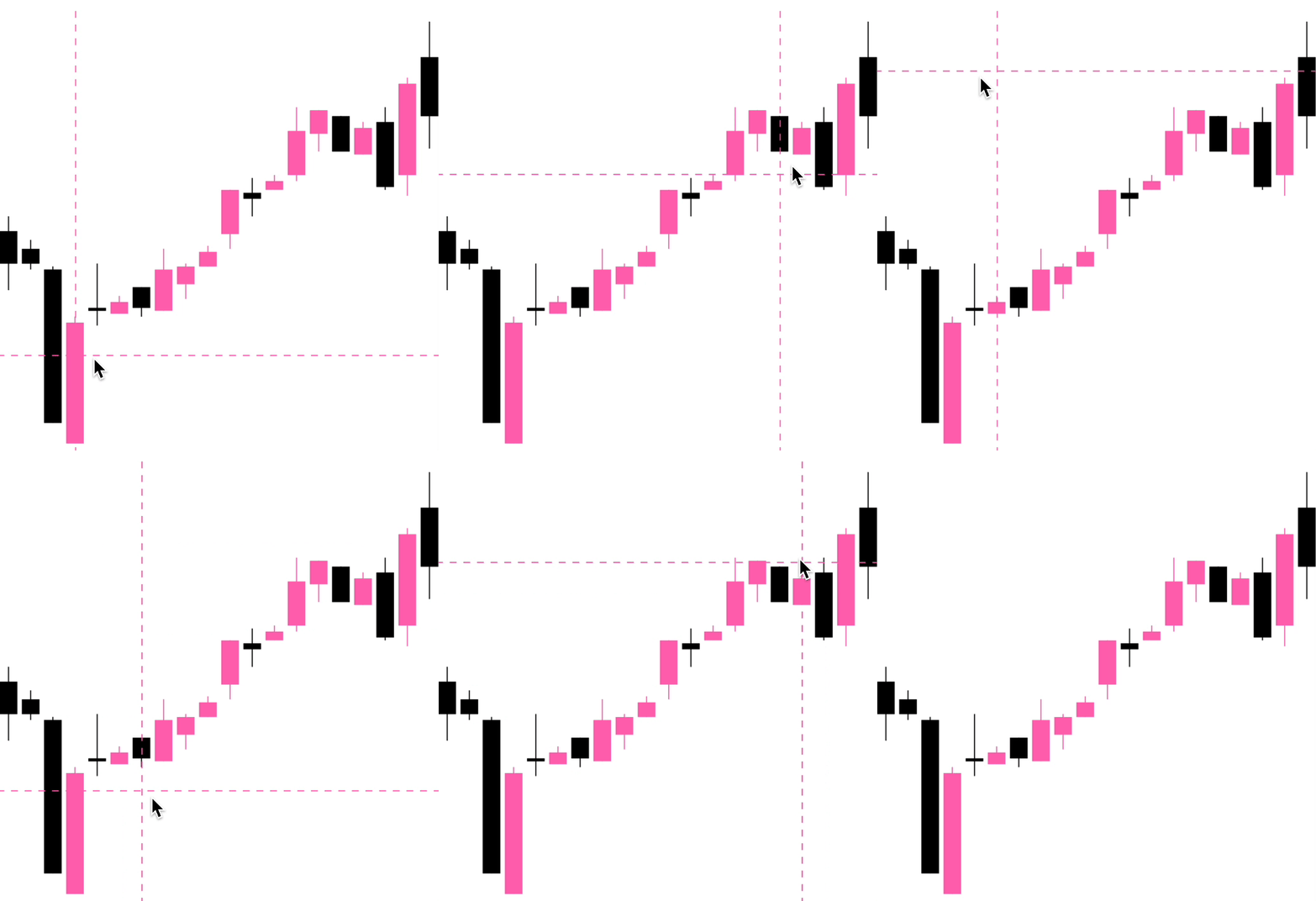 ### Customizing labels
#### Price labels
##### Precision
By default, the price labels have a precision of `2`, meaning that the prices will always be to 2 decimal places. However, you can customize this with the `precision` prop:
```jsx
```
##### Custom formatting
To customize the formatting of the price text, you can supply a `format` function in the form of a [reanimated worklet](https://docs.swmansion.com/react-native-reanimated/docs/fundamentals/worklets):
> Note: due to the nature of reanimated worklets, you cannot define functions that run on the React Native JS thread. [Read more here](https://docs.swmansion.com/react-native-reanimated/docs/fundamentals/worklets)
```jsx
{
'worklet';
const formattedPrice = yourOwnFormatValueFn(value);
return `$${formattedPrice} AUD`;
}}
/>
```
#### Datetime labels
##### Date/time options
Internally, WAGMI charts uses [`Date.prototype.toLocaleString()`](https://developer.mozilla.org/en-US/docs/Web/JavaScript/Reference/Global_Objects/Date/toLocaleString) to generate the date/time label. You can customise it's options like so:
```jsx
```
##### Custom formatting
To customize the formatting of the date/time text, you can supply a `format` function in the form of a [reanimated worklet](https://docs.swmansion.com/react-native-reanimated/docs/fundamentals/worklets):
> Note: due to the nature of reanimated worklets, you cannot define functions that run on the React Native JS thread. [Read more here](https://docs.swmansion.com/react-native-reanimated/docs/fundamentals/worklets)
```jsx
{
'worklet';
const formattedDate = yourOwnFormatValueFn(value);
return formattedDate;
}}
/>
```
## Component APIs
### LineChart.Provider
| Prop | Type | Default | Description |
| --------- | --------------------------------------------- | ------- | ---------------------------------------------------------------------------------------------------------------------------------------------------------------------------------------------------------------------------------------------------------------------- |
| `data` | `Array<{ timestamp: number, value: number }>` | | The line chart data as an array of timestamps & values (prices). |
| `yRange` | `{ min?: number; max?: number }` | | Set a custom range for the y values of your chart. See [#20](https://github.com/coinjar/react-native-wagmi-charts/issues/20) for a use-case. |
| `xDomain` | `[ min: number; max: number ]` | | Scale x values proportionate to their time scale. Distance between points will be relative to each other instead of same spacing between in point. See [#140](https://github.com/coinjar/react-native-wagmi-charts/issues/140#issuecomment-1614264020) for a use-case. |
### LineChart
| Prop | Type | Default | Description |
| ---------- | ----------- | ----------------------- | -------------------------------------------------------------------------------------------------------------------------- |
| `width` | `number` | Width of device screen | The width of the chart |
| `height` | `number` | Height of device screen | The height of the chart |
| `yGutter` | `number` | `16` | The gutter of the chart on the Y axis (the chart data will not exceed it's gutter) |
| `shape` | `function` | `shape.curveBumpX` | The shape type/curve of the graph. [Accepts a curve function from d3-shape](https://www.npmjs.com/package/d3-shape#curves) |
| `...props` | `ViewProps` | | This component also inherits React Native's `View` props. |
### LineChart.Path
| Prop | Type | Default | Description |
| ----------- | ----------- | --------- | -------------------------------- |
| `color` | `string` | `"black"` | Color of the line path |
| `width` | `number` | `3` | Width of the line path |
| `pathProps` | `PathProps` | `{}` | React Native SVG's `Path` props. |
### LineChart.CursorCrosshair
| Prop | Type | Default | Description |
| ----------------------- | ------------------------------ | --------- | --------------------------------------------------------------------- |
| `color` | `string` | `"black"` | Color of the crosshair dot |
| `size` | `number` | `8` | Size of the crosshair dot |
| `outerSize` | `number` | `32` | Size of the outer crosshair dot (faded dot) |
| `crosshairWrapperProps` | `ViewProps` | | Props of the wrapper component of the crosshair |
| `crosshairProps` | `ViewProps` | | Props of the crosshair dot |
| `crosshairOuterProps` | `ViewProps` | | Props of the crosshair outer dot |
| `snapToPoint` | `boolean` | `false` | **REACT NATIVE ONLY** Snap cursor to X position of nearest data point |
| `at` | `number` | | Index of followed `data` item. |
| `...props` | `LongPressGestureHandlerProps` | | |
### LineChart.CursorLine
| Prop | Type | Default | Description |
| ----------- | ----------- | -------- | ---------------------------------------------------------------- |
| `color` | `string` | `"gray"` | Color of the cursor line |
| `lineProps` | `LineProps` | | Props of the cursor line. Takes React Native SVG's `Line` props. |
| `at` | `number` | | Index of followed `data` item. |
### LineChart.Dot
| Prop | Type | Default | Description |
| ------------------- | -------------------------------- | ------------------ | ---------------------------------------------------------------------------------------------------------------------------------------------------------------------------------------- |
| `at` | `number` | | Index of followed `data` item. |
| `color` | `string` | `"black"` | Color of the dot |
| `size` | `number` | `4` | Size of the dot. |
| `inactiveColor` | `string` | | Color of the dot when the chart is inactive. |
| `showInactiveColor` | `boolean` | `true` | Whether or not to show the inactive dot when the chart is inactive. |
| `hasOuterDot` | `boolean` | `false` | Whether or not the dot has an outer circle. |
| `hasPulse` | `boolean` | `false` | Whether or not the dot has an animated pulse. |
| `outerSize` | `number` | `16` | Size of the outer dot. |
| `pulseBehaviour` | `"while-inactive"` or `"always"` | `"while-inactive"` | Behaviour of the pulse. If `always`, the outer dot will still animate when interaction is active. If `while-inactive`, the outer dot will animate only when the interaction is inactive. |
| `pulseDurationMs` | `number` | `800` | Duration in ms of the pulse animation. |
| `dotProps` | `CircleProps` | | Props of the dot (accepts React Native SVG's `Circle` props). |
| `outerDotProps` | `CircleProps` | | Props of the outer dot (accepts React Native SVG's `Circle` props). |
### LineChart.Highlight
| Prop | Type | Default | Description |
| ------------------- | --------- | --------- | ------------------------------------------------------------------------- |
| `from` | `number` | | Data index of where to start the highlight. |
| `to` | `number` | | Data index of where to end the highlight. |
| `color` | `string` | `"black"` | Color of the highlighted path. |
| `inactiveColor` | `string` | | Color of the highlight when the chart is inactive. |
| `showInactiveColor` | `boolean` | `true` | Whether or not to show the inactive highlight when the chart is inactive. |
| `width` | `number` | `3` | Width of the highlight stroke. |
### LineChart.HorizontalLine
| Prop | Type | Default | Description |
| ----------- | ------------------------------------------------------ | -------- | ---------------------------------------------------------------------------------------------------------- |
| `color` | `string` | `"gray"` | Color of the cursor line |
| `lineProps` | `LineProps` | | Props of the cursor line. Takes React Native SVG's `Line` props. |
| `at` | `number` or `{ index: number }` or `{ value: number }` | `0` | Index of followed `data` item. You can alternatively pass `{ value: number }`, corresponding to a y value. |
### LineChart.Gradient
| Prop | Type | Default | Description |
| ---------- | ----------- | ------- | --------------------- |
| `color` | `string` | | Color of the gradient |
| `...props` | `PathProps` | | |
### LineChart.Tooltip
| Prop | Type | Default | Description |
| ------------------------ | ---------------------------------------------- | ------- | ------------------------------------------------------------------------------------------------------------------------------ |
| `xGutter` | `number` | `8` | X axis gutter in which the tooltip will not pass. |
| `yGutter` | `number` | `8` | Y axis gutter in which the tooltip will not pass. |
| `cursorGutter` | `number` | `48` | Gutter (spacing) between the cursor and the tooltip. |
| `position` | `"top"` or `"bottom"` or `"left"` or `"right"` | `"top"` | Position of the tooltip relative to the cursor. |
| `withHorizontalFloating` | `boolean` | `false` | If set to `true`, the position will changes between `left` and `right` on if tooltip reaches the X axis gutters. |
| `textStyle` | `{}` | | Style of the tooltip text |
| `at` | `number` | | Make the tooltip static at the given `data` index (which shows the tooltip always, unless there is interaction with the chart) |
### LineChart.PriceText
| Prop | Type | Default | Description |
| ----------- | ---------------------------------- | ------------- | ------------------------------------------ |
| `format` | `({ value, formatted }) => string` | | Custom format function of the price. |
| `precision` | `number` | `2` | Default precision of the price. |
| `variant` | `"formatted"` or `"value"` | `"formatted"` | Default representation of the price value. |
| `...props` | `TextProps` | | Inherits React Native's `Text` props |
### LineChart.DatetimeText
| Prop | Type | Default | Description |
| --------- | ---------------------------------- | ------------- | ------------------------------------------------------------------------------------------------------------------------------------------------------------------------- |
| `format` | `({ value, formatted }) => string` | | Custom format function of the timestamp. |
| `locale` | `string` | `"en-US"` | Locale of the timestamp. |
| `options` | `{}` | | Options to pass to `toLocaleString()`. [Available options are here](https://developer.mozilla.org/en-US/docs/Web/JavaScript/Reference/Global_Objects/Date/toLocaleString) |
| `style` | `{}` | | Style of the price text |
| `variant` | `"formatted"` or `"value"` | `"formatted"` | Default representation of the timestamp value. |
### LineChart.Axis
| Prop | Type | Default | Description |
| :------------------ | :---------------------------------------------- | :--------- | :--------------------------------------------------------------- |
| `position` | `string` | | Position of the axis. Can be `left`, `right`, `top` or `bottom`. |
| `orientation` | `string` | | Orientation of the axis. Can be `vertical` or `horizontal`. |
| `color` | `string` | `#666` | Color of the axis line and ticks. |
| `strokeWidth` | `number` | | Width of the axis line and ticks. |
| `tickCount` | `number` | `5` | Number of ticks to display on the axis. |
| `domain` | `[number, number]` | `[0, 100]` | Domain of the axis. |
| `hideOnInteraction` | `boolean` | `false` | Whether to hide the axis when the user interacts with the chart. |
| `format` | `(value: number or string) => string or number` | | Function to format the tick labels. |
| `textStyle` | `StyleProp` | | Style of the tick labels. |
### CandlestickChart.Provider
| Prop | Type | Default | Description |
| ------ | -------------------------------------------------------------------------------------- | ------- | ----------------------------------------------------------------------- |
| `data` | `Array<{ timestamp: number, open: number, high: number, low: number, close: number }>` | | The candlestick chart data as an array of timestamps & values (prices). |
### CandlestickChart
| Prop | Type | Default | Description |
| ---------- | ----------- | ----------------------- | --------------------------------------------------------- |
| `width` | `number` | Width of device screen | The width of the chart |
| `height` | `number` | Height of device screen | The height of the chart |
| `...props` | `ViewProps` | | This component also inherits React Native's `View` props. |
### CandlestickChart.Candles
| Prop | Type | Default | Description |
| --------------- | ------------------------------------------------------------------------------------------------------------------------------- | --------- | ------------------------------------------------------------------ |
| `positiveColor` | `string` | `#10b981` | Color of the positive candles |
| `negativeColor` | `string` | `#ef4444` | Color of the negative candles |
| `rectProps` | `RectProps` | | Props of the SVG Rectangle. Takes React Native's SVG `Rect` props. |
| `lineProps` | `LineProps` | | Props of the SVG Line. Takes React Native's SVG `Line` props. |
| `renderRect` | `({ x: number, y: number, width: number, height: number, fill: string, candle: TCandle }) => React.ReactNode` | | Renders a custom rect component |
| `renderLine` | `({ x1: number, x2: number, y1: number, y2: number, stroke: string, strokeWidth: number, candle: TCandle }) => React.ReactNode` | | Renders a custom line component |
| `...props` | `SvgProps` | | This component also inherits React Native SVG's `Svg` props. |
### CandlestickChart.Crosshair
| Prop | Type | Default | Description |
| ------------------ | ------------------------------ | --------- | ------------------------------------------------ |
| `color` | `string` | `"black"` | Color of the crosshair |
| `onCurrentXChange` | `(xValue: number) => void` | | Callback to invoke when the x coordinate changes |
| `...props` | `LongPressGestureHandlerProps` | | |
### CandlestickChart.Tooltip
| Prop | Type | Default | Description |
| ------------------ | ---------------- | ------- | ------------------------------------------------- |
| `xGutter` | `number` | `8` | X axis gutter in which the tooltip will not pass. |
| `yGutter` | `number` | `8` | Y axis gutter in which the tooltip will not pass. |
| `tooltipTextProps` | `PriceTextProps` | | Props of the tooltip (price) text. |
| `textStyle` | `{}` | | Style of the tooltip text |
### CandlestickChart.PriceText
| Prop | Type | Default | Description |
| ----------- | ---------------------------------- | ------------- | ------------------------------------------ |
| `format` | `({ value, formatted }) => string` | | Custom format function of the price. |
| `precision` | `number` | `2` | Default precision of the price. |
| `variant` | `"formatted"` or `"value"` | `"formatted"` | Default representation of the price value. |
| `...props` | `TextProps` | | Inherits React Native's `Text` props |
### CandlestickChart.DatetimeText
| Prop | Type | Default | Description |
| --------- | ---------------------------------- | ------------- | ------------------------------------------------------------------------------------------------------------------------------------------------------------------------- |
| `format` | `({ value, formatted }) => string` | | Custom format function of the timestamp. |
| `locale` | `string` | `"en-US"` | Locale of the timestamp. |
| `options` | `{}` | | Options to pass to `toLocaleString()`. [Available options are here](https://developer.mozilla.org/en-US/docs/Web/JavaScript/Reference/Global_Objects/Date/toLocaleString) |
| `style` | `{}` | | Style of the price text |
| `variant` | `"formatted"` or `"value"` | `"formatted"` | Default representation of the timestamp value. |
## Hooks
The following hooks are only accessible inside the `LineChart.Provider` or `CandlestickChart.Provider`.
### LineChart.useChart
The `LineChart.useChart` hook returns the current state of the chart.
```jsx
const { currentX, currentY, currentIndex, data, domain, isActive } =
LineChart.useChart();
```
#### Reference
**Returns**
| Variable | Type | Default | Description |
| -------------- | --------------------------------------------- | ------- | ------------------------------- |
| `currentX` | `SharedValue` | | Current x position |
| `currentY` | `SharedValue` | | Current y position |
| `currentIndex` | `SharedValue` | | Current index of the data |
| `data` | `Array<{ timestamp: number, value: number }>` | | Data of the chart |
| `domain` | `[number, number]` | | Y domain of the chart |
| `isActive` | `SharedValue` | | Is the chart active by gesture? |
### LineChart.useDatetime
```jsx
const { value, formatted } = LineChart.useDatetime({
format,
locale,
options,
});
```
#### Reference
**Arguments**
| Variable | Type | Default | Description |
| --------- | ---------------------------------- | --------- | ------------------------------------------------------------------------------------------------------------------------------------------------------------------------- |
| `format` | `({ value, formatted }) => string` | | Custom format function of the timestamp. |
| `locale` | `string` | `"en-US"` | Locale of the timestamp. |
| `options` | `{}` | | Options to pass to `toLocaleString()`. [Available options are here](https://developer.mozilla.org/en-US/docs/Web/JavaScript/Reference/Global_Objects/Date/toLocaleString) |
**Returns**
| Variable | Type | Default | Description |
| ----------- | -------- | ------- | ------------------------- |
| `value` | `string` | | Timestamp value in ms. |
| `formatted` | `string` | | Formatted timestamp value |
### LineChart.usePrice
```jsx
const { value, formatted } = LineChart.usePrice({
format,
precision,
});
```
**Arguments**
| Variable | Type | Default | Description |
| ----------- | ---------------------------------- | ------- | ------------------------------------ |
| `format` | `({ value, formatted }) => string` | | Custom format function of the price. |
| `precision` | `number` | `2` | Precision of the price value. |
| `index` | `number` | | Get the price for a specific index |
**Returns**
| Variable | Type | Default | Description |
| ----------- | -------- | ------- | --------------------- |
| `value` | `string` | | Price value |
| `formatted` | `string` | | Formatted price value |
### CandlestickChart.useChart
```jsx
const { currentX, currentY, data, domain, step } = CandlestickChart.useChart();
```
#### Reference
**Returns**
| Variable | Type | Default | Description |
| ---------- | -------------------------------------------------------------------------------------- | ------- | ------------------------- |
| `currentX` | `SharedValue` | | Current x position |
| `currentY` | `SharedValue` | | Current y position |
| `data` | `Array<{ timestamp: number, open: number, high: number, low: number, close: number }>` | | Data of the chart |
| `domain` | `[number, number]` | | Y domain of the chart |
| `step` | `number` | | Current index of the data |
### CandlestickChart.useCandleData
The `useCandleData` hook returns the current candle data.
```jsx
const { timestamp, open, high, low, close } = CandlestickChart.useCandleData();
```
#### Reference
**Returns**
| Variable | Type | Default | Description |
| ----------- | -------- | ------- | ----------- |
| `timestamp` | `number` | | |
| `open` | `number` | | |
| `high` | `number` | | |
| `low` | `number` | | |
| `close` | `number` | | |
### CandlestickChart.useDatetime
```jsx
const { value, formatted } = CandlestickChart.useDatetime({
format,
locale,
options,
});
```
#### Reference
**Arguments**
| Variable | Type | Default | Description |
| --------- | ---------------------------------- | --------- | ------------------------------------------------------------------------------------------------------------------------------------------------------------------------- |
| `format` | `({ value, formatted }) => string` | | Custom format function of the timestamp. |
| `locale` | `string` | `"en-US"` | Locale of the timestamp. |
| `options` | `{}` | | Options to pass to `toLocaleString()`. [Available options are here](https://developer.mozilla.org/en-US/docs/Web/JavaScript/Reference/Global_Objects/Date/toLocaleString) |
**Returns**
| Variable | Type | Default | Description |
| ----------- | -------- | ------- | ------------------------- |
| `value` | `string` | | Timestamp value in ms. |
| `formatted` | `string` | | Formatted timestamp value |
### CandlestickChart.usePrice
```jsx
const { value, formatted } = CandlestickChart.usePrice({
format,
precision,
});
```
**Arguments**
| Variable | Type | Default | Description |
| ----------- | ---------------------------------- | ------- | ------------------------------------ |
| `format` | `({ value, formatted }) => string` | | Custom format function of the price. |
| `precision` | `number` | `2` | Precision of the price value. |
**Returns**
| Variable | Type | Default | Description |
| ----------- | -------- | ------- | --------------------- |
| `value` | `string` | | Price value |
| `formatted` | `string` | | Formatted price value |
## What's Different from wagmi-charts?
This fork includes several improvements over the original `react-native-wagmi-charts`:
- ✅ **Updated to React Native Reanimated v4** - Full support for the latest Reanimated API
- ✅ **Updated to React Native Gesture Handler v2** - Uses the modern Gesture API
- ✅ **Removed web support** - Focused exclusively on native iOS and Android for better performance
- ✅ **Modern API** - Uses `addWhitelistedUIProps` instead of deprecated `addWhitelistedNativeProps`
- ✅ **Simplified architecture** - Removed web-specific workarounds and code paths
- ✅ **Better TypeScript support** - Fixed type definitions and improved type safety
## Migration from wagmi-charts
If you're migrating from `react-native-wagmi-charts`, the API is 100% compatible! Simply:
1. Update your import statements from `react-native-wagmi-charts` to `react-native-stonk-charts`
2. Make sure you have React Native Reanimated v4 installed
3. Update your babel config to use `react-native-worklets/plugin` instead of `react-native-reanimated/plugin`
That's it! Everything else works exactly the same.
## Credits
This library is a fork of [react-native-wagmi-charts](https://github.com/coinjar/react-native-wagmi-charts) by CoinJar.
The original library wouldn't be possible if it weren't for:
- [Rainbow's Animated Charts](https://github.com/rainbow-me/react-native-animated-charts)
- @wcandillon and his [Can It Be Done In React Native](www.youtube.com/wcandillon) series 💪😍
### Customizing labels
#### Price labels
##### Precision
By default, the price labels have a precision of `2`, meaning that the prices will always be to 2 decimal places. However, you can customize this with the `precision` prop:
```jsx
```
##### Custom formatting
To customize the formatting of the price text, you can supply a `format` function in the form of a [reanimated worklet](https://docs.swmansion.com/react-native-reanimated/docs/fundamentals/worklets):
> Note: due to the nature of reanimated worklets, you cannot define functions that run on the React Native JS thread. [Read more here](https://docs.swmansion.com/react-native-reanimated/docs/fundamentals/worklets)
```jsx
{
'worklet';
const formattedPrice = yourOwnFormatValueFn(value);
return `$${formattedPrice} AUD`;
}}
/>
```
#### Datetime labels
##### Date/time options
Internally, WAGMI charts uses [`Date.prototype.toLocaleString()`](https://developer.mozilla.org/en-US/docs/Web/JavaScript/Reference/Global_Objects/Date/toLocaleString) to generate the date/time label. You can customise it's options like so:
```jsx
```
##### Custom formatting
To customize the formatting of the date/time text, you can supply a `format` function in the form of a [reanimated worklet](https://docs.swmansion.com/react-native-reanimated/docs/fundamentals/worklets):
> Note: due to the nature of reanimated worklets, you cannot define functions that run on the React Native JS thread. [Read more here](https://docs.swmansion.com/react-native-reanimated/docs/fundamentals/worklets)
```jsx
{
'worklet';
const formattedDate = yourOwnFormatValueFn(value);
return formattedDate;
}}
/>
```
## Component APIs
### LineChart.Provider
| Prop | Type | Default | Description |
| --------- | --------------------------------------------- | ------- | ---------------------------------------------------------------------------------------------------------------------------------------------------------------------------------------------------------------------------------------------------------------------- |
| `data` | `Array<{ timestamp: number, value: number }>` | | The line chart data as an array of timestamps & values (prices). |
| `yRange` | `{ min?: number; max?: number }` | | Set a custom range for the y values of your chart. See [#20](https://github.com/coinjar/react-native-wagmi-charts/issues/20) for a use-case. |
| `xDomain` | `[ min: number; max: number ]` | | Scale x values proportionate to their time scale. Distance between points will be relative to each other instead of same spacing between in point. See [#140](https://github.com/coinjar/react-native-wagmi-charts/issues/140#issuecomment-1614264020) for a use-case. |
### LineChart
| Prop | Type | Default | Description |
| ---------- | ----------- | ----------------------- | -------------------------------------------------------------------------------------------------------------------------- |
| `width` | `number` | Width of device screen | The width of the chart |
| `height` | `number` | Height of device screen | The height of the chart |
| `yGutter` | `number` | `16` | The gutter of the chart on the Y axis (the chart data will not exceed it's gutter) |
| `shape` | `function` | `shape.curveBumpX` | The shape type/curve of the graph. [Accepts a curve function from d3-shape](https://www.npmjs.com/package/d3-shape#curves) |
| `...props` | `ViewProps` | | This component also inherits React Native's `View` props. |
### LineChart.Path
| Prop | Type | Default | Description |
| ----------- | ----------- | --------- | -------------------------------- |
| `color` | `string` | `"black"` | Color of the line path |
| `width` | `number` | `3` | Width of the line path |
| `pathProps` | `PathProps` | `{}` | React Native SVG's `Path` props. |
### LineChart.CursorCrosshair
| Prop | Type | Default | Description |
| ----------------------- | ------------------------------ | --------- | --------------------------------------------------------------------- |
| `color` | `string` | `"black"` | Color of the crosshair dot |
| `size` | `number` | `8` | Size of the crosshair dot |
| `outerSize` | `number` | `32` | Size of the outer crosshair dot (faded dot) |
| `crosshairWrapperProps` | `ViewProps` | | Props of the wrapper component of the crosshair |
| `crosshairProps` | `ViewProps` | | Props of the crosshair dot |
| `crosshairOuterProps` | `ViewProps` | | Props of the crosshair outer dot |
| `snapToPoint` | `boolean` | `false` | **REACT NATIVE ONLY** Snap cursor to X position of nearest data point |
| `at` | `number` | | Index of followed `data` item. |
| `...props` | `LongPressGestureHandlerProps` | | |
### LineChart.CursorLine
| Prop | Type | Default | Description |
| ----------- | ----------- | -------- | ---------------------------------------------------------------- |
| `color` | `string` | `"gray"` | Color of the cursor line |
| `lineProps` | `LineProps` | | Props of the cursor line. Takes React Native SVG's `Line` props. |
| `at` | `number` | | Index of followed `data` item. |
### LineChart.Dot
| Prop | Type | Default | Description |
| ------------------- | -------------------------------- | ------------------ | ---------------------------------------------------------------------------------------------------------------------------------------------------------------------------------------- |
| `at` | `number` | | Index of followed `data` item. |
| `color` | `string` | `"black"` | Color of the dot |
| `size` | `number` | `4` | Size of the dot. |
| `inactiveColor` | `string` | | Color of the dot when the chart is inactive. |
| `showInactiveColor` | `boolean` | `true` | Whether or not to show the inactive dot when the chart is inactive. |
| `hasOuterDot` | `boolean` | `false` | Whether or not the dot has an outer circle. |
| `hasPulse` | `boolean` | `false` | Whether or not the dot has an animated pulse. |
| `outerSize` | `number` | `16` | Size of the outer dot. |
| `pulseBehaviour` | `"while-inactive"` or `"always"` | `"while-inactive"` | Behaviour of the pulse. If `always`, the outer dot will still animate when interaction is active. If `while-inactive`, the outer dot will animate only when the interaction is inactive. |
| `pulseDurationMs` | `number` | `800` | Duration in ms of the pulse animation. |
| `dotProps` | `CircleProps` | | Props of the dot (accepts React Native SVG's `Circle` props). |
| `outerDotProps` | `CircleProps` | | Props of the outer dot (accepts React Native SVG's `Circle` props). |
### LineChart.Highlight
| Prop | Type | Default | Description |
| ------------------- | --------- | --------- | ------------------------------------------------------------------------- |
| `from` | `number` | | Data index of where to start the highlight. |
| `to` | `number` | | Data index of where to end the highlight. |
| `color` | `string` | `"black"` | Color of the highlighted path. |
| `inactiveColor` | `string` | | Color of the highlight when the chart is inactive. |
| `showInactiveColor` | `boolean` | `true` | Whether or not to show the inactive highlight when the chart is inactive. |
| `width` | `number` | `3` | Width of the highlight stroke. |
### LineChart.HorizontalLine
| Prop | Type | Default | Description |
| ----------- | ------------------------------------------------------ | -------- | ---------------------------------------------------------------------------------------------------------- |
| `color` | `string` | `"gray"` | Color of the cursor line |
| `lineProps` | `LineProps` | | Props of the cursor line. Takes React Native SVG's `Line` props. |
| `at` | `number` or `{ index: number }` or `{ value: number }` | `0` | Index of followed `data` item. You can alternatively pass `{ value: number }`, corresponding to a y value. |
### LineChart.Gradient
| Prop | Type | Default | Description |
| ---------- | ----------- | ------- | --------------------- |
| `color` | `string` | | Color of the gradient |
| `...props` | `PathProps` | | |
### LineChart.Tooltip
| Prop | Type | Default | Description |
| ------------------------ | ---------------------------------------------- | ------- | ------------------------------------------------------------------------------------------------------------------------------ |
| `xGutter` | `number` | `8` | X axis gutter in which the tooltip will not pass. |
| `yGutter` | `number` | `8` | Y axis gutter in which the tooltip will not pass. |
| `cursorGutter` | `number` | `48` | Gutter (spacing) between the cursor and the tooltip. |
| `position` | `"top"` or `"bottom"` or `"left"` or `"right"` | `"top"` | Position of the tooltip relative to the cursor. |
| `withHorizontalFloating` | `boolean` | `false` | If set to `true`, the position will changes between `left` and `right` on if tooltip reaches the X axis gutters. |
| `textStyle` | `{}` | | Style of the tooltip text |
| `at` | `number` | | Make the tooltip static at the given `data` index (which shows the tooltip always, unless there is interaction with the chart) |
### LineChart.PriceText
| Prop | Type | Default | Description |
| ----------- | ---------------------------------- | ------------- | ------------------------------------------ |
| `format` | `({ value, formatted }) => string` | | Custom format function of the price. |
| `precision` | `number` | `2` | Default precision of the price. |
| `variant` | `"formatted"` or `"value"` | `"formatted"` | Default representation of the price value. |
| `...props` | `TextProps` | | Inherits React Native's `Text` props |
### LineChart.DatetimeText
| Prop | Type | Default | Description |
| --------- | ---------------------------------- | ------------- | ------------------------------------------------------------------------------------------------------------------------------------------------------------------------- |
| `format` | `({ value, formatted }) => string` | | Custom format function of the timestamp. |
| `locale` | `string` | `"en-US"` | Locale of the timestamp. |
| `options` | `{}` | | Options to pass to `toLocaleString()`. [Available options are here](https://developer.mozilla.org/en-US/docs/Web/JavaScript/Reference/Global_Objects/Date/toLocaleString) |
| `style` | `{}` | | Style of the price text |
| `variant` | `"formatted"` or `"value"` | `"formatted"` | Default representation of the timestamp value. |
### LineChart.Axis
| Prop | Type | Default | Description |
| :------------------ | :---------------------------------------------- | :--------- | :--------------------------------------------------------------- |
| `position` | `string` | | Position of the axis. Can be `left`, `right`, `top` or `bottom`. |
| `orientation` | `string` | | Orientation of the axis. Can be `vertical` or `horizontal`. |
| `color` | `string` | `#666` | Color of the axis line and ticks. |
| `strokeWidth` | `number` | | Width of the axis line and ticks. |
| `tickCount` | `number` | `5` | Number of ticks to display on the axis. |
| `domain` | `[number, number]` | `[0, 100]` | Domain of the axis. |
| `hideOnInteraction` | `boolean` | `false` | Whether to hide the axis when the user interacts with the chart. |
| `format` | `(value: number or string) => string or number` | | Function to format the tick labels. |
| `textStyle` | `StyleProp` | | Style of the tick labels. |
### CandlestickChart.Provider
| Prop | Type | Default | Description |
| ------ | -------------------------------------------------------------------------------------- | ------- | ----------------------------------------------------------------------- |
| `data` | `Array<{ timestamp: number, open: number, high: number, low: number, close: number }>` | | The candlestick chart data as an array of timestamps & values (prices). |
### CandlestickChart
| Prop | Type | Default | Description |
| ---------- | ----------- | ----------------------- | --------------------------------------------------------- |
| `width` | `number` | Width of device screen | The width of the chart |
| `height` | `number` | Height of device screen | The height of the chart |
| `...props` | `ViewProps` | | This component also inherits React Native's `View` props. |
### CandlestickChart.Candles
| Prop | Type | Default | Description |
| --------------- | ------------------------------------------------------------------------------------------------------------------------------- | --------- | ------------------------------------------------------------------ |
| `positiveColor` | `string` | `#10b981` | Color of the positive candles |
| `negativeColor` | `string` | `#ef4444` | Color of the negative candles |
| `rectProps` | `RectProps` | | Props of the SVG Rectangle. Takes React Native's SVG `Rect` props. |
| `lineProps` | `LineProps` | | Props of the SVG Line. Takes React Native's SVG `Line` props. |
| `renderRect` | `({ x: number, y: number, width: number, height: number, fill: string, candle: TCandle }) => React.ReactNode` | | Renders a custom rect component |
| `renderLine` | `({ x1: number, x2: number, y1: number, y2: number, stroke: string, strokeWidth: number, candle: TCandle }) => React.ReactNode` | | Renders a custom line component |
| `...props` | `SvgProps` | | This component also inherits React Native SVG's `Svg` props. |
### CandlestickChart.Crosshair
| Prop | Type | Default | Description |
| ------------------ | ------------------------------ | --------- | ------------------------------------------------ |
| `color` | `string` | `"black"` | Color of the crosshair |
| `onCurrentXChange` | `(xValue: number) => void` | | Callback to invoke when the x coordinate changes |
| `...props` | `LongPressGestureHandlerProps` | | |
### CandlestickChart.Tooltip
| Prop | Type | Default | Description |
| ------------------ | ---------------- | ------- | ------------------------------------------------- |
| `xGutter` | `number` | `8` | X axis gutter in which the tooltip will not pass. |
| `yGutter` | `number` | `8` | Y axis gutter in which the tooltip will not pass. |
| `tooltipTextProps` | `PriceTextProps` | | Props of the tooltip (price) text. |
| `textStyle` | `{}` | | Style of the tooltip text |
### CandlestickChart.PriceText
| Prop | Type | Default | Description |
| ----------- | ---------------------------------- | ------------- | ------------------------------------------ |
| `format` | `({ value, formatted }) => string` | | Custom format function of the price. |
| `precision` | `number` | `2` | Default precision of the price. |
| `variant` | `"formatted"` or `"value"` | `"formatted"` | Default representation of the price value. |
| `...props` | `TextProps` | | Inherits React Native's `Text` props |
### CandlestickChart.DatetimeText
| Prop | Type | Default | Description |
| --------- | ---------------------------------- | ------------- | ------------------------------------------------------------------------------------------------------------------------------------------------------------------------- |
| `format` | `({ value, formatted }) => string` | | Custom format function of the timestamp. |
| `locale` | `string` | `"en-US"` | Locale of the timestamp. |
| `options` | `{}` | | Options to pass to `toLocaleString()`. [Available options are here](https://developer.mozilla.org/en-US/docs/Web/JavaScript/Reference/Global_Objects/Date/toLocaleString) |
| `style` | `{}` | | Style of the price text |
| `variant` | `"formatted"` or `"value"` | `"formatted"` | Default representation of the timestamp value. |
## Hooks
The following hooks are only accessible inside the `LineChart.Provider` or `CandlestickChart.Provider`.
### LineChart.useChart
The `LineChart.useChart` hook returns the current state of the chart.
```jsx
const { currentX, currentY, currentIndex, data, domain, isActive } =
LineChart.useChart();
```
#### Reference
**Returns**
| Variable | Type | Default | Description |
| -------------- | --------------------------------------------- | ------- | ------------------------------- |
| `currentX` | `SharedValue` | | Current x position |
| `currentY` | `SharedValue` | | Current y position |
| `currentIndex` | `SharedValue` | | Current index of the data |
| `data` | `Array<{ timestamp: number, value: number }>` | | Data of the chart |
| `domain` | `[number, number]` | | Y domain of the chart |
| `isActive` | `SharedValue` | | Is the chart active by gesture? |
### LineChart.useDatetime
```jsx
const { value, formatted } = LineChart.useDatetime({
format,
locale,
options,
});
```
#### Reference
**Arguments**
| Variable | Type | Default | Description |
| --------- | ---------------------------------- | --------- | ------------------------------------------------------------------------------------------------------------------------------------------------------------------------- |
| `format` | `({ value, formatted }) => string` | | Custom format function of the timestamp. |
| `locale` | `string` | `"en-US"` | Locale of the timestamp. |
| `options` | `{}` | | Options to pass to `toLocaleString()`. [Available options are here](https://developer.mozilla.org/en-US/docs/Web/JavaScript/Reference/Global_Objects/Date/toLocaleString) |
**Returns**
| Variable | Type | Default | Description |
| ----------- | -------- | ------- | ------------------------- |
| `value` | `string` | | Timestamp value in ms. |
| `formatted` | `string` | | Formatted timestamp value |
### LineChart.usePrice
```jsx
const { value, formatted } = LineChart.usePrice({
format,
precision,
});
```
**Arguments**
| Variable | Type | Default | Description |
| ----------- | ---------------------------------- | ------- | ------------------------------------ |
| `format` | `({ value, formatted }) => string` | | Custom format function of the price. |
| `precision` | `number` | `2` | Precision of the price value. |
| `index` | `number` | | Get the price for a specific index |
**Returns**
| Variable | Type | Default | Description |
| ----------- | -------- | ------- | --------------------- |
| `value` | `string` | | Price value |
| `formatted` | `string` | | Formatted price value |
### CandlestickChart.useChart
```jsx
const { currentX, currentY, data, domain, step } = CandlestickChart.useChart();
```
#### Reference
**Returns**
| Variable | Type | Default | Description |
| ---------- | -------------------------------------------------------------------------------------- | ------- | ------------------------- |
| `currentX` | `SharedValue` | | Current x position |
| `currentY` | `SharedValue` | | Current y position |
| `data` | `Array<{ timestamp: number, open: number, high: number, low: number, close: number }>` | | Data of the chart |
| `domain` | `[number, number]` | | Y domain of the chart |
| `step` | `number` | | Current index of the data |
### CandlestickChart.useCandleData
The `useCandleData` hook returns the current candle data.
```jsx
const { timestamp, open, high, low, close } = CandlestickChart.useCandleData();
```
#### Reference
**Returns**
| Variable | Type | Default | Description |
| ----------- | -------- | ------- | ----------- |
| `timestamp` | `number` | | |
| `open` | `number` | | |
| `high` | `number` | | |
| `low` | `number` | | |
| `close` | `number` | | |
### CandlestickChart.useDatetime
```jsx
const { value, formatted } = CandlestickChart.useDatetime({
format,
locale,
options,
});
```
#### Reference
**Arguments**
| Variable | Type | Default | Description |
| --------- | ---------------------------------- | --------- | ------------------------------------------------------------------------------------------------------------------------------------------------------------------------- |
| `format` | `({ value, formatted }) => string` | | Custom format function of the timestamp. |
| `locale` | `string` | `"en-US"` | Locale of the timestamp. |
| `options` | `{}` | | Options to pass to `toLocaleString()`. [Available options are here](https://developer.mozilla.org/en-US/docs/Web/JavaScript/Reference/Global_Objects/Date/toLocaleString) |
**Returns**
| Variable | Type | Default | Description |
| ----------- | -------- | ------- | ------------------------- |
| `value` | `string` | | Timestamp value in ms. |
| `formatted` | `string` | | Formatted timestamp value |
### CandlestickChart.usePrice
```jsx
const { value, formatted } = CandlestickChart.usePrice({
format,
precision,
});
```
**Arguments**
| Variable | Type | Default | Description |
| ----------- | ---------------------------------- | ------- | ------------------------------------ |
| `format` | `({ value, formatted }) => string` | | Custom format function of the price. |
| `precision` | `number` | `2` | Precision of the price value. |
**Returns**
| Variable | Type | Default | Description |
| ----------- | -------- | ------- | --------------------- |
| `value` | `string` | | Price value |
| `formatted` | `string` | | Formatted price value |
## What's Different from wagmi-charts?
This fork includes several improvements over the original `react-native-wagmi-charts`:
- ✅ **Updated to React Native Reanimated v4** - Full support for the latest Reanimated API
- ✅ **Updated to React Native Gesture Handler v2** - Uses the modern Gesture API
- ✅ **Removed web support** - Focused exclusively on native iOS and Android for better performance
- ✅ **Modern API** - Uses `addWhitelistedUIProps` instead of deprecated `addWhitelistedNativeProps`
- ✅ **Simplified architecture** - Removed web-specific workarounds and code paths
- ✅ **Better TypeScript support** - Fixed type definitions and improved type safety
## Migration from wagmi-charts
If you're migrating from `react-native-wagmi-charts`, the API is 100% compatible! Simply:
1. Update your import statements from `react-native-wagmi-charts` to `react-native-stonk-charts`
2. Make sure you have React Native Reanimated v4 installed
3. Update your babel config to use `react-native-worklets/plugin` instead of `react-native-reanimated/plugin`
That's it! Everything else works exactly the same.
## Credits
This library is a fork of [react-native-wagmi-charts](https://github.com/coinjar/react-native-wagmi-charts) by CoinJar.
The original library wouldn't be possible if it weren't for:
- [Rainbow's Animated Charts](https://github.com/rainbow-me/react-native-animated-charts)
- @wcandillon and his [Can It Be Done In React Native](www.youtube.com/wcandillon) series 💪😍