# react-native-stickers
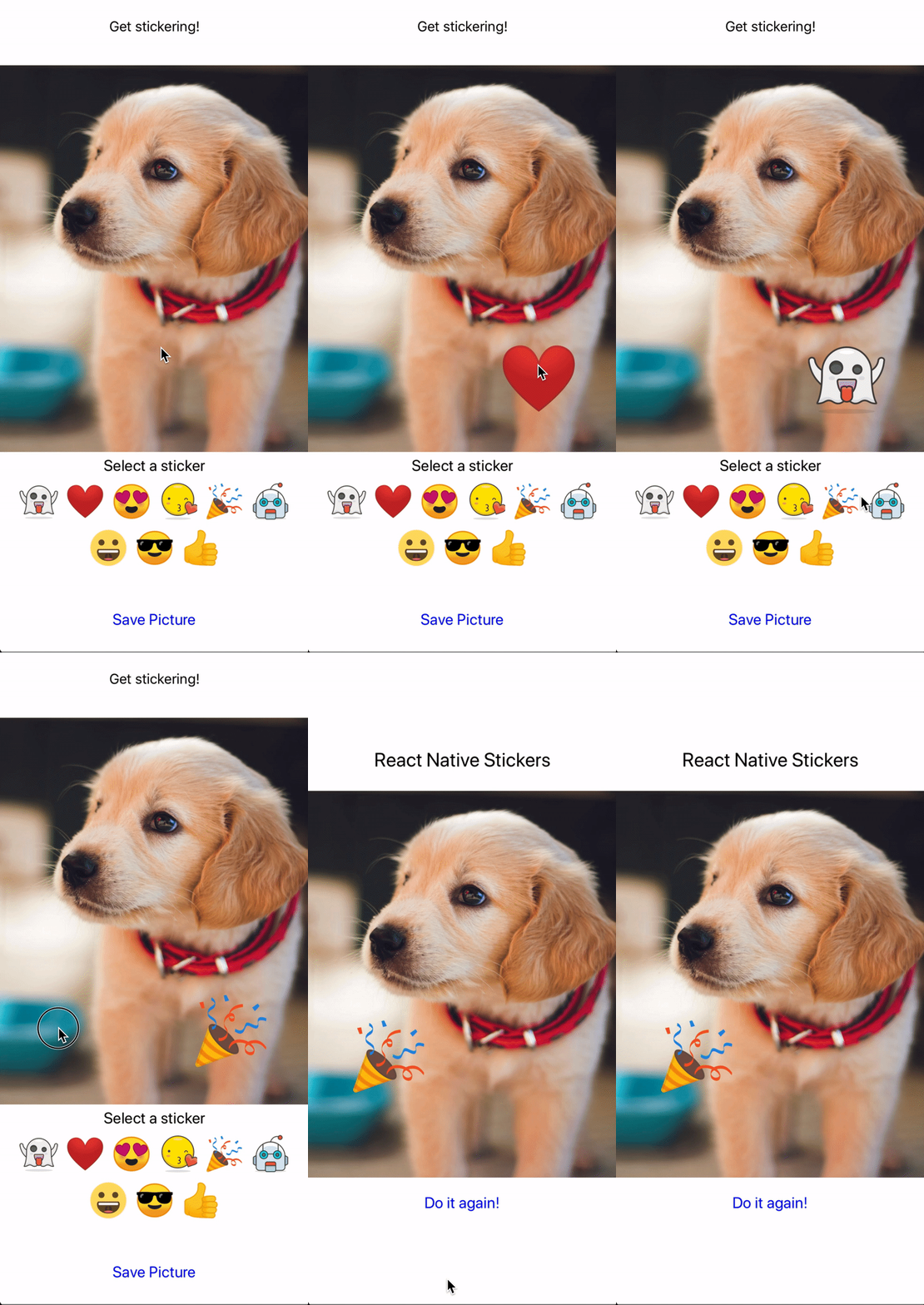
A fully customizable image editing tool that allows the user to add a sticker, and output an updated image.
## Install
Install via npm:
```sh
npm install react-native-stickers --save
```
## Usage
```js
import { StickerPicker } from 'react-native-stickers';
```
```
Get stickering!}
bottomContainer={Save Picture}
bottomContainerStyle={styles.bottomContainerStyle}
completedEditing={(imageUri, width, height) => this.setState({ pickerVisible: false, finalImage: {imageUri, width, height} })}
includeDefaultStickers={true}
imageStyle={null}
previewImageSize={50}
stickerSize={100}
imageSource={'https://images.unsplash.com/photo-1507146426996-ef05306b995a?ixlib=rb-1.2.1&ixid=eyJhcHBfaWQiOjEyMDd9&auto=format&fit=crop&w=1500&q=80'}
stickers={null}
/>
```
## Props
| Prop | Type | Required | Default | Description |
| ------------------- | ------------- | --------- | ------- | --------------------------------------------------------------------------------------- |
| visible | boolean | Yes | - | Whether the sticker picker modal is visible or not. |
| topContainer | component | Yes | - | The component that renders at the top of the image editor. |
| bottomContainer | component | Yes | - | The component that renders at the top of the image editor. Clicking this component saves the image, and returns it to the completedEditing prop. |
| bottomContainerStyle | style object | No | - | The style of the bottom container |
| completedEditing | callback function | Yes | - | The function called when the user is done editing the image. Receives the final image url, width, and height. |
| includeDefaultStickers | boolean | No | Yes | Whether the default stickers should be included in the image editor or not. |
| imageStyle | style object | No | - | The style of the sticker. |
| previewImageSize | number | Yes | - | The size of the preview images, in pt. |
| stickerSize | number | Yes | - | The size of the selected sticker. |
| imageSource | url | Yes | - | The url of the image to edit. |
| stickers | array | No | - | An array of image objects to render as possible stickers. |
## Contributions/Suggestions
Feel free to add issues and PRs. As with any project, there are things to improve!
## Author / Share Rights
Dave Barner (dbarner@gmail.com); Code is free for all to use. <3