# react-native-simple-select-button
[](https://www.npmjs.com/package/react-native-simple-select-button) [](https://www.npmjs.com/package/react-native-simple-select-button) [](https://expo.io/)
A dead simple slightly customizable react native select button I created while learning react native basics.
This module was created during the confinement period and the goal was to make it work ;)
Try out the demo on [Expo Snack](https://snack.expo.io/@aboliga7/github.com-ebaneck-react-native-simple-select-button:example)
## Usage
### Simple select button component
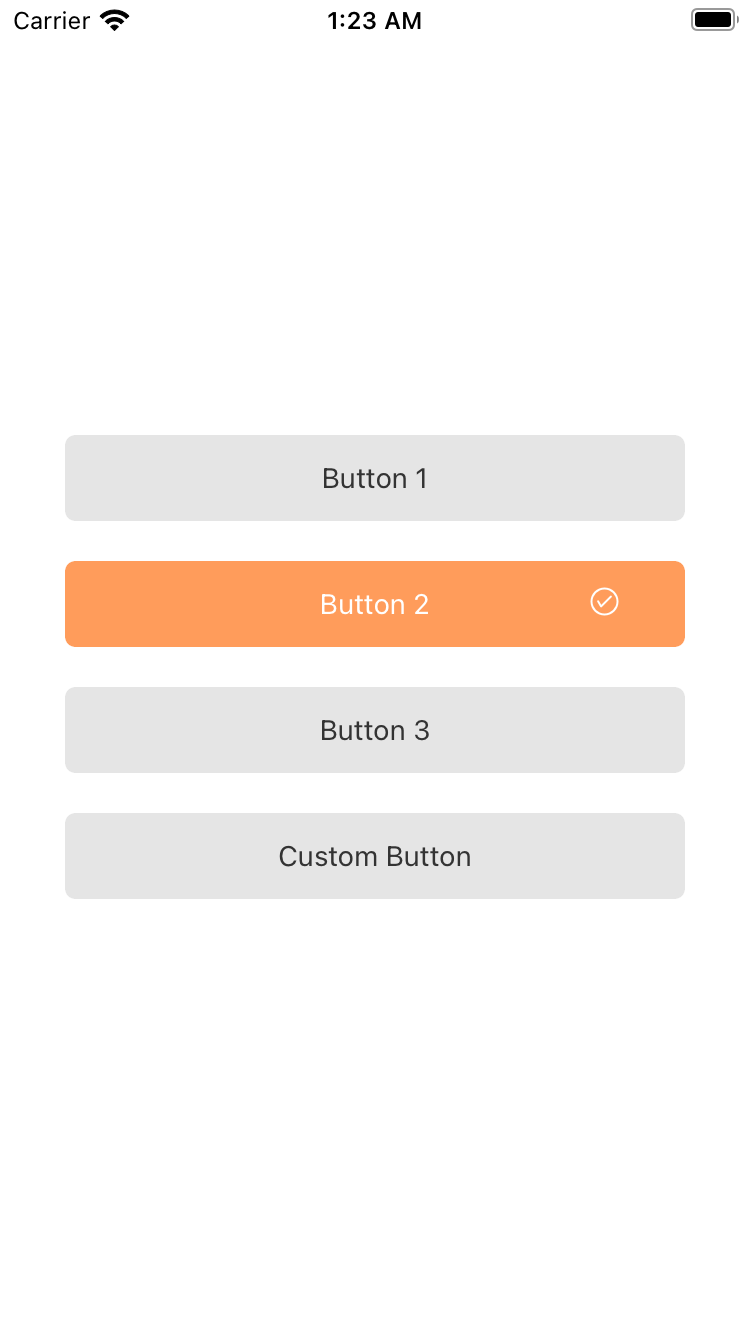 ## Basic Usage
```js
import { AntDesign } from '@expo/vector-icons'
import SimpleSelectButton from 'react-native-simple-select-button';
{}}
/>
```
## Install
```bash
# install module
yarn add react-native-simple-select-button
```
## Peer dependencies
Important! You need to install them
```bash
"react-native-vector-icons": ">= 7.1.0",
```
## Contribution
PR is welcome!
### Todo: Add test
## Basic Usage
```js
import { AntDesign } from '@expo/vector-icons'
import SimpleSelectButton from 'react-native-simple-select-button';
{}}
/>
```
## Install
```bash
# install module
yarn add react-native-simple-select-button
```
## Peer dependencies
Important! You need to install them
```bash
"react-native-vector-icons": ">= 7.1.0",
```
## Contribution
PR is welcome!
### Todo: Add test