## RefreshFlatList
[](https://www.npmjs.com/package/react-native-refreshflatlist)
[](https://www.npmjs.com/package/react-native-refreshflatlist)
[](https://www.npmjs.com/package/react-native-refreshflatlist)
> A simple support ios and android platform custom header refresh components(RN >= 0.43)
```
npm i react-native-refreshflatlist --save
react-native link react-native-refreshflatlist
```
### Preview
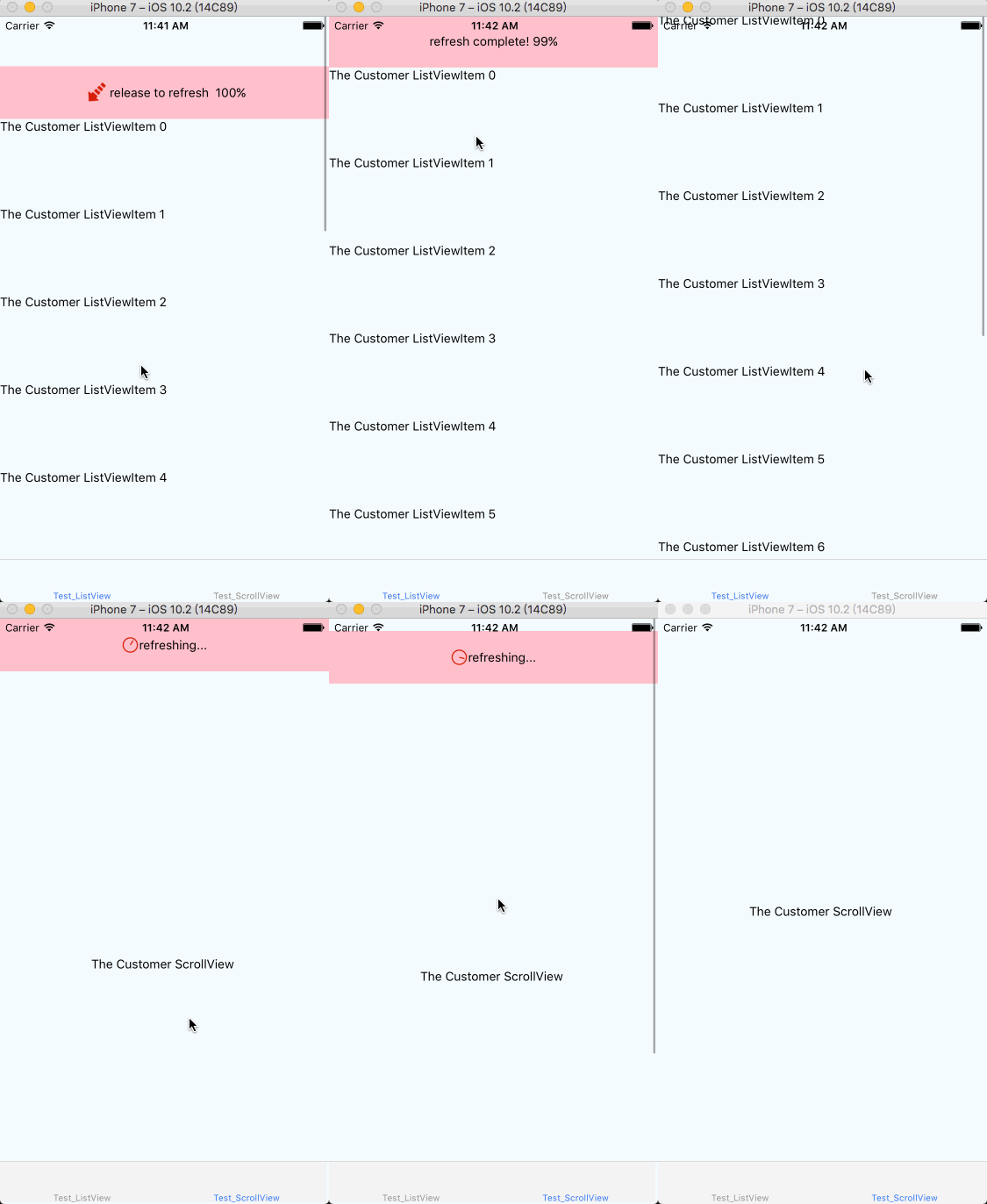
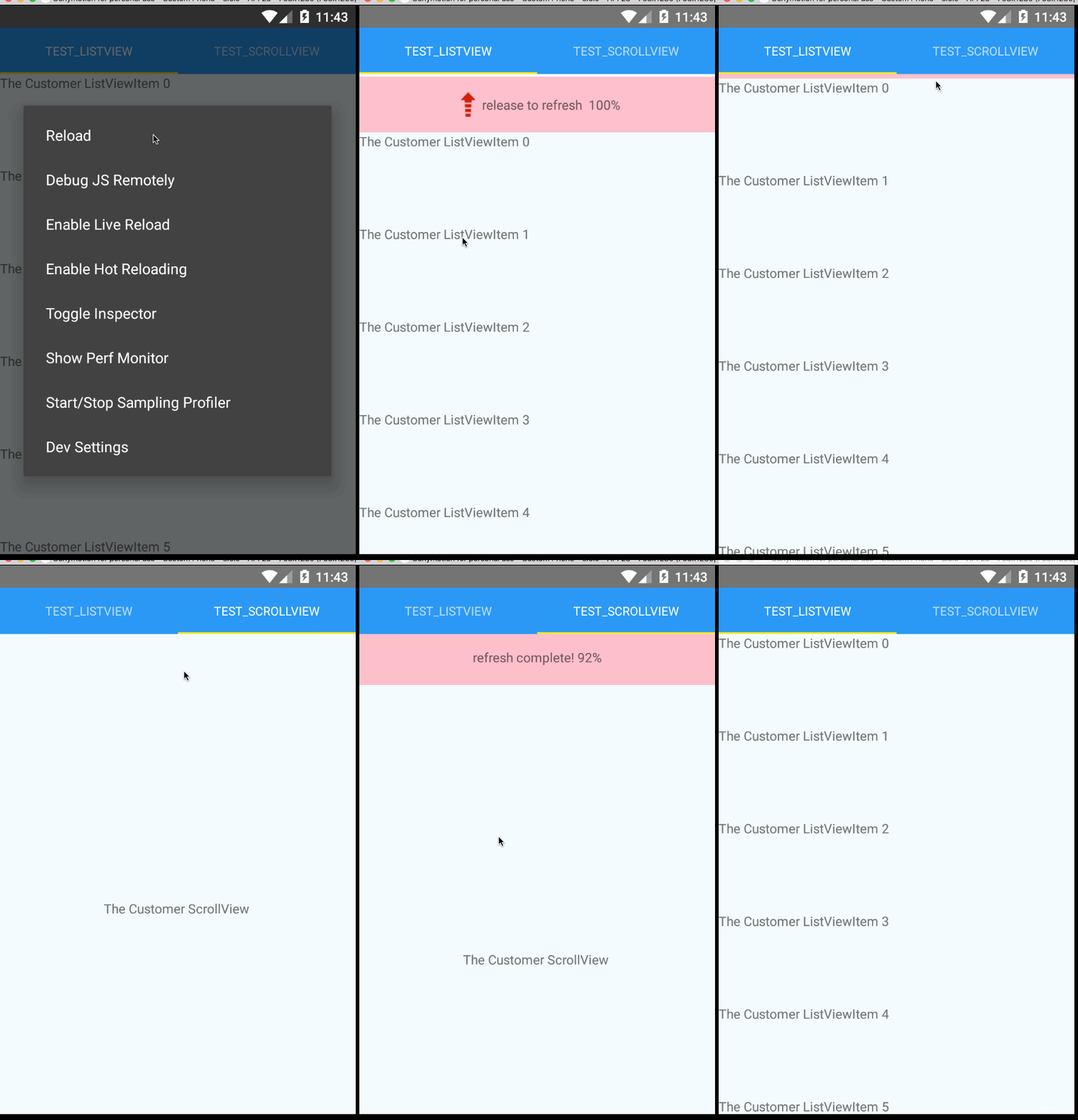
* ScreenShot
 * ViewType
```
// ScrollView
_renderItem = (isTriggerPressFn) => {
return (
{'Customer ScrollView'}
)
}
// ListView
_renderItem = (isTriggerPressFn, data) => {
return (
{'Customer ListVeiw' + item.title}
)
}
```
### Demo
```
git clone https://github.com/naivehhr/react-native-refreshflatlist.git
cd react-native-refreshflatlist/example && npm install
```
### Usage
```
export default class FlatListTest extends Component {
constructor() {
super()
this.state = {
headerHeight: 100,
refreshing: false,
_data: [],
footerMsg: ''
}
}
componentDidMount() {
this.setState({_data: [1,2,3,4]})
}
_onRefreshFun = () => {
this.setState({refreshing: true})
setTimeout(() => {
this.setState({refreshing: false})
},2000)
}
onPress(isTriggerPressFn) {
// 仅需在Android设置
if (isTriggerPressFn()) {
Alert.alert('onPress')
}
}
_renderItem = (isTriggerPressFn, data) => {
return (
{'The Customer ListView'}
)
}
/**
* refreshState: 0: pullToRefresh; 1: releaseToRefresh; 2: refreshing; 3: refreshdown
* percent:
*/
_customerHeader = (refreshState, percent) => {
const { headerHeight, msg } = this.state
switch (refreshState) {
case RefreshState.pullToRefresh:
return (
{ 'pull to refresh' + percent }
)
case RefreshState.releaseToRefresh:
return (talk
{ 'release to refresh' + percent }
)
case RefreshState.refreshing:
return (
{ 'refreshing....' + percent }
)
case RefreshState.refreshdown:
return (
{ 'refresh complete' }
)
default:
return (
{ percent }
)
}
}
_listFooterComponent = () => {
return (
{ this.state.footerMsg }
)
}
_onEndReached = () => {
}
render() {
return (
);
}
}
```
### Props
* * *
| Prop | Type | Optional | Default | Description | Platform |
| -------- | ----- | ---- | ----- | ---- | ---- |
| ...ListView.propTypes | | | | [doc](http://facebook.github.io/react-native/docs/flatlist.html) | |
| customRefreshView | func | Yes | DefaultView | 自定义头部组件 | all |
| onRefreshFun | func | Yes | DefaultTestFun | 触发刷新调用的方法 | all |
| onEndReached | func | Yes | DefaultTestFun | 触发加载调用的方法 | all |
| isTriggerPressFn | func | Yes | return true | 列表滑动中,判断是否应响应触摸点的点击事件(button的onPress事件);只有回到原点才会触发 | android |
| isRefreshing | boolean | | false | | all |
| viewType | object | Yes | ScrollView | ScrollView, ListView| all |
> 注: 本组件Android手势模块基于 [react-native-smart-pull-to-refresh-listview](https://github.com/react-native-component/react-native-smart-pull-to-refresh-listview/)
## 更新日志
2017/06/23
* 升级RN至0.45.1
* 集成React Navigation
* 更改ScrollView为FlatList实现
* 更新example
2017/06/30
* 代码结构
* 优化性能
* ScrollView下刷新 => render整个页面
2017/07/3
* 更改android手势触发逻辑
2017/12/27
* 修复一些情况下Android平台滑动列表时触发子元素点击事件的问题
## 问题
* 切换页面时同样会触发使用本组件的页面render
* ViewType
```
// ScrollView
_renderItem = (isTriggerPressFn) => {
return (
{'Customer ScrollView'}
)
}
// ListView
_renderItem = (isTriggerPressFn, data) => {
return (
{'Customer ListVeiw' + item.title}
)
}
```
### Demo
```
git clone https://github.com/naivehhr/react-native-refreshflatlist.git
cd react-native-refreshflatlist/example && npm install
```
### Usage
```
export default class FlatListTest extends Component {
constructor() {
super()
this.state = {
headerHeight: 100,
refreshing: false,
_data: [],
footerMsg: ''
}
}
componentDidMount() {
this.setState({_data: [1,2,3,4]})
}
_onRefreshFun = () => {
this.setState({refreshing: true})
setTimeout(() => {
this.setState({refreshing: false})
},2000)
}
onPress(isTriggerPressFn) {
// 仅需在Android设置
if (isTriggerPressFn()) {
Alert.alert('onPress')
}
}
_renderItem = (isTriggerPressFn, data) => {
return (
{'The Customer ListView'}
)
}
/**
* refreshState: 0: pullToRefresh; 1: releaseToRefresh; 2: refreshing; 3: refreshdown
* percent:
*/
_customerHeader = (refreshState, percent) => {
const { headerHeight, msg } = this.state
switch (refreshState) {
case RefreshState.pullToRefresh:
return (
{ 'pull to refresh' + percent }
)
case RefreshState.releaseToRefresh:
return (talk
{ 'release to refresh' + percent }
)
case RefreshState.refreshing:
return (
{ 'refreshing....' + percent }
)
case RefreshState.refreshdown:
return (
{ 'refresh complete' }
)
default:
return (
{ percent }
)
}
}
_listFooterComponent = () => {
return (
{ this.state.footerMsg }
)
}
_onEndReached = () => {
}
render() {
return (
);
}
}
```
### Props
* * *
| Prop | Type | Optional | Default | Description | Platform |
| -------- | ----- | ---- | ----- | ---- | ---- |
| ...ListView.propTypes | | | | [doc](http://facebook.github.io/react-native/docs/flatlist.html) | |
| customRefreshView | func | Yes | DefaultView | 自定义头部组件 | all |
| onRefreshFun | func | Yes | DefaultTestFun | 触发刷新调用的方法 | all |
| onEndReached | func | Yes | DefaultTestFun | 触发加载调用的方法 | all |
| isTriggerPressFn | func | Yes | return true | 列表滑动中,判断是否应响应触摸点的点击事件(button的onPress事件);只有回到原点才会触发 | android |
| isRefreshing | boolean | | false | | all |
| viewType | object | Yes | ScrollView | ScrollView, ListView| all |
> 注: 本组件Android手势模块基于 [react-native-smart-pull-to-refresh-listview](https://github.com/react-native-component/react-native-smart-pull-to-refresh-listview/)
## 更新日志
2017/06/23
* 升级RN至0.45.1
* 集成React Navigation
* 更改ScrollView为FlatList实现
* 更新example
2017/06/30
* 代码结构
* 优化性能
* ScrollView下刷新 => render整个页面
2017/07/3
* 更改android手势触发逻辑
2017/12/27
* 修复一些情况下Android平台滑动列表时触发子元素点击事件的问题
## 问题
* 切换页面时同样会触发使用本组件的页面render