# react-native-password-strength-meter [](https://badge.fury.io/js/react-native-password-strength-meter) [](https://npm-stat.com/charts.html?package=react-native-password-strength-meter&from=2018-02-17&to=2018-12-28)
A highly customisable password strength meter implementation with minimal dependencies.
## Show Cases
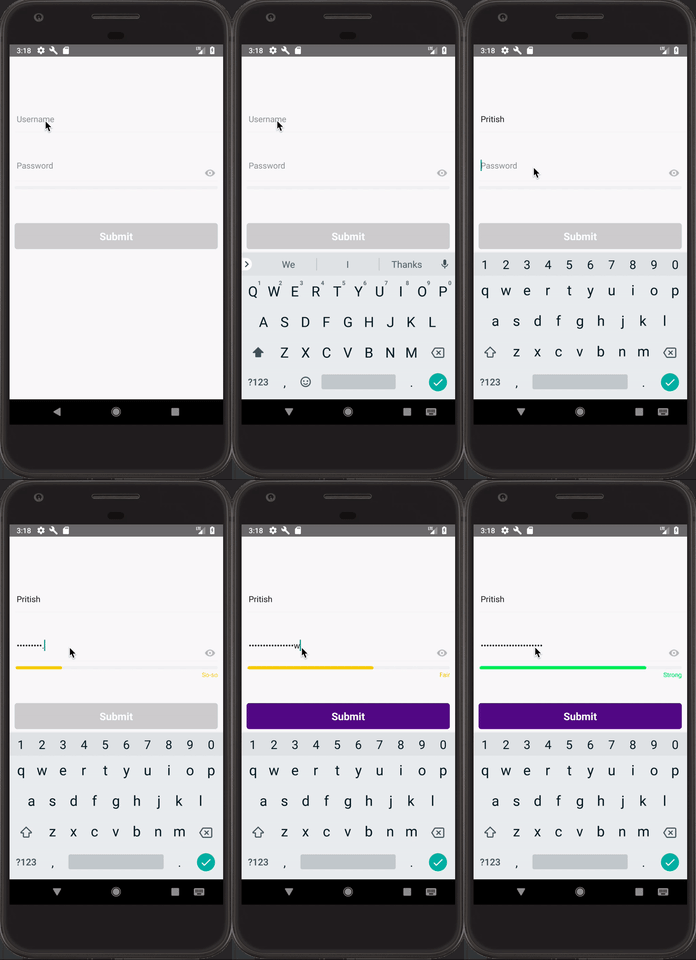
### Type Bar
IOS | Android
:-------------------------:|:-------------------------:
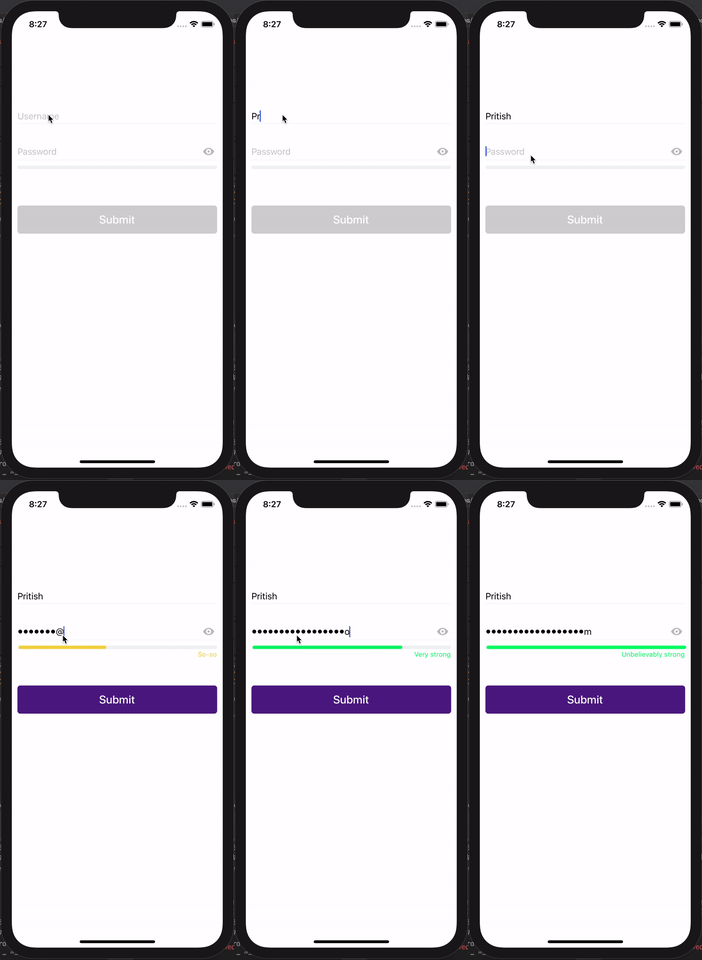 | 
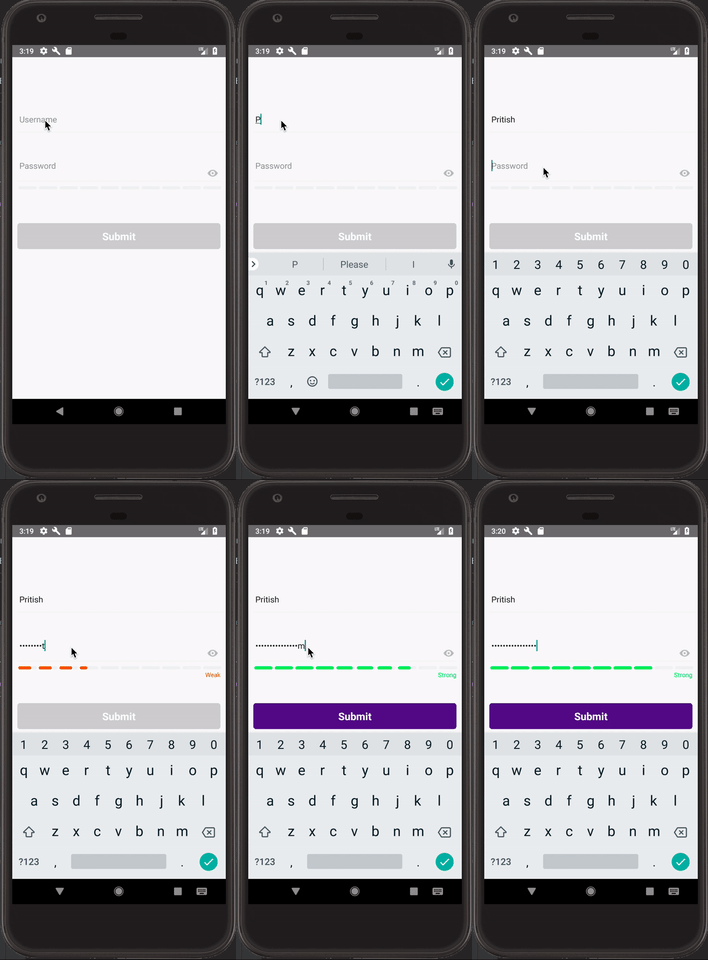
### Type Box
IOS | Android
:-------------------------:|:-------------------------:
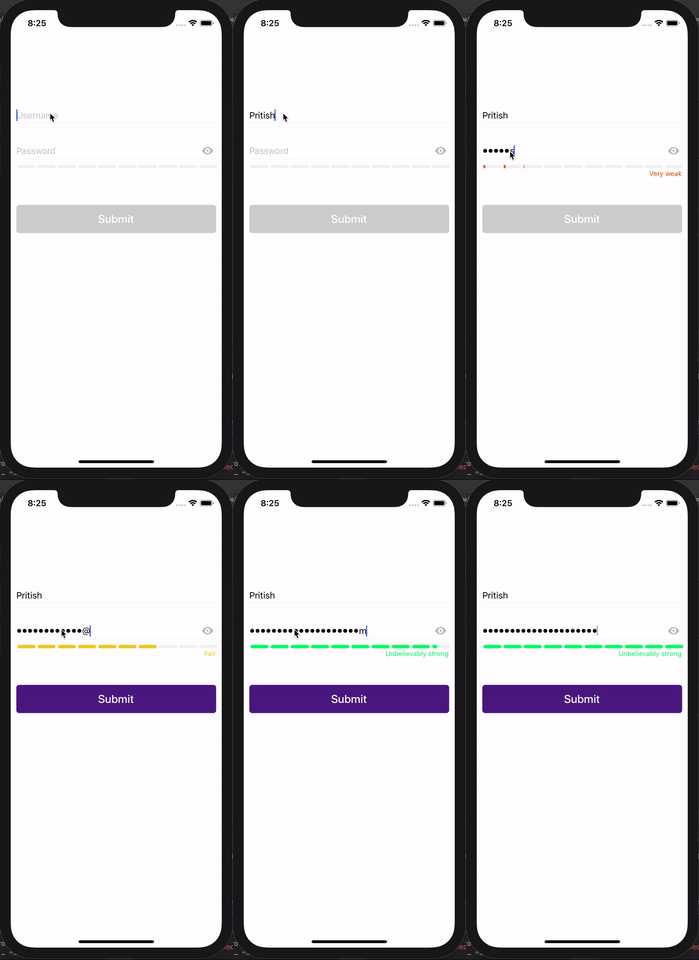 | 
### Type Circle
IOS |
:-------------------------:|
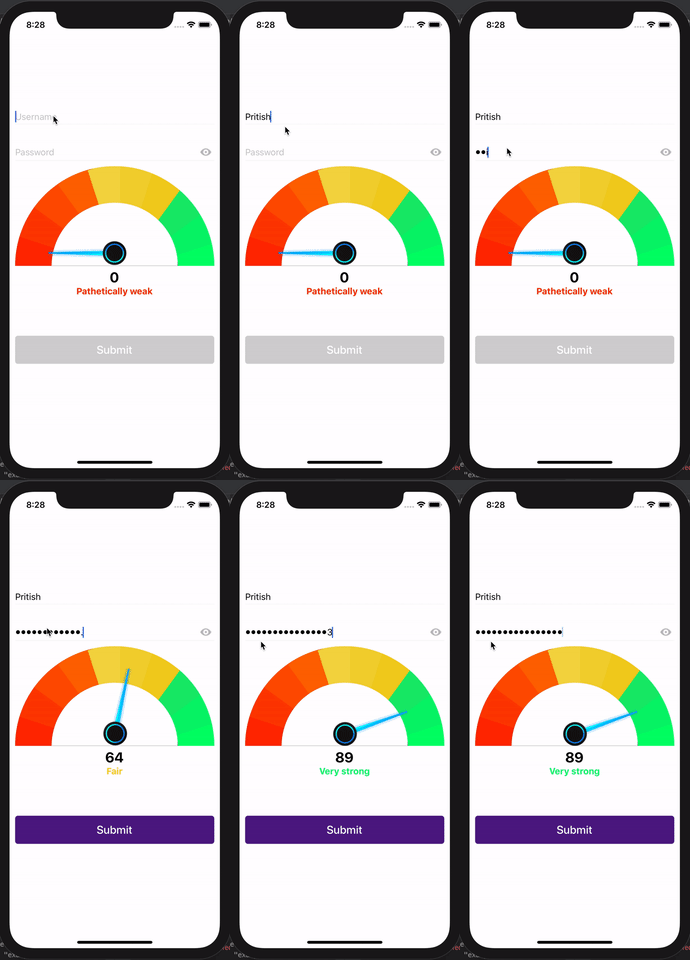 |
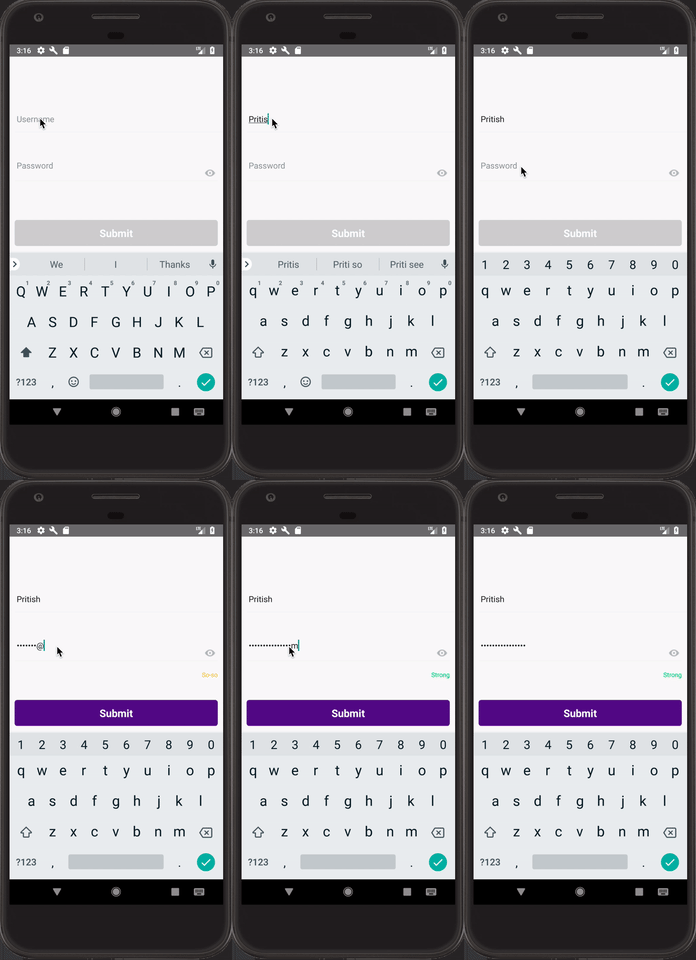
### Type Text
IOS | Android
:-------------------------:|:-------------------------:
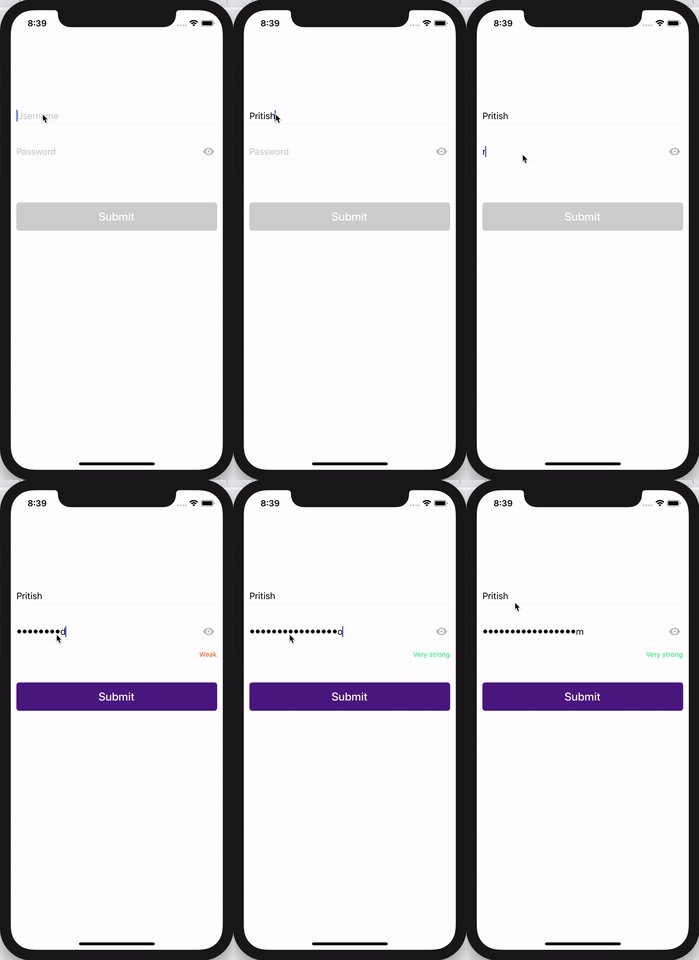 | 
## Getting Started
- [Installation](#installation)
- [Basic Usage](#basic-usage)
- [Password Input Usage](#password-input-usage)
- [Component Usage](#component-usage)
- [Properties](#properties)
- [Password Input Props](#password-input-props)
- [Bar Component Props](#bar-component-props)
- [Box Component Props](#box-component-props)
- [Circle Component Props](#circle-component-props)
- [Text Component Props](#text-component-props)
- [Defaults](#defaults)
- [Password Score Algorithm](#password-score-algorithm)
- [Contribution](#contribution)
- [Questions](#questions)
### Installation
```bash
$ npm i react-native-password-strength-meter --save
```
### Basic Usage
#### Password Input Usage
```
import React, { Component } from 'react';
import {
View,
StyleSheet,
TextInput
} from 'react-native';
import RNPasswordStrengthMeter from 'react-native-password-strength-meter';
export default class PasswordInput extends Component {
onChange = (password, score, { label, labelColor, activeBarColor }) => {
console.log(password, score, { label, labelColor, activeBarColor });
}
render() {
return (
);
}
}
```
#### Component Usage
```
import React, { Component } from 'react';
import {
View,
StyleSheet,
TextInput
} from 'react-native';
import { BarPasswordStrengthDisplay } from 'react-native-password-strength-meter';
export default class BarComponent extends Component {
state = {
password: '',
}
onChange = password => this.setState({ password })
render() {
const { password } = this.state;
return (
);
}
}
```
### Properties
#### Password Input Props
| Prop | Default | Type | Description |
| :------------ |---------------:| :---------------| :-----|
| onChangeText | required | func | Callback to Return Input text changes `(password, score, { label, labelColor, activeBarColor }) => {}` |
| defaultPassword | "" | string | Default Password Value |
| containerWrapperStyle | {} | object | Container wrapper style |
| imageWrapperStyle | {} | object | Eye Image wrapper style |
| imageStyle | {}| object | Eye Image style |
| inputWrapperStyle | {} | object | Text Input wrapper style |
| inputStyle | {} | object | Text Input style |
| placeholderStyle | {} | object | Text Input placeholder style |
| meterType | `bar` | enum | Meter Type. Can be `bar`, `box`, `circle`, `text` |
| inputProps | [Defaults](#defaults) | object | React Native's TextInput Props |
| passwordProps | [Defaults](#defaults) | object | Password Component Props |
#### Bar Component Props
| Prop | Default | Type | Description |
| :------------ |---------------:| :---------------| :-----|
| password | required | string | Password Value |
| touched | "" | bool | Field Touched |
| scoreLimit | 100 | number | Password Score's maximum value |
| variations | [Defaults](#defaults) | object | Different validations in regex to calculate password score |
| minLength | 5 | number | Minimum length of the password to validate |
| labelVisible | true | bool | Label Visible |
| levels | [Defaults](#defaults) | array | Different Levels to calculate password score |
| wrapperStyle | {} | object | Wrapper style |
| barContainerStyle | {} | object | Bar Container style |
| barStyle | {} | object | Bar style |
| labelStyle | {} | object | Label style |
| barColor | #f1f3f4 | string | Bar background color |
| width | deviceWidth - 20 | number | Width of bar |
#### Box Component Props
| Prop | Default | Type | Description |
| :------------ |---------------:| :---------------| :-----|
| password | required | string | Password Value |
| touched | "" | bool | Field Touched |
| scoreLimit | 100 | number | Password Score's maximum value |
| variations | [Defaults](#defaults) | object | Different validations in regex to calculate password score |
| minLength | 5 | number | Minimum length of the password to validate |
| labelVisible | true | bool | Label Visible |
| levels | [Defaults](#defaults) | array | Different Levels to calculate password score |
| wrapperStyle | {} | object | Wrapper style |
| boxContainerStyle | {} | object | Box Container style |
| boxStyle | {} | object | Box style |
| labelStyle | {} | object | Label style |
| boxColor | #f1f3f4 | string | Box background color |
| width | deviceWidth - 20 | number | Width of box container which will be split based on the levels |
| boxSpacing | 2 | number | Spacing in between the boxes |
#### Circular Component Props
| Prop | Default | Type | Description |
| :------------ |---------------:| :---------------| :-----|
| password | required | string | Password Value |
| labelVisible | true | bool | Label Visible |
| minLength | 5 | number | Minimum length of the password to validate |
| scoreLimit | 100 | number | Password Score's maximum value |
| easeDuration | 500 | number | Ease Duration of the meter needle |
| variations | [Defaults](#defaults) | object | Different validations in regex to calculate password score |
| levels | [Defaults](#defaults) | array | Different Levels to calculate password score |
| wrapperStyle | {} | object | Wrapper style |
| outerCircleStyle | {} | object | Outer circle style |
| imageWrapperStyle | {} | object | Image wrapper style |
| imageStyle | {} | object | Image style |
| innerCircleStyle | {} | object | Inner circle style |
| labelWrapperStyle | {} | object | Label wrapper style |
| labelStyle | {} | object | Label style |
| labelNoteStyle | {} | object | Label note style |
| needleImage | [Defaults](#defaults) | string | Absolute path to the needle image |
#### Text Component Props
| Prop | Default | Type | Description |
| :------------ |---------------:| :---------------| :-----|
| password | required | string | Password Value |
| touched | "" | bool | Field Touched |
| scoreLimit | 100 | number | Password Score's maximum value |
| variations | [Defaults](#defaults) | object | Different validations in regex to calculate password score |
| minLength | 5 | number | Minimum length of the password to validate |
| labelVisible | true | bool | Label Visible |
| levels | [Defaults](#defaults) | array | Different Levels to calculate password score |
| wrapperStyle | {} | object | Wrapper style |
| labelStyle | {} | object | Label style |
### Defaults
```
defaultPassword: '',
containerWrapperStyle: {},
imageWrapperStyle: {},
imageStyle: {},
inputWrapperStyle: {},
inputStyle: {},
placeholderStyle: {},
meterType: 'bar',
inputProps: {
placeholder: 'Password',
secureTextEntry: true,
},
passwordProps: {
touched: false,
scoreLimit: 100,
variations: {
digits: /\d/,
lower: /[a-z]/,
upper: /[A-Z]/,
nonWords: /\W/,
},
minLength: 5,
labelVisible: true,
levels: [
{
label: 'Pathetically weak',
labelColor: '#ff2900',
activeBarColor: '#ff2900',
},
{
label: 'Extremely weak',
labelColor: '#ff3e00',
activeBarColor: '#ff3e00',
},
{
label: 'Very weak',
labelColor: '#ff5400',
activeBarColor: '#ff5400',
},
{
label: 'Weak',
labelColor: '#ff6900',
activeBarColor: '#ff6900',
},
{
label: 'So-so',
labelColor: '#f4d744',
activeBarColor: '#f4d744',
},
{
label: 'Average',
labelColor: '#f3d331',
activeBarColor: '#f3d331',
},
{
label: 'Fair',
labelColor: '#f2cf1f',
activeBarColor: '#f2cf1f',
},
{
label: 'Strong',
labelColor: '#14eb6e',
activeBarColor: '#14eb6e',
},
{
label: 'Very strong',
labelColor: '#0af56d',
activeBarColor: '#0af56d',
},
{
label: 'Unbelievably strong',
labelColor: '#00ff6b',
activeBarColor: '#00ff6b',
},
],
wrapperStyle: {},
labelStyle: {},
width: deviceWidth - 20,
// Bar
barContainerStyle: {},
barStyle: {},
barColor: '#f1f3f4',
// Box
boxContainerStyle: {},
boxStyle: {},
boxColor: '#f1f3f4',
boxSpacing: 2,
// Circle
outerCircleStyle: {},
imageWrapperStyle: {},
imageStyle: {},
innerCircleStyle: {},
labelWrapperStyle: {},
labelNoteStyle: {},
}
```
## Password Score Algorithm
The Password Score calculator is based on this amazing [Stackoverflow Post](https://stackoverflow.com/a/11268104/6606831) authored by [@tm_lv](https://stackoverflow.com/users/46617/tm-lv).
## Contribution
- [@pritishvaidya](mailto:pritishvaidya94@gmail.com) The main author.
## Questions
Feel free to [contact me](mailto:pritishvaidya94@gmail.co) or [create an issue](https://github.com/pritishvaidya/react-native-speedometer/issues/new)