# React Native Material UI (iOS and Android supported)
**Highly customizable material design components for React Native!**
[](https://www.npmjs.com/package/react-native-mui)
[](https://codecov.io/gh/kodefox/react-native-mui)
[](https://img.shields.io/npm/dm/react-native-mui.svg)
[](https://github.com/kodefox/react-native-mui/issues)
[](https://david-dm.org/kodefox/react-native-mui.svg)
[](https://raw.githubusercontent.com/kodefox/react-native-mui/master/LICENSE)
# Getting Started
```bash
$ npm i react-native-mui --save
```
## Setting of vector icons
You can see [this repo](https://github.com/oblador/react-native-vector-icons) for much more information.
### React Native Link (recommended)
> Make sure you have atleast v0.31.0 react-native version.
```bash
$ react-native link react-native-vector-icons
```
### Manual Installation
#### Android (see [original](https://github.com/oblador/react-native-vector-icons#android))
Copy the `MaterialIcons` font file from [react-native-vector-icons](https://github.com/oblador/react-native-vector-icons#android) to your local working directory:
`./node_modules/react-native-vector-icons/Fonts/MaterialIcons.ttf` -> `./android/app/src/main/assets/fonts`.
#### iOS (see [original](https://github.com/oblador/react-native-vector-icons#ios))
## Adding Roboto Font
This project uses Roboto as the main font for text. Make sure to add Roboto to your project, as it will give the following error on iOS.
`Unrecognized font family Roboto`.
You can obtain Roboto free from [here](https://fonts.google.com/specimen/Roboto).
Here is a great tutorial which shows [how to add custom fonts](https://medium.com/@danielskripnik/how-to-add-and-remove-custom-fonts-in-react-native-b2830084b0e4).
# Usage
To achieve the level of customizability, React Native Material UI is using a single JS object called uiTheme that is passed in via context. By default, this uiTheme object is based on the lightTheme that you can find [here](https://github.com/kodefox/react-native-mui/blob/master/src/styles/themes/light.js). So, you can change almost everything very easily.
The uiTheme object contains the following keys:
spacing: {} // can be used to change the spacing of components.
fontFamily: {} // can be used to change the default font family.
palette: { // can be used to change the color of components.
primaryColor: blue500,
accentColor: red500,
...
}
typography: {} // can be used to change the typography of components
// you can change style of every each component
avatar: {}
button: {}
toolbar: {}
...
```js
import React, { Component } from 'react';
import { Navigator, NativeModules } from 'react-native';
import { COLOR, ThemeProvider } from '../react-native-mui';
// you can set your style right here, it'll be propagated to application
const uiTheme = {
palette: {
primaryColor: COLOR.green500,
},
toolbar: {
container: {
height: 50,
},
},
};
class Main extends Component {
render() {
return (
);
}
}
```
**It means, if you want to change primary color of your application for example. You can just pass to ThemeProvider object with your own settings.** Your settings will be merged with default theme.
## What else?
Another great feature is, you can use the `uiTheme` everywhere. Even in your own components. So if you built your own implementation of `Button` for example, look how you can get the primary color.
```js
import ...
const contextTypes = {
uiTheme: PropTypes.object.isRequired,
};
class MyButton extends Component {
render() {
// it's really easy to get primary color everywhere in your app
const { primaryColor } = this.context.uiTheme.palette;
return ...
}
}
export ...
```
## Local changes
Of course, sometimes we need to change style of only one component. It means, all `buttons` have red background, but facebook login button that should have blue background. Every each component have `style` property. So you can very easily override whatever you want.
```js
```
# Animations are included
Note: You have to allow the animations for Android ([see React Native's documentation](http://facebook.github.io/react-native/releases/0.33/docs/animations.html#layoutanimation))
```js
UIManager.setLayoutAnimationEnabledExperimental &&
UIManager.setLayoutAnimationEnabledExperimental(true);
```
# Themes are supported
# Toolbar with search feature
# Examples
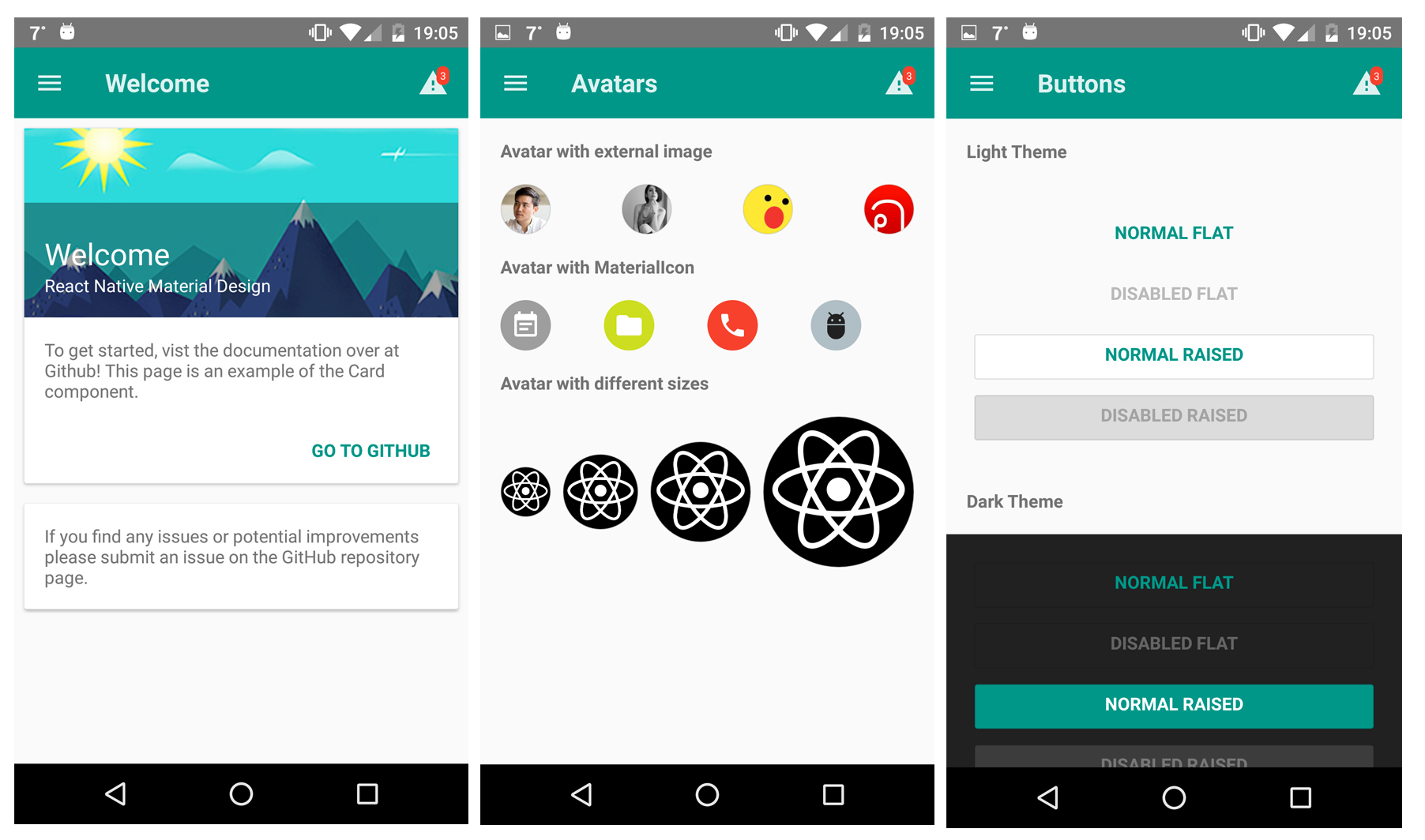
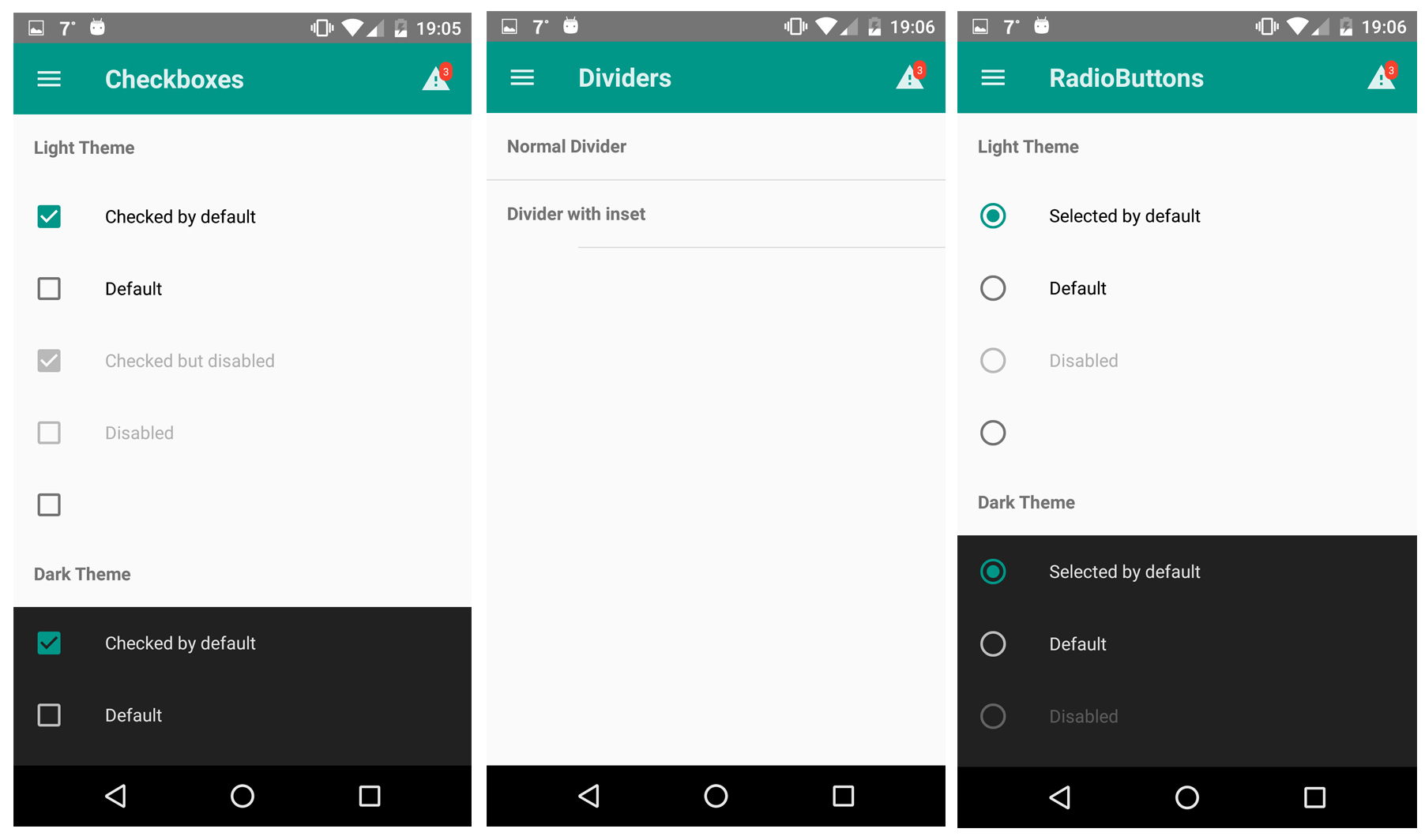
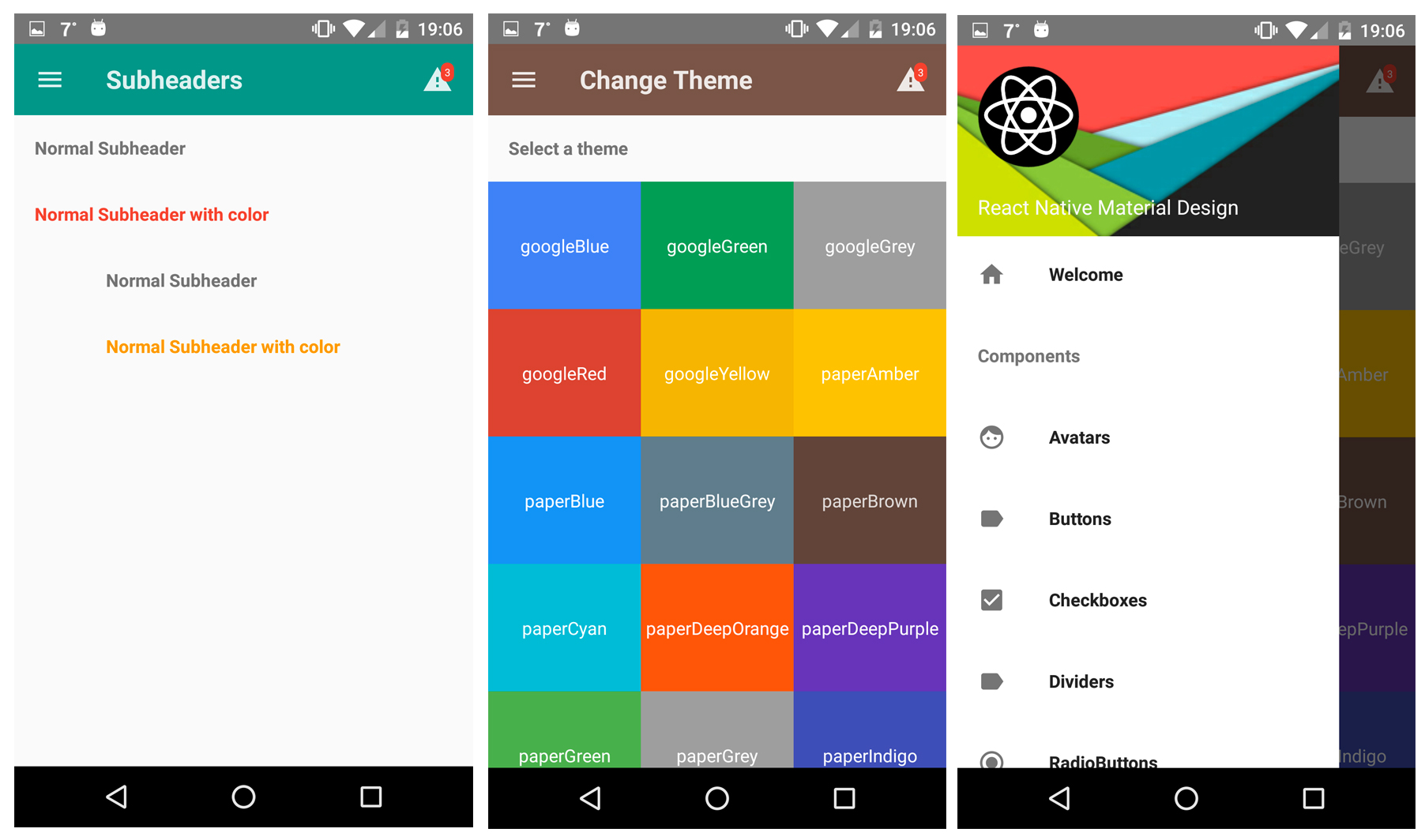
You can try our [Demo App](https://github.com/kodefox/react-native-mui-demo-app)!
# Components
Here is a list of all component included in this library. (I'm working on documentation for every each component. Be patient please :))
- [Action Button](https://github.com/kodefox/react-native-mui/blob/master/docs/ActionButton.md)
- [Avatar](https://github.com/kodefox/react-native-mui/blob/master/docs/Avatar.md)
- [Badge](https://github.com/kodefox/react-native-mui/blob/master/docs/Badge.md)
- [Bottom Navigation](https://github.com/kodefox/react-native-mui/blob/master/docs/BottomNavigation.md)
- [Button](https://github.com/kodefox/react-native-mui/blob/master/docs/Button.md)
- [Card](https://github.com/kodefox/react-native-mui/blob/master/docs/Card.md)
- Checkbox
- [Dialog](https://github.com/kodefox/react-native-mui/blob/master/docs/Dialog.md)
- Divider
- Drawer
- Icon
- Icon toggles
- List item
- Radio button
- Subheader
- [Toolbar](https://github.com/kodefox/react-native-mui/blob/master/docs/Toolbar.md)


 Note: You have to allow the animations for Android ([see React Native's documentation](http://facebook.github.io/react-native/releases/0.33/docs/animations.html#layoutanimation))
```js
UIManager.setLayoutAnimationEnabledExperimental &&
UIManager.setLayoutAnimationEnabledExperimental(true);
```
# Themes are supported
Note: You have to allow the animations for Android ([see React Native's documentation](http://facebook.github.io/react-native/releases/0.33/docs/animations.html#layoutanimation))
```js
UIManager.setLayoutAnimationEnabledExperimental &&
UIManager.setLayoutAnimationEnabledExperimental(true);
```
# Themes are supported


 # Toolbar with search feature
 # Examples
You can try our [Demo App](https://github.com/kodefox/react-native-mui-demo-app)!
# Examples
You can try our [Demo App](https://github.com/kodefox/react-native-mui-demo-app)!


 


# Components
Here is a list of all component included in this library. (I'm working on documentation for every each component. Be patient please :))
- [Action Button](https://github.com/kodefox/react-native-mui/blob/master/docs/ActionButton.md)
- [Avatar](https://github.com/kodefox/react-native-mui/blob/master/docs/Avatar.md)
- [Badge](https://github.com/kodefox/react-native-mui/blob/master/docs/Badge.md)
- [Bottom Navigation](https://github.com/kodefox/react-native-mui/blob/master/docs/BottomNavigation.md)
- [Button](https://github.com/kodefox/react-native-mui/blob/master/docs/Button.md)
- [Card](https://github.com/kodefox/react-native-mui/blob/master/docs/Card.md)
- Checkbox
- [Dialog](https://github.com/kodefox/react-native-mui/blob/master/docs/Dialog.md)
- Divider
- Drawer
- Icon
- Icon toggles
- List item
- Radio button
- Subheader
- [Toolbar](https://github.com/kodefox/react-native-mui/blob/master/docs/Toolbar.md)



# Components
Here is a list of all component included in this library. (I'm working on documentation for every each component. Be patient please :))
- [Action Button](https://github.com/kodefox/react-native-mui/blob/master/docs/ActionButton.md)
- [Avatar](https://github.com/kodefox/react-native-mui/blob/master/docs/Avatar.md)
- [Badge](https://github.com/kodefox/react-native-mui/blob/master/docs/Badge.md)
- [Bottom Navigation](https://github.com/kodefox/react-native-mui/blob/master/docs/BottomNavigation.md)
- [Button](https://github.com/kodefox/react-native-mui/blob/master/docs/Button.md)
- [Card](https://github.com/kodefox/react-native-mui/blob/master/docs/Card.md)
- Checkbox
- [Dialog](https://github.com/kodefox/react-native-mui/blob/master/docs/Dialog.md)
- Divider
- Drawer
- Icon
- Icon toggles
- List item
- Radio button
- Subheader
- [Toolbar](https://github.com/kodefox/react-native-mui/blob/master/docs/Toolbar.md)