# [Action Button](https://material.google.com/components/buttons-floating-action-button.html)
 ### Usage
```js
...
import { ActionButton } from 'react-native-material-ui';
...
render() {
// default with icon (default icon is +)
// with done icon
}
```
### API
```js
const propTypes = {
/**
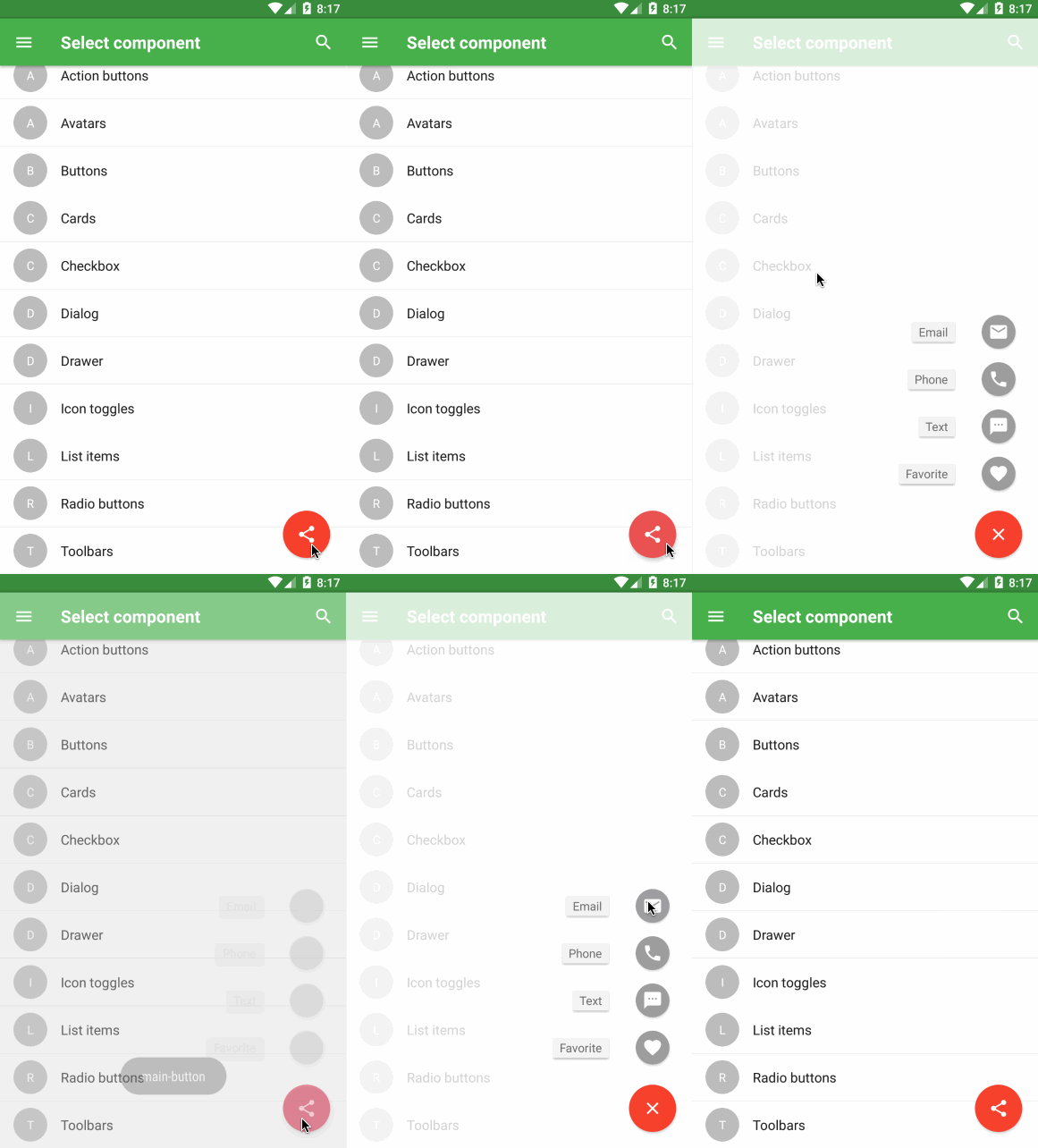
* Array of names of icons (or elements) that will be shown after the main button is pressed
* Remember, you should specify key for each element, if you use array of elements
*/
actions: PropTypes.oneOfType([
PropTypes.arrayOf(PropTypes.string),
PropTypes.arrayOf(PropTypes.element),
PropTypes.arrayOf(PropTypes.shape({
icon: PropTypes.oneOfType([
PropTypes.string,
PropTypes.element,
]),
label: PropTypes.string,
name: PropTypes.string,
})),
]),
/**
* Called when button is pressed. Text is passed as param
*/
onPress: PropTypes.func,
/**
* Called when button is long pressed. Text is passed as param
*/
onLongPress: PropTypes.func,
/**
* Set true if you want to hide action button
*/
hidden: PropTypes.bool,
/**
* If specified it'll be shown before text
*/
icon: PropTypes.string,
/**
* Leave it empty if you don't want any transition after press. Otherwise, it will be transformed
* to another view - depends on transition value.
*/
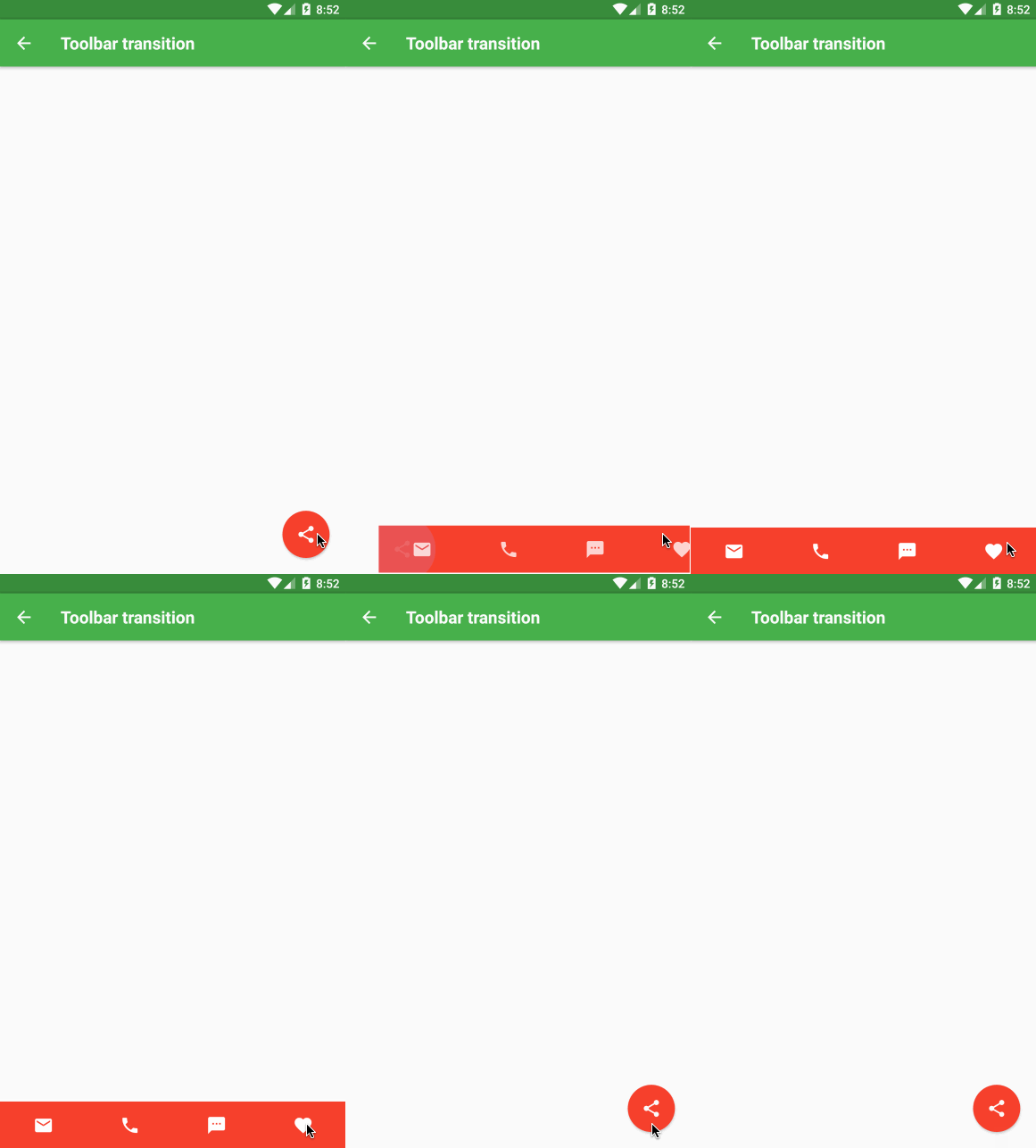
transition: PropTypes.oneOf(['toolbar', 'speedDial']),
/**
* You can overide any style for this button
*/
style: PropTypes.shape({
container: View.propTypes.style,
icon: Text.propTypes.style,
}),
};
```
##### TODO
- [ ] Improve animations
### Usage
```js
...
import { ActionButton } from 'react-native-material-ui';
...
render() {
// default with icon (default icon is +)
// with done icon
}
```
### API
```js
const propTypes = {
/**
* Array of names of icons (or elements) that will be shown after the main button is pressed
* Remember, you should specify key for each element, if you use array of elements
*/
actions: PropTypes.oneOfType([
PropTypes.arrayOf(PropTypes.string),
PropTypes.arrayOf(PropTypes.element),
PropTypes.arrayOf(PropTypes.shape({
icon: PropTypes.oneOfType([
PropTypes.string,
PropTypes.element,
]),
label: PropTypes.string,
name: PropTypes.string,
})),
]),
/**
* Called when button is pressed. Text is passed as param
*/
onPress: PropTypes.func,
/**
* Called when button is long pressed. Text is passed as param
*/
onLongPress: PropTypes.func,
/**
* Set true if you want to hide action button
*/
hidden: PropTypes.bool,
/**
* If specified it'll be shown before text
*/
icon: PropTypes.string,
/**
* Leave it empty if you don't want any transition after press. Otherwise, it will be transformed
* to another view - depends on transition value.
*/
transition: PropTypes.oneOf(['toolbar', 'speedDial']),
/**
* You can overide any style for this button
*/
style: PropTypes.shape({
container: View.propTypes.style,
icon: Text.propTypes.style,
}),
};
```
##### TODO
- [ ] Improve animations