# react-native-kenburns-view




## About
[**Ken Burns effect**](https://en.wikipedia.org/wiki/Ken_Burns_effect)—the slow zoom and pan over still images—for React Native. Drop in a single component, pass an image and size, and get a smooth, cinematic motion that’s great for hero images, galleries, or slideshows.
**Lightweight:** No native code or custom native modules. It uses only React Native’s built-in `Animated` API and core components, so it works with standard RN and Expo and adds minimal bundle size. Each instance uses randomized timing and pan direction so multiple images don’t move in lockstep.
For the **React (web)** version of this effect, see [react-kenburns-view](https://github.com/nHiRanZ/react-kenburns-view).
Version: 5.3.0
## Supported React Native versions
This library uses only React Native’s built-in `Animated` API and core components (`View`, `ImageBackground`). It has **no native code** and no custom native modules.
- **Compatible with:** React Native **0.76+** (and earlier 0.7x / 0.6x in practice).
- **Tested with:** React Native **0.76.x** and **0.83.x** (Expo SDK 52 and 55) on iOS and Android.
If you use Expo, the demo app runs on **Expo SDK 55** (React Native 0.83.2).
## Installation
```bash
$ npm i react-native-kenburns-view --save
```
## Demo
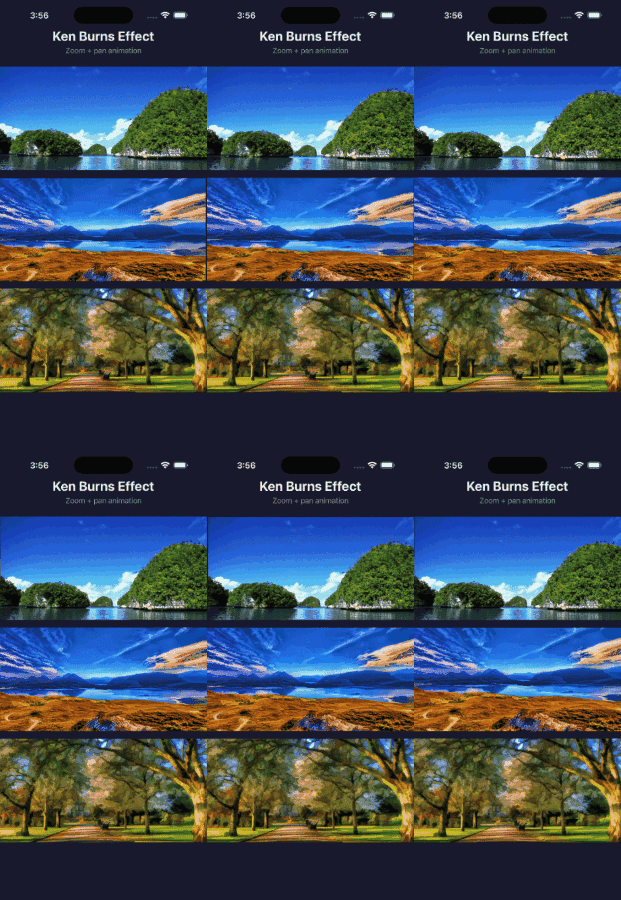
The interactive demo lives in [react-library-demos](https://github.com/nHiRanZ/react-library-demos) under [`react-native-kenburns-view/`](https://github.com/nHiRanZ/react-library-demos/tree/main/react-native-kenburns-view). See that folder's [README](https://github.com/nHiRanZ/react-library-demos/blob/main/react-native-kenburns-view/README.md) for setup (clone both repos as siblings, then `npm install` and `npm run dev`).
## Usage
```jsx
import KenBurnsImage from 'react-native-kenburns-view';
```
## API (props)
| Prop | Description |
|---|---|
| **`imageWidth`** | `number` Image width. |
| **`imageHeight`** | `number` Image height. |
| **`sourceUri`** | `ImageSource` Image source (e.g. `require()` or `{ uri: string }`). |
| **`placeholderSource`** | `ImageSource` Placeholder image source (optional). |
| **`autoStart`** | `boolean` Autostarts the animation. Default: `true`. |
| **`duration`** | `number` Duration (ms) for a full zoom/pan in one direction before reversing. Default: `20000`. |
| **`zoomStart`** | `number` Start zoom factor. Default: `1`. |
| **`zoomEnd`** | `number` End zoom factor. Default: `1.3`. |
| **`panX`** | `number` Horizontal pan amount as a fraction of `imageWidth`. Default: `0.1` (10% each way). |
| **`panY`** | `number` Vertical pan amount as a fraction of `imageHeight`. Default: `0.1` (10% each way). |
## npm
Link: [`react-native-kenburns-view on npm`](https://www.npmjs.com/package/react-native-kenburns-view)
## License
[`ISC`](http://opensource.org/licenses/ISC) License
## Feedback
Website: [nimila.online](https://nimila.online)
Email: nimilahiran@gmail.com
X/Twitter: [@nHiRanZ](https://twitter.com/nHiRanZ)