


<p align="center">
  <img src="https://raw.githubusercontent.com/LukeBrandonFarrell/open-source-images/master/react-native-images-collage/react-native-images-collage.png" width="190" height="190">
  <br />
  <a href="https://www.npmjs.com/package/react-native-images-collage" rel="nofollow">
    <img src="https://img.shields.io/npm/v/react-native-images-collage.svg?style=flat-square" alt="version" style="max-width:100%;" />
  </a>
  <a href="https://www.npmjs.com/package/react-native-images-collage" rel="nofollow">
    <img src="http://img.shields.io/npm/l/react-native-images-collage.svg?style=flat-square" alt="license" style="max-width:100%;" />
  </a>
  <a href="https://www.npmjs.com/package/react-native-images-collage" rel="nofollow">
    <img src="http://img.shields.io/npm/dt/react-native-images-collage.svg?style=flat-square" alt="downloads" style="max-width:100%;" />
  </a>
  <!-- ALL-CONTRIBUTORS-BADGE:START - Do not remove or modify this section -->
  <a href="https://www.npmjs.com/package/react-native-images-collage" rel="nofollow">
    <img src="https://img.shields.io/badge/all_contributors-4-orange.svg?style=flat-square" alt="contributors" style="max-width:100%;" />
  </a>
  <!-- ALL-CONTRIBUTORS-BADGE:END -->
  <hr />
</p>

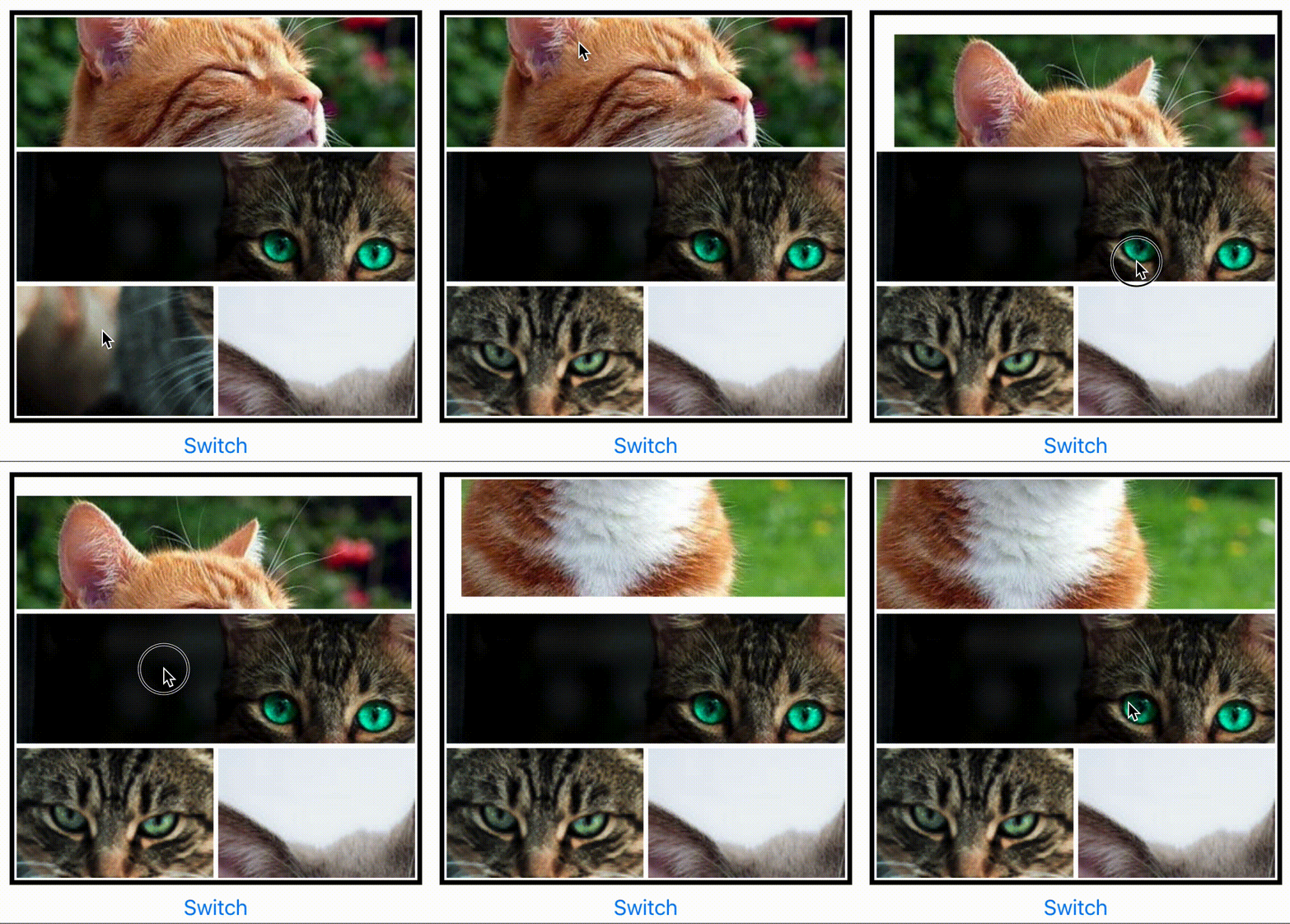
<img align="left" src="https://raw.githubusercontent.com/LukeBrandonFarrell/open-source-images/master/react-native-images-collage/i3.gif" width="48%" />
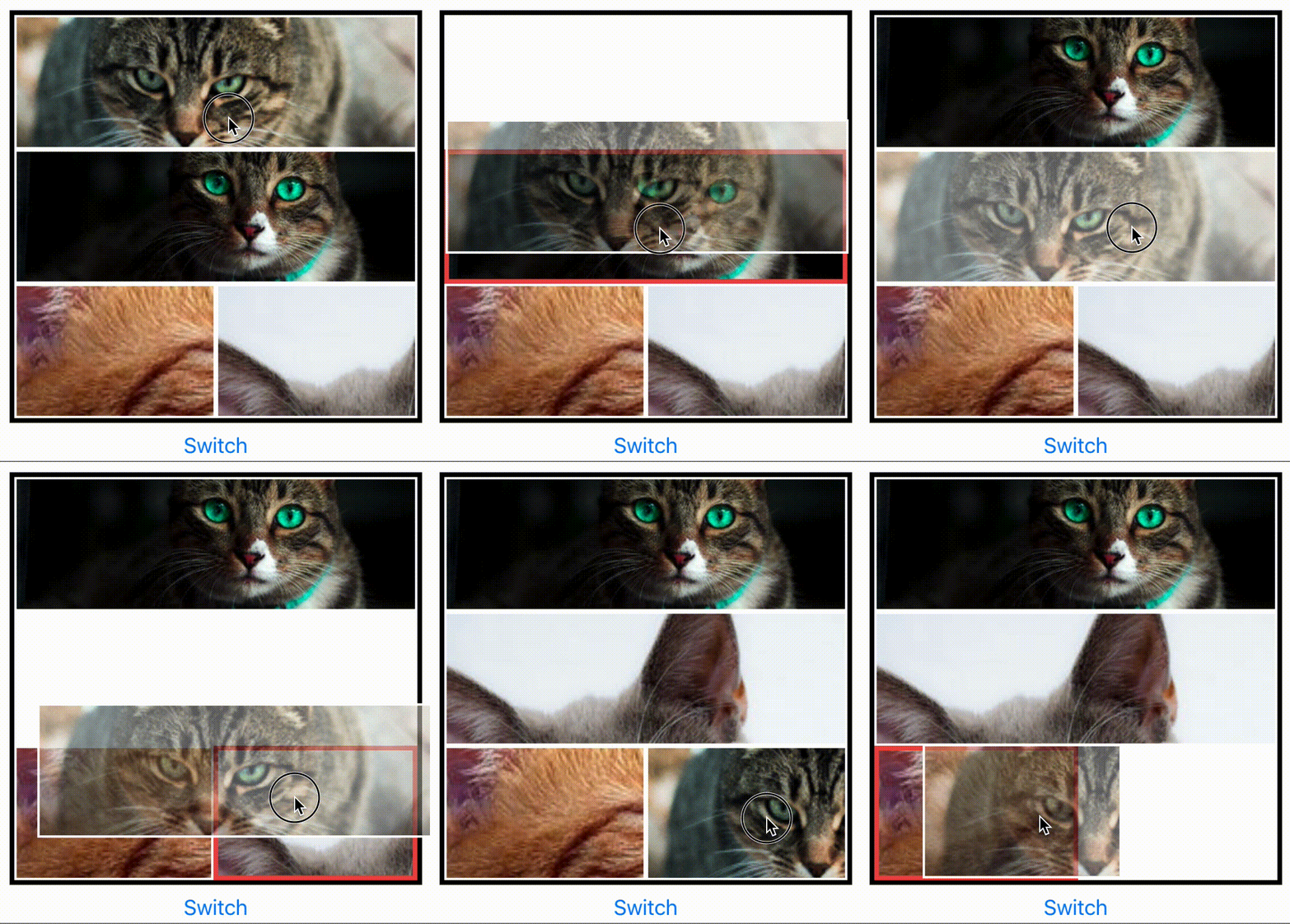
<img src="https://raw.githubusercontent.com/LukeBrandonFarrell/open-source-images/master/react-native-images-collage/i4.gif" width="48%" />
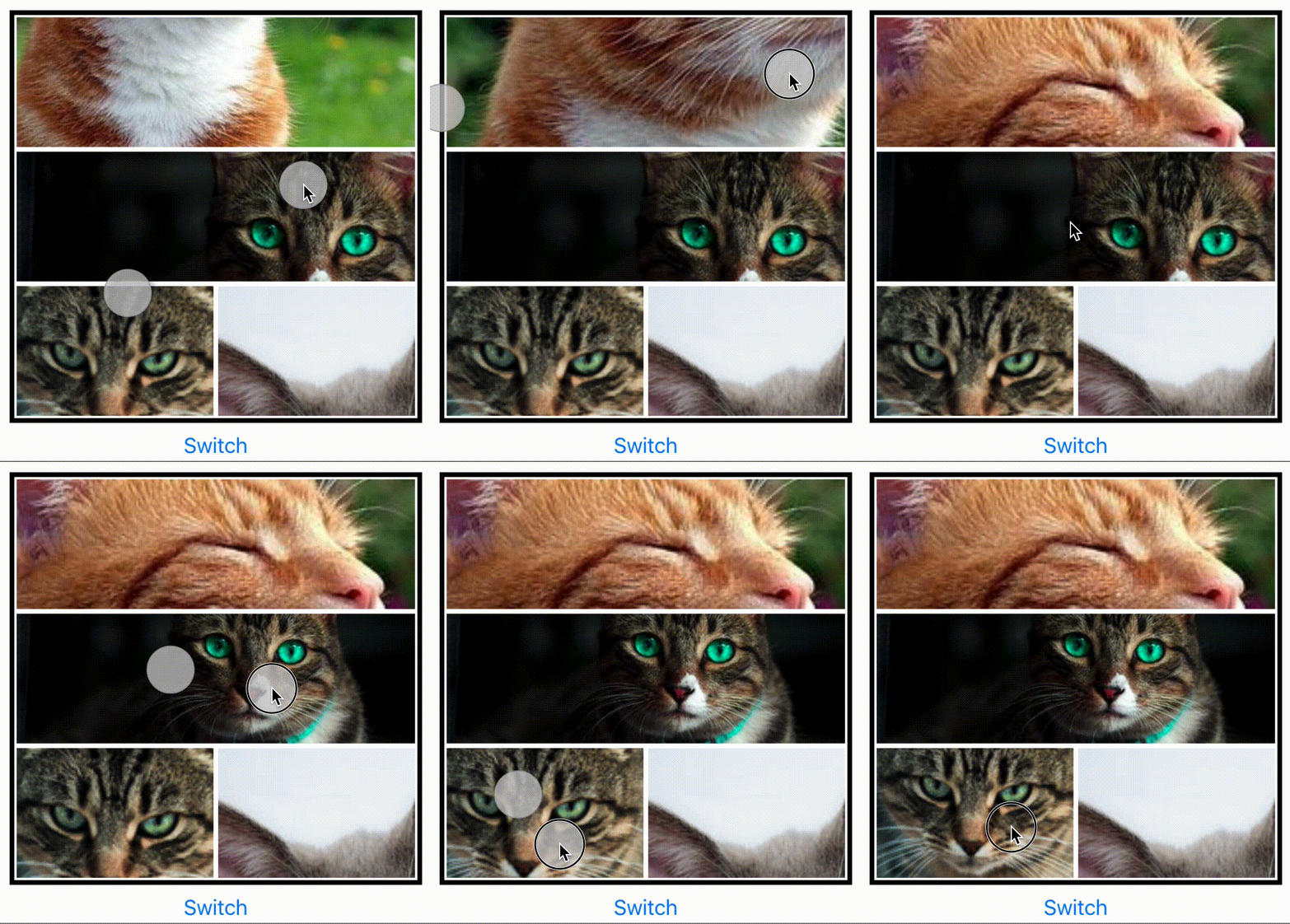
<img align="left" src="https://raw.githubusercontent.com/LukeBrandonFarrell/open-source-images/master/react-native-images-collage/i2.gif" width="48%" />
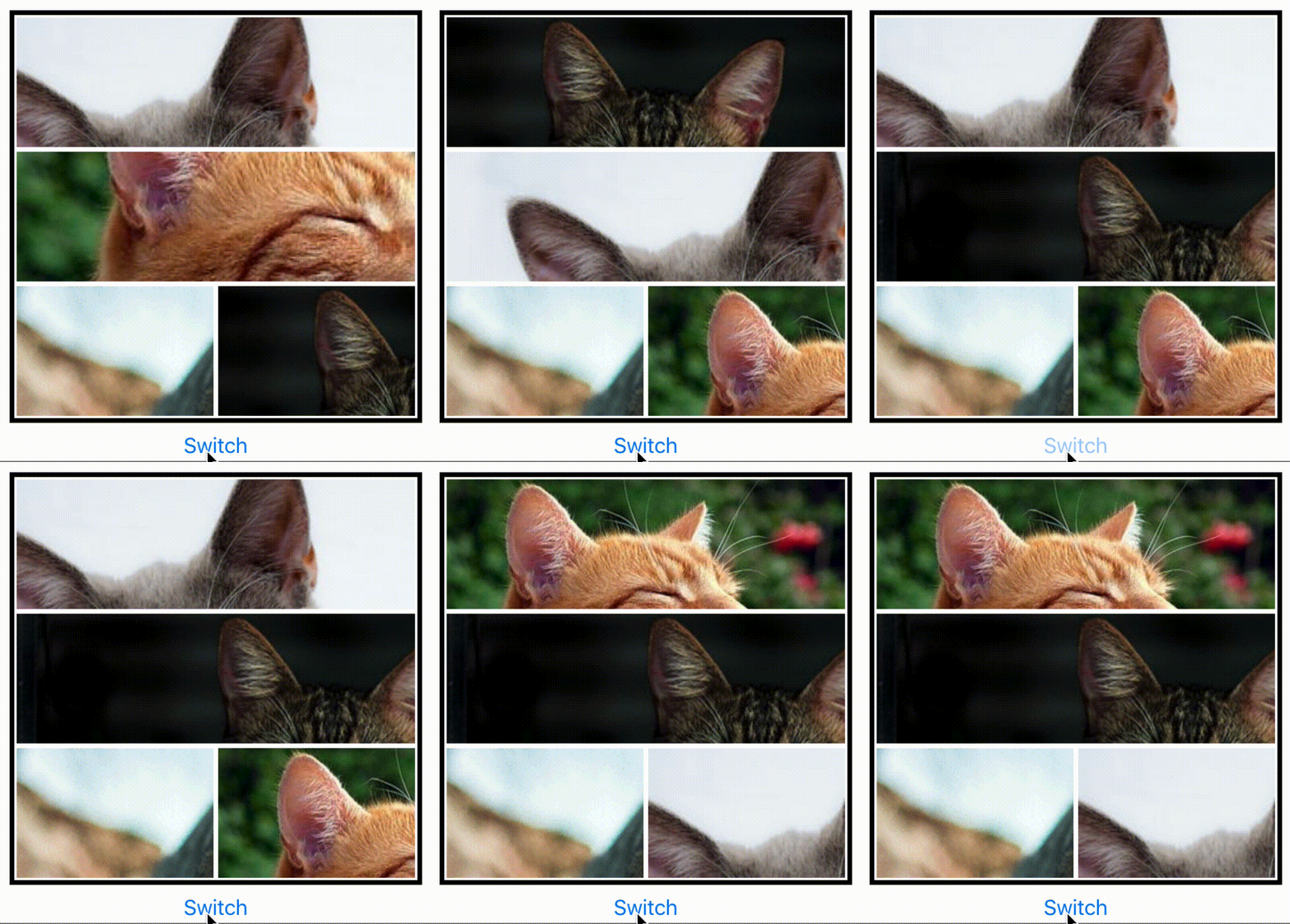
<img src="https://raw.githubusercontent.com/LukeBrandonFarrell/open-source-images/master/react-native-images-collage/i1.gif" width="48%" />

To keep up to date with the latest fixes. See [CHANGELOG.md](https://github.com/lukebrandonfarrell/react-native-images-collage/blob/master/CHANGELOG.md).

## Install

Install via npm:

```sh
 npm install react-native-images-collage --save
```

## Usage

To use in React Native. Import:

```js
import { DynamicCollage, StaticCollage } from "react-native-images-collage";
```

### Dynamic Collage

A dynamic collage includes panning, scaling, replacing and image arrangement.

```js
  <DynamicCollage
    width={400}
    height={400}
    images={ photos }
    matrix={ [ 1, 1, 1, 1 ] }
    isEditButtonVisible: { true | false },
    EditButtonComponent: {() => <YourCustomComponent/>}
    editButtonPosition: { 'top-left' | 'top-right' | 'bottom-left' | 'bottom-right' },
    onEditButtonPress: { (m, i) => { collageRef.current.replaceImage( 'NewImage' , m , i ) } }
    />
```

### Static Collage

A static collage does not include any panning, scaling or arrangement logic. Use this if you want to render multiple non-interactive collages. Same props as the dynamic collage.

```js
<StaticCollage width={400} height={400} images={photos} matrix={[1, 1, 1, 1]} />
```

### Layouts

Instead of building your own matrix of collage layouts. There is a JSON file you can import which includes multiple layouts. Up to 6 images.

```js
import { LayoutData } from "react-native-images-collage";
```

You can then access a layout like so:

```js
 matrix={ LayoutData[NumberOfImages][i].matrix }
 direction={ LayoutData[NumberOfImages][i].direction }
```

The number in the first bracket will be the configuration you want to access. E.g. configuration for 5 images. The second number is the specific layout you want to access e.g. [2, 2, 1]. You will have to inspect the JSON file to find this out.

### Notes

- If you want to capture the collage as a single image. Take a look at [react-native-view-shot](https://github.com/gre/react-native-view-shot).
- The number of images has to be equal to the sum of the matrix. e.g. Matrix is [ 1, 2, 1 ] ( 1 + 2 + 1 = 4), there has to be 4 images.
- The collage scaling will not work when in a [Modal](https://facebook.github.io/react-native/docs/modal) component. [Multiple touches are not registered](https://github.com/facebook/react-native/issues/8094).
- Do NOT update height or width props dynamically to change the size of the collage (as image sizes won't be re-calculated correctly, this is due to a race condition in measuring the layout of the collage). Use `ref.current.updateCollageSize({ width, height })` instead to adjust size dynamically.

## Replacing Images

There is a API in DynamicCollage which can be used to replace images. It can be accessed via reference. Setup the ref with the DynamicCollage like so:

```
const collageRef = useRef(null);

<DynamicCollage
  ref={collageRef}
  ...
```

You can then pass the source (url or file asset) m (matrix index) and i (relative image index) to the `replaceImage` function:

```
collageRef.current.replaceImage("https://picsum.photos/200", m, i);
```

## Props

| Prop                 | Type     | Optional | Default  | Description                                                                                                               |
| -------------------- | -------- | -------- | -------- | ------------------------------------------------------------------------------------------------------------------------- |
| width                | float    | No       |          | Width of component. REQUIRED. Used to calculate image boundaries for switching.                                           |
| height               | float    | No       |          | Height of component. REQUIRED. Used to calculate image boundaries for switching.                                          |
| images               | array    | No       |          | Images for the collage.                                                                                                   |
| matrix               | array    | No       |          | An array [ 1, 1, 1 ] equal to the number of images. Used to define the layout.                                            |
| isEditButtonVisible  | boolean  | No       |          | A boolean value for the edit button. Used to display the edit button on layout.                                           |
| EditButtonComponent  | function | Yes      |          | Custom Edit button component to be displayed on each image in the layout if the value `isEditButtonVisible` will be true. |
| editButtonPosition   | enum     | Yes      | top-left | Enum value to set the position of `EditButtonComponent` on each collage image layout.                                     |
| editButtonIndent     | number   | Yes      | 20       | Number value to set the indentation of `EditButtonComponent` on each collage image layout.                                |
| onEditButtonPress    | function | Yes      |          | `EditButtonComponent` when pressed will be triggered to replace the respective image.                                     |
| direction            | string   | Yes      | row      | Direction of the collage: 'row' or 'column'.                                                                              |
| panningLeftPadding   | number   | Yes      | 15       | Distance image can go beyond the left edge before it is restricted.                                                       |
| panningRightPadding  | number   | Yes      | 15       | Distance image can go beyond the right edge before it is restricted.                                                      |
| panningTopPadding    | number   | Yes      | 15       | Distance image can go beyond the top edge before it is restricted.                                                        |
| panningBottomPadding | number   | Yes      | 15       | Distance image can go beyond the bottom edge before it is restricted.                                                     |
| scaleAmplifier       | number   | Yes      | 1.0      | Amplifier applied to scaling. Increase this for faster scaling of images.                                                 |
| retainScaleOnSwap    | boolean  | Yes      | true     | Keep the scale (width/height) of image when it is swapped.                                                                |
| longPressDelay       | number   | Yes      | 500      | Delay before long press is activated.                                                                                     |
| longPressSensitivity | number   | Yes      | 3        | Sensitivity of the long press, float of 1 (low) to 10+ (high).                                                            |
| imageStyle           | object   | Yes      | style    | Default image style.                                                                                                      |
| imageSelectedStyle   | object   | Yes      | style    | The style applied to the image when it has been selected. Long Pressed.                                                   |
| imageSwapStyle       | object   | Yes      | style    | The style applied to the target image which is being swapped. E.g red borders                                             |
| imageSwapStyleReset  | object   | Yes      | style    | The reverse of imageSwapStyle to reset style after swap. Vital for direct manipulation.                                   |
| separatorStyle       | object   | Yes      | style    | Style applied to image container. Use border width to create margin between images.                                       |
| containerStyle       | object   | Yes      | style    | Style applied to the container of the collage. Collage border can be applied here.                                        |
| imageContainerStyle  | object   | Yes      | style    | Style applied to each image container.                                                                                    |
| imageFocussedStyle   | object   | Yes      | style    | Style applied to the focused image container.                                                                             |

## API Reference

### `updateCollageSize({ width, height })`

Updates the collage width or height (NOTE: width and height props should always be static)

- `size: Object` - new size for collage to be calculated. Currently supported options are:
  - `width : number` new width of the collage.
  - `height : number` new height of the collage.

### `replaceImage(source, m, i)`

Replaces an image at the matrix and index of the collage

- `source: string | number` - A local file asset or uri
- `m : number` the matrix of the collage (you can think of this as the row or column).
- `i : number` index inside the matrix (you can think of this as index inside the row or column)

## Showcase

- Qeepsake - The Text Message Baby Journal on [iOS](https://itunes.apple.com/us/app/qeepsake/id1332312787?mt=8) and [Android](https://play.google.com/store/apps/details?id=co.qeepsake.qeepsakeApp&hl=en_GB).

If you use the collage in your application then create a pull request to feature it here.

## License

This project is licensed under the MIT License

## Contributors ✨

Thanks goes to these wonderful people ([emoji key](https://allcontributors.org/docs/en/emoji-key)):

<!-- ALL-CONTRIBUTORS-LIST:START - Do not remove or modify this section -->
<!-- prettier-ignore-start -->
<!-- markdownlint-disable -->
<table>
  <tr>
    <td align="center"><a href="http://www.lukebrandonfarrell.com"><img src="https://avatars3.githubusercontent.com/u/18139277?v=4?s=100" width="100px;" alt=""/><br /><sub><b>Luke Brandon Farrell</b></sub></a><br /><a href="https://github.com/aspect-apps/react-native-images-collage/commits?author=lukebrandonfarrell" title="Code">💻</a> <a href="https://github.com/aspect-apps/react-native-images-collage/commits?author=lukebrandonfarrell" title="Documentation">📖</a> <a href="#infra-lukebrandonfarrell" title="Infrastructure (Hosting, Build-Tools, etc)">🚇</a></td>
    <td align="center"><a href="https://jramogh.co"><img src="https://avatars3.githubusercontent.com/u/31567169?v=4?s=100" width="100px;" alt=""/><br /><sub><b>Amogh Jahagirdar</b></sub></a><br /><a href="https://github.com/aspect-apps/react-native-images-collage/issues?q=author%3Aamogh-jrules" title="Bug reports">🐛</a></td>
    <td align="center"><a href="https://www.facebook.com/jasim.awan.009"><img src="https://avatars.githubusercontent.com/u/31315869?v=4?s=100" width="100px;" alt=""/><br /><sub><b>Muhammad Jasim</b></sub></a><br /><a href="https://github.com/aspect-apps/react-native-images-collage/commits?author=jasimawan" title="Code">💻</a> <a href="https://github.com/aspect-apps/react-native-images-collage/commits?author=jasimawan" title="Documentation">📖</a></td>
    <td align="center"><a href="https://henryarb.com"><img src="https://avatars.githubusercontent.com/u/13140872?v=4?s=100" width="100px;" alt=""/><br /><sub><b>Henry Arbolaez</b></sub></a><br /><a href="https://github.com/aspect-apps/react-native-images-collage/commits?author=harbolaez" title="Code">💻</a> <a href="https://github.com/aspect-apps/react-native-images-collage/commits?author=harbolaez" title="Documentation">📖</a></td>
  </tr>
</table>

<!-- markdownlint-restore -->
<!-- prettier-ignore-end -->

<!-- ALL-CONTRIBUTORS-LIST:END -->

This project follows the [all-contributors](https://github.com/all-contributors/all-contributors) specification. Contributions of any kind welcome!
