[](https://www.npmjs.com/package/react-native-image-marker)
[](https://www.npmjs.com/package/react-native-image-marker) [](https://www.npmjs.com/package/react-native-image-marker)
[](https://github.com/JimmyDaddy/react-native-image-marker) [](https://github.com/JimmyDaddy/react-native-image-marker/fork)
[](https://github.com/JimmyDaddy/react-native-image-marker/pulls) 
[](https://github.com/JimmyDaddy/react-native-image-marker)
[](https://github.com/JimmyDaddy/react-native-image-marker/actions/workflows/ci.yml)
 
---
> * If this library is useful to you, please give me a ⭐️. 🤩
> * If there is any bug, please submit an issue 🐛, or create a pull request 🤓.
> * If there is any problem about using this library, please contact me, or [open a QA discussion](https://github.com/JimmyDaddy/react-native-image-marker/discussions/categories/q-a). 🤔
---
## Table of Contents
* [Features](#features)
* [Installation](#installation)
* [React Native](#react-native)
* [Expo](#expo)
* [Compatibility](#compatibility)
*
Usage
* [Text background fit](#text-background-fit)
* [Text background stretchX](#text-background-stretchx)
* [Text background stretchY](#text-background-stretchy)
* [Text background border radius](#text-background-border-radius)
* [Text with shadow](#text-with-shadow)
* [Multiple text watermarks](#multiple-text-watermarks)
* [Text rotation](#text-rotation)
* [Icon watermarks](#icon-watermarks)
* [Multiple icon watermarks](#multiple-icon-watermarks)
* [Background rotation](#background-rotation)
* [Icon rotation](#icon-rotation)
* [Transparent background](#transparent-background)
* [Transparent icon](#transparent-icon)
* [API](#api-6)
* [Save image to file](#save-image-to-file)
* [Contributors](#contributors)
* [Examples](#examples)
* [Contributing](#contributing)
* [License](#license)
## Features
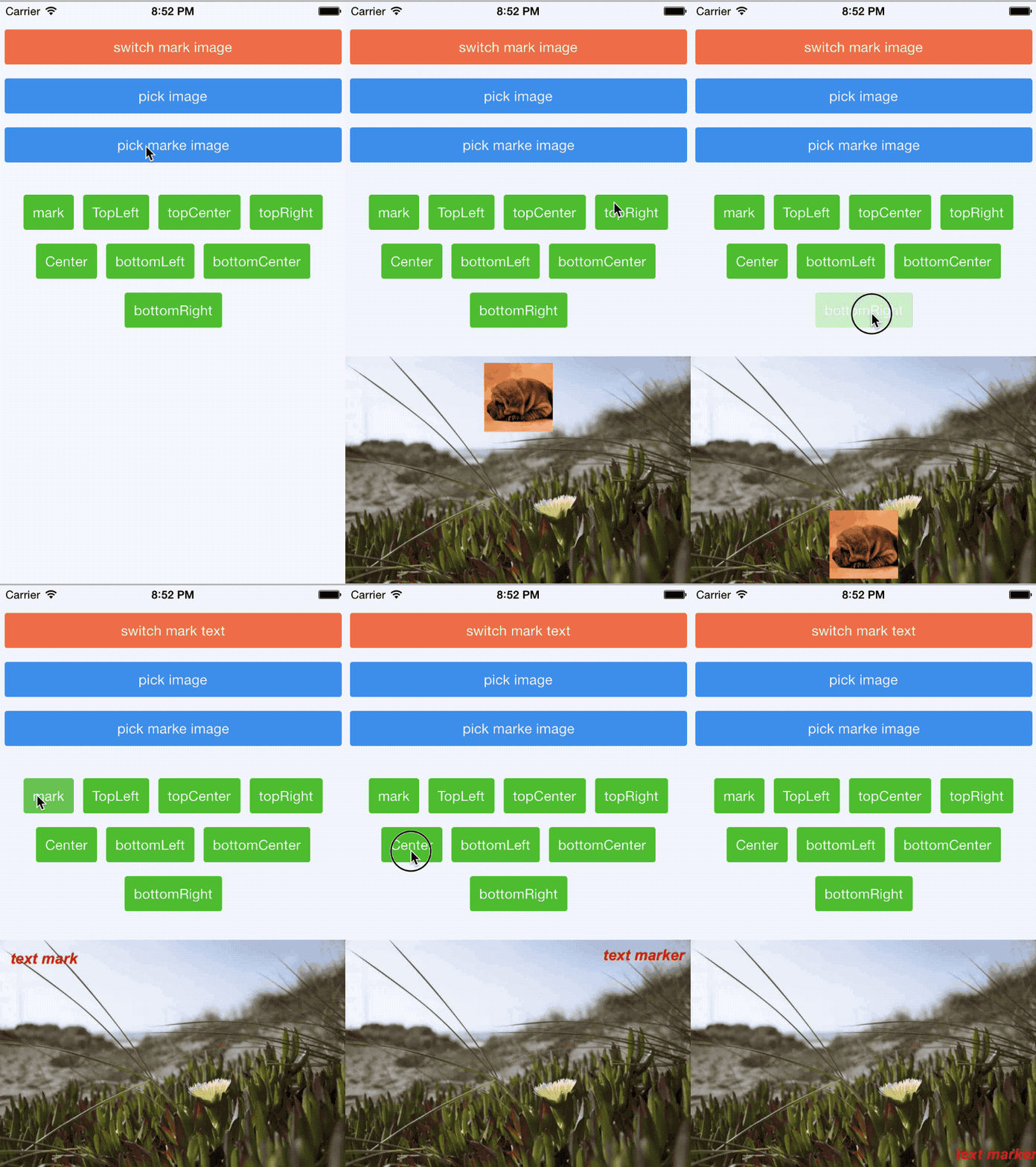
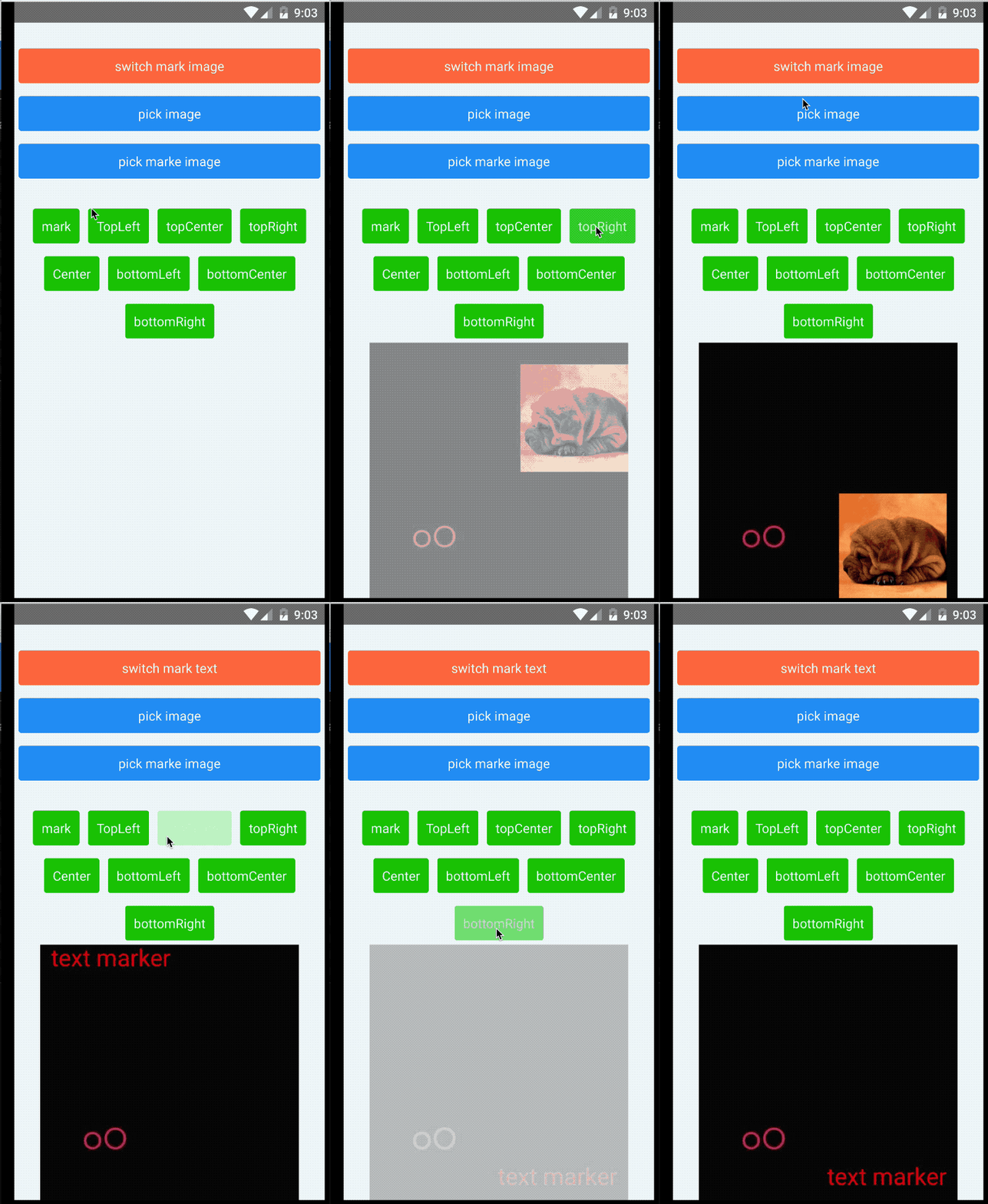
* [**Multiple text** watermarks](https://jimmydaddy.github.io/react-native-image-marker/interfaces/TextMarkOptions.html#watermarkTexts)
* [**Multiple icon** watermarks](https://jimmydaddy.github.io/react-native-image-marker/classes/Marker.html#markImage)
* [**Rotating** background and icon](https://jimmydaddy.github.io/react-native-image-marker/interfaces/ImageOptions.html#rotate)
* [Setting transparency for background and icon](https://jimmydaddy.github.io/react-native-image-marker/interfaces/ImageOptions.html#rotate)
* Base64
* Flexible text style settings, including:
* [Rotating](https://jimmydaddy.github.io/react-native-image-marker/interfaces/TextStyle.html#rotate)
* [Shadow](https://jimmydaddy.github.io/react-native-image-marker/interfaces/ShadowLayerStyle.html)
* Background color
* [Italic](https://jimmydaddy.github.io/react-native-image-marker/interfaces/TextStyle.html#italic)
* [Bold](https://jimmydaddy.github.io/react-native-image-marker/interfaces/TextStyle.html#bold)
* [Stroke](https://jimmydaddy.github.io/react-native-image-marker/interfaces/TextStyle.html#strikeThrough)
* [Text align](https://jimmydaddy.github.io/react-native-image-marker/interfaces/TextStyle.html#textAlign)
* [Padding](https://jimmydaddy.github.io/react-native-image-marker/interfaces/TextBackgroundStyle.html#padding)
* Relative position
* [Background border radius](https://jimmydaddy.github.io/react-native-image-marker/interfaces/TextBackgroundStyle.html#cornerRadius)
* Compatible with both Android and iOS
* Expo
## Installation
#### React Native
```shell
# npm
npm install react-native-image-marker --save
# yarn
yarn add react-native-image-marker
```
#### Expo
```shell
# install
npx expo install react-native-image-marker
# compile
npx expo prebuild
eas build
```
## Compatibility
| React Native Version | react-native-image-marker Version |
| ---------------------| --------------------------------- |
| >= 0.73.0, other cases | v1.2.0 or later |
| 0.60.0 <= rn version < 0.73.0 | v1.1.x |
| >= 0.60.0, ***iOS < 13, Android < N(API Level 24)*** | v1.0.x |
| < 0.60.0 | v0.5.2 or earlier |
> ***Note: This table is only applicable to major versions of react-native-image-marker. Patch versions should be backwards compatible.***
## Usage
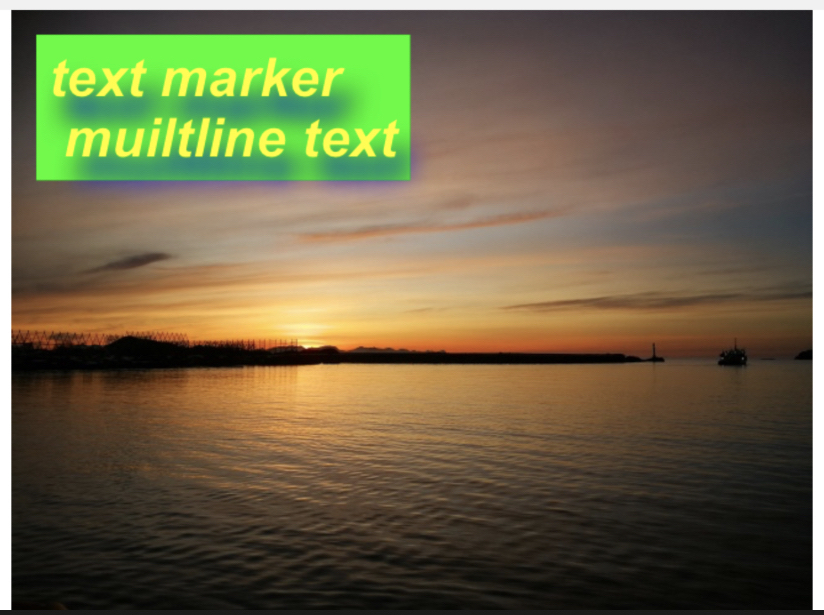
### Text background fit
#### API
[TextBackgroundType.none](https://jimmydaddy.github.io/react-native-image-marker/enums/TextBackgroundType.html#none)
#### Sample
 #### Example
example code
```typescript
import Marker, { Position, TextBackgroundType } from "react-native-image-marker"
···
const options = {
// background image
backgroundImage: {
src: require('./images/test.jpg'),
scale: 1,
},
watermarkTexts: [{
text: 'text marker \n multiline text',
position: {
position: Position.topLeft,
},
style: {
color: '#ff00ff',
fontSize: 30,
fontName: 'Arial',
shadowStyle: {
dx: 10,
dy: 10,
radius: 10,
color: '#008F6D',
},
textBackgroundStyle: {
padding: '10% 10%',
type: TextBackgroundType.none,
color: '#0FFF00',
},
},
}],
scale: 1,
quality: 100,
filename: 'test',
saveFormat: ImageFormat.png,
};
Marker.markText(options);
```
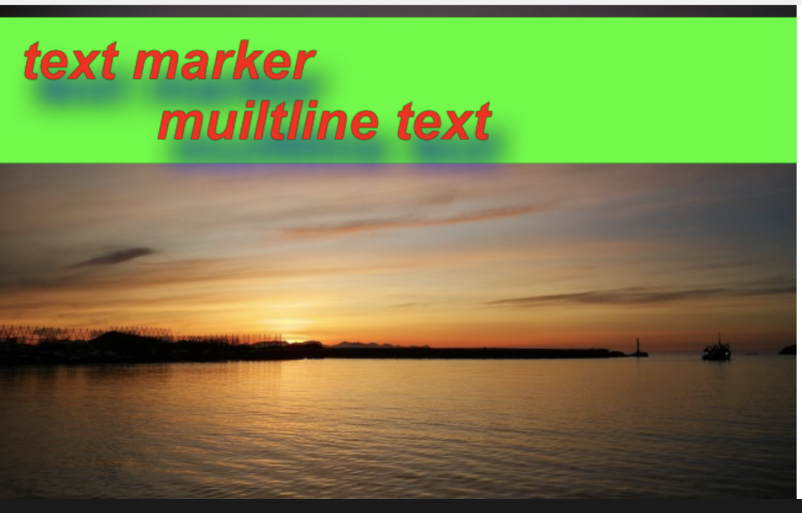
### Text background stretchX
#### API
[TextBackgroundType.stretchX](https://jimmydaddy.github.io/react-native-image-marker/enums/TextBackgroundType.html#stretchX)
#### Sample
 #### Example
example code
```typescript
import Marker, { Position, TextBackgroundType } from "react-native-image-marker"
···
const options = {
// background image
backgroundImage: {
src: require('./images/test.jpg'),
scale: 1,
},
watermarkTexts: [{
text: 'text marker \n multiline text',
position: {
position: Position.topLeft,
},
style: {
color: '#FC0700',
fontSize: 30,
fontName: 'Arial',
shadowStyle: {
dx: 10,
dy: 10,
radius: 10,
color: '#008F6D',
},
textBackgroundStyle: {
padding: '10% 10%',
type: TextBackgroundType.stretchX,
color: '#0FFF00',
},
},
}],
scale: 1,
quality: 100,
filename: 'test',
saveFormat: ImageFormat.png,
};
Marker.markText(options);
```
### Text background stretchY
#### API
[TextBackgroundType.stretchY](https://jimmydaddy.github.io/react-native-image-marker/enums/TextBackgroundType.html#stretchY)
#### Sample
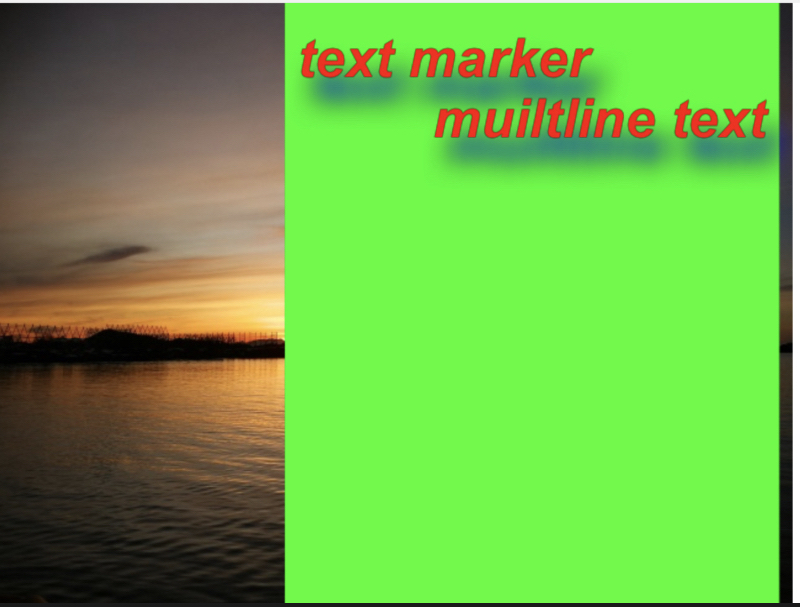 #### Example
example code
```typescript
import Marker, { Position, TextBackgroundType } from "react-native-image-marker"
···
const options = {
// background image
backgroundImage: {
src: require('./images/test.jpg'),
scale: 1,
},
watermarkTexts: [{
text: 'text marker \n multiline text',
position: {
position: Position.topLeft,
},
style: {
color: '#FC0700',
fontSize: 30,
fontName: 'Arial',
shadowStyle: {
dx: 10,
dy: 10,
radius: 10,
color: '#008F6D',
},
textBackgroundStyle: {
padding: '10% 10%',
type: TextBackgroundType.stretchY,
color: '#0FFF00',
},
},
}],
scale: 1,
quality: 100,
filename: 'test',
saveFormat: ImageFormat.png,
};
ImageMarker.markText(options);
```
### Text background border radius
#### API
[TextBackgroundType.cornerRadius](https://jimmydaddy.github.io/react-native-image-marker/enums/TextBackgroundType.html#cornerRadius)
#### Sample
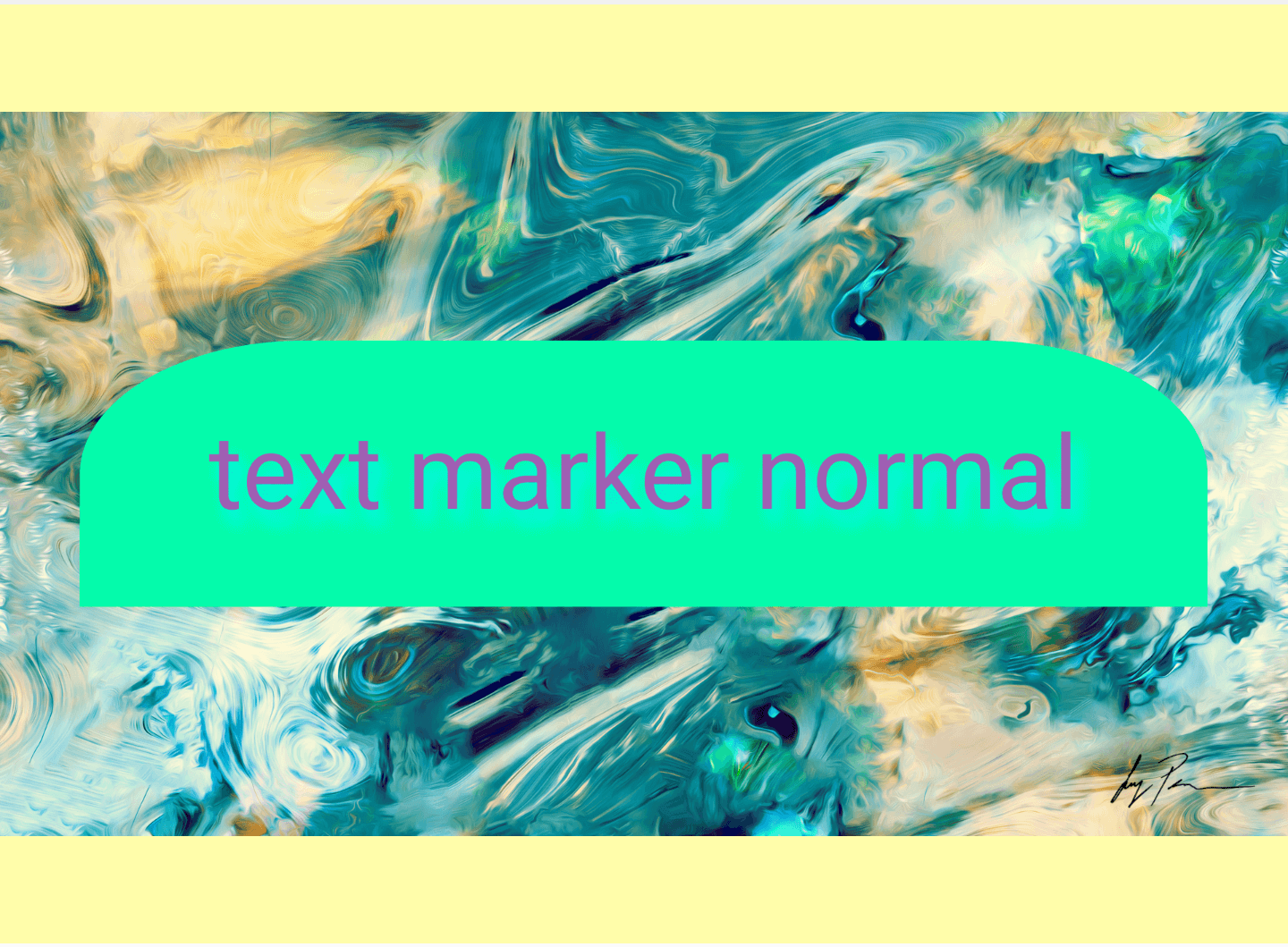 #### Example
example code
```typescript
import Marker, { Position } from "react-native-image-marker"
···
const options = {
// background image
backgroundImage: {
src: require('./images/test.jpg'),
scale: 1,
},
watermarkTexts: [{
text: 'text marker normal',
position: {
position: Position.center,
},
style: {
color: '#FC0700',
fontSize: 30,
fontName: 'Arial',
shadowStyle: {
dx: 10,
dy: 10,
radius: 10,
color: '#008F6D',
},
textBackgroundStyle: {
padding: '10%',
color: '#0fA',
cornerRadius: {
topLeft: {
x: '20%',
y: '50%',
},
topRight: {
x: '20%',
y: '50%',
},
},
},
},
}],
scale: 1,
quality: 100,
filename: 'test',
saveFormat: ImageFormat.png,
};
ImageMarker.markText(options);
```
### Text with shadow
#### API
[ShadowLayerStyle](https://jimmydaddy.github.io/react-native-image-marker/interfaces/ShadowLayerStyle.html)
#### Sample
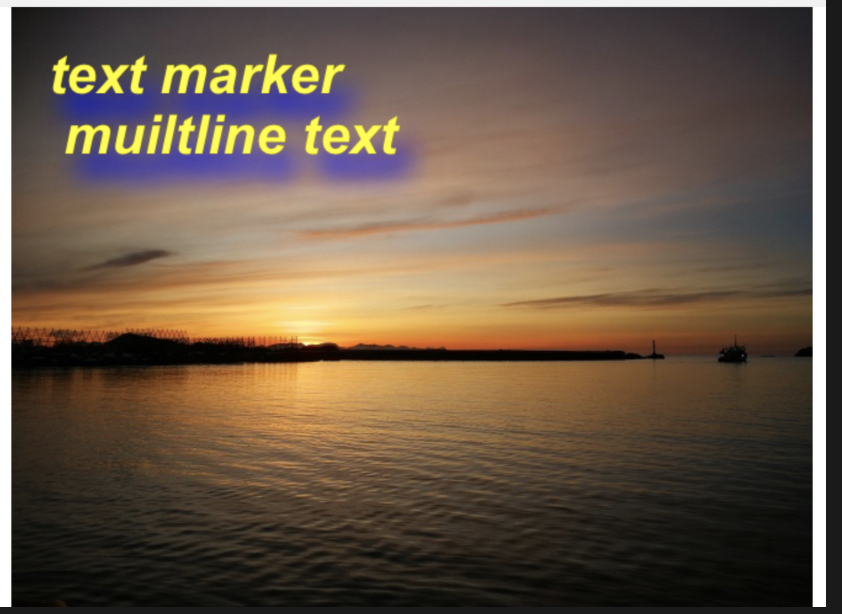 #### Example
example code
```typescript
import Marker, { Position, TextBackgroundType } from "react-native-image-marker"
···
const options = {
// background image
backgroundImage: {
src: require('./images/test.jpg'),
scale: 1,
},
watermarkTexts: [{
text: 'text marker \n multiline text',
position: {
position: Position.topLeft,
},
style: {
color: '#F4F50A',
fontSize: 30,
fontName: 'Arial',
shadowStyle: {
dx: 10,
dy: 10,
radius: 10,
color: '#6450B0',
},
},
}],
scale: 1,
quality: 100,
filename: 'test',
saveFormat: ImageFormat.png,
};
Marker.markText(options);
```
### Multiple text watermarks
#### Sample
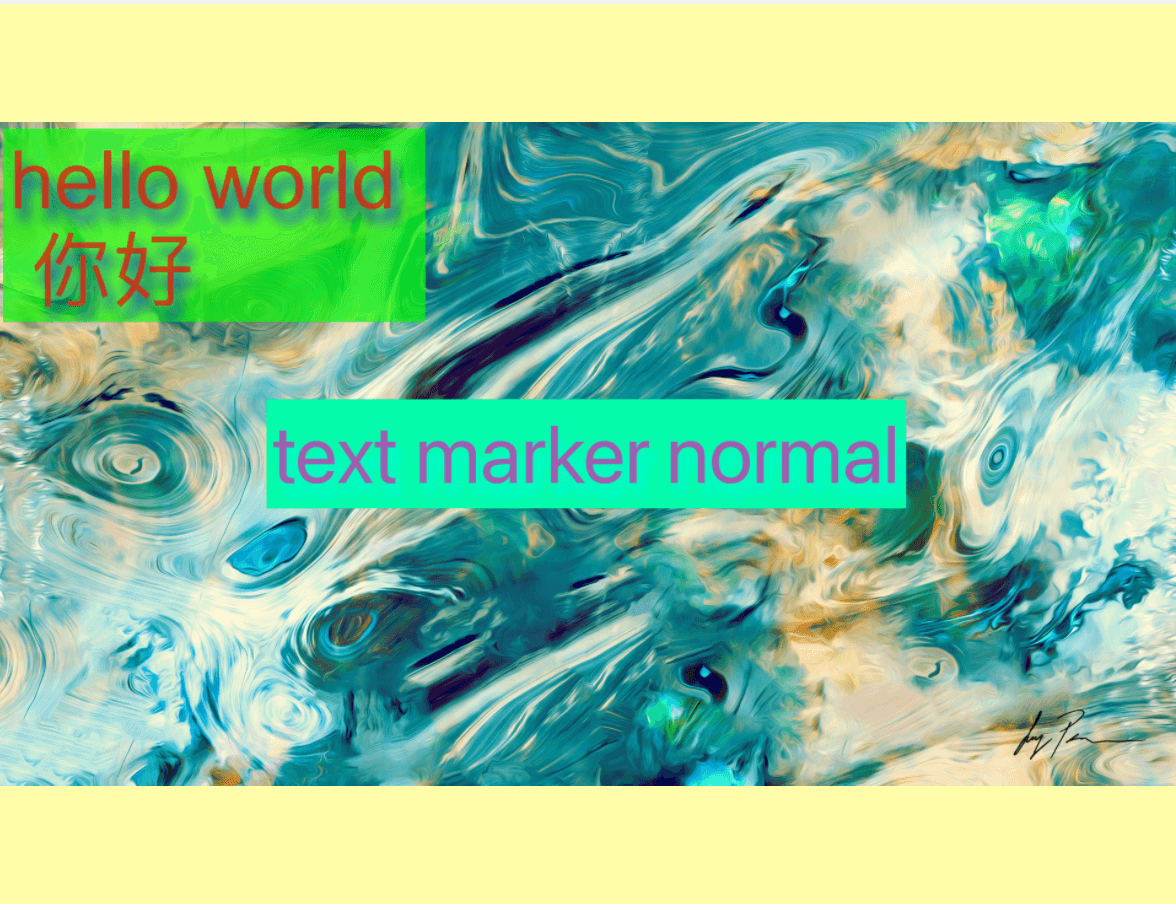 #### Example
example code
```typescript
import Marker, { Position, TextBackgroundType } from "react-native-image-marker"
···
Marker.markText({
backgroundImage: {
src: require('./images/test.jpg'),
scale: 1,
},
waterMarkTexts: [{
text: 'hello world \n 你好',
position: {
position: Position.topLeft,
},
style: {
color: '#BB3B20',
fontSize: 30,
fontName: 'Arial',
textBackgroundStyle: {
padding: '10% 10%',
color: '#0FFF00',
},
},
}, {
text: 'text marker normal',
position: {
position: Position.topRight,
},
style: {
color: '#6450B0',
fontSize: 30,
fontName: 'Arial',
textBackgroundStyle: {
padding: '10% 10%',
color: '#02FBBE',
},
},
}],
})
```
### Text rotation
#### Sample
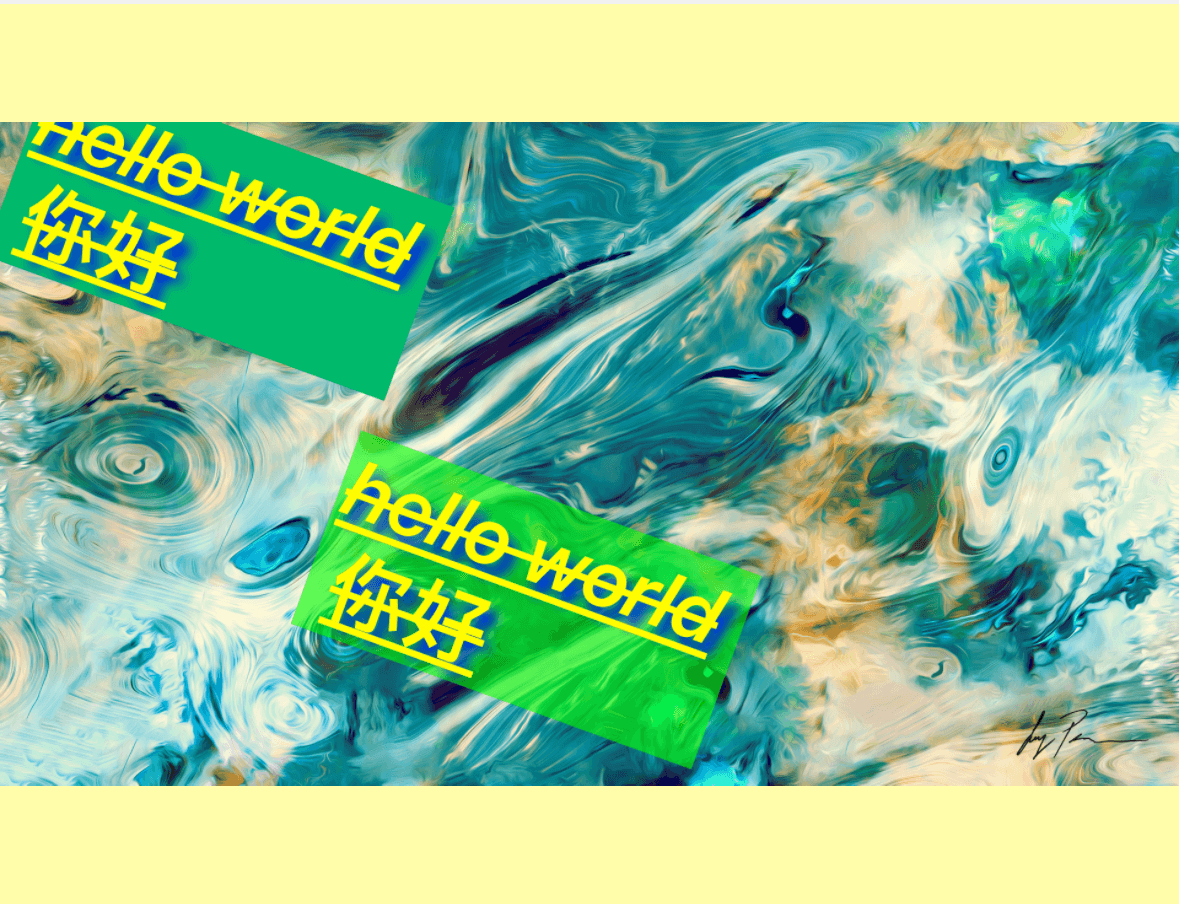
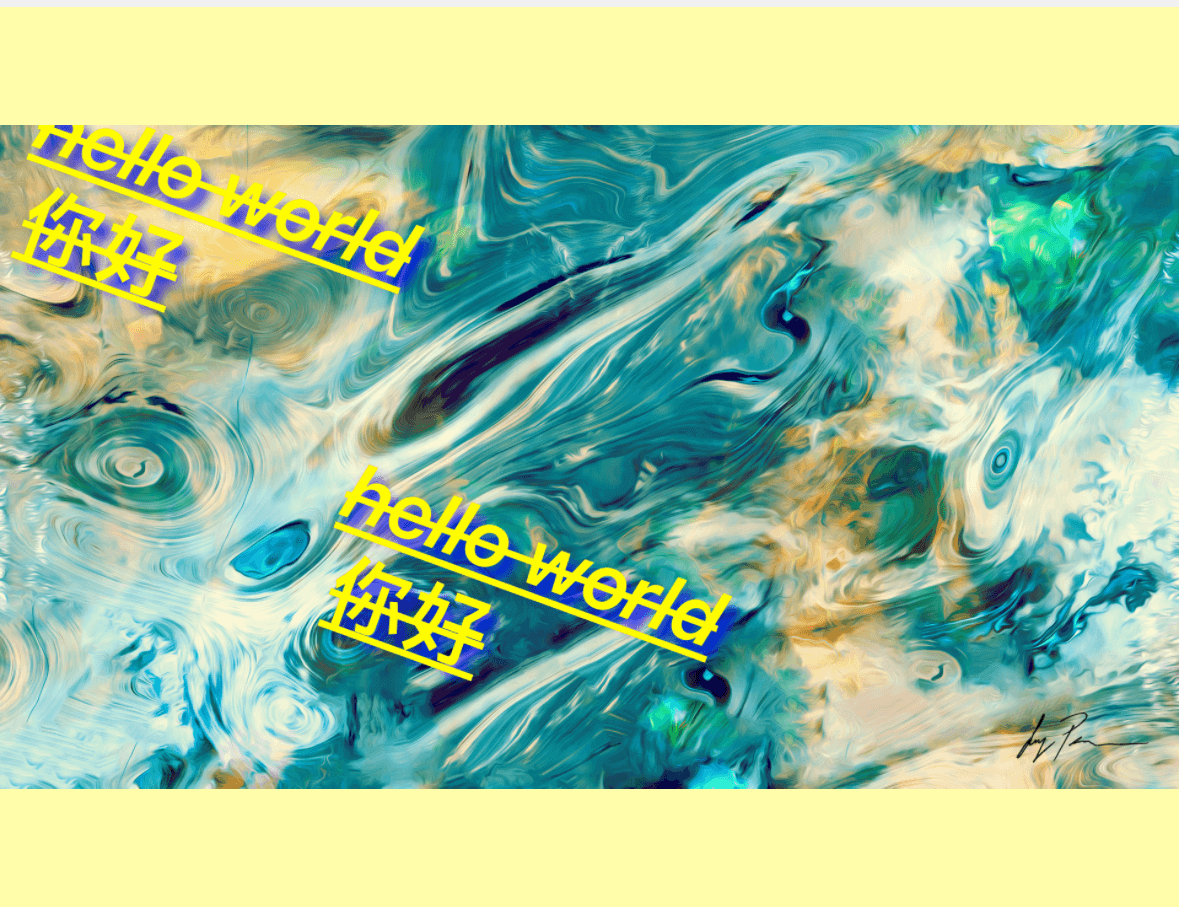
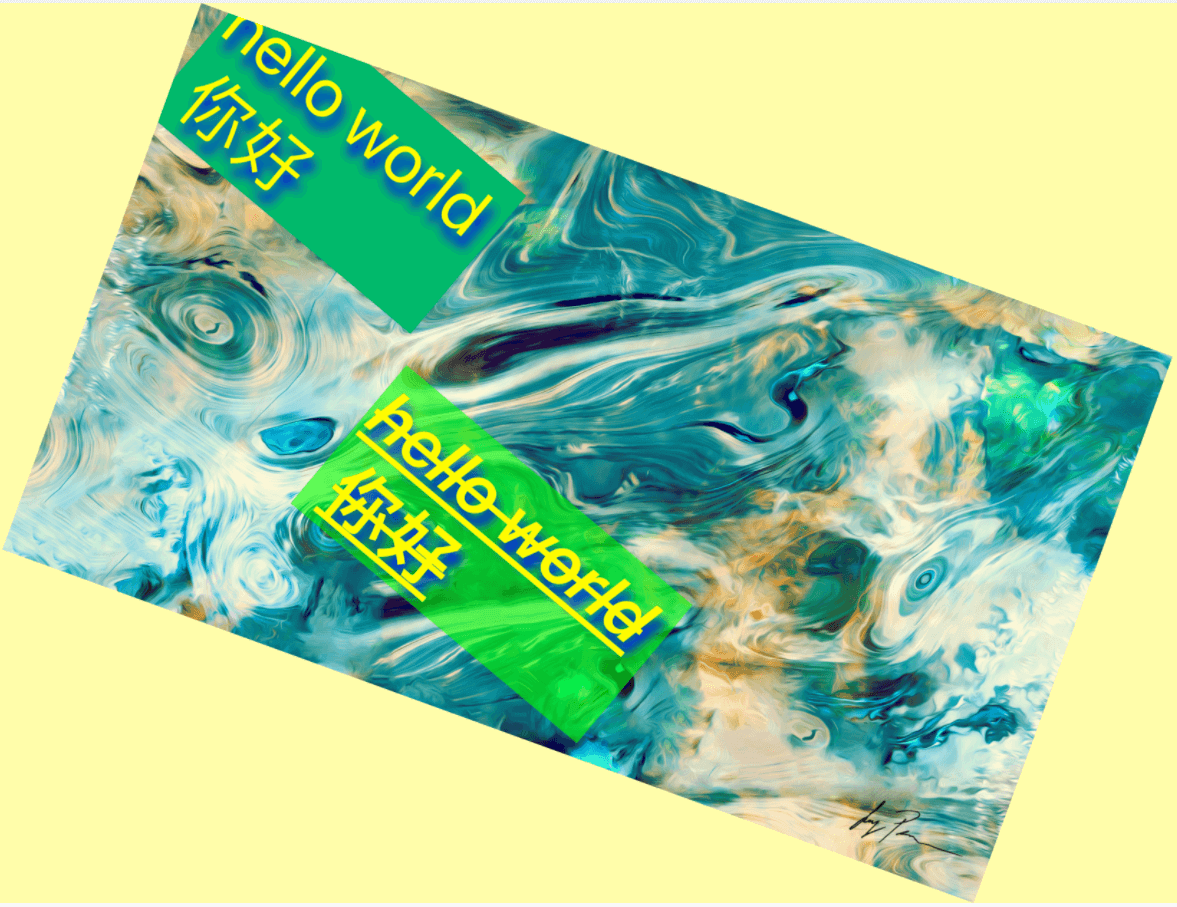
#### Example
example code
```typescript
import Marker, { Position, TextBackgroundType } from "react-native-image-marker"
···
Marker.markText({
backgroundImage: {
src: require('./images/test.jpg'),
scale: 1,
rotate: 30,
},
waterMarkTexts: [{
text: 'hello world \n 你好',
position: {
position: Position.topLeft,
},
style: {
color: '#FFFF00',
fontSize: 30,
fontName: 'Arial',
rotate: 30,
textBackgroundStyle: {
padding: '10% 10%',
color: '#02B96B',
},
strikeThrough: true,
underline: true,
},
}, {
text: 'text marker normal',
position: {
position: Position.center,
},
style: {
color: '#FFFF00',
fontSize: 30,
fontName: 'Arial',
rotate: 30,
textBackgroundStyle: {
padding: '10% 10%',
color: '#0FFF00',
},
strikeThrough: true,
underline: true,
},
}],
})
```
### Icon watermarks
#### Sample
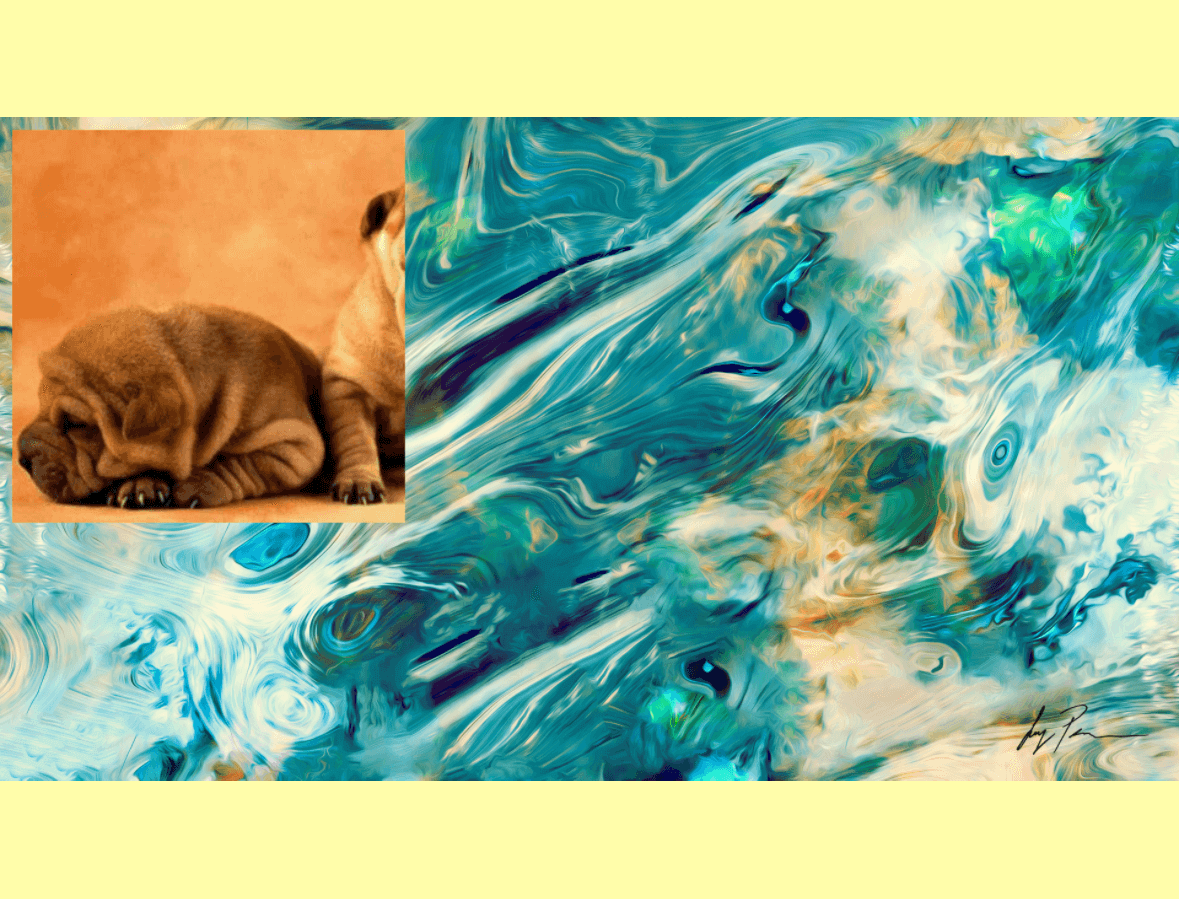 #### Example
example code
```typescript
import Marker, { Position, TextBackgroundType } from "react-native-image-marker"
···
Marker.markImage({
backgroundImage: {
src: require('./images/test.jpg'),
scale: 1,
},
watermarkImages: [{
src: require('./images/watermark.png'),
position: {
position: Position.topLeft,
},
}],
})
```
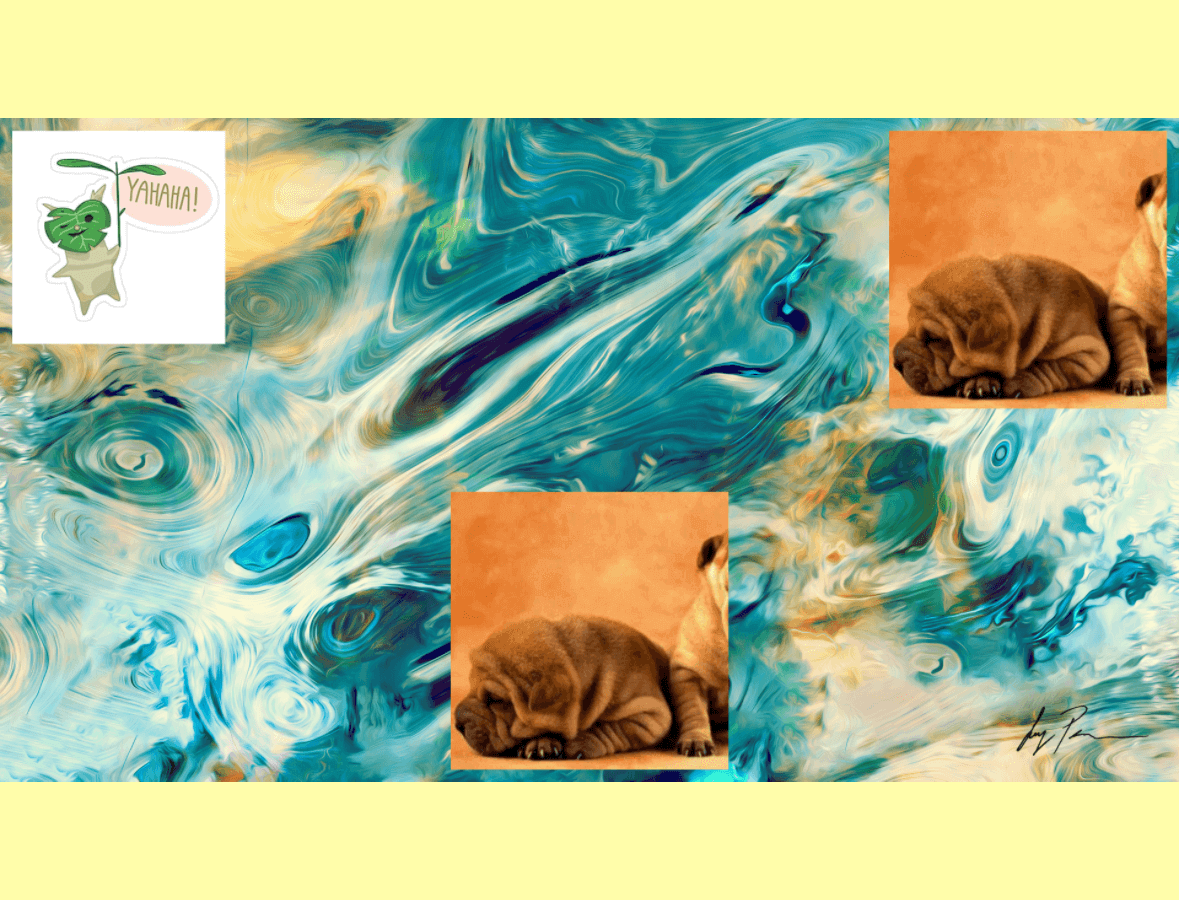
### Multiple icon watermarks
> Note: ***require Android >= N, iOS >= iOS 13***
#### API
[markImage](https://jimmydaddy.github.io/react-native-image-marker/classes/Marker.html#markImage)
#### Sample
 #### Example
example code
```typescript
import Marker, { Position, TextBackgroundType } from "react-native-image-marker"
···
Marker.markImage({
backgroundImage: {
src: require('./images/test.jpg'),
scale: 1,
},
watermarkImages: [{
src: require('./images/watermark.png'),
position: {
position: Position.topLeft,
},
}, {
src: require('./images/watermark1.png'),
position: {
position: Position.topRight,
},
}, {
src: require('./images/watermark2.png'),
position: {
position: Position.bottomCenter,
},
}],
})
```
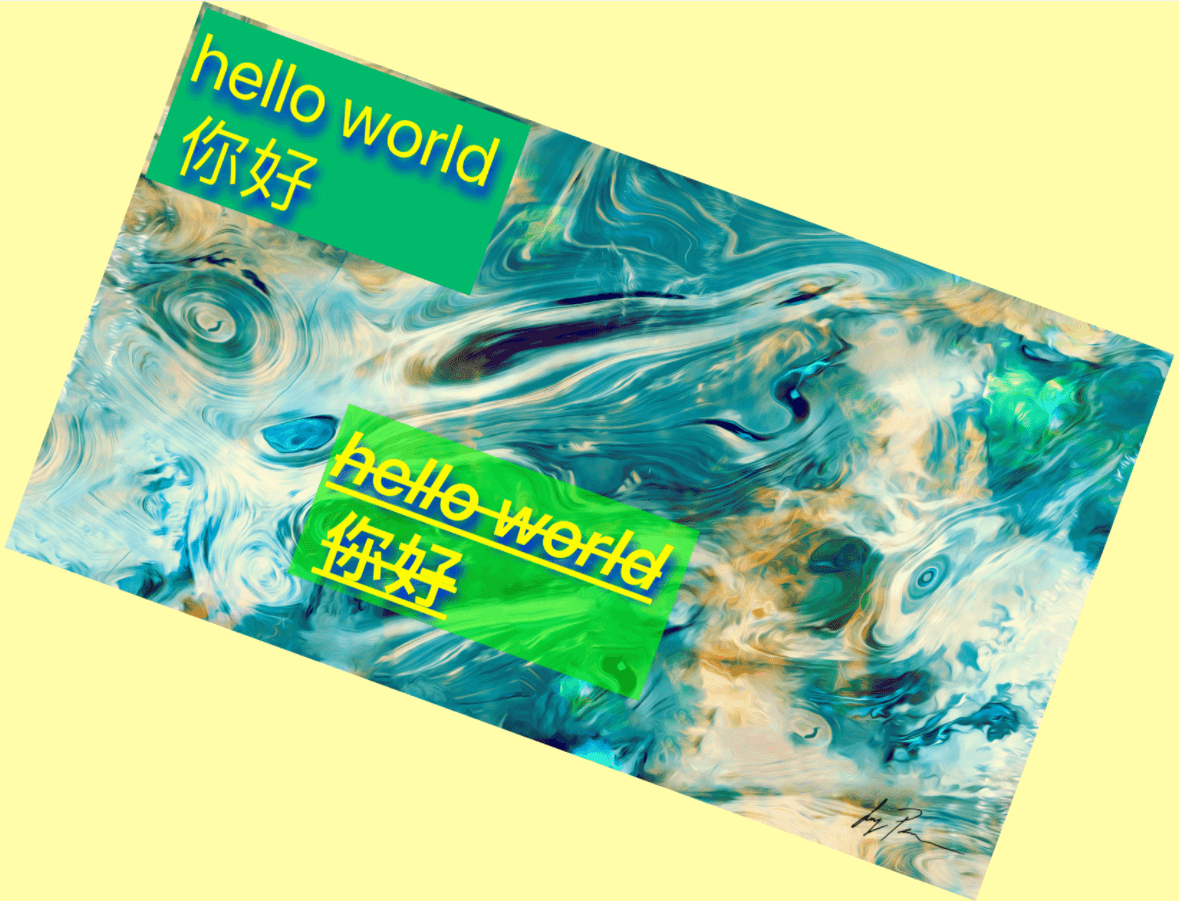
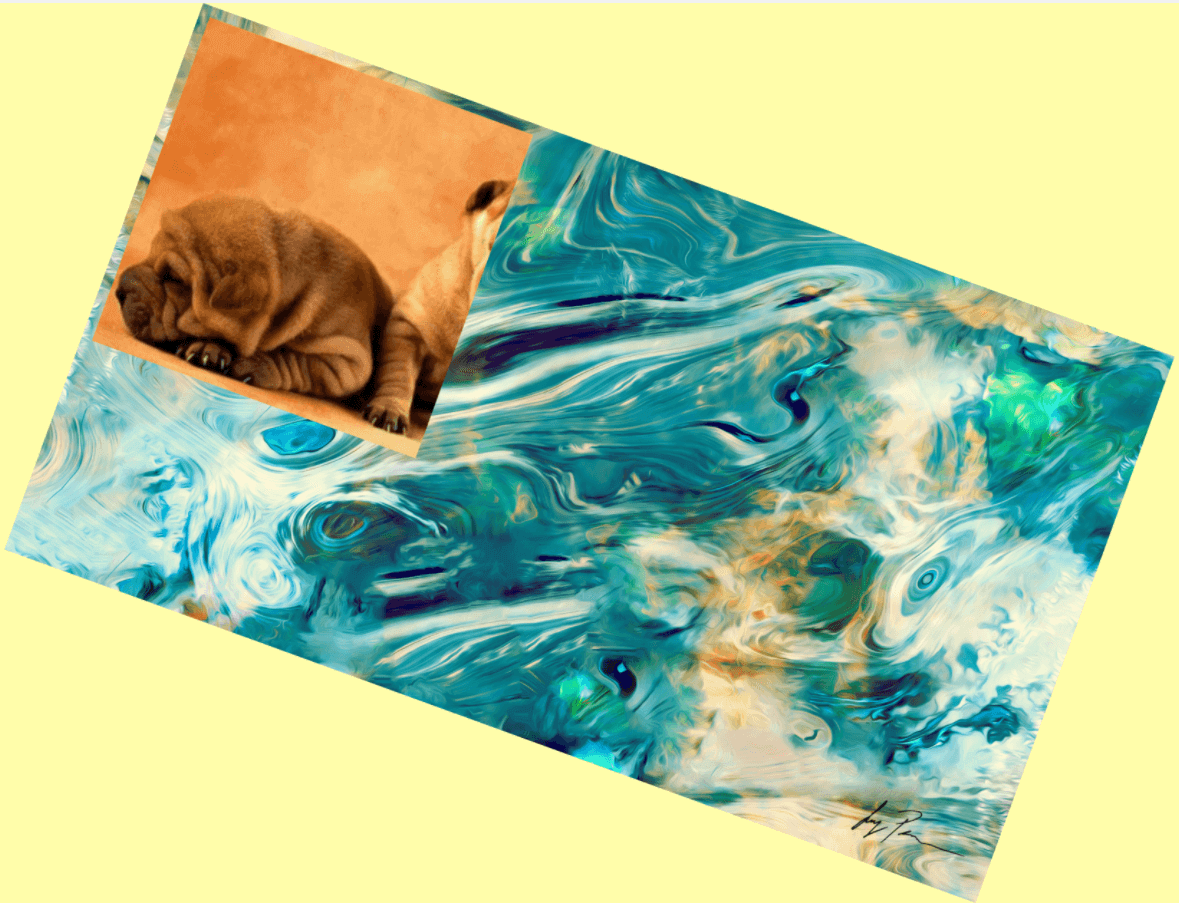
### Background rotation
#### Sample
#### Example
example code
```typescript
import Marker, { Position, TextBackgroundType } from "react-native-image-marker"
···
Marker.markImage({
backgroundImage: {
src: require('./images/test.jpg'),
scale: 1,
rotate: 30,
},
watermarkImages: [{
src: require('./images/watermark.png'),
position: {
position: Position.topLeft,
},
}],
});
Marker.markText({
backgroundImage: {
src: require('./images/test.jpg'),
scale: 1,
rotate: 30,
},
watermarkTexts: [{
text: 'hello world \n 你好',
position: {
position: Position.topLeft,
},
style: {
color: '#FFFF00',
fontSize: 30,
fontName: 'Arial',
rotate: 30,
textBackgroundStyle: {
padding: '10% 10%',
color: '#02B96B',
},
shadowStyle: {
dx: 10,
dy: 10,
radius: 10,
color: '#008F6D',
},
strikeThrough: true,
underline: true,
},
}, {
text: 'hello world \n 你好',
position: {
position: Position.center,
},
style: {
color: '#FFFF00',
fontSize: 30,
fontName: 'Arial',
textBackgroundStyle: {
padding: '10% 10%',
color: '#0FFF00',
},
strikeThrough: true,
underline: true,
},
}],
})
```
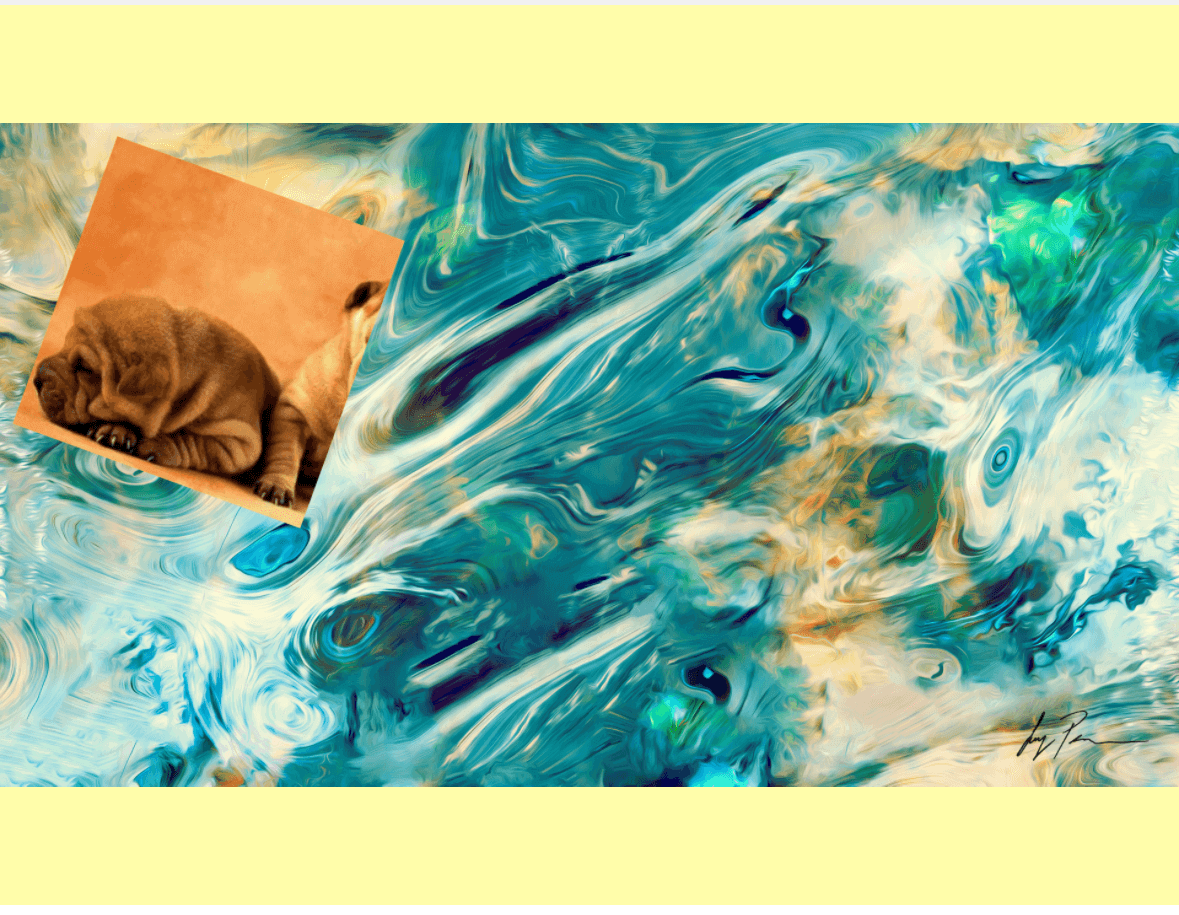
### Icon rotation
#### Sample
 #### Example
example code
```typescript
import Marker, { Position, TextBackgroundType } from "react-native-image-marker"
···
Marker.markImage({
backgroundImage: {
src: require('./images/test.jpg'),
scale: 1,
},
watermarkImages: [{
src: require('./images/watermark.png'),
position: {
position: Position.topLeft,
},
rotate: 30,
}],
});
```
### Transparent background
#### Sample
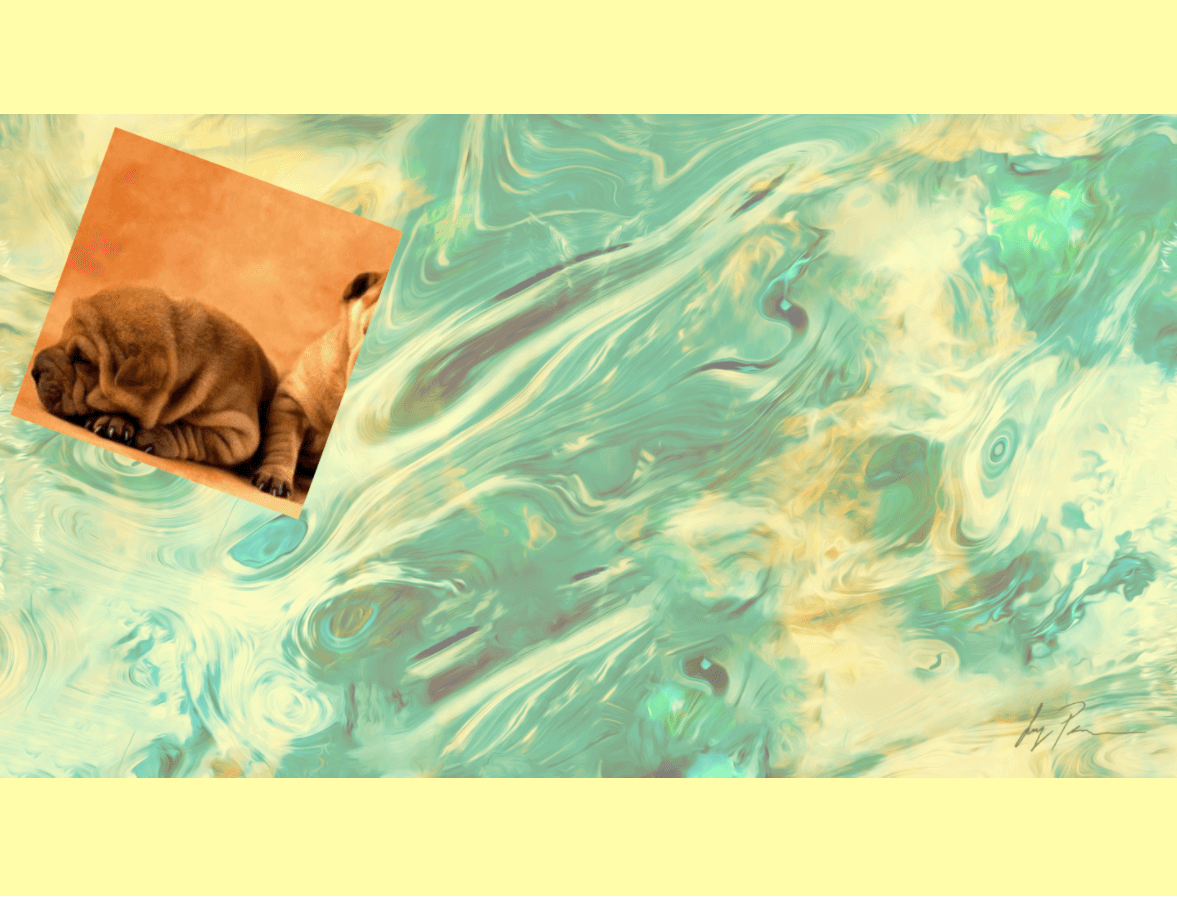 #### Example
example code
```typescript
import Marker, { Position, TextBackgroundType } from "react-native-image-marker"
···
Marker.markImage({
backgroundImage: {
src: require('./images/test.jpg'),
scale: 1,
alpha: 0.5,
},
watermarkImages: [{
src: require('./images/watermark.png'),
position: {
position: Position.topLeft,
},
}],
});
```
### Transparent icon
#### Sample
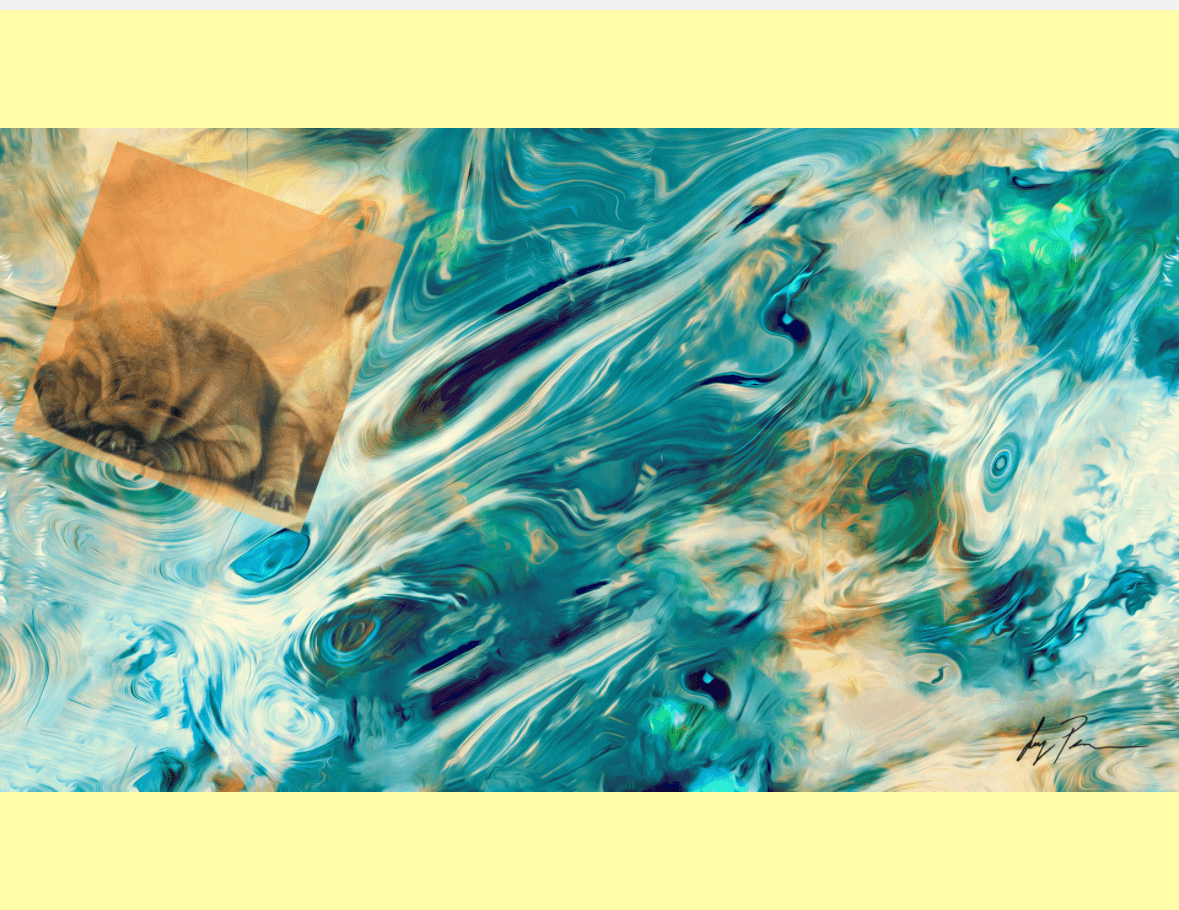 #### Example
example code
```typescript
import Marker, { Position, TextBackgroundType } from "react-native-image-marker"
···
Marker.markImage({
backgroundImage: {
src: require('./images/test.jpg'),
scale: 1,
},
watermarkImages: [{
src: require('./images/watermark.png'),
position: {
position: Position.topLeft,
},
alpha: 0.5,
}],
});
```
## API
* [the latest version](https://jimmydaddy.github.io/react-native-image-marker/classes/Marker.html)
* [v1.1.x](https://github.com/JimmyDaddy/react-native-image-marker/wiki/v1.1.x)
* [v1.0.x](https://github.com/JimmyDaddy/react-native-image-marker/wiki/v1.0.x)
* If you are using a version lower than 1.0.0, please go to [v0.9.2](https://github.com/JimmyDaddy/react-native-image-marker/wiki/0.9.2)
## Save image to file
* If you want to save the new image result to the phone camera roll, just use the [CameraRoll-module from react-native](https://facebook.github.io/react-native/docs/cameraroll.html#savetocameraroll).
* If you want to save it to an arbitrary file path, use something like [react-native-fs](https://github.com/itinance/react-native-fs).
* For any more advanced needs, you can write your own (or find another) native module that would solve your use-case.
## Contributors
[@filipef101](https://github.com/filipef101)
[@mikaello](https://github.com/mikaello)
[@Peretz30](https://github.com/Peretz30)
[@gaoxiaosong](https://github.com/gaoxiaosong)
[@onka13](https://github.com/onka13)
[@OrangeFlavoredColdCoffee](https://github.com/OrangeFlavoredColdCoffee)
[@vioku](https://github.com/vioku)
## Examples
#### React Native
[example](https://github.com/JimmyDaddy/react-native-image-marker/tree/master/example)
If you want to run the example locally, you can do the following:
```bash
git clone git@github.com:JimmyDaddy/react-native-image-marker.git
cd ./react-native-image-marker
# install dependencies
yarn
# Android
# Open an android emulator or connect a real device at first
yarn example android
# iOS
yarn example ios
```
#### Expo
[expo-example](https://github.com/JimmyDaddy/react-native-image-marker/tree/master/expo-example)
If you want to run the example locally, you can do the following:
```bash
git clone git@github.com:JimmyDaddy/react-native-image-marker.git
cd ./react-native-image-marker
# Expo
# install dependencies
yarn
# Android
# Open an android emulator or connect a real device at first
yarn expo-example android
# iOS
yarn expo-example ios
```
## Contributing
See the [contributing guide](CONTRIBUTING.md) to learn how to contribute to the repository and the development workflow.
## License
[MIT](LICENSE)
---
* If this library is useful to you, please give me a ⭐️. 🤩
* If there is any bug, please submit an issue 🐛, or create a pull request 🤓.
* If there is any problem about using this library, please contact me, or [open a QA discussion](https://github.com/JimmyDaddy/react-native-image-marker/discussions/categories/q-a). 🤔
Made with [create-react-native-library](https://github.com/callstack/react-native-builder-bob)