# React Native Hyper Markdown
High-performance markdown parser and renderer for React Native. Built with Nitro Modules and the battle-tested md4c C parser for blazing-fast parsing with complete markdown support.
[](https://www.npmjs.com/package/react-native-hyper-markdown)
[](https://www.npmjs.com/package/react-native-hyper-markdown)
[](https://github.com/leanhtuan1994/react-native-hyper-markdown/blob/main/LICENSE)
## Features
- **Fast Parsing**: Native C++ parser (md4c) via Nitro Modules for 100x faster parsing than JS implementations
- **Complete Markdown**: All CommonMark elements plus GitHub Flavored Markdown extensions
- **Task Lists**: Built-in support for checkboxes and task list items
- **Tables**: Full GFM table support with cell alignment control
- **Code Highlighting Ready**: Language-aware code blocks with built-in language detection
- **Math Support**: LaTeX math expressions (inline and blocks)
- **Wiki Links**: Extended markdown with wiki-style link notation
- **Fully Themeable**: Complete light/dark theme system with deep customization
- **Custom Renderers**: Override any markdown element renderer for maximum flexibility
- **Accessible**: Full accessibility support (roles, labels, semantic elements)
- **Type-Safe**: Complete TypeScript definitions and strict types
- **Live Preview**: Debounced parsing hook for real-time editors
- **Cross-Platform**: iOS and Android with zero code differences
## Screenshots
| Basic Rendering | Theming |
|:---:|:---:|
| 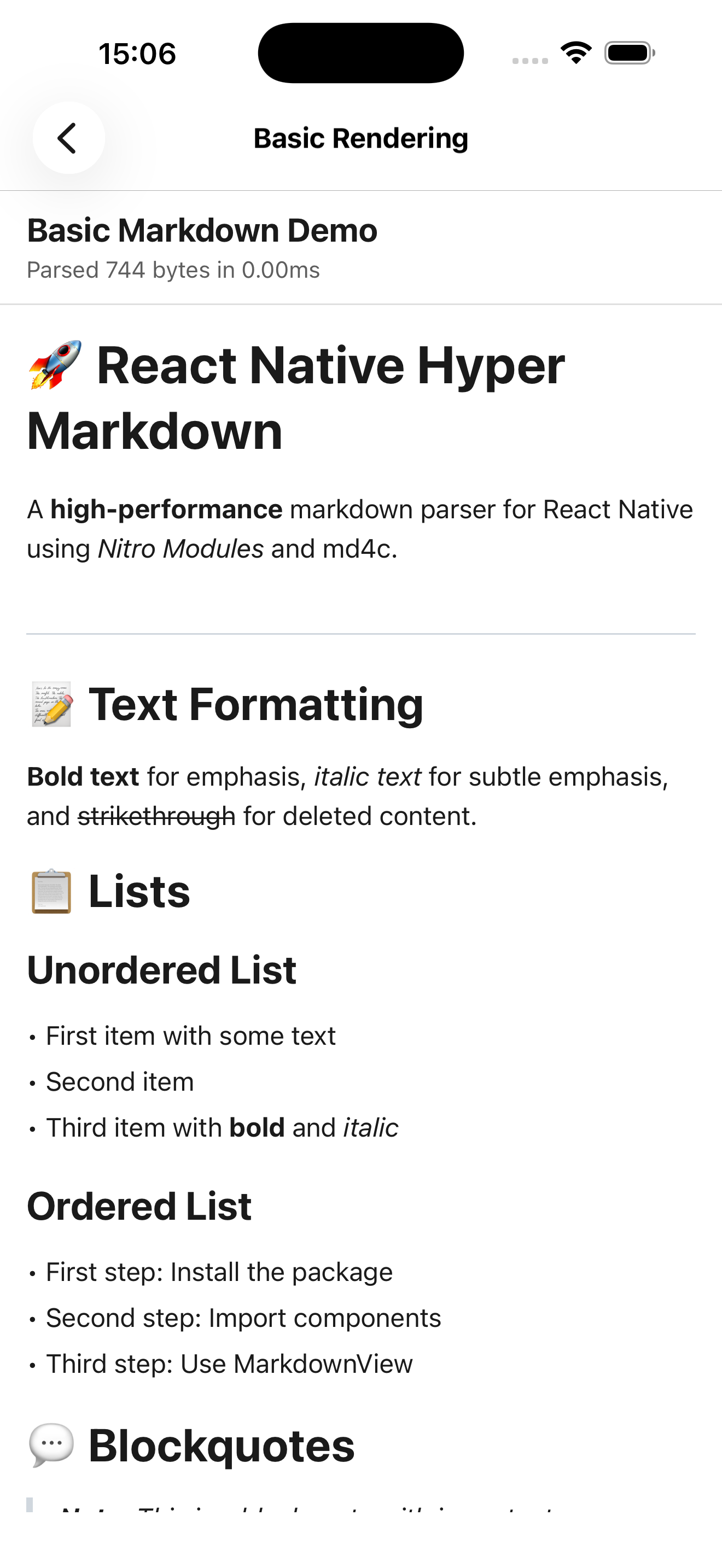 | 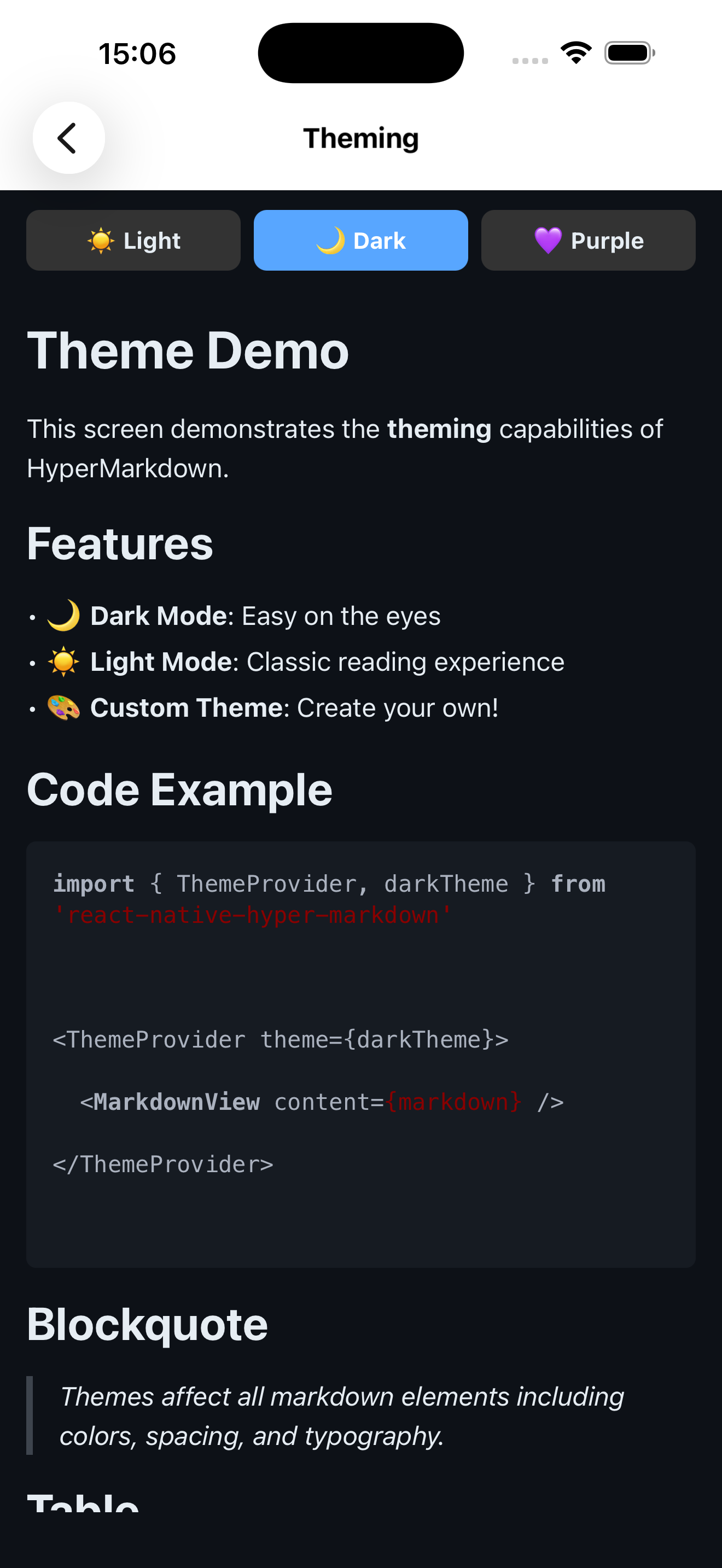 |
| Code Blocks | Live Preview |
|:---:|:---:|
| 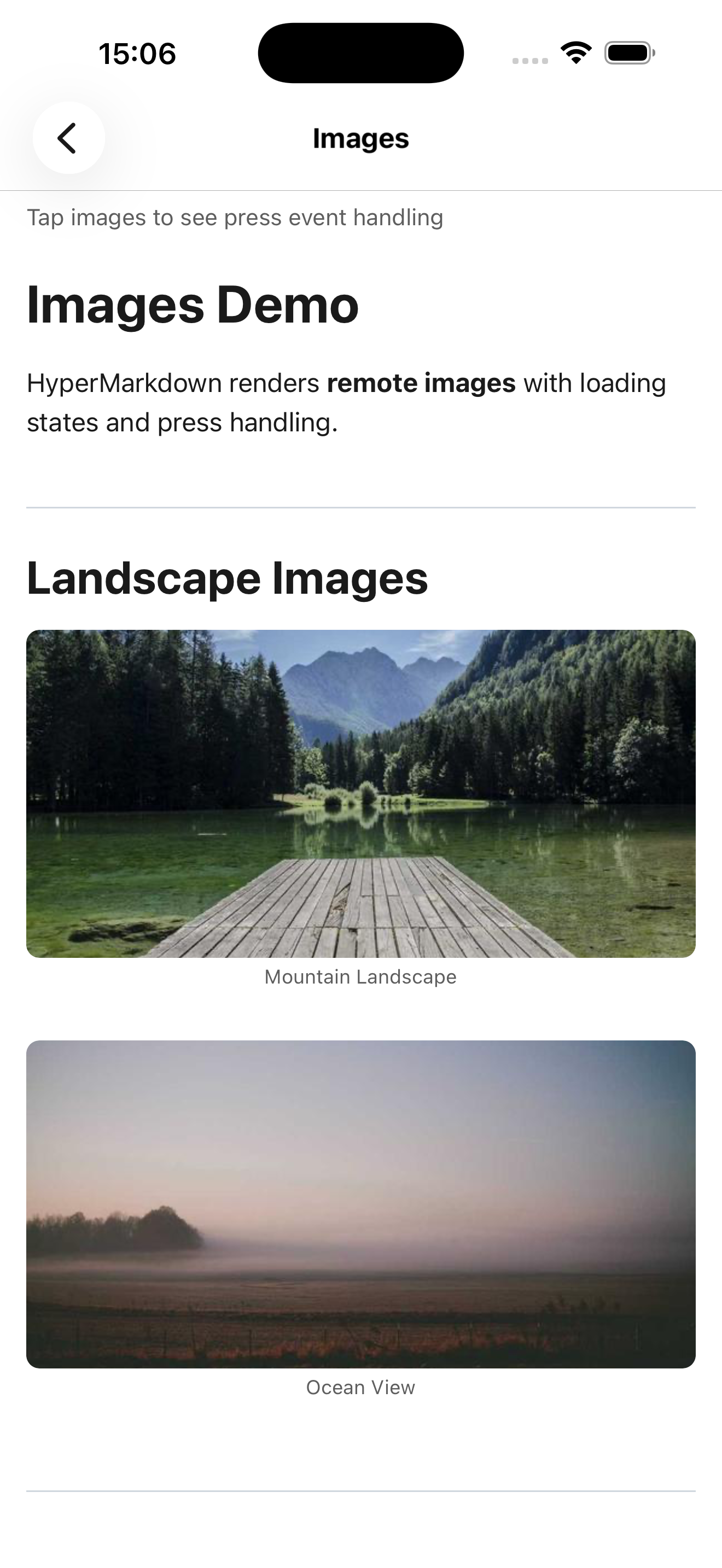 | 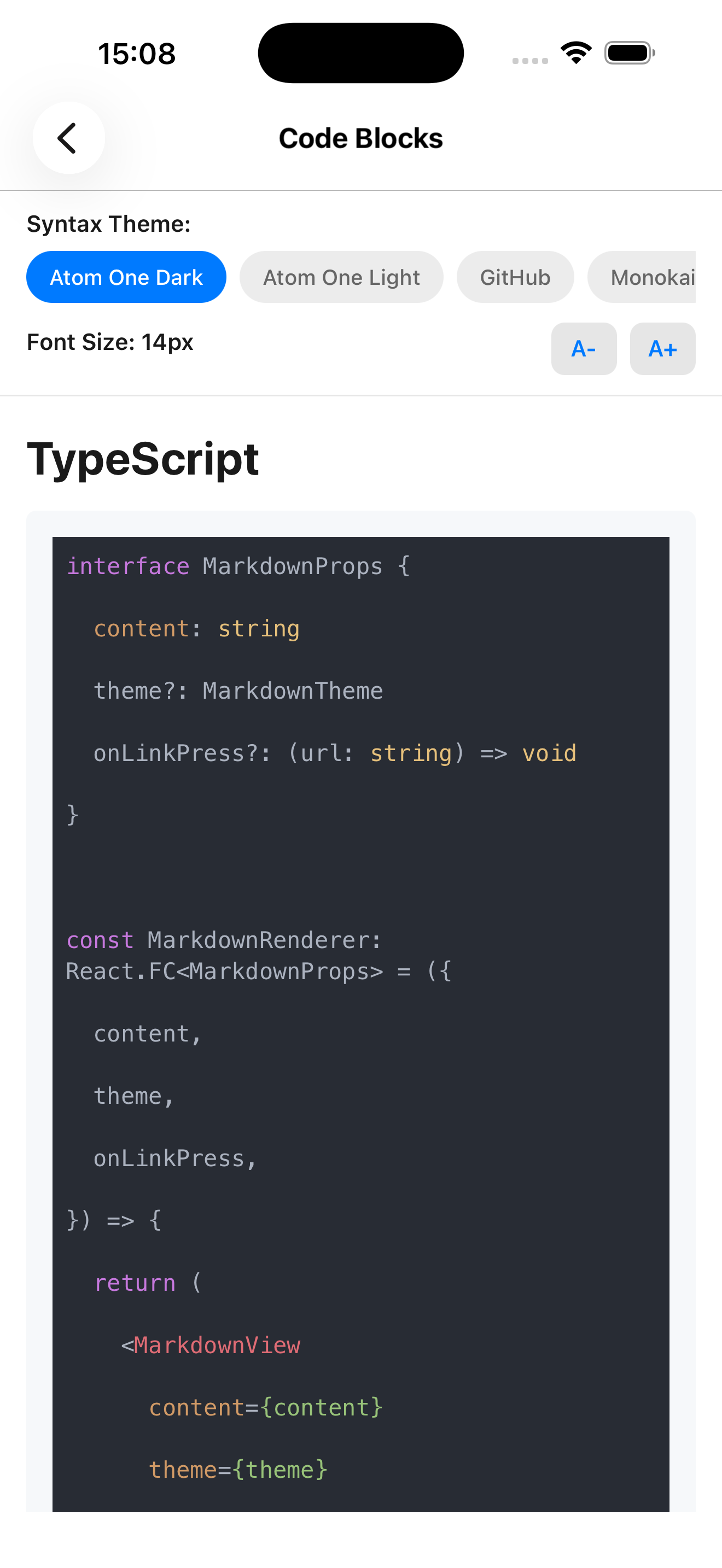 |
## Requirements
- **React Native**: 0.76.0+ (0.78.0+ for Nitro Views support)
- **Node.js**: 18.0.0+
- **React**: 19.2.0+
- **React Native Nitro Modules**: 0.32.0+
> [!IMPORTANT]
> For Nitro Views support, upgrade to React Native 0.78.0 or higher.
## Installation
### Package Installation
```bash
npm install react-native-hyper-markdown react-native-nitro-modules
```
### Optional: Syntax Highlighting
For syntax highlighted code blocks, install the peer dependency:
```bash
npm install react-syntax-highlighter
npm install --save-dev @types/react-syntax-highlighter
```
See [Syntax Highlighting](#syntax-highlighting) section for theme setup.
### Version Compatibility
| Package Version | React Native | React | Nitro Modules |
|----------------|--------------|--------|---------------|
| 0.1.x | 0.76.0+ | 19.2.0+ | 0.32.0+ |
> **Nitro Views Support:** Requires React Native 0.78.0 or higher
## Quick Start
### Basic Usage
```typescript
import { MarkdownView } from 'react-native-hyper-markdown'
export function MyScreen() {
const markdown = `# Hello World
This is a **markdown** document with *formatting*.
- Item 1
- Item 2
- Nested item`
return
}
```
### With Theme
```typescript
import { ThemeProvider, MarkdownView, darkTheme } from 'react-native-hyper-markdown'
export function App() {
return (
)
}
```
### With Event Handlers
```typescript
{
Linking.openURL(url)
}}
onImagePress={(src) => {
console.log('Image pressed:', src)
}}
onCheckboxToggle={(checked, index) => {
console.log('Task toggled:', checked, index)
}}
/>
```
### Live Preview with Debouncing
```typescript
import { useDebouncedParsing, MarkdownView } from 'react-native-hyper-markdown'
export function Editor() {
const [content, setContent] = useState('')
const parseResult = useDebouncedParsing(content, {}, 300)
return (
{parseResult.success && (
)}
)
}
```
## Usage Examples
### Real-World Use Cases
#### Blog/Article Rendering
Perfect for displaying blog posts, articles, or documentation with navigation support:
```typescript
import { MarkdownView } from 'react-native-hyper-markdown'
import { Linking } from 'react-native'
export function ArticleViewer({ articleContent }) {
return (
{
if (url.startsWith('/')) {
// Internal navigation
navigation.navigate(url.replace('/', ''))
} else {
// External links
Linking.openURL(url)
}
}}
parserOptions={{ gfm: true, enableTables: true }}
/>
)
}
```
#### Live Markdown Editor
Real-time preview with debounced parsing for markdown editors:
```typescript
import { useState } from 'react'
import { View, TextInput } from 'react-native'
import { useDebouncedParsing } from 'react-native-hyper-markdown'
export function MarkdownEditor() {
const [content, setContent] = useState('# Start writing...')
const parseResult = useDebouncedParsing(content, {}, 300)
return (
{parseResult.success && (
)}
)
}
```
#### Documentation Viewer
In-app help system with topic navigation:
```typescript
import { MarkdownView } from 'react-native-hyper-markdown'
export function HelpScreen({ navigation }) {
const helpContent = `
# Help & Documentation
Click on topics below to learn more:
- [Getting Started](/getting-started)
- [Features Overview](/features)
- [Troubleshooting](/troubleshooting)
`
return (
{
navigation.navigate('HelpTopic', { id: url.replace('/', '') })
}}
/>
)
}
```
### Event Handlers
#### Link Handling
```typescript
{
console.log('Link pressed:', url, title)
if (url.startsWith('http')) {
Linking.openURL(url)
} else {
navigation.navigate(url)
}
}}
/>
```
#### Image Handling
```typescript
{
// Open image viewer modal
navigation.navigate('ImageViewer', {
uri: src,
caption: alt,
title: title,
})
}}
/>
```
#### Task List Interaction
```typescript
const [tasks, setTasks] = useState([
{ text: 'Complete documentation', checked: false },
{ text: 'Write tests', checked: true },
])
const markdown = tasks
.map((t) => `- [${t.checked ? 'x' : ' '}] ${t.text}`)
.join('\n')
{
const taskText = node.children?.[0]?.content
setTasks((prev) =>
prev.map((t) => (t.text === taskText ? { ...t, checked } : t))
)
}}
/>
```
### Parser Configuration
#### GitHub Flavored Markdown (Default)
```typescript
```
#### LaTeX Math Support
```typescript
const mathMarkdown = `
Inline math: $E=mc^2$
Block math:
$$
\\int_0^\\infty e^{-x^2} dx = \\frac{\\sqrt{\\pi}}{2}
$$
`
```
#### Wiki Links
```typescript
const wikiContent = `
See also: [[Related Topic]] or [[Custom Label|topic-slug]]
`
```
### Performance Optimization
#### Pre-parsed AST (Avoid Re-parsing)
```typescript
import { useMemo } from 'react'
import { parseMarkdown } from 'react-native-hyper-markdown'
const ast = useMemo(
() => parseMarkdown(content, options),
[content, options]
)
return
```
#### Large Documents with Virtualization
```typescript
import { FlatList } from 'react-native'
import { parseMarkdown } from 'react-native-hyper-markdown'
const sections = useMemo(() => parseMarkdown(longDocument).nodes, [longDocument])
}
keyExtractor={(_, i) => `section-${i}`}
initialNumToRender={3}
/>
```
#### Debounced Parsing for Live Editors
```typescript
// Parsing happens 300ms after last keystroke
const result = useDebouncedParsing(content, {}, 300)
// Reduces parsing frequency from every keystroke to ~3x per second
```
### Accessibility
#### Screen Reader Support
```typescript
```
#### Custom Accessibility Labels
```typescript
const customRenderers = {
heading: (node, key, ctx) => (
{node.children?.map((child, i) => ctx.renderNode(child, i))}
),
}
```
## API Reference
### Components
#### ``
Main component for rendering markdown content.
**Props:**
| Prop | Type | Default | Description |
|------|------|---------|-------------|
| `content` | `string` | Required | Markdown string to render |
| `ast` | `MarkdownNode[]` | `undefined` | Pre-parsed AST (skips parsing if provided) |
| `parserOptions` | `ParserOptions` | `{}` | Parser configuration options |
| `theme` | `MarkdownTheme` | Context theme | Theme override (uses ThemeProvider theme if not specified) |
| `customRenderers` | `CustomRenderers` | `undefined` | Override default element renderers |
| `style` | `ViewStyle` | `undefined` | Container view style |
| `onLinkPress` | `(url: string, title?: string) => void` | `undefined` | Link press handler |
| `onImagePress` | `(src: string, alt?: string, title?: string) => void` | `undefined` | Image press handler |
| `onCheckboxToggle` | `(checked: boolean, node: MarkdownNode) => void` | `undefined` | Task list checkbox toggle handler |
| `showErrors` | `boolean` | `false` | Display parse errors in development |
**Example - All Props:**
```typescript
Linking.openURL(url)}
onImagePress={(src) => console.log('Image:', src)}
onCheckboxToggle={(checked, node) => console.log('Checked:', checked)}
showErrors={__DEV__}
/>
```
#### ``
Provides theme context to all child `MarkdownView` components.
**Props:**
| Prop | Type | Default | Description |
|------|------|---------|-------------|
| `theme` | `MarkdownTheme` | Required | Theme object (lightTheme or darkTheme or custom) |
| `children` | `ReactNode` | Required | Child components |
**Example:**
```typescript
import { ThemeProvider, darkTheme } from 'react-native-hyper-markdown'
```
### Hooks
#### `useMarkdown(content, options)`
Parse markdown and return memoized result.
**Parameters:**
- `content: string` - Markdown string to parse
- `options?: ParserOptions` - Parser configuration
**Returns:** `ParseResult`
- `success: boolean` - Parse success status
- `nodes: MarkdownNode[]` - Parsed AST nodes
- `error?: ParseError` - Error details (if parsing failed)
**Example:**
```typescript
import { useMarkdown } from 'react-native-hyper-markdown'
const result = useMarkdown(content, { gfm: true })
if (result.success) {
return
} else {
return
}
```
#### `useDebouncedParsing(content, options, delay)`
Parse markdown with debounce for live editors.
**Parameters:**
- `content: string` - Markdown string to parse
- `options?: ParserOptions` - Parser configuration
- `delay?: number` - Debounce delay in milliseconds (default: 300)
**Returns:** `ParseResult`
**Example:**
```typescript
import { useDebouncedParsing } from 'react-native-hyper-markdown'
const [input, setInput] = useState('')
const result = useDebouncedParsing(input, {}, 200)
return (
<>
{result.success && }
)
```
#### `useMarkdownAST(content, options)`
Get parsed AST nodes only (returns empty array on error).
**Parameters:**
- `content: string` - Markdown string to parse
- `options?: ParserOptions` - Parser configuration
**Returns:** `MarkdownNode[]` - AST nodes (empty on error)
**Example:**
```typescript
import { useMarkdownAST } from 'react-native-hyper-markdown'
const nodes = useMarkdownAST(content)
const headings = nodes.filter(n => n.type === 'heading')
console.log('Found', headings.length, 'headings')
```
#### `useMarkdownTheme()`
Get current theme from ThemeProvider context.
**Returns:** `MarkdownTheme` - Current theme object
**Example:**
```typescript
import { useMarkdownTheme } from 'react-native-hyper-markdown'
function MyComponent() {
const theme = useMarkdownTheme()
return Custom text
}
```
### Parser Functions
#### `parseMarkdown(content, options)`
Directly parse markdown to AST (synchronous, non-hook version).
**Parameters:**
- `content: string` - Markdown string
- `options?: ParserOptions` - Parser configuration
**Returns:** `ParseResult`
**Example:**
```typescript
import { parseMarkdown } from 'react-native-hyper-markdown'
const result = parseMarkdown('# Hello World', { gfm: true })
console.log(result.nodes)
```
#### `getNativeModule()`
Access the native Nitro module directly for advanced use cases.
**Returns:** `HyperMarkdownSpec` - Native module instance
**Example:**
```typescript
import { getNativeModule } from 'react-native-hyper-markdown'
const module = getNativeModule()
const result = module.parse('# Test', {})
```
### Parser Options
Complete `ParserOptions` configuration:
| Option | Type | Default | Description |
|--------|------|---------|-------------|
| `gfm` | `boolean` | `true` | Enable GitHub Flavored Markdown |
| `enableTables` | `boolean` | `true` | Enable GFM tables support |
| `enableTaskLists` | `boolean` | `true` | Enable task list checkboxes |
| `enableStrikethrough` | `boolean` | `true` | Enable ~~strikethrough~~ text |
| `enableAutolink` | `boolean` | `true` | Auto-link URLs without markup |
| `math` | `boolean` | `false` | Enable LaTeX math expressions ($inline$ and $$block$$) |
| `wiki` | `boolean` | `false` | Enable Wiki-style [[links]] |
| `maxInputSize` | `number` | `10485760` | Maximum input size in bytes (10MB default) |
| `timeout` | `number` | `5000` | Parse timeout in milliseconds |
**Examples:**
```typescript
// Strict CommonMark only (disable all GFM features)
parserOptions={{ gfm: false }}
// Enable math and wiki links
parserOptions={{ math: true, wiki: true }}
// Large document handling
parserOptions={{
maxInputSize: 50 * 1024 * 1024, // 50MB
timeout: 10000, // 10 seconds
}}
// Minimal features for performance
parserOptions={{
gfm: true,
enableTables: false,
enableTaskLists: false,
enableStrikethrough: false,
}}
```
## Markdown Support
### Basic Elements
- Headings (h1-h6)
- Paragraphs
- Text formatting: **bold**, *italic*, ~~strikethrough~~, underline
- Line breaks (soft and hard)
### Lists
- Unordered lists
- Ordered lists
- Task lists with checkboxes
- Nested lists
### Code
- Inline code: `` `code` ``
- Code blocks with language specification
- Syntax highlight ready (theme provides hooks)
### Tables
GitHub Flavored Markdown tables with alignment:
```markdown
| Left | Center | Right |
|------|:------:|------:|
| A | B | C |
```
### Advanced
- Block quotes, links, images, HTML, LaTeX math, wiki links
## Theme System
### Built-in Themes
**lightTheme:**
- Light background (`#ffffff`)
- Dark text (`#1f2937`)
- Blue links (`#3b82f6`)
- Gray code blocks (`#f3f4f6`)
**darkTheme:**
- Dark background (`#1f2937`)
- Light text (`#f9fafb`)
- Sky blue links (`#60a5fa`)
- Darker code blocks (`#111827`)
**Usage:**
```typescript
import { ThemeProvider, lightTheme, darkTheme } from 'react-native-hyper-markdown'
```
### Theme Structure
Complete theme interface with all available properties:
```typescript
interface MarkdownTheme {
// Colors
colors: {
text: string // Primary text color
background: string // Background color
link: string // Link color
codeBackground: string // Code background
blockquoteBorder: string // Blockquote border
tableBorder: string // Table borders
hr: string // Horizontal rule
}
// Text Styles
textStyles: {
text?: TextStyle // Default text
heading1?: TextStyle // H1 heading
heading2?: TextStyle // H2 heading
heading3?: TextStyle // H3 heading
heading4?: TextStyle // H4 heading
heading5?: TextStyle // H5 heading
heading6?: TextStyle // H6 heading
strong?: TextStyle // Bold text
emphasis?: TextStyle // Italic text
strikethrough?: TextStyle // Strikethrough
link?: TextStyle // Link text
codeInline?: TextStyle // Inline code
codeBlock?: TextStyle // Code block text
blockquote?: TextStyle // Blockquote text
listItem?: TextStyle // List item text
tableCell?: TextStyle // Table cell
tableHeader?: TextStyle // Table header
}
// Container Styles
containerStyles: {
document?: ViewStyle // Root container
paragraph?: ViewStyle // Paragraph container
blockquoteContainer?: ViewStyle // Blockquote container
codeBlockContainer?: ViewStyle // Code block container
list?: ViewStyle // List container
listItemContainer?: ViewStyle // List item container
table?: ViewStyle // Table container
tableRow?: ViewStyle // Table row
tableCellContainer?: ViewStyle // Table cell container
imageContainer?: ViewStyle // Image wrapper
thematicBreak?: ViewStyle // Horizontal rule
checkbox?: ViewStyle // Unchecked checkbox
checkboxChecked?: ViewStyle // Checked checkbox
}
// Image Styles
imageStyles: {
image?: ImageStyle // Image style
}
// Spacing
spacing: {
paragraph: number // Paragraph margin
listIndent: number // List indentation
codeBlockPadding: number // Code block padding
blockquotePadding: number // Blockquote padding
tableCellPadding: number // Table cell padding
}
// Syntax Highlighting (optional)
syntaxHighlighting?: {
enabled?: boolean // Enable highlighting
theme?: object // react-syntax-highlighter theme
highlighter?: 'hljs' | 'prism' // Highlighter type
fontSize?: number // Code font size
fontFamily?: string // Code font family
}
}
```
### Custom Theme Example
Create a custom theme by extending built-in themes:
```typescript
import { lightTheme, type MarkdownTheme } from 'react-native-hyper-markdown'
const customTheme: MarkdownTheme = {
...lightTheme,
colors: {
...lightTheme.colors,
link: '#ff6b6b',
text: '#2d3748',
},
textStyles: {
...lightTheme.textStyles,
heading1: {
fontSize: 36,
fontWeight: 'bold',
color: '#1a202c',
marginBottom: 16,
},
heading2: {
fontSize: 30,
fontWeight: '600',
color: '#2d3748',
marginBottom: 12,
},
codeInline: {
fontFamily: 'Menlo',
fontSize: 14,
backgroundColor: '#f7fafc',
paddingHorizontal: 4,
borderRadius: 3,
},
},
spacing: {
...lightTheme.spacing,
paragraph: 16,
listIndent: 20,
},
}
```
### Partial Theme Overrides
Override specific properties without specifying the entire theme:
```typescript
const themeOverrides = {
textStyles: {
heading1: { fontSize: 32, color: '#ff0000' },
},
colors: {
link: '#0000ff',
},
}
// Merge with lightTheme
const mergedTheme = { ...lightTheme, ...themeOverrides }
```
## Custom Renderers
Override rendering for any of the 25+ markdown element types with custom React components.
### Renderer Signature
```typescript
type CustomRenderer = (
node: T, // The AST node to render
key: string | number, // React key for the element
ctx: RenderContext // Context with theme, handlers, and renderNode function
) => ReactNode
interface RenderContext {
theme: MarkdownTheme // Current theme
onLinkPress?: (url: string, title?: string) => void
onImagePress?: (src: string, alt?: string, title?: string) => void
onCheckboxToggle?: (checked: boolean, node: MarkdownNode) => void
renderNode: (node: MarkdownNode, key: string | number) => ReactNode
}
```
### Available Node Types
You can customize any of these 25 node types:
- **Document & Structure:** `document`, `paragraph`, `heading`
- **Text Formatting:** `text`, `strong`, `emphasis`, `strikethrough`, `underline`
- **Links & Media:** `link`, `image`
- **Code:** `code_block`, `code_inline`
- **Quotes:** `blockquote`
- **Lists:** `list`, `list_item`, `task_list_item`
- **Tables:** `table`, `table_row`, `table_cell`
- **Math:** `math_inline`, `math_block`
- **Breaks:** `thematic_break`, `softbreak`, `hardbreak`
- **Extended:** `wiki_link`, `html_block`
### Example: Custom Heading
```typescript
const customRenderers = {
heading: (node, key, ctx) => {
const level = node.level || 1
const fontSize = 32 - level * 4
return (
{node.children?.map((child, i) =>
ctx.renderNode(child, `${key}-${i}`)
)}
)
},
}
```
### Example: Custom Link with Icon
```typescript
import Icon from 'react-native-vector-icons/Feather'
const customRenderers = {
link: (node, key, ctx) => (
ctx.onLinkPress?.(node.href, node.title)}
style={{ flexDirection: 'row', alignItems: 'center', gap: 4 }}
>
{node.children?.map((child, i) =>
ctx.renderNode(child, `${key}-${i}`)
)}
),
}
```
### Example: Custom Code Block with Syntax Highlighting
```typescript
import { SyntaxHighlighter } from 'react-native-hyper-markdown'
import { atomOneDark } from 'react-syntax-highlighter/styles/hljs'
const customRenderers = {
code_block: (node, key, ctx) => (
{node.language && (
{node.language}
)}
{node.content || ''}
),
}
```
### Example: Custom Task List Item
```typescript
const customRenderers = {
task_list_item: (node, key, ctx) => (
ctx.onCheckboxToggle?.(!node.checked, node)}
style={{
flexDirection: 'row',
alignItems: 'center',
paddingVertical: 4,
minHeight: 44, // Accessibility touch target
}}
>
{node.checked && (
)}
{node.children?.map((child, i) =>
ctx.renderNode(child, `${key}-${i}`)
)}
),
}
```
### Key Patterns
1. **Access Theme:** Use `ctx.theme` for consistent styling
2. **Render Children:** Use `ctx.renderNode(child, key)` for recursive rendering
3. **Handle Events:** Use `ctx.onLinkPress?.(...)`, `ctx.onImagePress?.(...)`, etc.
4. **Preserve Keys:** Always pass `key` prop to root element
5. **Node Properties:** Access node-specific data like `node.level`, `node.href`, `node.checked`, etc.
### Usage
```typescript
```
See [example/screens/CustomRenderersScreen.tsx](./example/screens/CustomRenderersScreen.tsx) for more complete examples.
## Advanced Usage
### Syntax Highlighting
Code syntax highlighting requires the `react-syntax-highlighter` peer dependency.
#### Installation
```bash
npm install react-syntax-highlighter
npm install --save-dev @types/react-syntax-highlighter
```
#### Basic Setup
```typescript
import { MarkdownView, darkTheme } from 'react-native-hyper-markdown'
import { atomOneDark } from 'react-syntax-highlighter/styles/hljs'
```
#### Available Themes
**HLJS Themes:**
- `atomOneDark`, `atomOneLight` - Modern Atom themes
- `github`, `githubGist` - GitHub-style themes
- `monokai`, `monokaiSublime` - Monokai variants
- `vs`, `vs2015` - Visual Studio themes
- `xcode` - Xcode theme
**Prism Themes:**
- `prism`, `dark`, `funky`, `okaidia`, `twilight`, `coy`
**Import from:**
```typescript
import { atomOneDark } from 'react-syntax-highlighter/styles/hljs'
import { prism } from 'react-syntax-highlighter/styles/prism'
```
#### Using Prism Highlighter
```typescript
import { prism } from 'react-syntax-highlighter/styles/prism'
theme={{
syntaxHighlighting: {
enabled: true,
theme: prism,
highlighter: 'prism', // Use Prism instead of hljs
},
}}
```
#### Custom Code Renderer with Highlighting
```typescript
import { SyntaxHighlighter } from 'react-native-hyper-markdown'
import { atomOneDark } from 'react-syntax-highlighter/styles/hljs'
const customRenderers = {
code_block: (node, key, ctx) => (
{/* Language label */}
{node.language && (
{node.language}
)}
{/* Syntax highlighted code */}
{node.content || ''}
),
}
```
### Performance Optimization
#### Memoization Best Practices
```typescript
import { useMemo } from 'react'
import { parseMarkdown } from 'react-native-hyper-markdown'
// Parse once, reuse AST
const ast = useMemo(
() => parseMarkdown(content, options),
[content, options]
)
// Avoid re-parsing on every render
return
```
```typescript
// Memoize custom renderers to prevent re-creation
const customRenderers = useMemo(() => ({
heading: (node, key, ctx) => { /* ... */ },
link: (node, key, ctx) => { /* ... */ },
}), []) // Empty deps - renderers don't change
```
#### Debounced Parsing for Live Editors
```typescript
import { useState } from 'react'
import { useDebouncedParsing } from 'react-native-hyper-markdown'
const [input, setInput] = useState('')
const result = useDebouncedParsing(input, {}, 300)
// Parsing happens 300ms after last keystroke
// Reduces parsing from every keystroke to ~3x per second
```
#### Large Document Strategies
**1. Pagination:**
```typescript
const pages = useMemo(() => {
const nodes = parseMarkdown(content).nodes
const pageSize = 10
return Array.from(
{ length: Math.ceil(nodes.length / pageSize) },
(_, i) => nodes.slice(i * pageSize, (i + 1) * pageSize)
)
}, [content])
return
```
**2. Virtualization with FlatList:**
```typescript
import { FlatList } from 'react-native'
const sections = useMemo(() => parseMarkdown(longDocument).nodes, [longDocument])
}
keyExtractor={(_, i) => `section-${i}`}
initialNumToRender={5}
maxToRenderPerBatch={5}
windowSize={10}
/>
```
**3. Lazy Loading:**
```typescript
import { Suspense, lazy } from 'react'
const LazyMarkdown = lazy(() => import('./MarkdownSection'))
}>
```
### Error Handling
#### Parse Error Display
```typescript
import { parseMarkdown } from 'react-native-hyper-markdown'
const result = parseMarkdown(content)
if (!result.success) {
console.error('Parse failed:', result.error)
return (
Parse Error: {result.error?.message}
{result.error?.line && (
Line {result.error.line}, Column {result.error.column}
)}
)
}
return
```
#### Error Boundaries for Safe Rendering
```typescript
class MarkdownErrorBoundary extends React.Component {
state = { hasError: false, error: null }
static getDerivedStateFromError(error) {
return { hasError: true, error }
}
componentDidCatch(error, errorInfo) {
console.error('Markdown render error:', error, errorInfo)
}
render() {
if (this.state.hasError) {
return (
Failed to render markdown
)
}
return this.props.children
}
}
// Usage
```
#### Timeout Handling
```typescript
```
### Accessibility Implementation
#### WCAG 2.1 Compliant Renderers
```typescript
const accessibleRenderers = {
heading: (node, key, ctx) => (
{node.children?.map((child, i) =>
ctx.renderNode(child, `${key}-${i}`)
)}
),
link: (node, key, ctx) => (
ctx.onLinkPress?.(node.href, node.title)}
style={ctx.theme.textStyles.link}
>
{node.children?.map((child, i) =>
ctx.renderNode(child, `${key}-${i}`)
)}
),
image: (node, key, ctx) => (
),
task_list_item: (node, key, ctx) => (
ctx.onCheckboxToggle?.(!node.checked, node)}
style={{ minHeight: 44, minWidth: 44 }} // Touch target
>
{/* Checkbox UI */}
),
}
```
#### Touch Target Sizing
iOS Human Interface Guidelines and Material Design recommend minimum 44x44pt touch targets:
```typescript
const MIN_TOUCH_SIZE = 44
const customRenderers = {
task_list_item: (node, key, ctx) => (
ctx.onCheckboxToggle?.(!node.checked, node)}
>
{/* Content */}
),
link: (node, key, ctx) => (
ctx.onLinkPress?.(node.href)}
>
{node.children?.map((child, i) =>
ctx.renderNode(child, `${key}-${i}`)
)}
),
}
```
#### Screen Reader Announcements
```typescript
```
## Platform-Specific Considerations
### iOS
**Font Rendering:**
- Uses system fonts by default (San Francisco)
- Code blocks use Menlo (monospace) font
- Supports custom fonts via `fontFamily` in theme
**Safe Areas:**
```typescript
import { SafeAreaView } from 'react-native'
```
**Dark Mode:**
```typescript
import { useColorScheme } from 'react-native'
import { lightTheme, darkTheme } from 'react-native-hyper-markdown'
const colorScheme = useColorScheme()
const theme = colorScheme === 'dark' ? darkTheme : lightTheme
```
### Performance Characteristics
| Document Size | Parse Time | Rendering Time |
|---------------|------------|----------------|
| 10 KB | 1-5ms | 50-100ms |
| 100 KB | 10-50ms | 200-500ms |
| 1 MB | 100-500ms | 1-3s |
- All parsing happens on native thread (non-blocking UI) via Nitro's threadpool
- Rendering happens on main thread
- Use virtualization for documents >100KB
## Migration Guide
### From react-native-markdown-display
**Before:**
```typescript
import Markdown from 'react-native-markdown-display'
{content}
```
**After:**
```typescript
import { MarkdownView } from 'react-native-hyper-markdown'
```
**Key Differences:**
1. **Theme Structure:**
- `react-native-markdown-display` uses flat style object
- `react-native-hyper-markdown` uses structured theme with `textStyles`, `containerStyles`, `colors`, `spacing`
2. **Custom Renderers:**
```typescript
// Before (markdown-display)
const rules = {
heading1: (node, children) => {children}
}
// After (hyper-markdown)
const customRenderers = {
heading: (node, key, ctx) => (
{ctx.renderNode(node.children)}
)
}
```
3. **Performance:**
- **100x faster** parsing (native C++ vs JavaScript)
- AST can be pre-parsed and reused
- Better performance on large documents
4. **API Differences:**
- `style` prop → `theme.containerStyles`
- `rules` prop → `customRenderers`
- Children content → `content` prop
## Troubleshooting & FAQ
### Parse Errors
**Q: "Unknown parse error" or parsing fails silently**
- Check markdown syntax, especially unclosed code blocks or malformed tables
- Enable error display: `showErrors={__DEV__}`
- Check console for detailed error messages
**Q: Timeout errors on large documents**
```typescript
parserOptions={{
timeout: 10000, // Increase to 10 seconds
maxInputSize: 50 * 1024 * 1024, // Increase to 50MB
}}
```
**Q: Math expressions not rendering**
- Enable math parser: `parserOptions={{ math: true }}`
- Check LaTeX syntax is valid
- Math rendering is basic - consider mathjs library for advanced features
### Rendering Issues
**Q: Styles not applying**
- Ensure `ThemeProvider` wraps `MarkdownView`, or pass `theme` prop directly
- Check theme structure matches `MarkdownTheme` interface
- Verify style properties are valid React Native styles
**Q: Images not showing**
- Verify image URLs are accessible
- Check `onImagePress` handler if custom image rendering
- Ensure network permissions in AndroidManifest.xml
**Q: Code blocks render as plain text (no syntax highlighting)**
- Install peer dependency: `npm install react-syntax-highlighter`
- Enable in theme: `syntaxHighlighting: { enabled: true }`
- Check `isSyntaxHighlightingAvailable()` returns true
**Q: Custom renderers not working**
- Ensure renderer returns React element with `key` prop
- Use `ctx.renderNode()` for children, not direct mapping
- Check node type matches (e.g., `heading` not `heading1`)
### Performance Issues
**Q: Slow rendering on large documents**
- Use virtualization with `FlatList` (see Performance section)
- Implement pagination
- Pre-parse AST and memoize result
- Consider splitting document into sections
**Q: Re-parsing on every render**
```typescript
// Bad - re-parses every render
// Good - memoize AST
const ast = useMemo(() => parseMarkdown(content), [content])
return
```
**Q: Memory issues with many MarkdownView components**
- Share parsed AST across components
- Use `ast` prop instead of `content` to avoid duplicate parsing
- Implement component pooling or recycling
### Platform Issues
**Q: iOS build fails with pod install errors**
```bash
cd ios
rm -rf Pods Podfile.lock
pod install
cd ..
```
**Q: Android NDK errors**
- Check NDK version in `android/gradle.properties`
- Update to compatible NDK version (r21-r26)
- Clear Gradle cache: `cd android && ./gradlew clean`
**Q: Metro bundler crashes or "Nitro Module Not Found"**
```bash
npm start -- --reset-cache
# or
watchman watch-del-all
rm -rf node_modules
npm install
```
**Q: TypeScript errors with custom renderers**
- Import types: `import type { CustomRenderers } from 'react-native-hyper-markdown'`
- Use `as const` for renderer objects
- Ensure node types match `MarkdownNode` interface
## Known Limitations
- **HTML Sanitization:** Raw HTML rendered as-is (no XSS protection built-in)
- Sanitize untrusted content before rendering
- Consider using DOMPurify or similar for HTML sanitization
- **Complex Tables:** Very wide tables may require horizontal scrolling
- Implement custom table renderer with `ScrollView`
- Consider responsive table layouts
- **Math Rendering:** LaTeX display is basic
- For advanced math, integrate mathjs or react-native-mathjax
- Custom math renderers recommended for production
- **Image Sizing:** No automatic image resizing
- Handle in custom image renderer
- Use `resizeMode` in `imageStyles.image`
- **RTL Languages:** Limited right-to-left language support
- May require custom renderers for proper RTL rendering
- Contributions welcome
- **Inline HTML:** Limited inline HTML support
- Most HTML passes through but may not render correctly
- Use custom renderers for specific HTML elements
## Comparison with Alternatives
| Feature | hyper-markdown | markdown-display | markdown-renderer |
|---------|----------------|------------------|-------------------|
| **Parse Speed** | 100x faster (C++) | JavaScript | JavaScript |
| **Bundle Size** | ~500KB (with native) | ~200KB | ~150KB |
| **TypeScript** | Full support | Partial | Partial |
| **Custom Renderers** | 25+ node types | Limited | Custom rules |
| **Theme System** | Deep customization | Style props | Limited |
| **GFM Support** | Full (tables, tasks, strikethrough) | Partial | Partial |
| **Math Support** | Built-in ($LaTeX$) | Plugin | No |
| **Wiki Links** | Built-in | No | No |
| **Performance** | Excellent (native) | Good | Good |
| **Maintenance** | Active | Active | Archived |
| **React Native** | 0.76+ | 0.60+ | 0.60+ |
**Choose hyper-markdown if:**
- You need maximum performance (large documents, frequent updates)
- You want complete GFM support out of the box
- You need advanced features (math, wiki links, syntax highlighting)
- You want full TypeScript support
- You're building a production app with React Native 0.76+
**Choose alternatives if:**
- You need React Native <0.76 support
- Bundle size is critical concern
- You don't need native performance
## Example App
Clone the repository and run the example app:
```bash
cd example
npm install
npm run ios # Run on iOS
npm run android # Run on Android
```
## Performance
- Parse 10KB document: ~1-5ms
- Parse 100KB document: ~10-50ms
- Parse 1MB document: ~100-500ms
- Live preview with debounce: 300ms default
All parsing happens on a native thread (non-blocking) via Nitro's threadpool.
## License
MIT - See [LICENSE](./LICENSE)
## Credits
Built with [Nitro Modules](https://nitro.margelo.com/) and the [md4c](https://github.com/mity/md4c) parser.