# Doorman 🚪🔥
> this is no longer actively maintained.

 ## v5
Made for Expo SDK 44.
`expo-linear-gradient` is now a peer dependency: `expo install expo-linear-gradient`
## v4
Made for Firebase v9.
## v2
If you're using v2, you need to use Firebase 8.
For Firebase v9, you need v4. This version also works with `react-native-firebase` via the `makeHeadless` function
## Headless Auth
If you want to use `firebase@9`, or React Native Firebase, use the `makeHeadless` function from `react-doorman`.
```ts
// you should call this in a native-only file
// doorman.native.ts
import auth from '@react-native-firebase/auth'
import { makeHeadless } from 'react-doorman'
const initFirebase = () => {
makeHeadless({
signInWithCustomToken: async token => {
return await auth().signInWithCustomToken(token)
},
signOut: () => {
return auth().signOut()
},
idTokenListener: callback => {
return auth().onIdTokenChanged(callback)
},
})
}
initFirebase()
```
Meanwhile, for Web, your `doorman.ts` file would have Firebase JS v9 initialization in it:
```ts
// doorman.ts
import { initializeApp } from 'firebase/app'
initializeApp({
// ...
})
```
And then import `doorman.ts` before you use `withPhoneAuth` or `DoormanProvider`:
```tsx
import './doorman'
import App from './app'
export default withPhoneAuth(App)
```
## Use your own server
Since Doorman's backend is no longer maintained, if you want to use the front-end, you need to override these functions.
### First, import Doorman
 The following steps should make requests to your own server.

 Your server should use Twilio OTP and Firebase Admin to verify phone numbers, create an auth user (if it doesn't yet exist on Firebase), and then return the auth token.

 ### React 17 Usage
First, be sure to properly configure `patch-package`.
You'll need to patch `react-native-phone-input` to use React 17. Add this to your `patches` folder:
`patches/react-native-phone-input+0.2.4.patch`
```diff
diff --git a/node_modules/react-native-phone-input/lib/countryPicker.js b/node_modules/react-native-phone-input/lib/countryPicker.js
index 46659fc..805268d 100644
--- a/node_modules/react-native-phone-input/lib/countryPicker.js
+++ b/node_modules/react-native-phone-input/lib/countryPicker.js
@@ -33,7 +33,7 @@ export default class CountryPicker extends Component {
this.onValueChange = this.onValueChange.bind(this);
}
- componentWillReceiveProps(nextProps) {
+ UNSAFE_componentWillReceiveProps(nextProps) {
this.setState({
selectedCountry: nextProps.selectedCountry,
});
diff --git a/node_modules/react-native-phone-input/lib/index.js b/node_modules/react-native-phone-input/lib/index.js
index 75630fd..8f54405 100644
--- a/node_modules/react-native-phone-input/lib/index.js
+++ b/node_modules/react-native-phone-input/lib/index.js
@@ -38,13 +38,13 @@ export default class PhoneInput extends Component {
};
}
- componentWillMount() {
+ UNSAFE_componentWillMount() {
if (this.props.value) {
this.updateFlagAndFormatNumber(this.props.value);
}
}
- componentWillReceiveProps(nextProps) {
+ UNSAFE_componentWillReceiveProps(nextProps) {
const { value, disabled } = nextProps;
this.setState({ disabled });
```
## 🧐 What is Doorman?
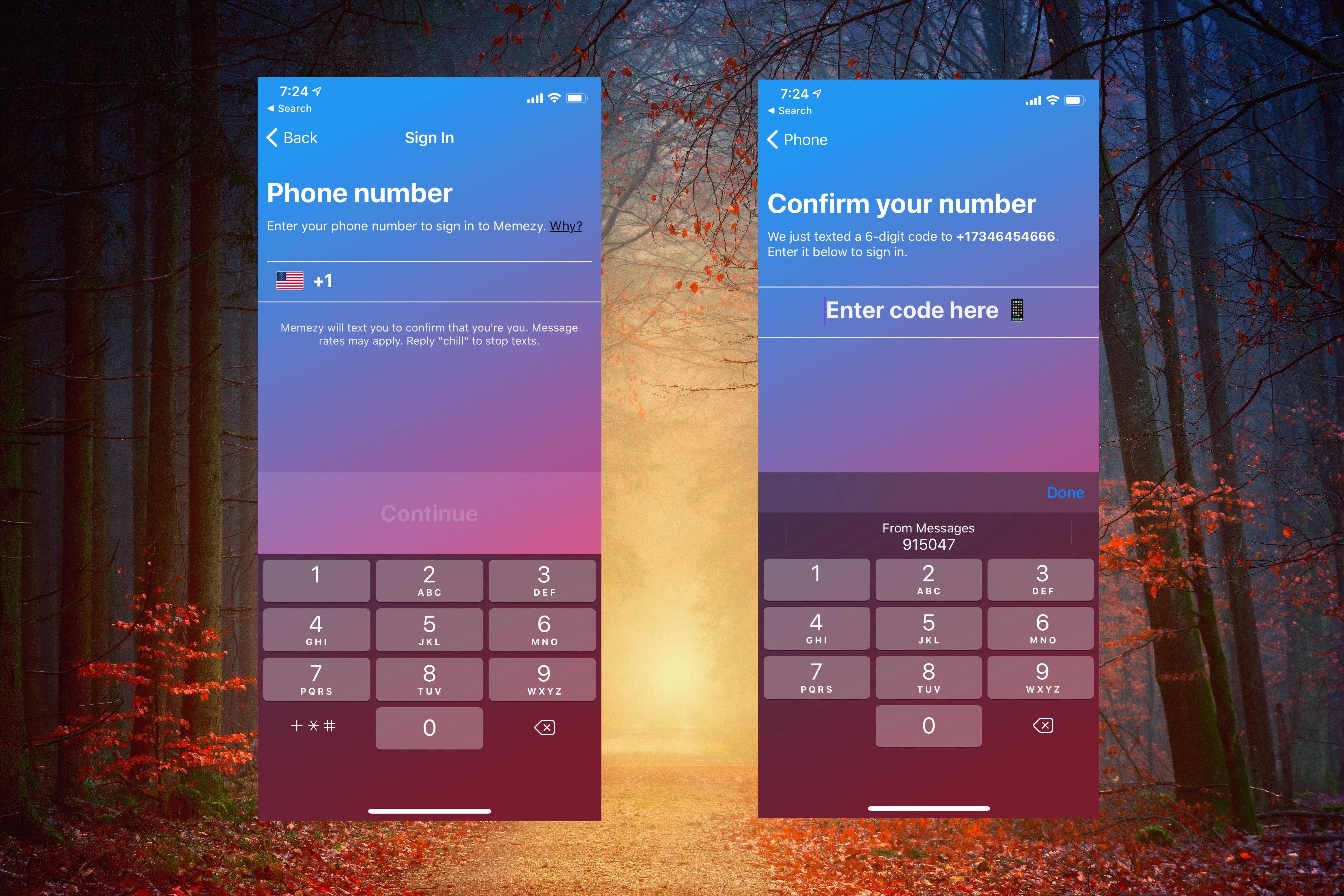
Doorman lets React Native developers add phone authentication to their apps with ease. It works perfectly with **Firebase Auth and Expo**.
**We handle the backend and provide UI components** 😇 for Firebase phone auth. That means you can spend less time worrying about the auth flow, and more time building your actual features.
Our mission is to help you create **incredible apps** that **your users will love**. And that all starts with the first impression they make with your app – your auth flow.
## 😎 With Doorman, you can...
- 👟Build a phone authentication flow in a few lines of code.
- 💅Fully customize the design to fit your app.
* 👩💻Avoid maintaining a complex server.
* 🔥Keep using Firebase Auth with Expo.
* 🕺Create a native auth experience, without web views or popups.
## 👾 Docs
We have great [documentation](https://docs.doorman.cool). Check out our [setup guide](https://docs.doorman.cool/introduction/getting-started).
## 🤖 Examples
- See our [examples repo](https://github.com/nandorojo/doorman-examples)
## 👩💻 Website
Check out [doorman.cool](https://doorman.cool).
## 🚨 For issues
Please use this repository to notify us of any issues and track ones we're working on.
You can also live chat us on [our website](https://doorman.cool) with any tight concerns. That said, we prefer that you make an issue here so that everyone else can fix problems you might have.