# react-native-color-picker-ios
[![BuildStatus][build-badge]][build]
[![Version][version-badge]][package]
[![MIT License][license-badge]][license]
iOS14 Color Picker Module for React Native
| Grid | Spectrum | Sliders |
| --- | --- | --- |
|  |
| 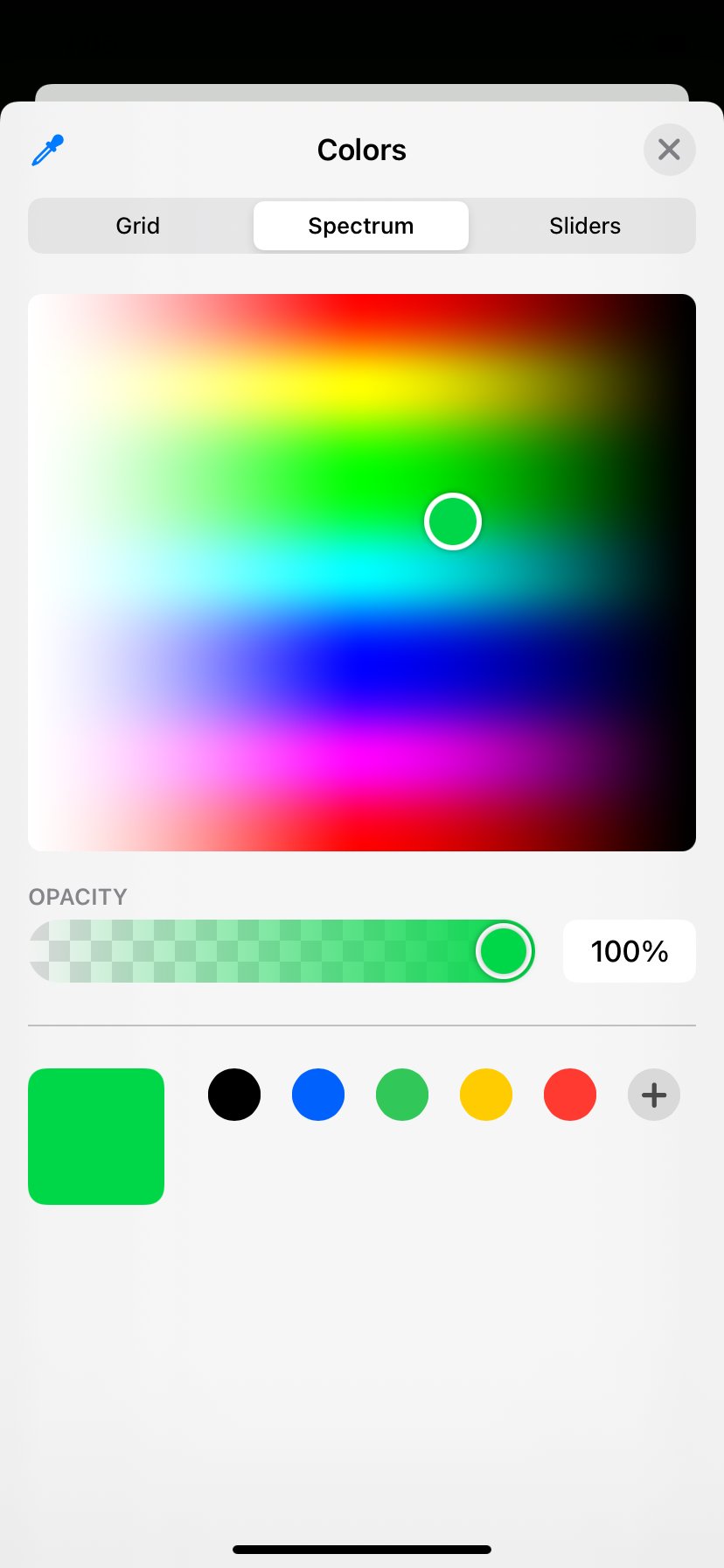 |
|  |
## Installation
- using `npm`:
```sh
npm install react-native-color-picker-ios
```
- using `yarn`:
```sh
yarn add react-native-color-picker-ios
```
## Usage
```jsx
import * as React from 'react';
import { View, Text, TouchableOpacity } from 'react-native';
import ColorPicker from 'react-native-color-picker-ios';
const ColorSelectComponent = () => {
const handlePress = () => {
ColorPicker.showColorPicker(
{ supportsAlpha: true, initialColor: 'cyan' },
(color) => {
console.log(color);
}
);
};
return (
Click to Select Color
);
};
```
## Reference
### Methods
### `showColorPicker()`
```jsx
ColorPicker.showColorPicker(options, callback);
```
Displays the color picker modal, and runs callback function with selected color.
#### Options
| Name | Type | Required | default | Description |
| ------------- | ------- | -------- | ------- | ---------------------------------------------------------- |
| supportsAlpha | boolean | NO | false | if `true`, user are allowed to chose opacity of the color. |
| initialColor | string | NO | `#000` | sets initialColor selected by the picker |
## Contributing
See the [contributing guide](CONTRIBUTING.md) to learn how to contribute to the repository and the development workflow.
## License
MIT
[build-badge]: https://github.com/Naturalclar/color-picker-ios/workflows/Build/badge.svg
[build]: https://github.com/Naturalclar/color-picker-ios/actions
[version-badge]: https://img.shields.io/npm/v/react-native-color-picker-ios.svg?style=flat-square
[package]: https://www.npmjs.com/package/react-native-color-picker-ios
[license-badge]: https://img.shields.io/npm/l/react-native-color-picker-ios.svg?style=flat-square
[license]: https://opensource.org/licenses/MIT
|
## Installation
- using `npm`:
```sh
npm install react-native-color-picker-ios
```
- using `yarn`:
```sh
yarn add react-native-color-picker-ios
```
## Usage
```jsx
import * as React from 'react';
import { View, Text, TouchableOpacity } from 'react-native';
import ColorPicker from 'react-native-color-picker-ios';
const ColorSelectComponent = () => {
const handlePress = () => {
ColorPicker.showColorPicker(
{ supportsAlpha: true, initialColor: 'cyan' },
(color) => {
console.log(color);
}
);
};
return (
Click to Select Color
);
};
```
## Reference
### Methods
### `showColorPicker()`
```jsx
ColorPicker.showColorPicker(options, callback);
```
Displays the color picker modal, and runs callback function with selected color.
#### Options
| Name | Type | Required | default | Description |
| ------------- | ------- | -------- | ------- | ---------------------------------------------------------- |
| supportsAlpha | boolean | NO | false | if `true`, user are allowed to chose opacity of the color. |
| initialColor | string | NO | `#000` | sets initialColor selected by the picker |
## Contributing
See the [contributing guide](CONTRIBUTING.md) to learn how to contribute to the repository and the development workflow.
## License
MIT
[build-badge]: https://github.com/Naturalclar/color-picker-ios/workflows/Build/badge.svg
[build]: https://github.com/Naturalclar/color-picker-ios/actions
[version-badge]: https://img.shields.io/npm/v/react-native-color-picker-ios.svg?style=flat-square
[package]: https://www.npmjs.com/package/react-native-color-picker-ios
[license-badge]: https://img.shields.io/npm/l/react-native-color-picker-ios.svg?style=flat-square
[license]: https://opensource.org/licenses/MIT