# Marker 地图标记
基本用法:
```javascript
```
 自定义图片标记:
```javascript
```
自定义图片标记:
```javascript
```
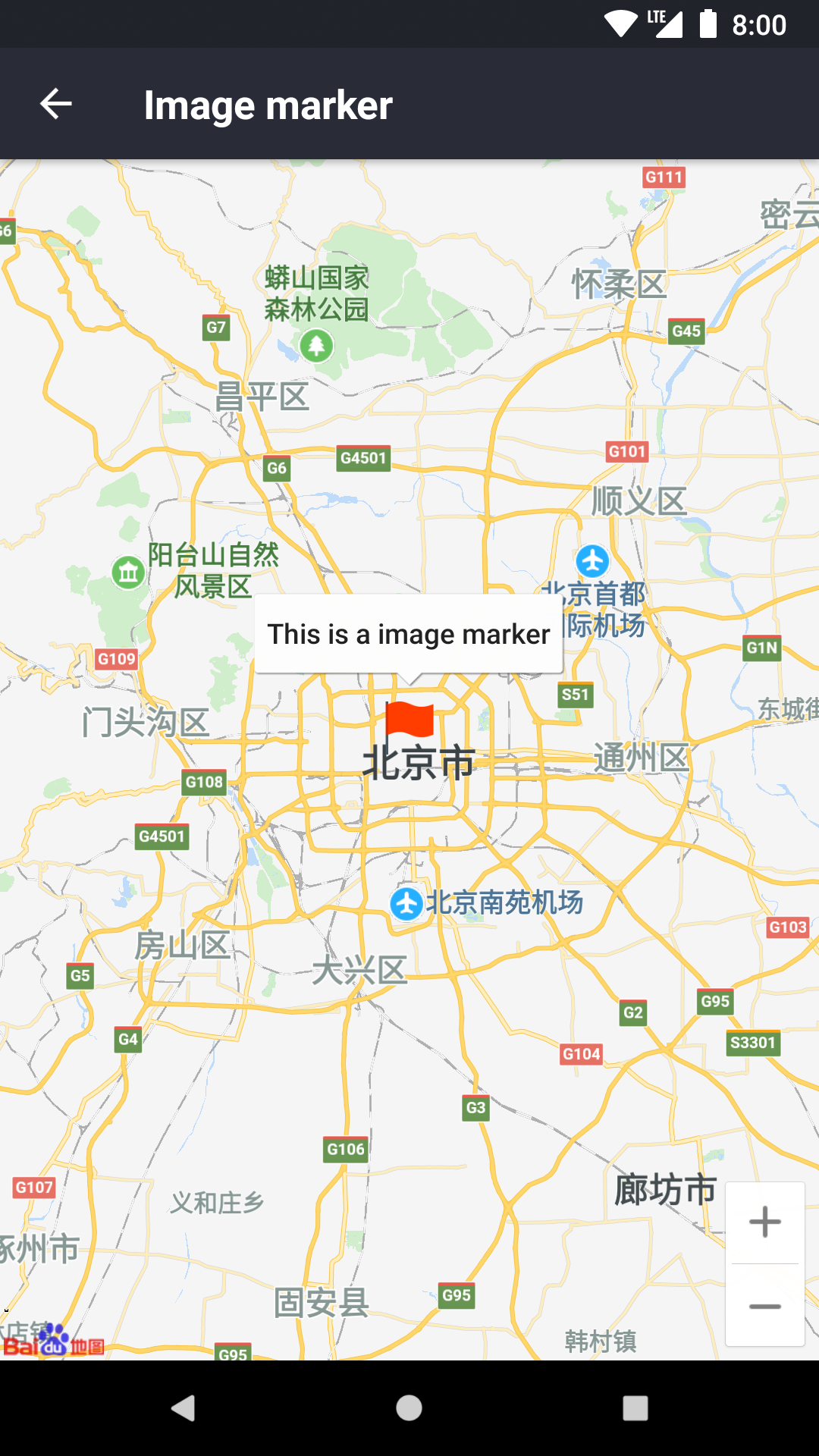 自定义 View 标记:
```javascript
(
This is a custom view marker
)}
coordinate={{ latitude: 39, longitude: 113 }}
/>
```
自定义 View 标记:
```javascript
(
This is a custom view marker
)}
coordinate={{ latitude: 39, longitude: 113 }}
/>
```
 自定义 callout:
```javascript
This is a custom callout
```
自定义 callout:
```javascript
This is a custom callout
```
 ## Props
### `coordinate: LatLng`
标记点坐标
---
### `title?: string`
标题文本,点击标记时弹出显示。
---
### `color?: color`
默认标记的颜色
---
### `image?: string`
设置自定义图片,参数是原生图片名称,这需要你对原生开发有一定的了解。尽管 `view` 也能自定义图片并且更灵活,但我会建议优先使用 `image`,因为原生图片的开销更小。
android 对应 drawable:
```java
context.resources.getIdentifier(image, "drawable", context.packageName)
```
ios 对应:
```objective-c
[UIImage imageNamed:image]
```
---
### `view?: React.ComponentType`
自定义 View,需要注意,自定义 View 里的触摸事件是失效的。
---
### `selected?: boolean`
是否选中。
整个地图只有一个正在选中的标记,选中状态的标记会显示 Callout,点击其他区域时 Callout 会自定隐藏。
---
### `draggable?: boolean`
是否可拖拽
---
### `onPress?: () => void`
点击标记时调用
---
### `onCalloutPress?: () => void`
点击 Callout 时调用
---
### `onDragStart?: LatLng => void`
开始拖拽时调用
---
### `onDrag?: LatLng => void`
正在拖拽时调用
---
### `onDragEnd?: LatLng => void`
结束拖拽时调用
## Methods
### `select()`
选中标记,相当于一次手动点击标记
---
### `update()` (android only)
更新自定义 View。
由于 android 需要将 ReactView 转成图片,如果自定义 View 内部存在异步更新,则不能自动更新,必要时候需要手动触发更新。比如:
```javascript
this.marker = ref}
view={() => (
this.marker.update()}
/>
)}
/>
```
## Props
### `coordinate: LatLng`
标记点坐标
---
### `title?: string`
标题文本,点击标记时弹出显示。
---
### `color?: color`
默认标记的颜色
---
### `image?: string`
设置自定义图片,参数是原生图片名称,这需要你对原生开发有一定的了解。尽管 `view` 也能自定义图片并且更灵活,但我会建议优先使用 `image`,因为原生图片的开销更小。
android 对应 drawable:
```java
context.resources.getIdentifier(image, "drawable", context.packageName)
```
ios 对应:
```objective-c
[UIImage imageNamed:image]
```
---
### `view?: React.ComponentType`
自定义 View,需要注意,自定义 View 里的触摸事件是失效的。
---
### `selected?: boolean`
是否选中。
整个地图只有一个正在选中的标记,选中状态的标记会显示 Callout,点击其他区域时 Callout 会自定隐藏。
---
### `draggable?: boolean`
是否可拖拽
---
### `onPress?: () => void`
点击标记时调用
---
### `onCalloutPress?: () => void`
点击 Callout 时调用
---
### `onDragStart?: LatLng => void`
开始拖拽时调用
---
### `onDrag?: LatLng => void`
正在拖拽时调用
---
### `onDragEnd?: LatLng => void`
结束拖拽时调用
## Methods
### `select()`
选中标记,相当于一次手动点击标记
---
### `update()` (android only)
更新自定义 View。
由于 android 需要将 ReactView 转成图片,如果自定义 View 内部存在异步更新,则不能自动更新,必要时候需要手动触发更新。比如:
```javascript
this.marker = ref}
view={() => (
this.marker.update()}
/>
)}
/>
```