# react-native-bd-toast
A react native module to show toast view regardless of platform.
## Features
- Automatically fit view regard to text size.
- Can set value delay to stay view and duration to fade animation.
- Support override text, board style.
- Support to receive callback at complete animation.
- Prevent click event to interrupt animation.
- Parallel animation for different opacity each text(max alpha 1.0), board(max alpha 0.8).
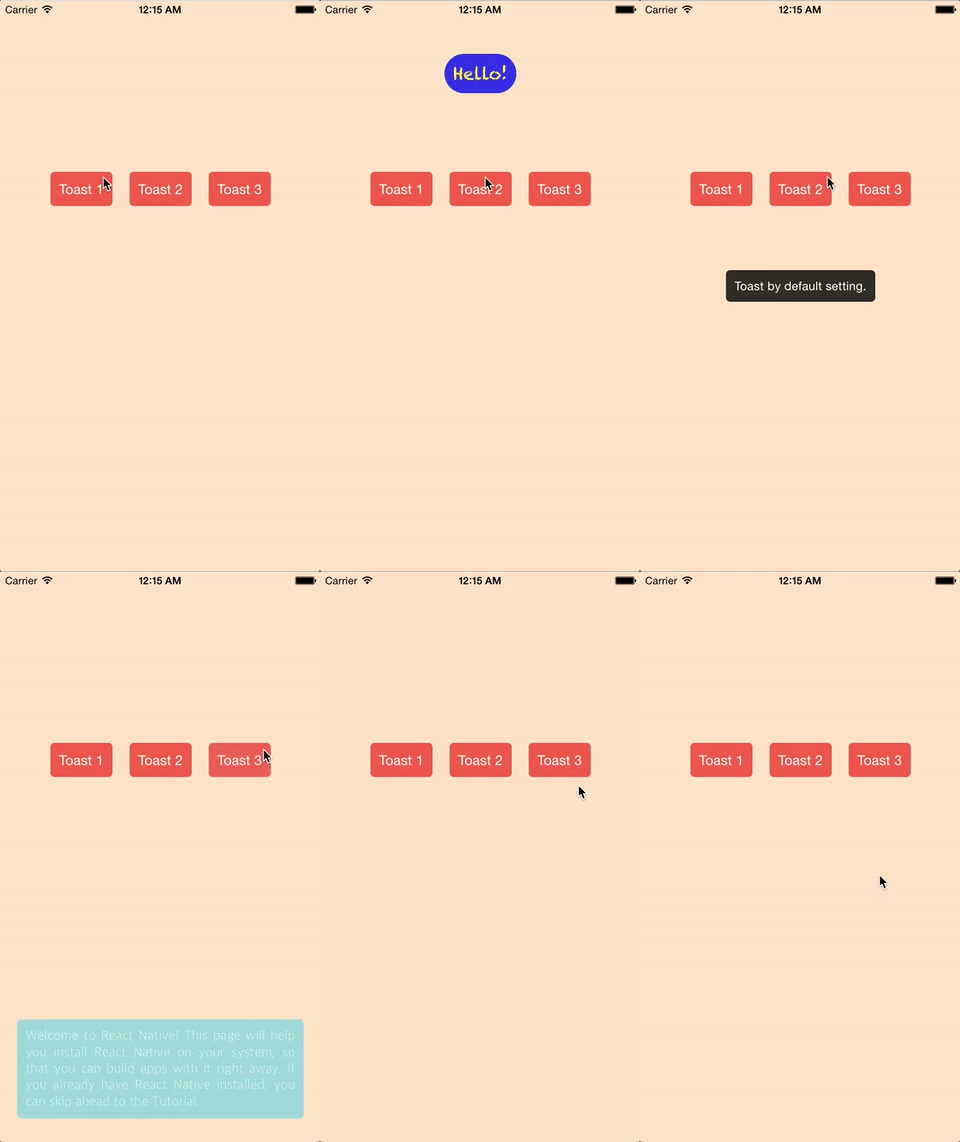
## Demo
## Install
`npm install --save react-native-bd-toast`
OR
`yarn add react-native-bd-toast`
## Example 1 (use default setting)
```javascript
// ...
import BDToast from 'react-native-bd-toast';
class App extends Component {
constructor(props) {
super(props);
this.toastView = undefined;
}
_onPressBtnShowToast = () => {
this.toastView.show('Toast View');
};
render() {
return (
Show Toast!
this.toastView = self} />
);
}
}
```
## Example 2 (use custom setting)
```javascript
// ...
import BDToast from 'react-native-bd-toast';
class App extends Component {
constructor(props) {
super(props);
this.toastView = undefined;
}
_onPressBtnShowToast = () => {
// set delay to stay and duration to fade.
this.toastView.show('Toast View', 2000, 1000);
};
// Callback function when toast is disappear.
_onDisappear = (id) => {
Alert.alert("Toast", `ID: ${id}`);
};
render() {
return (
Show Toast!
this.toastView = self}
styleBoard={{backgroundColor: 'deepskyblue', borderRadius: 10}}
styleText={{fontFamily: (Platform.android ? 'Roboto': 'Apple SD Gothic Neo'), fontSize: 16, color: 'lightcyan'}}
positionFromTop={0.1}
onDisappear={this._onDisappear}
/>
);
}
}
```