# react-native-baidu-map [](https://www.npmjs.com/package/react-native-baidu-map)
react-native v0.63.2 支持
1.0.x 分支:react-native-baidu-map-old [](https://www.npmjs.com/package/react-native-baidu-map-old)
分支说明:
- master:支持 react-native 0.61 及以上版本,Android 使用 androidx
- 1.0.x:支持 react-native 0.60 及 0.50,Android 未使用 androidx
Baidu Map SDK modules and views for React Native(Android & iOS), support react native 0.61.2+
百度地图 React Native 模块。
使用示例:https://github.com/lovebing/react-native-baidu-map-examples
使用百度地图SDK最新版本。
Android 版导入的 SDK 包含以下模块:
- 基础定位
- 基础地图(含室内图)
- 检索功能、LBS云检索
- 计算工具
### 在线交流
QQ群:561086908
### 近期 TODO:
#### Android
- 完善坐标转换
- 添加一些常用的方法
#### iOS
- 完善坐标标转换
- 完善 Cluster(点聚合)
- 添加一些常用的方法
Marker icon 的实现参考了 https://github.com/react-native-community/react-native-maps 的相关代码。
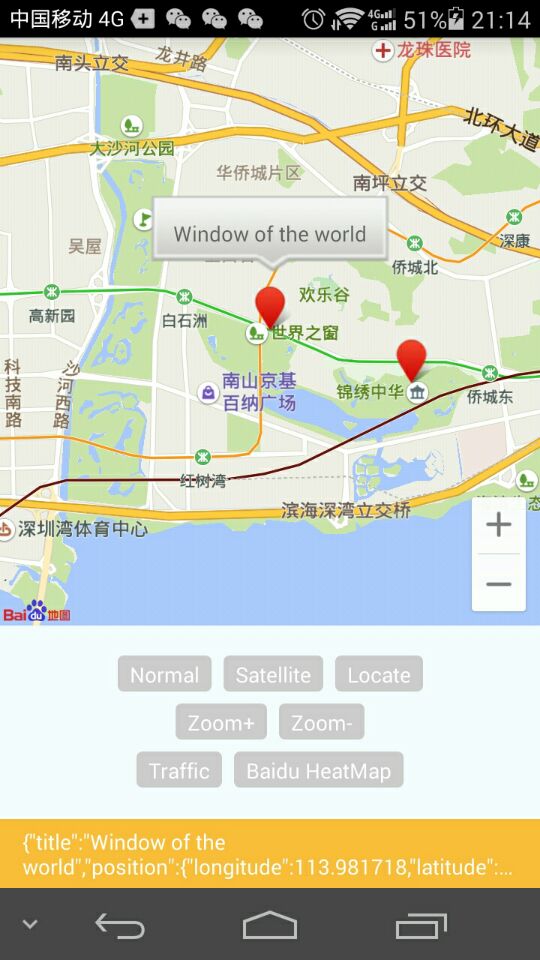
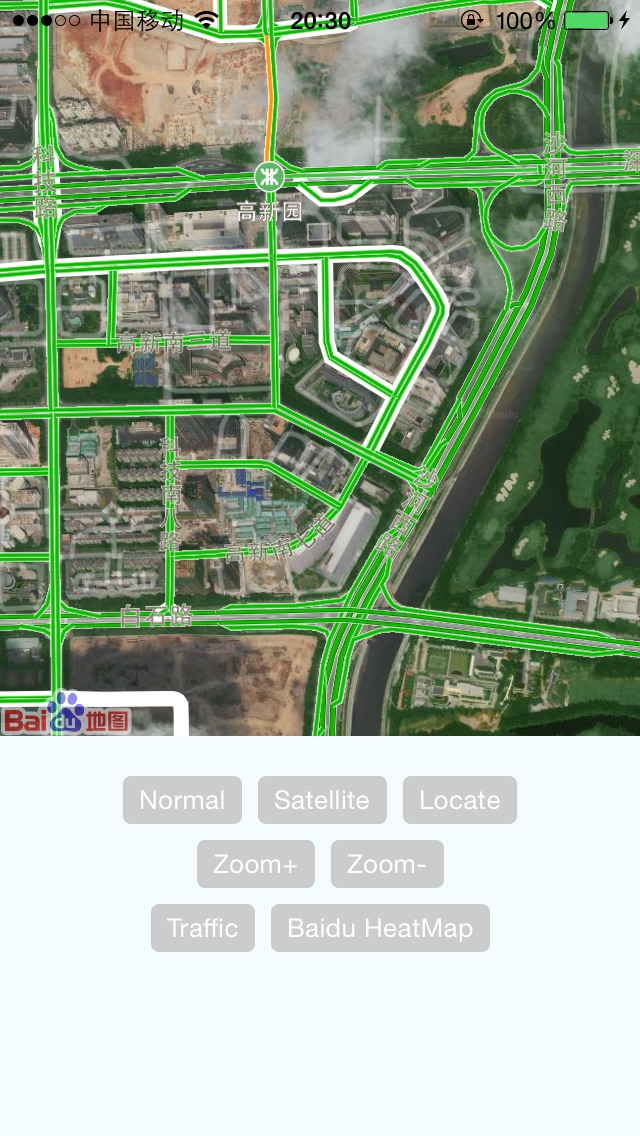
### Dev & Test 开发和测试说明
react-native doesn't support symlinks. see https://stackoverflow.com/questions/44061155/react-native-npm-link-local-dependency-unable-to-resolve-module. Can't install local package by using `npm link`.
react-native 不支持软链,参考:
https://stackoverflow.com/questions/44061155/react-native-npm-link-local-dependency-unable-to-resolve-module
所以不能使用 npm link 的方式安装本地的包
### Environments 环境要求
1.JS
- node: 12+
- react-native: 0.50.+
2.Android
- Android SDK: api 28+
- gradle: 4.10.1
- Android Studio: 3.1.3+
3.iOS
- XCode: 11.3+
### 初始化
#### Android
AndroidManifest.xml 设置
必要的权限
```
```
application 下添加名为 com.baidu.lbsapi.API_KEY 的 meta,如
```
```
#### iOS
使用 BaiduMapManager.initSDK 方法设置 api key,如
```
import { BaiduMapManager } from 'react-native-baidu-map'
BaiduMapManager.initSDK('sIMQlfmOXhQmPLF1QMh4aBp8zZO9Lb2A');
```
### Usage 使用方法
import { MapView, MapTypes, Geolocation, Overlay, MapApp } from 'react-native-baidu-map'
#### MapView Props 属性
| Prop | Type | Default | Description
| ----------------------- |:-----:| :-------:| -------
| zoomControlsVisible | bool | true | Android only
| trafficEnabled | bool | false |
| baiduHeatMapEnabled | bool | false |
| zoomGesturesEnabled | bool | true | 允许手势缩放
| scrollGesturesEnabled | bool | true | 允许拖动
| mapType | number| 1 |
| zoom | number| 10 |
| showsUserLocation | bool | false | 是否显示定位
| locationData | object| null | 定位信息 {latitude: 0, longitude: 0}
| center | object| null | {latitude: 0, longitude: 0}
| onMapStatusChangeStart | func | undefined| Android only
| onMapStatusChange | func | undefined|
| onMapStatusChangeFinish | func | undefined| Android only
| onMapLoaded | func | undefined|
| onMapClick | func | undefined|
| onMapDoubleClick | func | undefined|
| onMarkerClick | func | undefined|
| onMapPoiClick | func | undefined|
#### Overlay 覆盖物
const { Marker, Cluster, Arc, Circle, Polyline, Polygon, InfoWindow, HeatMap } = Overlay;
##### 颜色取值说明
6 位(RRGGBB)或 8 位(AARRGGBB)
##### Marker Props 属性
| Prop | Type | Default | Description
| ----------------------- |:-----:| :-------:| -------
| title | string| null | 如果没有 InfoWindow,将会根据 title 生成 InfoWindow
| titleOffsetY | int | -80 | title 作为 InfoWindow 展示的 y 轴偏移量,仅 Android
| location | object| {latitude: 0, longitude: 0} |
| perspective | bool | null | 仅 Android
| flat | bool | null | 仅 Android
| rotate | float | 0 | 旋转角度,仅 Android
| icon | any | null | icon图片,同 的 source 属性
| alpha | float | 1 | 透明度,仅 Android
| animateType | string| | 动画效果:drop/grow/jump (iOS 仅支持 drop)
| pinColor | string| red | red/green/purple,大头针颜色,仅 iOS
| onClick | func | | 点击事件回调
##### Cluster 点聚合
##### Arc Props 属性
| Prop | Type | Default | Description
| ----------------------- |:-----:| :-------:| -------
| stroke | width| {width: 5, color: 'AA000000'} |
| points | array| [{latitude: 0, longitude: 0}, {latitude: 0, longitude: 0}, {latitude: 0, longitude: 0}] | 数值长度必须为 3
| dash | bool | false | 是否为虚线,仅 iOS
##### Circle Props 属性
| Prop | Type | Default | Description
| ----------------------- |:-----:| :-------:| -------
| radius | int | 1400 |
| fillColor | string| 000000FF |
| stroke | object| {width: 5, color: 'AA000000'} |
| center | object| {latitude: 0, longitude: 0} |
##### Polyline Props 属性
| Prop | Type | Default | Description
| ----------------------- |:-----:| :-------:| -------
| points | array | [{latitude: 0, longitude: 0}] |
| stroke | object| {width: 5, color: 'AA000000'} |
##### Polygon Props 属性
| Prop | Type | Default | Description
| ----------------------- |:-----:| :-------:| -------
| points | array | [{latitude: 0, longitude: 0}] |
| fillColor | string| AAFFFF00 |
| stroke | object| {width: 5, color: 'AA00FF00'} |
##### Text Props 属性
| Prop | Type | Default | Description
| ----------------------- |:-----:| :-------:| -------
| text | string| |
| fontSize | int | |
| fontColor | string| |
| bgColor | string| |
| rotate | float | |
| location | object|{latitude: 0, longitude: 0}
##### MarkerIcon 使用 View 作为 marker 的 icon
##### InfoWindow Props 属性
必须作为 Marker 的子组件
| Prop | Type | Default | Description
| ----------------------- |:-----:| :-------:| -------
| offsetY | int | 0 | 相对于 point 在 y 轴的偏移量,仅 Android
#### HeatMap Props 属性
| Prop | Type | Default | Description
| ----------------------- |:-----:| :-------:| -------
| points | array | |
| gradient | object| { colors: ['66FF00', 'FF0000'], startPoints: [0.2, 1.0] } | 颜色渐变对象
```jsx
ABC
text
```
Marker 示例
```jsx
```
Cluster 示例
```jsx
```
#### BaiduMapManager
| Method | Description | Result
| ------------------------- | ---------------- | -------
| void initSDK(string apiKey) | iOS 初始化 SDK |
| Promise hasLocationPermission | 是否有定位权限 |
#### Geolocation Methods
| Method | Description | Result
| ------------------------- | ---------------- | -------
| Promise reverseGeoCode(double lat, double lng) | | `{"address": "", "province": "", "cityCode": "", "city": "", "district": "", "streetName": "", "streetNumber": ""}`
| Promise reverseGeoCodeGPS(double lat, double lng) | | `{"address": "", "province": "", "cityCode": "", "city": "", "district": "", "streetName": "", "streetNumber": ""}`
| Promise geocode(String city, String addr) | | {"latitude": 0.0, "longitude": 0.0}
| Promise getCurrentPosition(String coorType) | coorType 可为 `bd09ll` 或 `gcj02`,默认 `bd09ll`|`{"latitude": 0.0, "longitude": 0.0, "address": "", "province": "", "cityCode": "", "city": "", "district": "", "streetName": "", "streetNumber": ""}` Android: `{"latitude": 0.0, "longitude": 0.0, "direction": -1, "altitude": 0.0, "radius": 0.0, "address": "", "countryCode": "", "country": "", "province": "", "cityCode": "", "city": "", "district": "", "street": "", "streetNumber": "", "buildingId": "", "buildingName": ""}`
| startLocating(function listener, String coorType) | 开始持续定位 |
| stopLocating | 停止持续定位 |
#### GetDistance Methods
| Method | Result
| ------------------------- | -------
| Promise getLocationDistance({latitude: 0.0, longitude: 0.0}, {latitude: 0.0, longitude: 0.0}) | `{"distance": 0.0}`
#### MapApp Methods 调起百度地图客户端
| Method | Description
| ------------------------- | -------
| openDrivingRoute({latitude: 0.0, longitude: 0.0, name: ''}, {latitude: 0.0, longitude: 0.0}, name: '') | 调起百度地图驾车规划
| openTransitRoute({latitude: 0.0, longitude: 0.0, name: ''}, {latitude: 0.0, longitude: 0.0}, name: '') | 调起百度地图公交路线
| openWalkNavi({latitude: 0.0, longitude: 0.0, name: ''}, {latitude: 0.0, longitude: 0.0}, name: '') | 调起百度地图步行路线
##### iOS
必须在 Info.plist 中进行如下配置,否则不能调起百度地图客户端
```
LSApplicationQueriesSchemes
baidumap
```
### 鸣谢
[](https://www.jetbrains.com/?from=react-native-baidu-map)
# 1.0.51
-- 安卓百度sdk版本升级到v7.5.2
-- 安卓增加initSDK方法,可以js中设置apiKey
# 1.0.52
-- 安卓增加PoiSugSearch
requestSuggestion(keyword: string, city: string, cityLimit: boolean);
-- 安卓增加PoiSearch
searchInCity(city: string, keyword: string, loadIndex: number, cityLimit: boolean, scope: number);
searchNearby(keyword: string, latLng: Location, radius: number, loadIndex: number, cityLimit: boolean, scope: number);
# 1.0.53
-- 安卓marker更新自定义图标
#1.0.54
-- 更新iOS s.dependency 'BaiduMapKit', '6.5.1'
-- s.dependency 'BMKLocationKit', '2.0.2'
iOS地图SDK隐私合规接口添加
# 1.0.55
-- 安卓marker图标大小适应分辨率
# 1.0.56
-- 安卓 增加RoutePlanSearchModule,增加drivingSearch方法
# 1.0.57
-- 安卓 优化PoiSearch两个方法loadIndex替换为pageIndex,增加pageSize
export namespace PoiSearch{
export function searchInCity(city: string, keyword: string, pageIndex: number, pageSize:number, cityLimit: boolean, scope: number);
export function searchNearby(keyword: string, latLng: Location, radius: number, pageIndex: number, pageSize:number, cityLimit: boolean, scope: number);
}
# 1.0.58
-- MapApp
openDrivingRoute(start, end) {
module.openDrivingRoute(start, end);
}
openTransitRoute(start, end) {
module.openTransitRoute(start, end);
}
openWalkNavi(start, end) {
module.openWalkNavi(start, end);
}
# 1.0.59
- 增加PoiSearch SuggestionSearch
# 1.0.61
- iOS设置circle功能优化,颜色转换方法调整
# 1.0.64
- android 增加设置坐标坐标系类型,获取坐标系类型,以及坐标转换
# 1.0.65
- iOS 增加设置坐标坐标系类型,获取坐标系类型,以及坐标转换
- iOS 增加RoutePlanSearchModule,增加drivingSearch方法
- iOS 增加实现 openPoiNearbySearch openPoiDetialsPage
# 1.0.68
- Geolocation 增加 setCoordType getCoordType
# 1.0.70
- iOS MapView 内存优化
# 1.0.79
- iOS 地图SDK、LocationSDK升级到最新
- iOS mark自定义图片问题处理、polyLine添加