# react-native-animated-dots-carousel


[![MIT License][license-shield]][license-url]
## Table of Contents
* [About the Project](#about-the-project)
* [Built With](#built-with)
* [Getting Started](#getting-started)
* [Installation](#installation)
* [Usage](#usage)
* [Api Reference](#api-reference)
* [Roadmap](#roadmap)
* [Contributing](#contributing)
* [License](#license)
* [Contact](#contact)
## About The Project
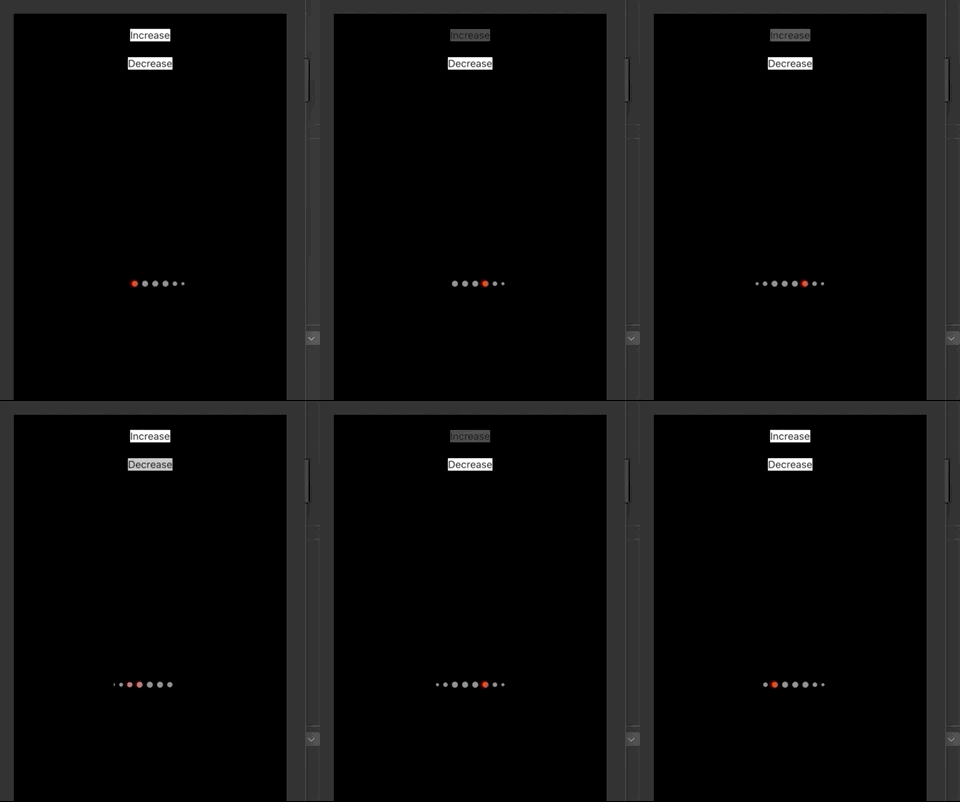
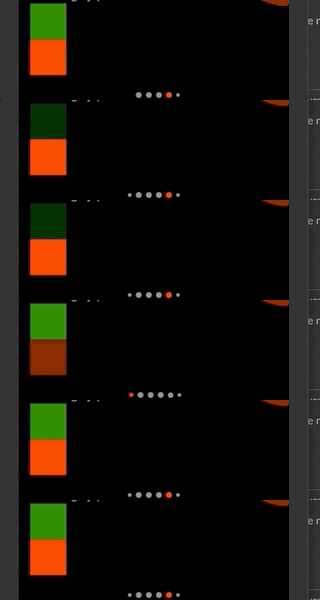
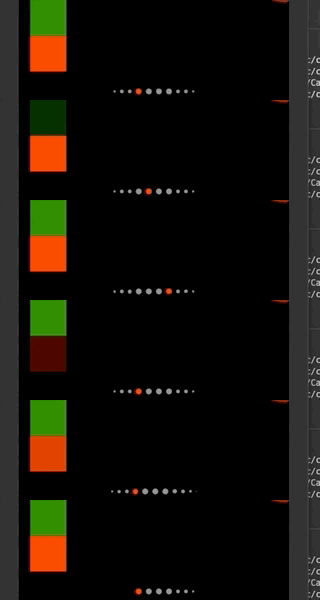
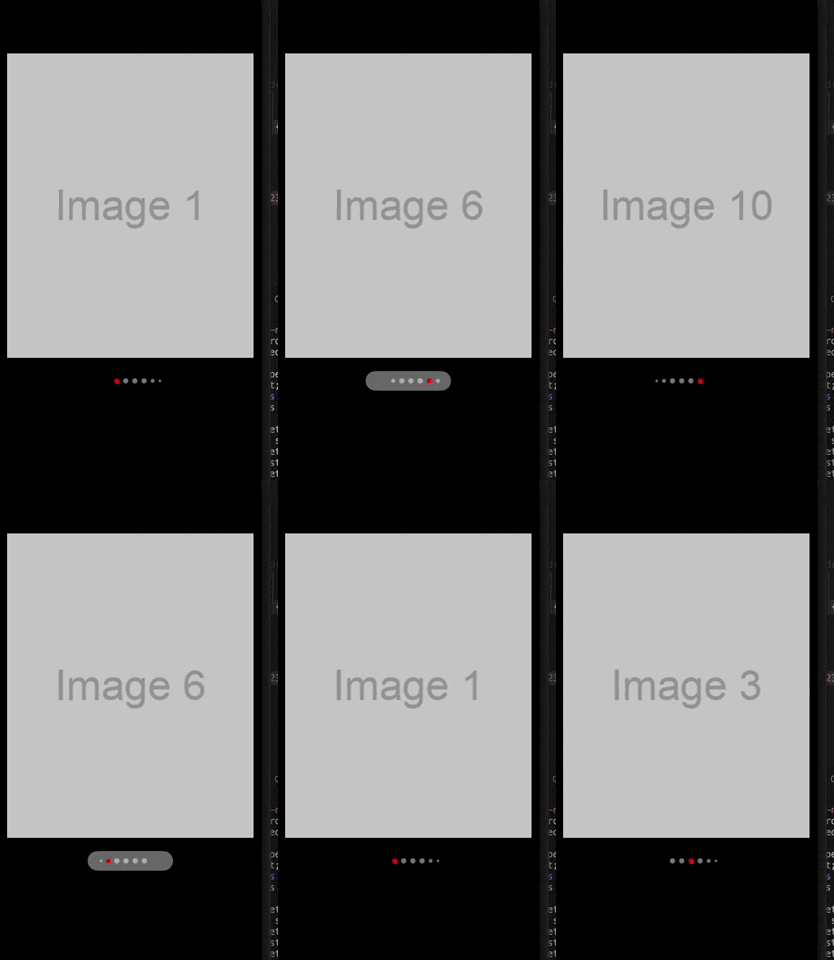
Package to configure you dots pagination carousel just like Instagram does.
With this package you could make whatever configuration you might need on your projects.
## Examples

 ## Getting Started
### Installation
Installation can be done through `npm` or `yarn`:
For React < 17, use version `1.0.2` or below
```shell
npm i react-native-animated-dots-carousel --save
```
```shell
yarn add react-native-animated-dots-carousel
```
In order to use version `2.0.0` or above, you will need `react-native-reanimated` >= 3.0.0 and `react-native-gesture-handle` >= 2.0.0 and React >= 17
## Usage
```js
const { width } = Dimensions.get('window');
const images = [
{ id: '1', uri: 'https://via.placeholder.com/800x400.png?text=Image+1' },
{ id: '2', uri: 'https://via.placeholder.com/800x400.png?text=Image+2' },
{ id: '3', uri: 'https://via.placeholder.com/800x400.png?text=Image+3' },
{ id: '4', uri: 'https://via.placeholder.com/800x400.png?text=Image+4' },
{ id: '5', uri: 'https://via.placeholder.com/800x400.png?text=Image+5' },
{ id: '6', uri: 'https://via.placeholder.com/800x400.png?text=Image+6' },
{ id: '7', uri: 'https://via.placeholder.com/800x400.png?text=Image+7' },
{ id: '8', uri: 'https://via.placeholder.com/800x400.png?text=Image+8' },
{ id: '9', uri: 'https://via.placeholder.com/800x400.png?text=Image+9' },
{ id: '10', uri: 'https://via.placeholder.com/800x400.png?text=Image+10' },
];
export default function App() {
const [index, setIndex] = React.useState(0);
const scrollViewRef = React.useRef(null);
const handleScroll = (event: NativeSyntheticEvent) => {
const contentOffsetX = event.nativeEvent.contentOffset.x;
const finalIndex = Math.floor(contentOffsetX / width);
setIndex(finalIndex);
};
return (
{images.map((image) => (
))}
{
scrollViewRef?.current?.scrollTo?.({
x: newIndex * width,
animated: false,
});
},
containerBackgroundColor: 'rgba(230,230,230, 0.5)',
container: {
alignItems: 'center',
borderRadius: 15,
height: 30,
justifyContent: 'center',
paddingHorizontal: 15,
}
}}
currentIndex={index}
maxIndicators={4}
interpolateOpacityAndColor={true}
activeIndicatorConfig={{
color: 'red',
margin: 3,
opacity: 1,
size: 8,
}}
inactiveIndicatorConfig={{
color: 'white',
margin: 3,
opacity: 0.5,
size: 8,
}}
decreasingDots={[
{
config: { color: 'white', margin: 3, opacity: 0.5, size: 6 },
quantity: 1,
},
{
config: { color: 'white', margin: 3, opacity: 0.5, size: 4 },
quantity: 1,
},
]}
/>
);
}
const styles = StyleSheet.create({
container: {
flex: 1,
alignItems: 'center',
justifyContent: 'center',
backgroundColor: 'black',
},
});
```
### Api Reference
#### DotConfig Interface
```js
export interface DotConfig {
size: number;
opacity: number;
color: string;
margin: number;
borderWidth?: number;
borderColor?: string;
}
```
#### DecreasingDot Interface
```js
export interface DecreasingDot {
quantity: number;
config: DotConfig;
}
export interface ScrollableDotConfig {
setIndex: Dispatch>;
onNewIndex?: (index: number) => void;
containerBackgroundColor: string;
scrollableDotsContainer?: StyleProp;
}
```
#### Props
| **Prop** | **Type** | **Required(Default Value)** | **Description** |
| --------------------------- | ----------------------------| ---------------------------- | --------------------------------------------------- |
| `length` | `number` | required | Length of the list you want to associate with the carousel dots |
| `currentIndex` | `number` | required | Current index of the list. |
| `maxIndicators` | `number` | required | This number represents how many indicators you want to show, without decreasing size. Counting inactive indicators and the active indicator |
| `activeIndicatorConfig` | `DotConfig` | required | This is an object with the configuration of the active indicator |
| `inactiveIndicatorConfig` | `DotConfig` | required | This is an object with the configuration of the inactive indicator |
| `decreasingDots` | `DecreasingDot[]` | required | This is a list where you have to define the quantiy per element and the dot config. The quantity represents how many dots with this config you want per side (simetrically). The size of this elements should be decreasing size if you want this to look nice.
| `verticalOrientation` | `boolean` | false | If you want this oriented vertically or horizontally. Default is horizontally
| `interpolateOpacityAndColor` | `boolean` | true | Default is true. With this setted to true you will be able to see an animation everytime the activeDot change. |
| `duration` | `number` | 500 | Duration of the dots transition |
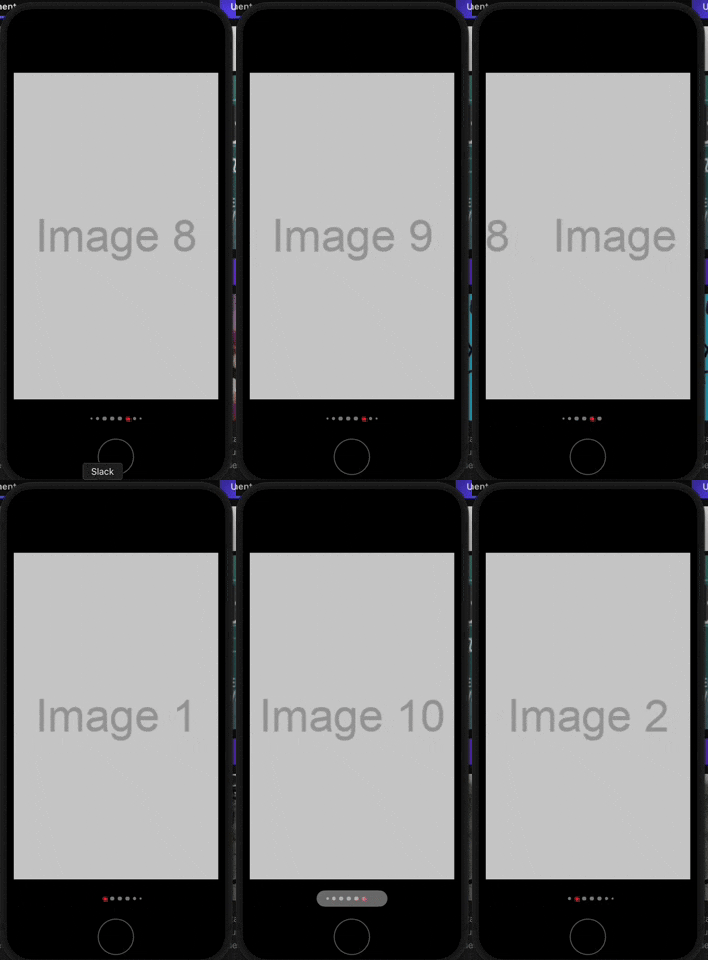
| `scrollableDotsConfig` | `ScrollableDotConfig` | optional | This is used if you want the Scrollable Gesture animation on the dots (as in the first gif of the README), read the example of using in order to understand how to implement it |
##### Scrollable Dots Config - Props Explanation
- `setIndex`: Setter function returned by `useState`, it should be the setter function associated to the index handler that you have for your carousel
- `onNewIndex`: Function that will receive the new index every time it changes while scrolling, you should use this function to update your Carousel to the correct index or for whatever else you want
- `containerBackgroundColor`: It is the background color that you will use for your container (it will show when you are doing the gesture, check the gifs above this README)
- `container`: It is the way you want that container shown on the gifs above to look like, how much border you want on it, the padding, the margins, etc.
## Roadmap
See the [open issues](https://github.com/felire/react-native-animated-dots-carousel/issues) for a list of proposed features (and known issues).
## Contributing
Contributions are what make the open source community such an amazing place to be learn, inspire, and create. Any contributions you make are **greatly appreciated**.
1. Fork the Project
2. Create your Feature Branch (`git checkout -b feature/AmazingFeature`)
3. Commit your Changes (`git commit -m 'Add some AmazingFeature'`)
4. Push to the Branch (`git push origin feature/AmazingFeature`)
5. Open a Pull Request
## License
Distributed under the MIT License. See `LICENSE` for more information.
## Contact
Project Link: [https://github.com/felire/react-native-animated-dots-carousel](https://github.com/felire/react-native-animated-dots-carousel)
[license-shield]: https://img.shields.io/github/license/othneildrew/Best-README-Template.svg?style=flat-square
[license-url]: https://github.com/felire/react-native-animated-dots-carousel/blob/master/LICENSE
## Getting Started
### Installation
Installation can be done through `npm` or `yarn`:
For React < 17, use version `1.0.2` or below
```shell
npm i react-native-animated-dots-carousel --save
```
```shell
yarn add react-native-animated-dots-carousel
```
In order to use version `2.0.0` or above, you will need `react-native-reanimated` >= 3.0.0 and `react-native-gesture-handle` >= 2.0.0 and React >= 17
## Usage
```js
const { width } = Dimensions.get('window');
const images = [
{ id: '1', uri: 'https://via.placeholder.com/800x400.png?text=Image+1' },
{ id: '2', uri: 'https://via.placeholder.com/800x400.png?text=Image+2' },
{ id: '3', uri: 'https://via.placeholder.com/800x400.png?text=Image+3' },
{ id: '4', uri: 'https://via.placeholder.com/800x400.png?text=Image+4' },
{ id: '5', uri: 'https://via.placeholder.com/800x400.png?text=Image+5' },
{ id: '6', uri: 'https://via.placeholder.com/800x400.png?text=Image+6' },
{ id: '7', uri: 'https://via.placeholder.com/800x400.png?text=Image+7' },
{ id: '8', uri: 'https://via.placeholder.com/800x400.png?text=Image+8' },
{ id: '9', uri: 'https://via.placeholder.com/800x400.png?text=Image+9' },
{ id: '10', uri: 'https://via.placeholder.com/800x400.png?text=Image+10' },
];
export default function App() {
const [index, setIndex] = React.useState(0);
const scrollViewRef = React.useRef(null);
const handleScroll = (event: NativeSyntheticEvent) => {
const contentOffsetX = event.nativeEvent.contentOffset.x;
const finalIndex = Math.floor(contentOffsetX / width);
setIndex(finalIndex);
};
return (
{images.map((image) => (
))}
{
scrollViewRef?.current?.scrollTo?.({
x: newIndex * width,
animated: false,
});
},
containerBackgroundColor: 'rgba(230,230,230, 0.5)',
container: {
alignItems: 'center',
borderRadius: 15,
height: 30,
justifyContent: 'center',
paddingHorizontal: 15,
}
}}
currentIndex={index}
maxIndicators={4}
interpolateOpacityAndColor={true}
activeIndicatorConfig={{
color: 'red',
margin: 3,
opacity: 1,
size: 8,
}}
inactiveIndicatorConfig={{
color: 'white',
margin: 3,
opacity: 0.5,
size: 8,
}}
decreasingDots={[
{
config: { color: 'white', margin: 3, opacity: 0.5, size: 6 },
quantity: 1,
},
{
config: { color: 'white', margin: 3, opacity: 0.5, size: 4 },
quantity: 1,
},
]}
/>
);
}
const styles = StyleSheet.create({
container: {
flex: 1,
alignItems: 'center',
justifyContent: 'center',
backgroundColor: 'black',
},
});
```
### Api Reference
#### DotConfig Interface
```js
export interface DotConfig {
size: number;
opacity: number;
color: string;
margin: number;
borderWidth?: number;
borderColor?: string;
}
```
#### DecreasingDot Interface
```js
export interface DecreasingDot {
quantity: number;
config: DotConfig;
}
export interface ScrollableDotConfig {
setIndex: Dispatch>;
onNewIndex?: (index: number) => void;
containerBackgroundColor: string;
scrollableDotsContainer?: StyleProp;
}
```
#### Props
| **Prop** | **Type** | **Required(Default Value)** | **Description** |
| --------------------------- | ----------------------------| ---------------------------- | --------------------------------------------------- |
| `length` | `number` | required | Length of the list you want to associate with the carousel dots |
| `currentIndex` | `number` | required | Current index of the list. |
| `maxIndicators` | `number` | required | This number represents how many indicators you want to show, without decreasing size. Counting inactive indicators and the active indicator |
| `activeIndicatorConfig` | `DotConfig` | required | This is an object with the configuration of the active indicator |
| `inactiveIndicatorConfig` | `DotConfig` | required | This is an object with the configuration of the inactive indicator |
| `decreasingDots` | `DecreasingDot[]` | required | This is a list where you have to define the quantiy per element and the dot config. The quantity represents how many dots with this config you want per side (simetrically). The size of this elements should be decreasing size if you want this to look nice.
| `verticalOrientation` | `boolean` | false | If you want this oriented vertically or horizontally. Default is horizontally
| `interpolateOpacityAndColor` | `boolean` | true | Default is true. With this setted to true you will be able to see an animation everytime the activeDot change. |
| `duration` | `number` | 500 | Duration of the dots transition |
| `scrollableDotsConfig` | `ScrollableDotConfig` | optional | This is used if you want the Scrollable Gesture animation on the dots (as in the first gif of the README), read the example of using in order to understand how to implement it |
##### Scrollable Dots Config - Props Explanation
- `setIndex`: Setter function returned by `useState`, it should be the setter function associated to the index handler that you have for your carousel
- `onNewIndex`: Function that will receive the new index every time it changes while scrolling, you should use this function to update your Carousel to the correct index or for whatever else you want
- `containerBackgroundColor`: It is the background color that you will use for your container (it will show when you are doing the gesture, check the gifs above this README)
- `container`: It is the way you want that container shown on the gifs above to look like, how much border you want on it, the padding, the margins, etc.
## Roadmap
See the [open issues](https://github.com/felire/react-native-animated-dots-carousel/issues) for a list of proposed features (and known issues).
## Contributing
Contributions are what make the open source community such an amazing place to be learn, inspire, and create. Any contributions you make are **greatly appreciated**.
1. Fork the Project
2. Create your Feature Branch (`git checkout -b feature/AmazingFeature`)
3. Commit your Changes (`git commit -m 'Add some AmazingFeature'`)
4. Push to the Branch (`git push origin feature/AmazingFeature`)
5. Open a Pull Request
## License
Distributed under the MIT License. See `LICENSE` for more information.
## Contact
Project Link: [https://github.com/felire/react-native-animated-dots-carousel](https://github.com/felire/react-native-animated-dots-carousel)
[license-shield]: https://img.shields.io/github/license/othneildrew/Best-README-Template.svg?style=flat-square
[license-url]: https://github.com/felire/react-native-animated-dots-carousel/blob/master/LICENSE