# Responsive React Native Animated Bar
## Install
```
npm install react-native-animated-bar --save
yarn add react-native-animated-bar
```
## Live Demo
[https://snack.expo.io/Hk03E4Avb](https://snack.expo.io/Hk03E4Avb)
## Configuration Options
* `height` - Configure the height. Default: `10`. AutoSize height of bar set to null (`height={null}`)
* `borderColor` - Configures the border color. Default: `#000`.
* `borderWidth` - Configures the width of the border. Default: `1`.
* `borderRadius` - Configures border radius. Default: `0`.
* `barColor` - Configures the color of the progress bar. Default: `#FFF`.
* `fillColor` - Configures color behind progress bar. Default: `rgba(0,0,0,.5)`.
* `duration` - Configures length of time in milliseconds the change in progress should take. Default: `100`.
* `animate` - Configures whether or not change in progress should be animated. Default: `true`
* `onAnimate` - Callback listener for the animated value. Default: `undefined`
* `style` - Pass in any styling for the outer containing view. This defines the general layout of the bar for column, row, and the `height` prop.
* `wrapStyle` - Add arbitrary styling to the wrapping view. This is where `borderColor`, `borderWidth`, and `borderRadius` stylings are applied.
* `fillStyle` - Add arbitrary styling to inner fill(behind the bar), this is what `fillColor` is applied to.
* `barStyle` - Add arbitrary styling to the bar, this si what `barColor` is applied to.
Any color above can be an animated interpolated value
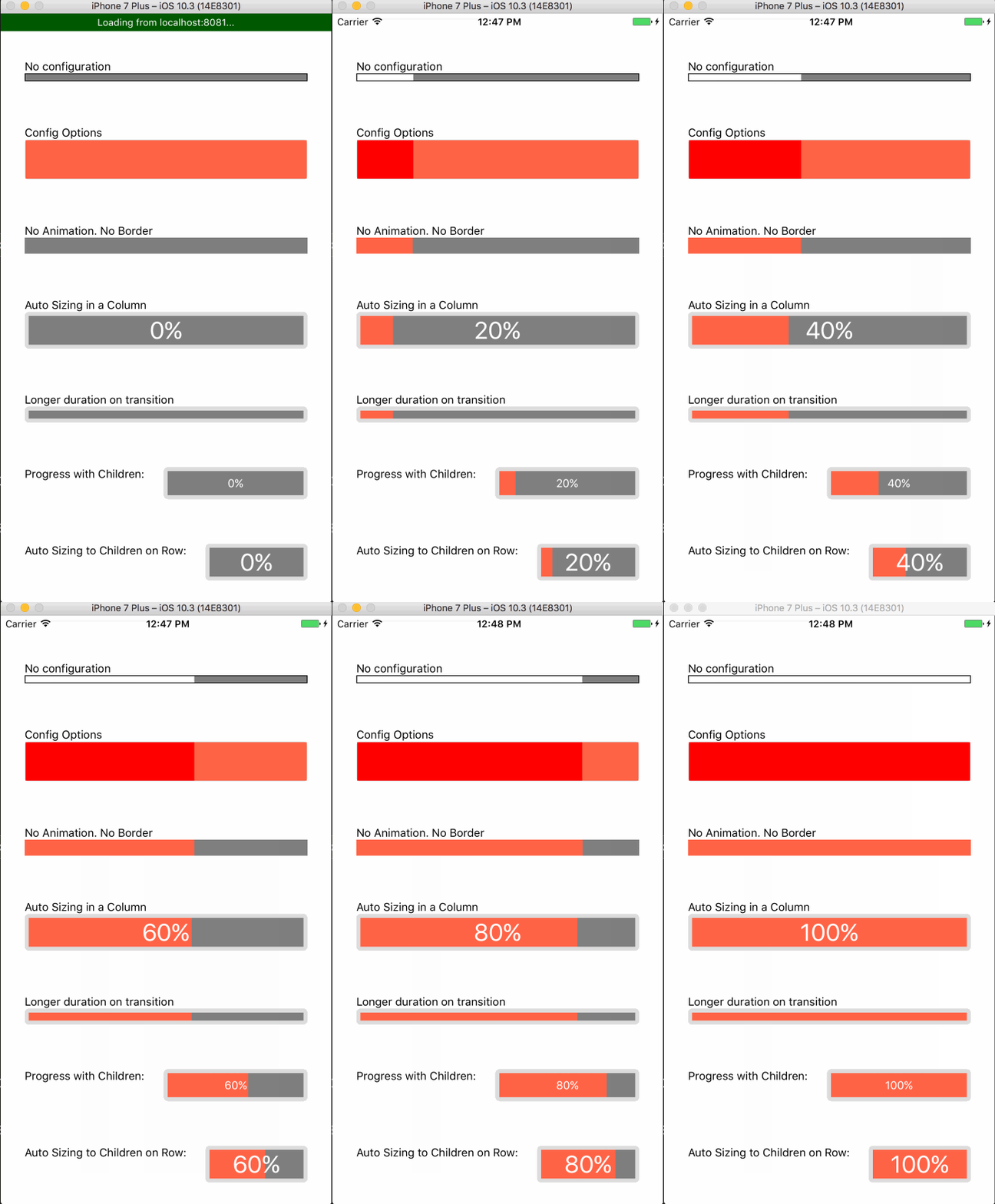
## Example Usage
```js
import React, { Component } from 'react';
import {
AppRegistry,
StyleSheet,
Text,
View
} from 'react-native';
import AnimatedBar from "react-native-animated-bar";
export default class example extends Component {
render() {
return (
);
}
}
const styles = StyleSheet.create({
container: {
flex: 1,
justifyContent: 'center',
alignItems: 'center',
},
});
AppRegistry.registerComponent('example', () => example);
```
## The Big Examples
```js
import React, { Component } from "react";
import { AppRegistry, StyleSheet, Text, View } from "react-native";
import AnimatedBar from "react-native-animated-bar";
export default class example extends Component {
state = {
progress: 0,
};
componentDidMount() {
const interval = setInterval(() => {
if (this.state.progress > 0.9) return clearInterval(interval);
this.setState(state => {
return {
progress: state.progress + 0.1,
};
});
}, 1000);
}
render() {
return (
No configuration
Config Options
No Animation. No Border
Auto Sizing in a Column
{Math.round(this.state.progress * 100)}%
Longer duration on transition
Progress with Children:
{Math.round(this.state.progress * 100)}%
Auto Sizing to Children on Row:
{Math.round(this.state.progress * 100)}%
);
}
}
const styles = StyleSheet.create({
container: {
flex: 1,
paddingTop: 30,
paddingHorizontal: 30,
justifyContent: "space-around",
},
rowText: {
marginRight: 20,
},
row: {
flexDirection: "row",
},
center: {
justifyContent: "center",
alignItems: "center",
},
barText: {
backgroundColor: "transparent",
color: "#FFF",
},
});
AppRegistry.registerComponent("example", () => example);
```