## `react-native-android-facebook-login` [](https://badge.fury.io/js/react-native-android-facebook-login)
A react-native wrapper around facebook-android-sdk for authentication purposes. This library isn't a complete wrapper around facebook-android-sdk, it will only handle authentication-related process such as retrieving the access token and basic profile information.
### Key features
- Entirely based on promises instead of callbacks;
- Handles both `logInWithPublishPermissions` and `logInWithReadPermissions`;
- Simple JS API. You don't need to consume `NativeModules` directly.
## Usage
This library doesn't provide any custom or native component(s), so the integration will be done entirely using JS API. For example:
```JSX
import React, { Component } from 'react-native'
import { View, Text, TouchableHighlight } from 'react-native'
import FacebookLogin from 'react-native-android-facebook-login'
class LoginWithFacebook extends Component {
constructor(nativeProps) {
super(nativeProps)
this.state = {
profile: null,
didCancelled: false
}
}
async getUserProfileAndSetState() {
const profile = await FacebookLogin.getLoggedInUserProfile()
if (profile) {
this.setState({
profile
})
}
}
async logIn() {
const loggedIn = FacebookLogin.isLoggedIn()
if (loggedIn) {
this.getUserProfileAndSetState()
return
}
const loginResult = await FacebookLogin.logInWithReadPermissions(['public_profile'])
if (loginResult.isCancelled) {
this.setState({
didCancelled: true
})
return
}
this.getUserProfileAndSetState()
}
render() {
if (this.state.profile) {
return (
I'm logged in as {this.state.profile.name}
)
}
return (
{this.state.didCancelled && (
Why?
)}
Log in with Facebook
)
}
}
```
## Installation
Firstly, you need to download the library from npm:
```
$ npm install --save react-native-android-facebook-login
```
Then you should go to [developers.facebook.com](https://developers.facebook.com) and choose your app, then under **Settings** (*+Add Platform* if you don't have **Android** configured yet) you'll notice that `Key Hashes` will be empty:
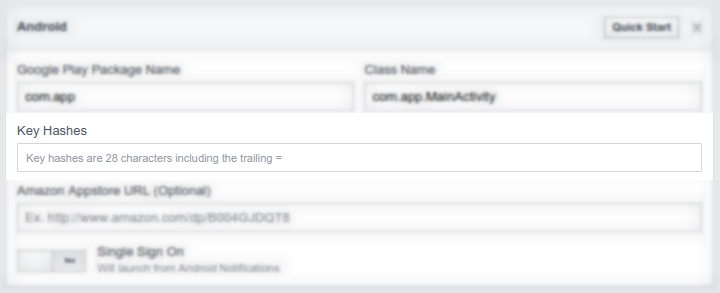
To get your application key hash to fill in, in your JS code you can call: `__logCurrentApplicationSignature` to log it. For example:
```JS
componentDidMount() {
if (__DEV__) {
FacebookLogin.__logCurrentApplicationSignature()
}
}
```
So, `$ adb logcat -s 'React'` and grab the logged key hash.
Then, in your ***android/settings.gradle***:
```
include ':ReactNativeAndroidFacebookLogin'
project(':ReactNativeAndroidFacebookLogin').projectDir = new File(
rootProject.projectDir,
'../node_modules/react-native-android-facebook-login/android'
)
```
***android/app/build.gradle***
```
compile project(':ReactNativeAndroidFacebookLogin')
```
***android/app/src/main/AndroidManifest.xml***
```XML
```
***android/app/src/main/res/values/strings.xml***
```XML
(...)
```
...and then finally ***MainActivity.java***
```Java
import com.centaurwarchief.facebooklogin.FacebookLoginPackage;
```
```Java
@Override
protected List getPackages() {
return Arrays.asList(
new MainReactPackage(),
new FacebookLoginPackage(),
// (....)
);
}
```