# react-native-amap3d [![npm version][version-badge]][npm] [![build status][build-badge]][build]
react-native 高德地图组件,使用最新 3D SDK,支持 Android + iOS,受 [react-native-maps](https://github.com/airbnb/react-native-maps) 启发,提供功能丰富且易用的接口。
相关项目推荐:
- [react-native-baidumap-sdk(百度地图 SDK)](https://github.com/qiuxiang/react-native-baidumap-sdk)
- [react-native-amap-geolocation(高德地图定位模块)](https://github.com/qiuxiang/react-native-amap-geolocation)
## 功能
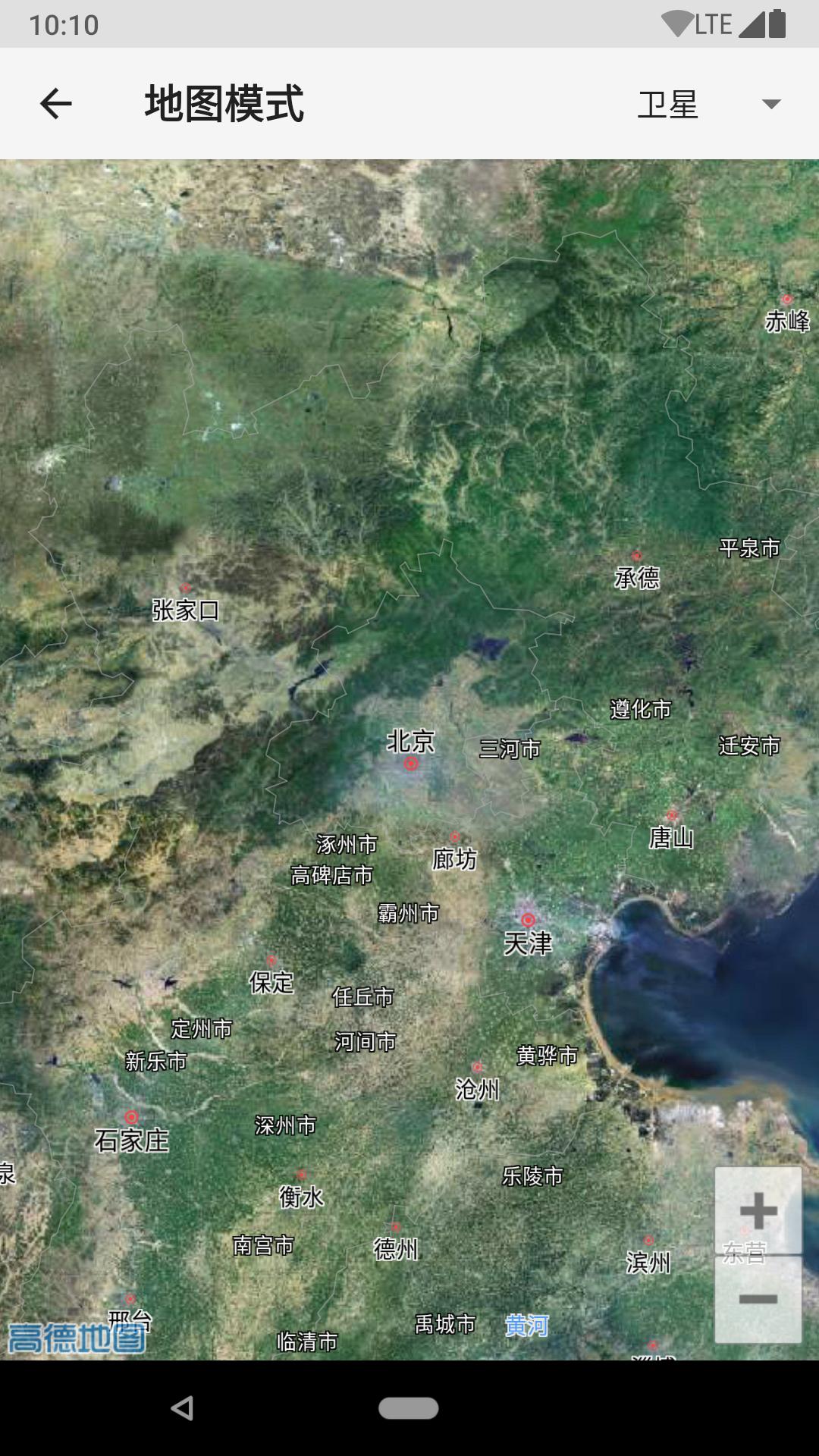
- 地图模式切换(常规、卫星、导航、夜间)
- 3D 建筑、路况、室内地图
- 内置地图控件的显示隐藏(指南针、比例尺、定位按钮、缩放按钮)
- 手势交互控制(平移、缩放、旋转、倾斜)
- 中心坐标、缩放级别、倾斜度的设置,支持动画过渡
- 地图事件(onPress、onLongPress、onLocation、onStatusChange)
- 地图标记(Marker)
- 自定义信息窗体
- 自定义图标
- 折线绘制(Polyline)
- 多边形绘制(Polygon)
- 圆形绘制(Circle)
- 热力图(HeatMap)
- 海量点(MultiPoint)
- 离线地图


 ## 安装
### 安装依赖
```
npm i react-native-amap3d
```
### 项目配置
#### Android
```
react-native link react-native-amap3d
```
#### iOS
你需要使用 CocoaPods,在 `ios` 目录下新建文件 `Podfile`:
```ruby
platform :ios, '9.0'
# The target name is most likely the name of your project.
target 'Your Target' do
# Your 'node_modules' directory is probably in the root of your project,
# but if not, adjust the `:path` accordingly
pod 'React', :path => '../node_modules/react-native', :subspecs => [
'Core',
'CxxBridge', # Include this for RN >= 0.47
'DevSupport', # Include this to enable In-App Devmenu if RN >= 0.43
'RCTText',
'RCTNetwork',
'RCTWebSocket', # needed for debugging
# Add any other subspecs you want to use in your project
]
# Explicitly include Yoga if you are using RN >= 0.42.0
pod 'yoga', :path => '../node_modules/react-native/ReactCommon/yoga'
# Third party deps podspec link
pod 'DoubleConversion', :podspec => '../node_modules/react-native/third-party-podspecs/DoubleConversion.podspec'
pod 'glog', :podspec => '../node_modules/react-native/third-party-podspecs/glog.podspec'
pod 'Folly', :podspec => '../node_modules/react-native/third-party-podspecs/Folly.podspec'
pod 'react-native-amap3d', path: '../node_modules/react-native-amap3d/lib/ios'
end
post_install do |installer|
installer.pods_project.targets.each do |target|
if target.name == "React"
target.remove_from_project
end
end
end
```
*注意:不同的 RN 版本,`Podfile` 可能需要稍作调整,具体参考 https://facebook.github.io/react-native/docs/integration-with-existing-apps#configuring-cocoapods-dependencies 。*
然后运行:
```
pod install
```
### 添加高德 Key
#### Android
1. [获取高德 Key](http://lbs.amap.com/api/android-sdk/guide/create-project/get-key)。
2. 编辑 Android 项目的 `AndroidManifest.xml`(一般在 `android\app\src\main\AndroidManifest.xml`),添加如下代码:
```xml
```
#### iOS
1. [获取高德 Key](https://lbs.amap.com/api/ios-sdk/guide/create-project/get-key)。
2. 在 `AppDelegate.m` 里引入 SDK 头文件 `#import `,
并设置高德 Key `[AMapServices sharedServices].apiKey = @"你的高德 Key";`。
## 用法
### 导入地图模块
```jsx
import { MapView } from 'react-native-amap3d'
```
### 基本用法
```jsx
```
### 启用定位并监听定位事件
```jsx
console.log(`${nativeEvent.latitude}, ${nativeEvent.longitude}`)}
/>
```
### 添加可拖拽的地图标记
```jsx
console.log(`${nativeEvent.latitude}, ${nativeEvent.longitude}`)}
coordinate={{
latitude: 39.91095,
longitude: 116.37296,
}}
/>
```
### 自定义标记图片及信息窗体
```jsx
const coordinate = {
latitude: 39.706901,
longitude: 116.397972,
}
自定义信息窗体
```
### 更多示例
参考 [examples](https://github.com/qiuxiang/react-native-amap3d/tree/master/example/examples),或直接下载安装 [example.apk](https://github.com/qiuxiang/react-native-amap3d/releases/download/v1.0.0-beta.1/example.apk)。
#### Android
```bash
yarn run-android
```
#### iOS
```bash
cd ios && pod install && cd ..
yarn run-ios
```
## 接口
请参考注释文档:
- [MapView](https://github.com/qiuxiang/react-native-amap3d/tree/master/lib/js/maps/MapView.js)
- [Marker](https://github.com/qiuxiang/react-native-amap3d/tree/master/lib/js/maps/Marker.js)
- [Polyline](https://github.com/qiuxiang/react-native-amap3d/tree/master/lib/js/maps/Polyline.js)
- [Polygon](https://github.com/qiuxiang/react-native-amap3d/tree/master/lib/js/maps/Polygon.js)
- [Circle](https://github.com/qiuxiang/react-native-amap3d/tree/master/lib/js/maps/Circle.js)
- [HeatMap](https://github.com/qiuxiang/react-native-amap3d/tree/master/lib/js/maps/HeatMap.js)
- [MultiPoint](https://github.com/qiuxiang/react-native-amap3d/tree/master/lib/js/maps/MultiPoint.js)
## 常见问题
- 该项目不打算做数据接口,地理/逆地理编码、路径规划、搜索等功能请使用 [Web 服务](https://lbs.amap.com/api/webservice/summary)。
- 尽量使用设备进行测试,在模拟器可能存在一些问题(常见的是 Android 模拟器因为缺少硬件加速而导致闪退)。
[npm]: https://www.npmjs.com/package/react-native-amap3d
[version-badge]: https://badge.fury.io/js/react-native-amap3d.svg
[build-badge]: https://travis-ci.org/qiuxiang/react-native-amap3d.svg?branch=master
[build]: https://travis-ci.org/qiuxiang/react-native-amap3d
## 安装
### 安装依赖
```
npm i react-native-amap3d
```
### 项目配置
#### Android
```
react-native link react-native-amap3d
```
#### iOS
你需要使用 CocoaPods,在 `ios` 目录下新建文件 `Podfile`:
```ruby
platform :ios, '9.0'
# The target name is most likely the name of your project.
target 'Your Target' do
# Your 'node_modules' directory is probably in the root of your project,
# but if not, adjust the `:path` accordingly
pod 'React', :path => '../node_modules/react-native', :subspecs => [
'Core',
'CxxBridge', # Include this for RN >= 0.47
'DevSupport', # Include this to enable In-App Devmenu if RN >= 0.43
'RCTText',
'RCTNetwork',
'RCTWebSocket', # needed for debugging
# Add any other subspecs you want to use in your project
]
# Explicitly include Yoga if you are using RN >= 0.42.0
pod 'yoga', :path => '../node_modules/react-native/ReactCommon/yoga'
# Third party deps podspec link
pod 'DoubleConversion', :podspec => '../node_modules/react-native/third-party-podspecs/DoubleConversion.podspec'
pod 'glog', :podspec => '../node_modules/react-native/third-party-podspecs/glog.podspec'
pod 'Folly', :podspec => '../node_modules/react-native/third-party-podspecs/Folly.podspec'
pod 'react-native-amap3d', path: '../node_modules/react-native-amap3d/lib/ios'
end
post_install do |installer|
installer.pods_project.targets.each do |target|
if target.name == "React"
target.remove_from_project
end
end
end
```
*注意:不同的 RN 版本,`Podfile` 可能需要稍作调整,具体参考 https://facebook.github.io/react-native/docs/integration-with-existing-apps#configuring-cocoapods-dependencies 。*
然后运行:
```
pod install
```
### 添加高德 Key
#### Android
1. [获取高德 Key](http://lbs.amap.com/api/android-sdk/guide/create-project/get-key)。
2. 编辑 Android 项目的 `AndroidManifest.xml`(一般在 `android\app\src\main\AndroidManifest.xml`),添加如下代码:
```xml
```
#### iOS
1. [获取高德 Key](https://lbs.amap.com/api/ios-sdk/guide/create-project/get-key)。
2. 在 `AppDelegate.m` 里引入 SDK 头文件 `#import `,
并设置高德 Key `[AMapServices sharedServices].apiKey = @"你的高德 Key";`。
## 用法
### 导入地图模块
```jsx
import { MapView } from 'react-native-amap3d'
```
### 基本用法
```jsx
```
### 启用定位并监听定位事件
```jsx
console.log(`${nativeEvent.latitude}, ${nativeEvent.longitude}`)}
/>
```
### 添加可拖拽的地图标记
```jsx
console.log(`${nativeEvent.latitude}, ${nativeEvent.longitude}`)}
coordinate={{
latitude: 39.91095,
longitude: 116.37296,
}}
/>
```
### 自定义标记图片及信息窗体
```jsx
const coordinate = {
latitude: 39.706901,
longitude: 116.397972,
}
自定义信息窗体
```
### 更多示例
参考 [examples](https://github.com/qiuxiang/react-native-amap3d/tree/master/example/examples),或直接下载安装 [example.apk](https://github.com/qiuxiang/react-native-amap3d/releases/download/v1.0.0-beta.1/example.apk)。
#### Android
```bash
yarn run-android
```
#### iOS
```bash
cd ios && pod install && cd ..
yarn run-ios
```
## 接口
请参考注释文档:
- [MapView](https://github.com/qiuxiang/react-native-amap3d/tree/master/lib/js/maps/MapView.js)
- [Marker](https://github.com/qiuxiang/react-native-amap3d/tree/master/lib/js/maps/Marker.js)
- [Polyline](https://github.com/qiuxiang/react-native-amap3d/tree/master/lib/js/maps/Polyline.js)
- [Polygon](https://github.com/qiuxiang/react-native-amap3d/tree/master/lib/js/maps/Polygon.js)
- [Circle](https://github.com/qiuxiang/react-native-amap3d/tree/master/lib/js/maps/Circle.js)
- [HeatMap](https://github.com/qiuxiang/react-native-amap3d/tree/master/lib/js/maps/HeatMap.js)
- [MultiPoint](https://github.com/qiuxiang/react-native-amap3d/tree/master/lib/js/maps/MultiPoint.js)
## 常见问题
- 该项目不打算做数据接口,地理/逆地理编码、路径规划、搜索等功能请使用 [Web 服务](https://lbs.amap.com/api/webservice/summary)。
- 尽量使用设备进行测试,在模拟器可能存在一些问题(常见的是 Android 模拟器因为缺少硬件加速而导致闪退)。
[npm]: https://www.npmjs.com/package/react-native-amap3d
[version-badge]: https://badge.fury.io/js/react-native-amap3d.svg
[build-badge]: https://travis-ci.org/qiuxiang/react-native-amap3d.svg?branch=master
[build]: https://travis-ci.org/qiuxiang/react-native-amap3d