# react-native-alert-notification
## Example Dialog Box
| Theme Light | Theme Dark |
| :------------------------------------------------------------------------------------------------------------------------------------------------------------------: | :----------------------------------------------------------------------------------------------------------------------------------------------------------------: |
| 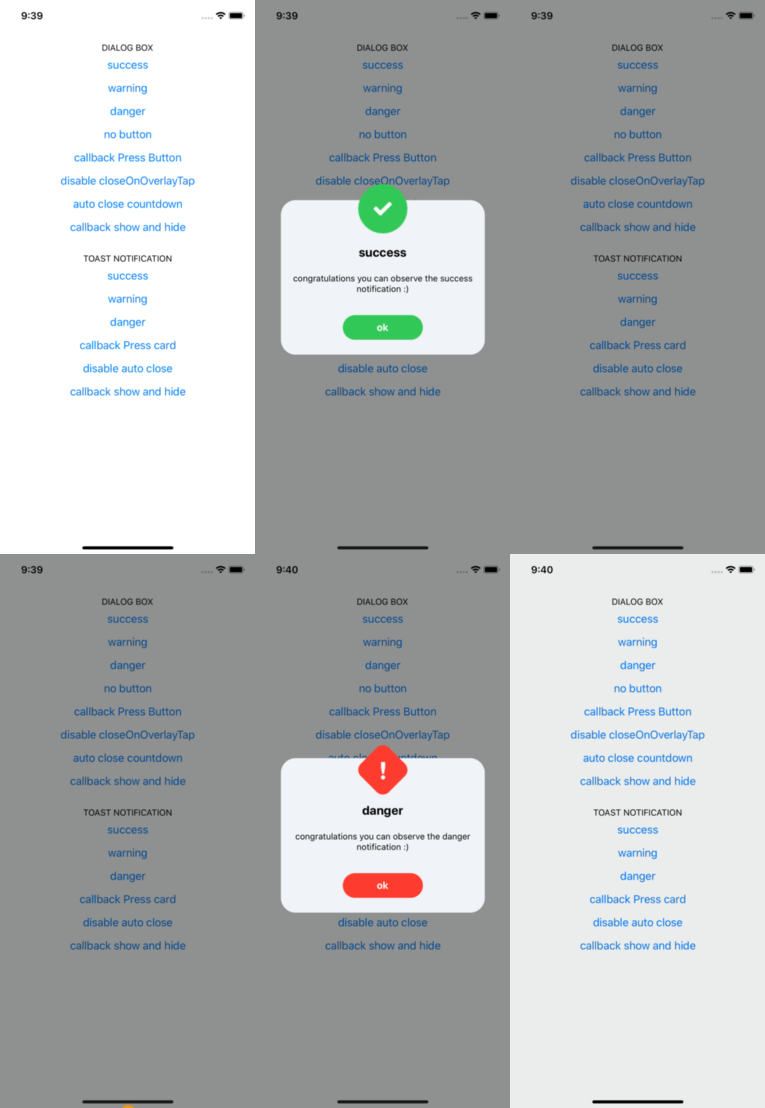 |
| 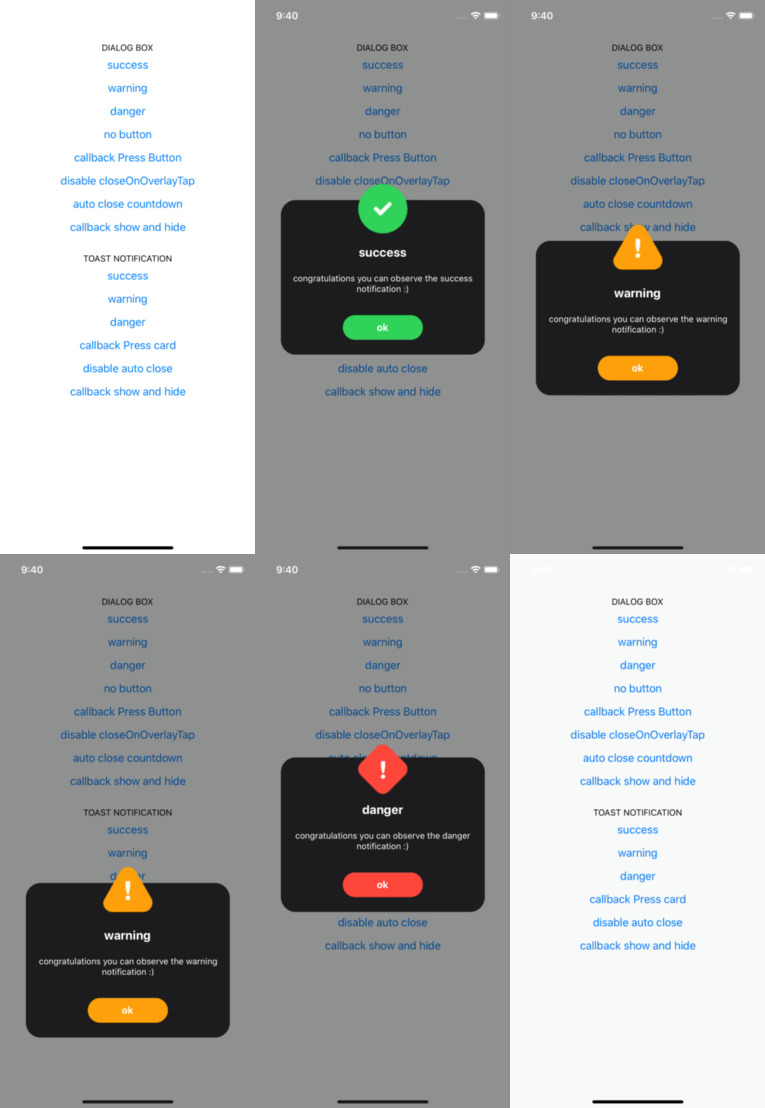 |
## Example Toast Notification
| Theme Light | Theme Dark |
| :----------------------------------------------------------------------------------------------------------------------------------------------------------------: | :--------------------------------------------------------------------------------------------------------------------------------------------------------------: |
|
|
## Example Toast Notification
| Theme Light | Theme Dark |
| :----------------------------------------------------------------------------------------------------------------------------------------------------------------: | :--------------------------------------------------------------------------------------------------------------------------------------------------------------: |
| 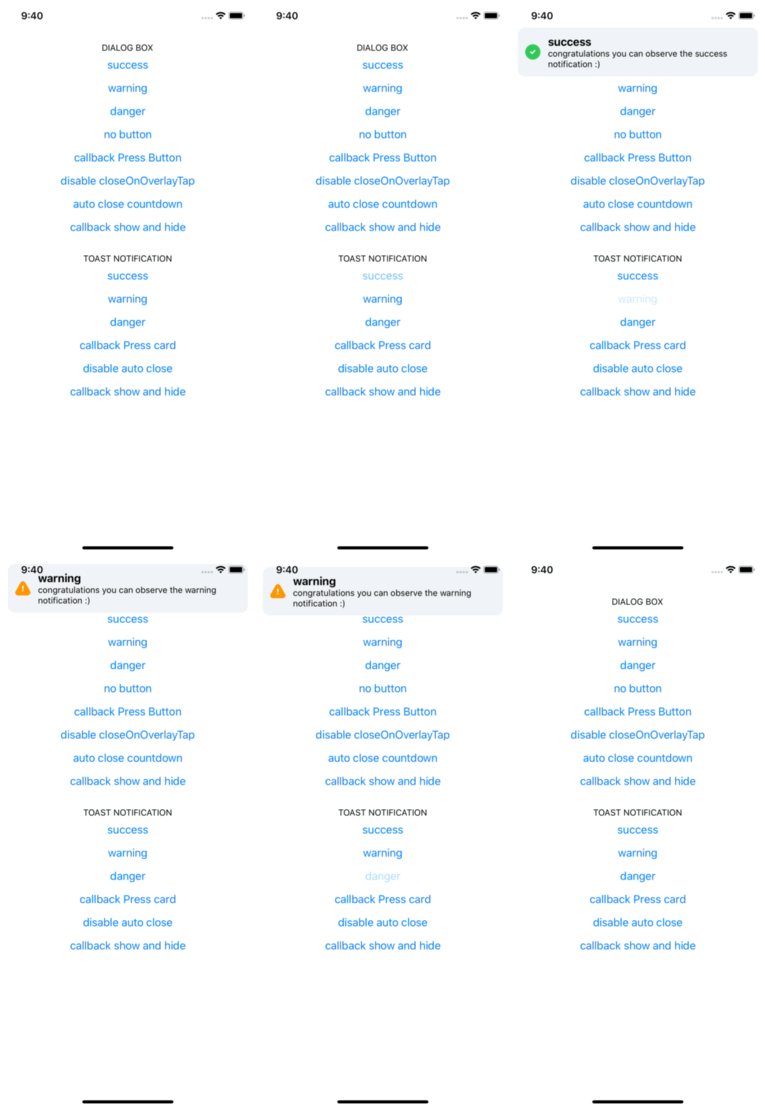 |
| 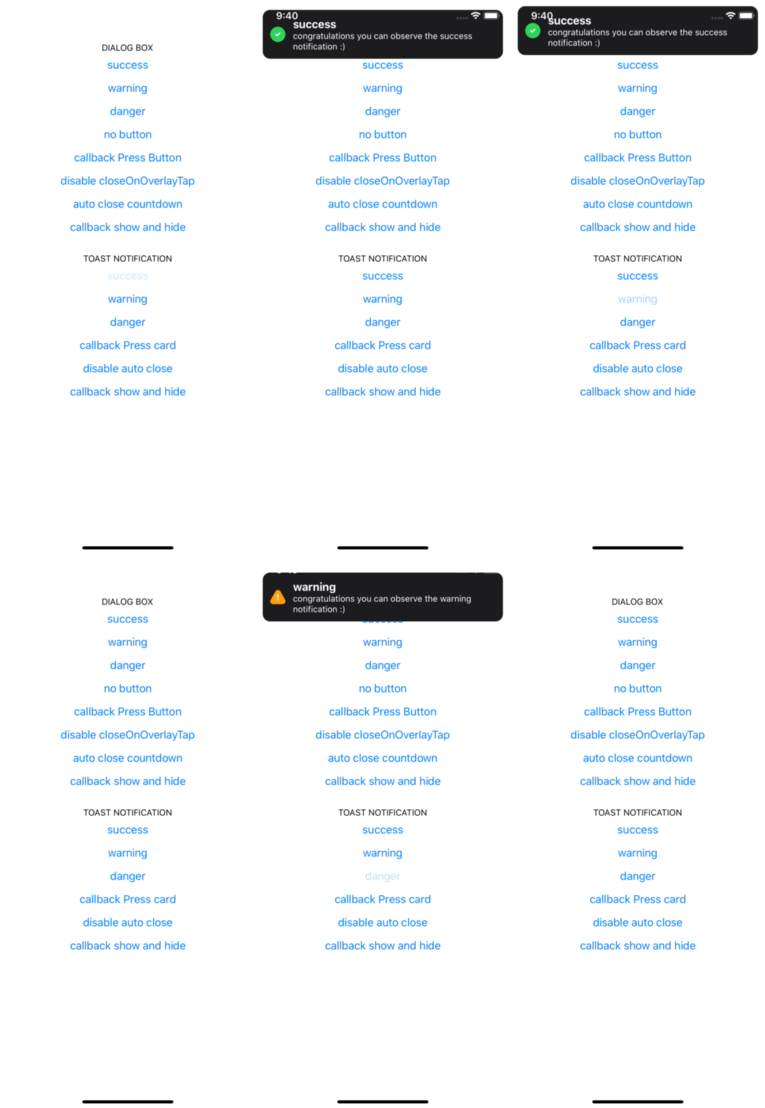 |
## Installation
### - Installing:
```sh
yarn add react-native-alert-notification
```
### - Installing dependencies:
- For Native project:
```sh
yarn add react-native-safe-area-context
pod install
```
- For Expo project:
```sh
expo install react-native-safe-area-context
```
## Usage
```tsx
import { ALERT_TYPE, Dialog, AlertNotificationRoot, Toast } from 'react-native-alert-notification';
// dialog box
;
```
## Documentation:
### Root Component
A React node that will be most likely wrapping your whole app.
| Name | Description | Require | Default | Type |
| ------------ | -------------------------------------------- | ------- | ------- | --------------------------------------------------------------------------------------------------- |
| theme | select theme light dark (by default is auto) | | auto | 'light','dark' |
| colors | custom colors | | | [IColors, IColors] |
| dialogConfig | config dialog box global | | | {closeOnOverlayTap:bool, autoClose:bool / number} |
| toastConfig | config toast global | | | {autoClose:bool / number, titleStyle?: StyleProp , textBodyStyle?: StyleProp} |
```ts
type IProps = {
dialogConfig?: Pick;
toastConfig?: Pick;
theme?: 'light' | 'dark';
colors?: [IColors, IColors] /** ['light_colors' , 'dark_colors'] */;
};
type IColors = {
label: string;
card: string;
overlay: string;
success: string;
danger: string;
warning: string;
};
```
### Dialog Box Component
| Name | Description | Require | Default | Type |
| ----------------- | -------------------------------------------------- | ------- | ------- | ------------------------------ |
| title | The title text | | | String |
| type | Defines the type ("Success", "Warning" or "Error") | true | | "SUCCESS", "DANGER", "WARNING" |
| textBody | The text body | | | String |
| button | name button (for hide button: undefined) | | | String |
| autoClose | Defines time auto close dialog box in ms | | face | bool / number |
| closeOnOverlayTap | allow close if click in overlay | | true | bool |
| onPressButton | (if not declared and isset button action is close) | | String | () => void |
| onShow | action after end animation open | | | () => void |
| onHide | action after end animation close | | | () => void |
```ts
type IConfig = {
type: ALERT_TYPE;
title?: string;
textBody?: string;
button?: string;
autoClose?: number | boolean;
closeOnOverlayTap?: boolean;
onPressButton?: () => void;
onShow?: () => void;
onHide?: () => void;
};
```
### Toast Notification Component
| Name | Description | Require | Default | Type |
| --------- | -------------------------------------------------- | ------- | ------- | ------------------------------ |
| title | The title text | | | String |
| type | Defines the type ("Success", "Warning" or "Error") | | | "SUCCESS", "DANGER", "WARNING" |
| textBody | The text body | | | String |
| autoClose | Defines time auto close dialog box in ms | | 5000 | bool / number |
| onPress | action click in card | | | bool |
| onShow | event after end animation open | | | () => void |
| onHide | event after end animation close | | | () => void |
```ts
type IConfig = {
type?: ALERT_TYPE;
title?: string;
textBody?: string;
autoClose?: number | boolean;
titleStyle?: StyleProp;
textBodyStyle?: StyleProp;
onPress?: () => void;
onShow?: () => void;
onHide?: () => void;
};
```
### For Close popup
```ts
// For Dialog Box
Dialog.hide();
// For Toast Notification
Toast.hide();
```
## Author
Rodolphe Jerez | [https://codingbyjerez.com](https://codingbyjerez.com)
See the [contributing guide](CONTRIBUTING.md) to learn how to contribute to the repository and the development workflow.
## License
MIT
|
## Installation
### - Installing:
```sh
yarn add react-native-alert-notification
```
### - Installing dependencies:
- For Native project:
```sh
yarn add react-native-safe-area-context
pod install
```
- For Expo project:
```sh
expo install react-native-safe-area-context
```
## Usage
```tsx
import { ALERT_TYPE, Dialog, AlertNotificationRoot, Toast } from 'react-native-alert-notification';
// dialog box
;
```
## Documentation:
### Root Component
A React node that will be most likely wrapping your whole app.
| Name | Description | Require | Default | Type |
| ------------ | -------------------------------------------- | ------- | ------- | --------------------------------------------------------------------------------------------------- |
| theme | select theme light dark (by default is auto) | | auto | 'light','dark' |
| colors | custom colors | | | [IColors, IColors] |
| dialogConfig | config dialog box global | | | {closeOnOverlayTap:bool, autoClose:bool / number} |
| toastConfig | config toast global | | | {autoClose:bool / number, titleStyle?: StyleProp , textBodyStyle?: StyleProp} |
```ts
type IProps = {
dialogConfig?: Pick;
toastConfig?: Pick;
theme?: 'light' | 'dark';
colors?: [IColors, IColors] /** ['light_colors' , 'dark_colors'] */;
};
type IColors = {
label: string;
card: string;
overlay: string;
success: string;
danger: string;
warning: string;
};
```
### Dialog Box Component
| Name | Description | Require | Default | Type |
| ----------------- | -------------------------------------------------- | ------- | ------- | ------------------------------ |
| title | The title text | | | String |
| type | Defines the type ("Success", "Warning" or "Error") | true | | "SUCCESS", "DANGER", "WARNING" |
| textBody | The text body | | | String |
| button | name button (for hide button: undefined) | | | String |
| autoClose | Defines time auto close dialog box in ms | | face | bool / number |
| closeOnOverlayTap | allow close if click in overlay | | true | bool |
| onPressButton | (if not declared and isset button action is close) | | String | () => void |
| onShow | action after end animation open | | | () => void |
| onHide | action after end animation close | | | () => void |
```ts
type IConfig = {
type: ALERT_TYPE;
title?: string;
textBody?: string;
button?: string;
autoClose?: number | boolean;
closeOnOverlayTap?: boolean;
onPressButton?: () => void;
onShow?: () => void;
onHide?: () => void;
};
```
### Toast Notification Component
| Name | Description | Require | Default | Type |
| --------- | -------------------------------------------------- | ------- | ------- | ------------------------------ |
| title | The title text | | | String |
| type | Defines the type ("Success", "Warning" or "Error") | | | "SUCCESS", "DANGER", "WARNING" |
| textBody | The text body | | | String |
| autoClose | Defines time auto close dialog box in ms | | 5000 | bool / number |
| onPress | action click in card | | | bool |
| onShow | event after end animation open | | | () => void |
| onHide | event after end animation close | | | () => void |
```ts
type IConfig = {
type?: ALERT_TYPE;
title?: string;
textBody?: string;
autoClose?: number | boolean;
titleStyle?: StyleProp;
textBodyStyle?: StyleProp;
onPress?: () => void;
onShow?: () => void;
onHide?: () => void;
};
```
### For Close popup
```ts
// For Dialog Box
Dialog.hide();
// For Toast Notification
Toast.hide();
```
## Author
Rodolphe Jerez | [https://codingbyjerez.com](https://codingbyjerez.com)
See the [contributing guide](CONTRIBUTING.md) to learn how to contribute to the repository and the development workflow.
## License
MIT