# react-markdown-editor-lite-plus
来源 react-markdown-editor-lite,修复国际化,问题
[![NPM package][npm-version-image]][npm-url]
[![NPM downloads][npm-downloads-image]][npm-url]
[![MIT License][license-image]][license-url]
[![Workflow][workflow-image]][workflow-url]
[English Docs](README.md)
- A light-weight(20KB zipped) Markdown editor of React component
- Supports TypeScript
- Supports custom markdown parser
- Full markdown support
- Supports pluggable function bars
- Full control over UI
- Supports image uploading and dragging
- Supports synced scrolling between editor and preview
- 一款轻量的基于 React 的 Markdown 编辑器, 压缩后代码只有 20KB
- 支持 TypeScript
- 支持自定义 Markdown 解析器
- 支持常用的 Markdown 编辑功能,如加粗,斜体等等...
- 支持插件化的功能键
- 界面可配置, 如只显示编辑区或预览区
- 支持图片上传或拖拽
- 支持编辑区和预览区同步滚动
## 案例
在线案例
[https://harrychen0506.github.io/react-markdown-editor-lite/](https://harrychen0506.github.io/react-markdown-editor-lite/)
默认配置

可插拔的功能键
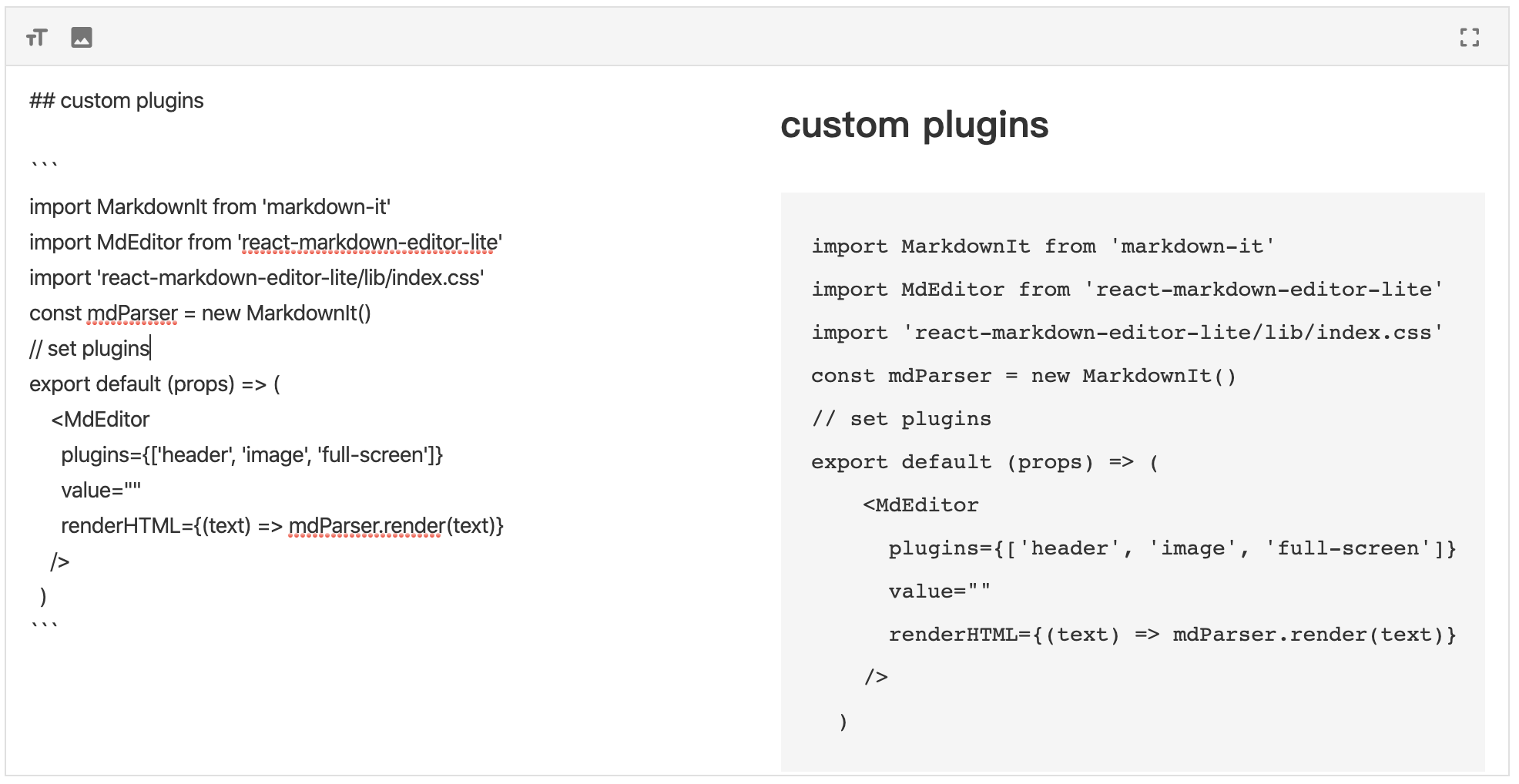
## 安装
```shell
npm install react-markdown-editor-lite-plus --save
# or
yarn add react-markdown-editor-lite-plus
```
## 基本使用
基本使用分为以下几步:
- 导入 react-markdown-editor-lite-plus
- 注册插件(如果需要)
- 初始化任意 Markdown 解析器,例如 markdown-it
- 开始使用
```js
// 导入React、react-markdown-editor-lite,以及一个你喜欢的Markdown渲染器
import React from 'react';
import MarkdownIt from 'markdown-it';
import MdEditor from 'react-markdown-editor-lite-plus';
// 导入编辑器的样式
import 'react-markdown-editor-lite-plus/lib/index.css';
// 注册插件(如果有的话)
// MdEditor.use(YOUR_PLUGINS_HERE);
// 初始化Markdown解析器
const mdParser = new MarkdownIt(/* Markdown-it options */);
// 完成!
function handleEditorChange({ html, text }) {
console.log('handleEditorChange', html, text);
}
export default props => {
return mdParser.render(text)} onChange={handleEditorChange} />;
};
```
- 更多参数和配置:点击[这里](./docs/configure.zh-CN.md)查看
- API:点击[这里](./docs/api.zh-CN.md)查看
- 插件开发:点击[这里](./docs/plugin.zh-CN.md)查看
- 完整 Demo 见[src/demo/index.tsx](https://github.com/HarryChen0506/react-markdown-editor-lite/blob/master/src/demo/index.tsx)
## 在 SSR(服务端渲染)中使用
如果你在使用一个服务端渲染框架,例如 Next.js、Gatsby 等,请对编辑器使用客户端渲染。
例如,Next.js 有[next/dynamic](https://nextjs.org/docs/advanced-features/dynamic-import),Gatsby 有[loadable-components](https://www.gatsbyjs.org/docs/using-client-side-only-packages/#workaround-3-load-client-side-dependent-components-with-loadable-components)
下面是 Next.js 的使用范例:
```js
import dynamic from 'next/dynamic';
import 'react-markdown-editor-lite-plus/lib/index.css';
const MdEditor = dynamic(() => import('react-markdown-editor-lite-plus'), {
ssr: false,
});
export default function() {
return ;
}
```
与插件一起使用:
```js
import dynamic from 'next/dynamic';
import 'react-markdown-editor-lite-plus/lib/index.css';
const MdEditor = dynamic(
() => {
return new Promise(resolve => {
Promise.all([
import('react-markdown-editor-lite-plus'),
import('./my-plugin'),
/** 按照这样加载更多插件,并在下方 use */
]).then(res => {
res[0].default.use(res[1].default);
resolve(res[0].default);
});
});
},
{
ssr: false,
},
);
export default function() {
return ;
}
```
完整示例[见此](https://codesandbox.io/s/next-js-80bne)
## 浏览器引入
自 1.1.0 起,你可以在浏览器中使用`script`和`link`标签直接引入文件,并使用全局变量`ReactMarkdownEditorLite`。
你可以通过 [![cdnjs][cdnjs-image]][cdnjs-url] [![jsdelivr][jsdelivr-image]][jsdelivr-url] [![unpkg][unpkg-image]][unpkg-url] 进行下载。
注意:ReactMarkdownEditorLite(RMEL) 依赖 react,请确保其在 RMEL 之前引入。
例如,使用 webpack 时,你可以在页面中通过`script`引入 ReactMarkdownEditorLite 的 JS 文件,并在 webpack 配置中写:
```js
externals: {
react: 'React',
'react-markdown-editor-lite-plus': 'ReactMarkdownEditorLite'
}
```
## 更多示例
- [基本使用](https://codesandbox.io/s/rmel-demo-ref-in-function-component-u04gb)
- [在 unform 中使用](https://codesandbox.io/s/rmel-demo-with-unform-qx34y)
- [编写插件](https://codesandbox.io/s/rmel-demo-write-plugin-p82fc)
- [替换默认图标](https://codesandbox.io/s/rmel-demo-replace-icon-pl1n3)
- [在 Next.js 中使用](https://codesandbox.io/s/next-js-80bne)
## 主要作者
- ShuangYa [github/sylingd](https://github.com/sylingd)
- HarryChen0506 [github/HarryChen0506](https://github.com/HarryChen0506)
## License
[MIT](https://github.com/HarryChen0506/react-markdown-editor-lite/blob/master/LICENSE)
[npm-version-image]: https://img.shields.io/npm/v/react-markdown-editor-lite.svg
[npm-downloads-image]: https://img.shields.io/npm/dm/react-markdown-editor-lite.svg?style=flat
[npm-url]: https://www.npmjs.com/package/react-markdown-editor-lite
[workflow-image]: https://img.shields.io/github/workflow/status/HarryChen0506/react-markdown-editor-lite/main
[workflow-url]: https://github.com/HarryChen0506/react-markdown-editor-lite/actions?query=workflow%3Amain
[license-image]: https://img.shields.io/badge/license-MIT-blue.svg?style=flat
[license-url]: LICENSE
[jsdelivr-image]: https://img.shields.io/jsdelivr/npm/hm/react-markdown-editor-lite
[jsdelivr-url]: https://www.jsdelivr.com/package/npm/react-markdown-editor-lite?path=lib
[cdnjs-image]: https://img.shields.io/cdnjs/v/react-markdown-editor-lite?style=flat
[cdnjs-url]: https://cdnjs.com/libraries/react-markdown-editor-lite
[unpkg-image]: https://img.shields.io/npm/v/react-markdown-editor-lite?label=unpkg&style=flat
[unpkg-url]: https://unpkg.com/browse/react-markdown-editor-lite/lib/